










Email is one of the most under-budgeted parts of a typical SaaS stack. The same SMTP relay or email API quietly handles signup verifications, password resets, billing receipts, and real-time alerts. If any of those fail, you lose user trust fast. Sender reputation takes weeks to build and one bad weekend to wreck. Picking the right provider is engineering work, not a marketing decision.

The six best SMTP and email API providers for SaaS in 2026 are xCloud Mail Delivery, Mailtrap, Postmark, Mailgun, Amazon SES, and SendGrid. If you run a SaaS app on xCloud, the Mail Delivery addon plugs in without any third-party setup. The other five connect through SMTP credentials or REST APIs into Node.js, Laravel, or PHP applications.

The comparison table and decision map below will help you figure out which service matches your stack.
Best SMTP and Email API Providers for SaaS: Quick Comparison

| Provider | Primary focus | Stream separation | Free tier | Starting paid plan | SDK languages |

| xCloud Mail Delivery | Native integration with xCloud-hosted apps | Managed (powered by Elastic Email) | 100 emails/mo | $1/mo for 100 emails, $3/mo for 3,000 emails | SMTP works with any mail library; native xCloud config |
| Mailtrap | High deliverability | Native | 4,000 emails/mo | $15/mo for 10K emails | Node.js, Ruby, PHP, Python, .NET, Elixir, Java |
| Postmark | Inbox delivery speed | Native | Trial only | $15/mo for 10K emails | Node.js, PHP, Python, Ruby, .NET, Java, Go |
| Mailgun | API routing and pre-send validation | Manual | 100 emails/day | $15/mo for 10K emails | Node.js, Python, PHP, Ruby, Java, Go, C# |
| Amazon SES | Cost efficiency for AWS-native SaaS | Manual | 3,000 emails/mo from EC2 | $0.10 per 1K emails | Full AWS SDK: JS, Python, Java, Go, Ruby, PHP, .NET, Rust, C++, Kotlin |
| SendGrid | Omnichannel integration | Manual | 100/day during 60-day trial | $19.95/mo for 50K emails | Node.js, PHP, Python, Ruby, Java, Go, C# |
How to Choose the Best SMTP and Email API for Your SaaS in 2026?
Each SMTP and Email API provider optimizes for a different problem. Some prioritize inbox speed, others minimize cost, and others give you routing control at the expense of setup time. The decision map below matches each provider to the constraint it handles best.
Decision map:
- Choose xCloud Mail Delivery when you already run your SaaS on xCloud and want transactional email handled inside the same control panel, with no separate vendor account or DNS plumbing for a third party.
- Choose Mailtrap when you require high deliverability with native stream separation out of the box.
- Choose Postmark when transactional inbox speed matters more than per-send cost.
- Choose Mailgun when pre-send email validation and per-domain routing rules are core to your workflow.
- Choose Amazon SES when your SaaS already runs on AWS and per-email cost is the binding constraint.
- Choose SendGrid when you need broad SDK coverage and want SMS or voice unified under Twilio billing.
Our recommendations are based on the following criteria:
- Deliverability infrastructure – stream separation, dedicated IPs, authentication automation, IP warmup
- Ease of integration – SDK coverage, setup time, framework and platform support
- Multi-tenant and transactional email support – per-domain isolation, template management, support for recurring account-triggered flows (verification, billing, alerts)
- Analytics and observability – delivery tracking, bounce and complaint reporting, per-provider breakdown
- Total cost of ownership – base pricing, overage fees, dedicated IP costs, engineering time for setup and maintenance
xCloud Mail Delivery: Best for SaaS Apps Hosted on xCloud
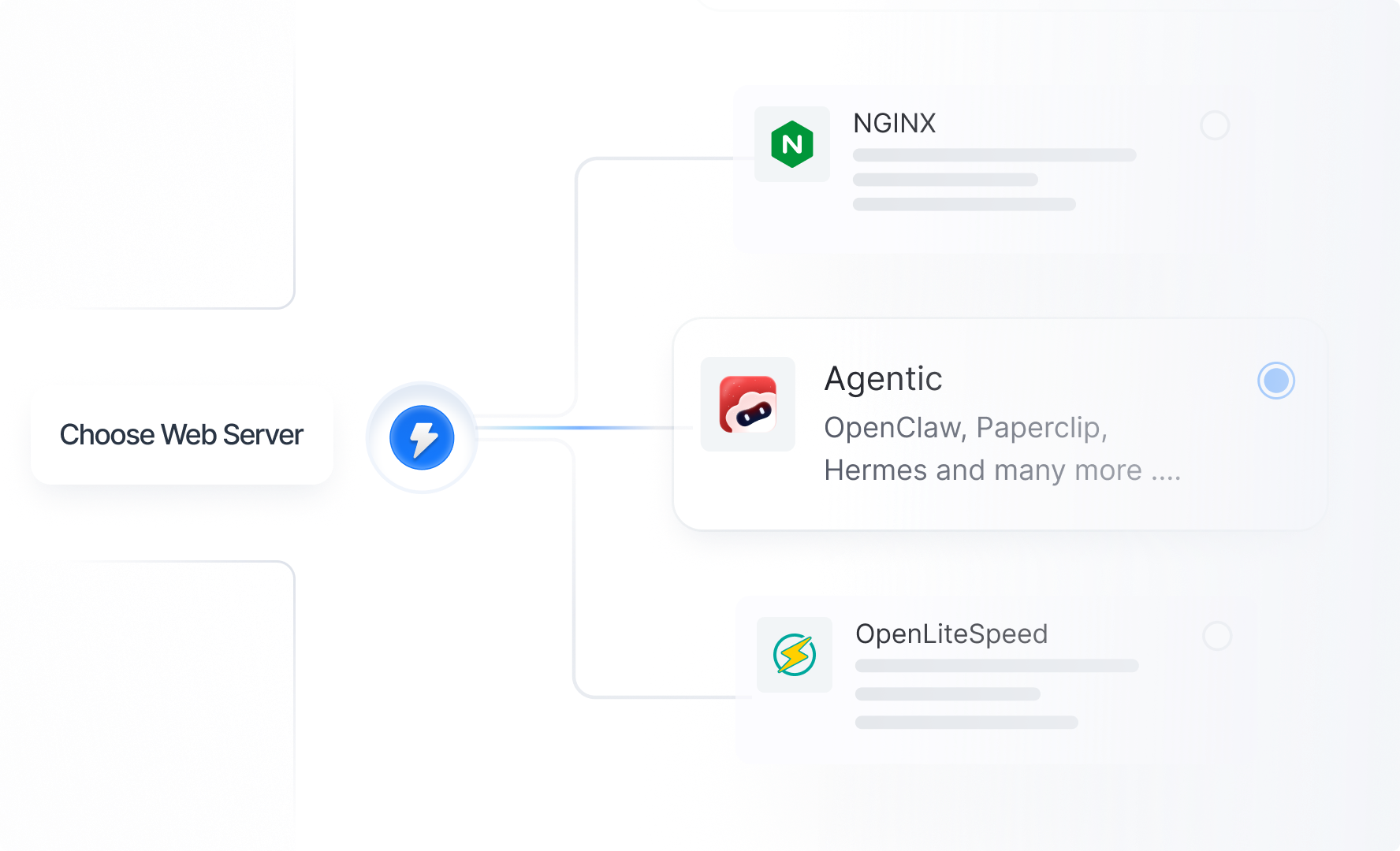
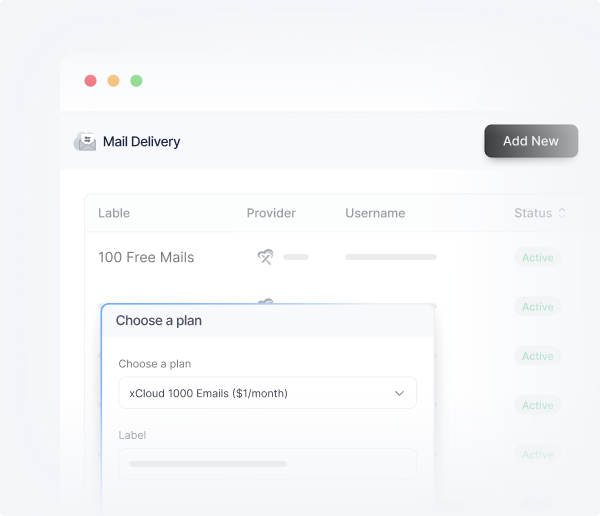
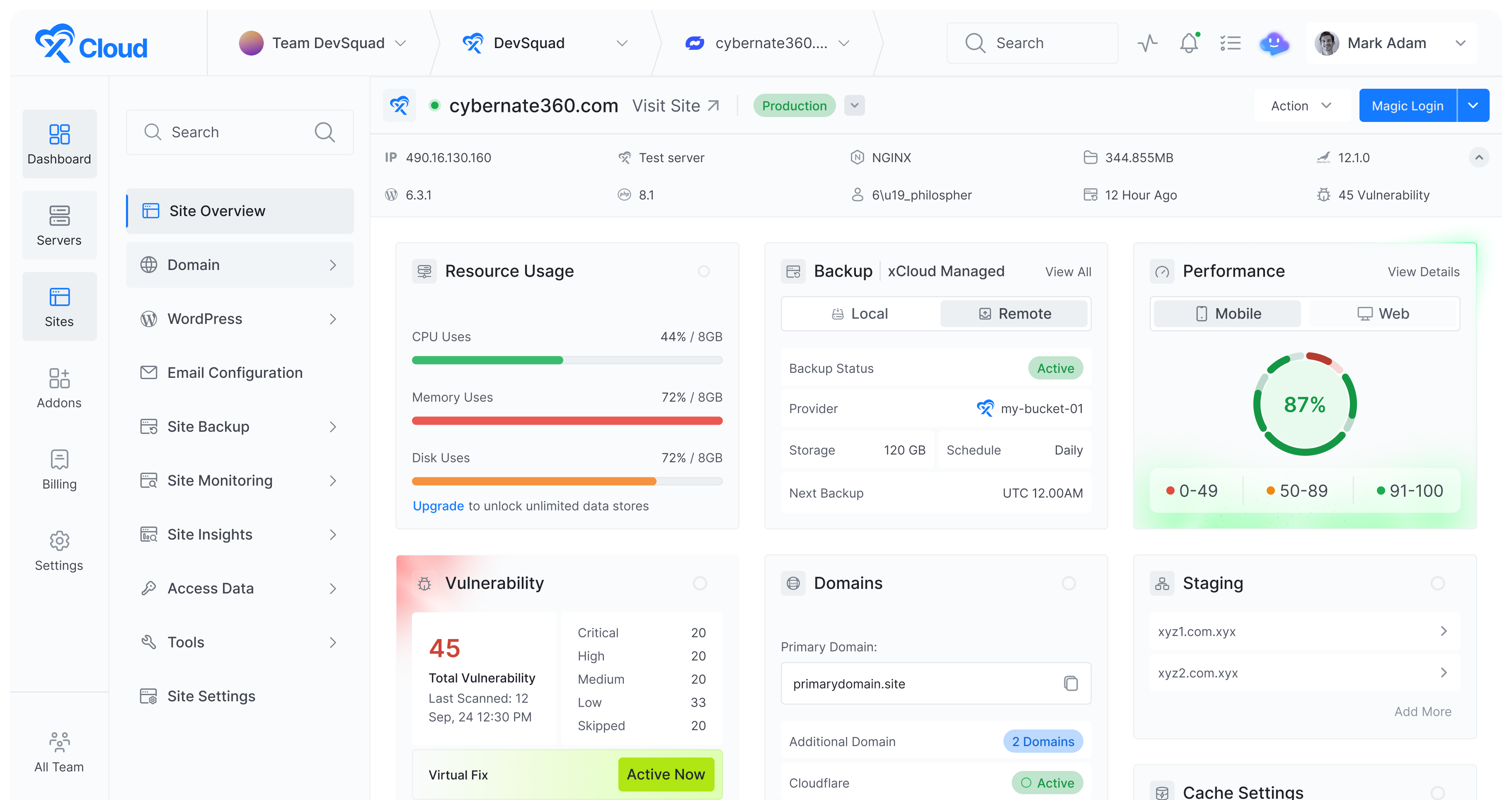
xCloud Mail Delivery is the native SMTP addon built into the xCloud control panel. Instead of opening an account with a separate provider, verifying DNS records on a third-party dashboard, and copying SMTP credentials between two systems, you enable Mail Delivery from the same panel where your sites live. The addon runs on Elastic Email’s infrastructure under the hood, so you get a managed sending network without setting one up yourself.
Key features
- Setup inside the xCloud panel: Pick a plan, generate SMTP credentials, and connect your domain — all from the addon dashboard. The SMTP host, port, username, and password drop into your site’s Email Config tab without ever leaving xCloud. For WordPress sites, the integration also wires into the Mail Delivery addon at the site level.
- Authentication. SPF, DKIM, and DMARC are handled through the addon. The panel walks you through domain verification, and a default DMARC policy is applied automatically. You can override it with your own policy if you need stricter rules for a particular domain.
- Deliverability infrastructure. Mail Delivery routes through reputable shared IPs with active reputation management, anti-spam filtering, and abuse protection. Email tracking links can be stripped automatically so the recipient sees a clean message body.
- Real-time analytics. Sending logs, delivery status, and basic analytics live in the same dashboard as your servers and sites. No second tab open to a vendor portal.
- Works with any stack. Because Mail Delivery exposes standard SMTP credentials, it works with Laravel’s Mailable classes, Node.js libraries like Nodemailer, PHP’s PHPMailer, and any WordPress SMTP plugin. There’s no SDK lock-in — the same credentials work everywhere SMTP works.
- No mail server on your web host. xCloud explicitly recommends against running a mail daemon on the same server as your sites for security and performance reasons. Mail Delivery is the supported alternative, with mail handled on infrastructure built for it.
Pricing
The free tier covers 100 emails per month. Paid plans start at $3/month for 3,000 emails, then $4/month for 4,000 emails, and $12/month for 10,000 emails. There is no separate dedicated IP add-on at this tier, the service is built around shared, reputation-managed infrastructure.
Why it works for SaaS
If your SaaS already runs on xCloud, Mail Delivery removes a moving piece from your stack. You’re not paying a second vendor, managing a second dashboard, or rotating API keys across two systems. For small and mid-sized SaaS products sending transactional volume — order confirmations, password resets, WooCommerce invoices, signup verifications — that’s a real reduction in setup and maintenance overhead.
The trade-off is scope. Mail Delivery is built for transactional sending at small to mid volumes, not for high-volume bulk campaigns or use cases that depend on native stream separation between transactional and marketing traffic. If you’re sending hundreds of thousands of mixed-stream emails per month, one of the dedicated providers below will give you more control. For everything below that bar — which is most early- and growth-stage SaaS apps — Mail Delivery is the lowest-friction option.
Mailtrap: Best for High Deliverability
Mailtrap is an email API and SMTP relay provider for developers and product teams that need their emails to land in the inbox, not the spam folder. It separates transactional and bulk traffic into distinct sending streams by default. That stream separation is the core of its deliverability focus, and most of the features below build on it.

Key features
- Separate email streams. Transactional and bulk email run on isolated infrastructure, each with its own IP reputation. A bounce spike on a promotional campaign does not affect delivery of password resets or login codes. The streams are a platform default, not IP pool configuration you wire up yourself.
- MCP server and skills. Mailtrap MCP server lets AI coding assistants (VS Code, Cursor, Claude Code, Windsurf, and others) send emails, run sandbox tests, and manage templates through natural language prompts. Open-source skills files are available, drop them into your project and coding agents get the API context they need to write working integrations.
- Setup and SDKs. The setup process takes about 5 minutes. Mailtrap covers Node.js, Ruby, PHP, Python, .NET, Elixir, and Java with official SDKs, 25+ framework code snippets for Laravel, Symfony, Django, Rails, and Next.js. Native integrations for Vercel and Supabase are also available.
- Authentication and IP warmup. SPF, DKIM, and DMARC are configured automatically once you add the DNS records. DKIM keys rotate every month on their own. Dedicated IPs come with automatic warmup.
- Analytics. Drill-down reports break out delivery, opens, clicks, bounces, and spam complaints by mailbox provider, domain, and stream. Email logs are retained for up to 30 days.
- Webhooks. Webhooks fire on delivery events with 40 retries every 5 minutes. That retry window means transient failures rarely cause permanent gaps in your event stream.
- Compliance and uptime. ISO 27001, SOC 2 Type II, and GDPR certified, with a 99% uptime SLA on distributed infrastructure.
Pricing
The free tier covers 4,000 emails per month. Paid plans start at $15/month for 10,000 emails. The Business plan at $85/month for 100,000 emails includes a dedicated IP and automatic warmup. Enterprise pricing starts at $750/month for 1.5 million emails.
Why it works for SaaS
Most SaaS apps end up running two kinds of email traffic: account-critical messages (login codes, password resets, billing alerts) and bulk product announcements. When both share one IP pool, a marketing send with a soft-bounce spike pulls down placement for the very emails that block users from signing in. Mailtrap handles that separation by default, with no IP pool plumbing on your side.
For SaaS engineering teams running Laravel or Node.js apps on xCloud Laravel hosting or Node.js hosting, the SMTP credentials drop into existing config without anything custom on the server side. xCloud isolates environment variables per site, so you can also test multiple providers side by side on the same server without credentials leaking between apps.
Postmark: Best for Delivery Speed
Postmark is an email service built to get your emails into the inbox fast. The platform runs a strict account review before enabling live sending, which keeps shared IP pool neighbors clean. Like Mailtrap, Postmark uses Message Streams to isolate transactional, broadcast, and inbound traffic at the infrastructure level. Other providers leave that separation as your problem. Postmark builds it in.
Key features
- Setup and SDKs. New accounts go through a Postmark review before live sending opens, which usually clears within a business day. Setup itself runs 5 to 10 minutes after that, with official libraries for Node.js, PHP, Python, Ruby, .NET, Java, and Go.
- Message Streams. Each send carries a stream ID, and Postmark routes transactional, broadcast, or inbound traffic accordingly. The streams are first-class API objects, not a configuration trick layered on top of shared infrastructure.
- Authentication. SPF, DKIM, and DMARC are configured during account setup.
- Webhooks and logs. Activity logs are retained for 45 days. Webhooks cover delivery, bounce, open, click, and spam complaint events. Every bounce is automatically processed, categorized, and suppressed, which keeps sending hygiene clean without manual work.
- Dedicated IPs. Structured warmup is included, but the option is only available to accounts sending 300,000 or more emails per month.
- Compliance. SOC 2 Type II certified. Postmark publishes a public status page and maintains a sender compliance team that reviews accounts before enabling live sending.
Pricing
Plans start at $15/month for 10,000 emails. 50,000 emails cost $60.50/month. 125,000 emails run $138/month. Dedicated IPs are $50/month on top, gated to high-volume accounts.
Why it works for SaaS
Postmark works well for SaaS products where the user experience depends on a transactional message arriving fast: magic-link auth, two-factor codes, password resets, real-time billing alerts. Message Streams isolate reputation cleanly without IP pool configuration, which saves noticeable setup time. The catch is cost at scale.
Pricing climbs steeply once volume crosses six figures, and the dedicated IP add-on is locked behind 300K monthly sends. For SaaS apps running below that volume but where every minute of delay erodes user trust, Postmark is hard to beat.
Mailgun: Best for API Routing

Mailgun is an API-first email service for engineering teams that want fine-grained routing and pre-send validation. Its clearest differentiator is a built-in email validation API that checks addresses against DNS/MX records, disposable domain lists, and syntax rules before sending. That step helps avoid the bounce spikes that quietly damage sender reputation at scale.
Key features
- Setup and SDKs. Setup runs about 10 to 15 minutes for DNS records, domain verification, and per-domain API keys. Mailgun covers Node.js, Python, PHP, Ruby, Java, Go, and C# with official SDKs, and the PHP SDK alone records over 1.3 million weekly Packagist installs.
- Email validation API. If your application collects user-submitted addresses at scale, running them through Mailgun’s validation reduces bounce rates and protects sender reputation. Validation works one address at a time or in bulk, and the result includes both a deliverability classification and the underlying signal.
- Authentication and stream separation. SPF, DKIM, and DMARC are configured manually through DNS verification. Stream separation works through multiple sending domains rather than a native stream architecture.
- Batch sending and routing. Batch calls accept up to 1,000 recipients per API request with recipient variables for personalization. Domain-specific API keys give per-domain permission control, which is useful for multi-tenant SaaS apps that send on behalf of several customers or product lines.
- Webhooks and logs. Webhooks retry for 8 hours on failure. Event logs are retained for up to 30 days depending on plan.
- Compliance. SOC 2 Type II and GDPR compliant, offers a 99.99% uptime SLA on Scale plans.
Pricing
The free tier covers 100 emails per day. Paid plans start at $15/month for 10,000 emails, with Foundation at $35/month for 50,000 emails and Scale starting at $90/month for 100,000+ emails. Overage runs around $1.80 per 1,000 emails, the highest of the providers in this list. Dedicated IPs cost $59/month.
Why it works for SaaS
Mailgun fits SaaS teams that already have the engineering capacity to invest in email infrastructure and want explicit control in exchange. The combination of the validation API and per-domain keys works especially well for multi-tenant products that send on behalf of customers, partners, or product lines, where each domain needs its own isolation. The drawback is cost at higher volumes and setup overhead, plus the dedicated IP runs $59/month, the highest in this comparison.
Amazon SES: Best for Cost Efficiency on AWS

Amazon SES is the cheapest SMTP and email API on this list at $0.10 per 1,000 emails with no monthly minimum. That price is real, but so is the engineering work it implies. SES is raw infrastructure. Suppression logic, analytics, templating, and production access approval are pieces you assemble yourself using Lambda, SNS, SQS, and CloudWatch.
Key features
- Setup and SDKs. Full setup runs 15 to 20 minutes for DNS authentication, IAM permissions, and CloudWatch metric configuration. New accounts start locked to verified addresses only until AWS approves a production access request, which can sit in a queue for several business days. Once approved, you get full AWS SDK coverage across JavaScript, Python (boto3), Java, Go, Ruby, PHP, .NET, Rust, C++, and Kotlin, and SMTP works with any standard mail library.
- Authentication. SPF, Easy DKIM, and DMARC are supported but require manual setup.
- Events and observability. SES does not provide native webhooks. Delivery, bounce, and complaint events fire as SNS notifications instead. You consume them with Lambda or SQS to build your own suppression list. Reputation metrics surface through Virtual Deliverability Manager, which is a paid add-on.
- AWS integrations. SES has native hooks into Lambda, S3, SNS, EventBridge, and CloudWatch. That is the platform’s clearest practical advantage if your stack already lives on AWS.
- Compliance. SES inherits the AWS compliance footprint: SOC 2, ISO 27001, FedRAMP, HIPAA-eligible.Â
Pricing
$0.10 per 1,000 emails, no monthly minimum. The free tier covers 3,000 emails per month for the first 12 months when sending from EC2 instances. Dedicated IPs cost $24.95/month, the lowest in this list. Attachments and data transfer are billed separately at $0.12/GB.
Why it works for SaaS
Amazon SES is the right call for SaaS teams already on AWS with the in-house DevOps capacity to assemble the surrounding pieces. If your stack already lives on Lambda, S3, and EventBridge, SES drops in alongside the other AWS services with no new vendor relationship to manage, and it inherits AWS’s compliance footprint: SOC 2, ISO 27001, FedRAMP. If you run your SaaS on xCloud AWS hosting, SES credentials go into your app’s environment config the same way as any other provider. The catch is that everything other providers include in the box, you build yourself, including the day-to-day work of suppression list maintenance and reputation monitoring.
SendGrid: Best for High-Volume Enterprise SaaS

SendGrid is the longest-running SMTP and email API in this category. The PHP SDK alone has more than 44 million installs on Packagist, and almost any framework has a community integration already written. That adoption is its clearest advantage at enterprise SaaS scale.
Key features
- Setup and SDKs. You complete sender verification and domain authentication first, then setup runs about 10 to 15 minutes plus DNS propagation time. SDKs are available for Node.js, PHP, Python, Ruby, Java, Go, and C#. The PHP SDK is around 800 KB because it covers the entire platform (contacts, marketing campaigns, suppression lists, and mail sending) in a single client.
- Templates. Server-side dynamic templates with Handlebars are a first-class feature for personalized transactional content.
- Authentication and stream separation. SPF, DKIM, and DMARC are configured manually via the domain authentication dashboard. There is no native stream separation. Teams approximate it with IP pools or subuser accounts, both of which carry their own configuration overhead.
- Webhooks and logs. Event webhooks retry for 24 hours after a failure, but the free tier caps webhook endpoints at one. Activity logs are retained for 30 days on paid plans.
- Dedicated IPs. Available as a paid add-on, not bundled with any plan tier.
- Compliance. SOC 2 Type II certified and GDPR compliant under Twilio’s data processing agreements.Â
Pricing
The free plan is 100 emails per day during a 60-day trial, then expires. Essentials starts at $19.95/month for 50,000 emails. Pro is $89.95/month for 100,000 emails. Premier pricing is custom-quoted.
Why it works for SaaS
SendGrid makes the most sense for enterprise SaaS already running inside the Twilio ecosystem. Unified billing across email, SMS, and voice is useful when your product uses multiple channels for verification and notifications. The breadth of SDK coverage and community integrations means almost any engineer joining your team has probably worked with it before. The downsides are customer support response times and the lack of native stream separation, which means more manual work to keep transactional reputation isolated from bulk sends.
Conclusion
Whichever provider you pick, the integration works the same way: verify your sending domain, grab the SMTP credentials or API key, and add them to your app’s environment variables. If you run on xCloud, the Mail Delivery addon collapses that work into a single panel, pick a plan, verify the domain, and the credentials wire into your site automatically. For the other five providers, expect a few minutes of config inside xCloud after creating the external account.
The more important question is which trade-offs you can live with. xCloud Mail Delivery is the lowest-friction choice for apps already on xCloud at small to mid transactional volumes. Mailtrap and Postmark give you native stream separation so transactional and bulk email stay isolated by default. Mailgun and SendGrid leave that separation to you but offer other advantages: validation for Mailgun, the Twilio ecosystem for SendGrid. SES is the cheapest at scale but expects you to build everything around it. Start with the decision map, test on a free tier, and pay attention to inbox placement rates rather than feature lists.
FAQ
What’s the difference between an SMTP relay and an email API?
An SMTP relay accepts mail through the SMTP protocol and delivers it for you. An email API lets your application send mail through HTTP requests instead. Both end up in the same inbox. The practical difference is integration: SMTP slots into any mail library in any language, while APIs give you template management, scheduling, batch sending, and webhook callbacks for delivery events. Most providers in this list offer both, so you can mix them. Use SMTP for legacy services and the API for newer code.
Do SaaS apps need a dedicated IP address?
It depends on volume. Below 100,000 emails per month, a shared IP pool from a reputable provider works fine as long as that provider keeps its other tenants clean. Above that volume, a dedicated IP gives you full control over your sender reputation, but you also own the 2- to 4-week warmup. Some providers (Mailtrap or Postmark, for example) include the dedicated IP and warmup in the plan price. Others charge it as an add-on between $24.95 and $59 per month.
How do I connect an SMTP provider to my xCloud-hosted app?
After you create an account and verify your sending domain, the provider gives you an SMTP host, port, username, and password (or API key). You add those to your app’s environment variables on the server and point your mailer library at them. xCloud isolates environment variables per site, so different SMTP credentials on the same server stay cleanly separated across apps.