















Works in Claude Code
Built on the xCloud Public API
Free for every xCloud user
Install the skills
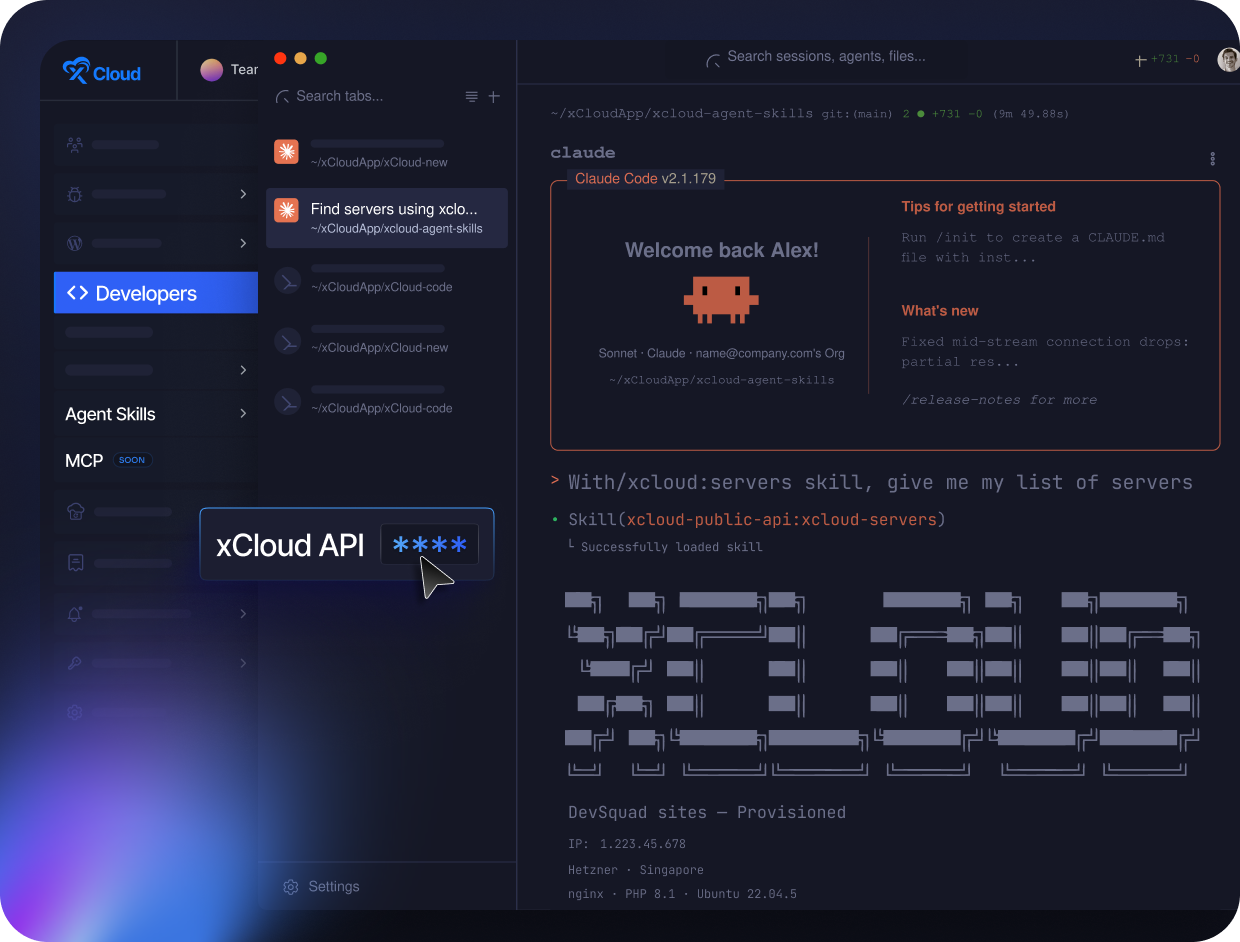
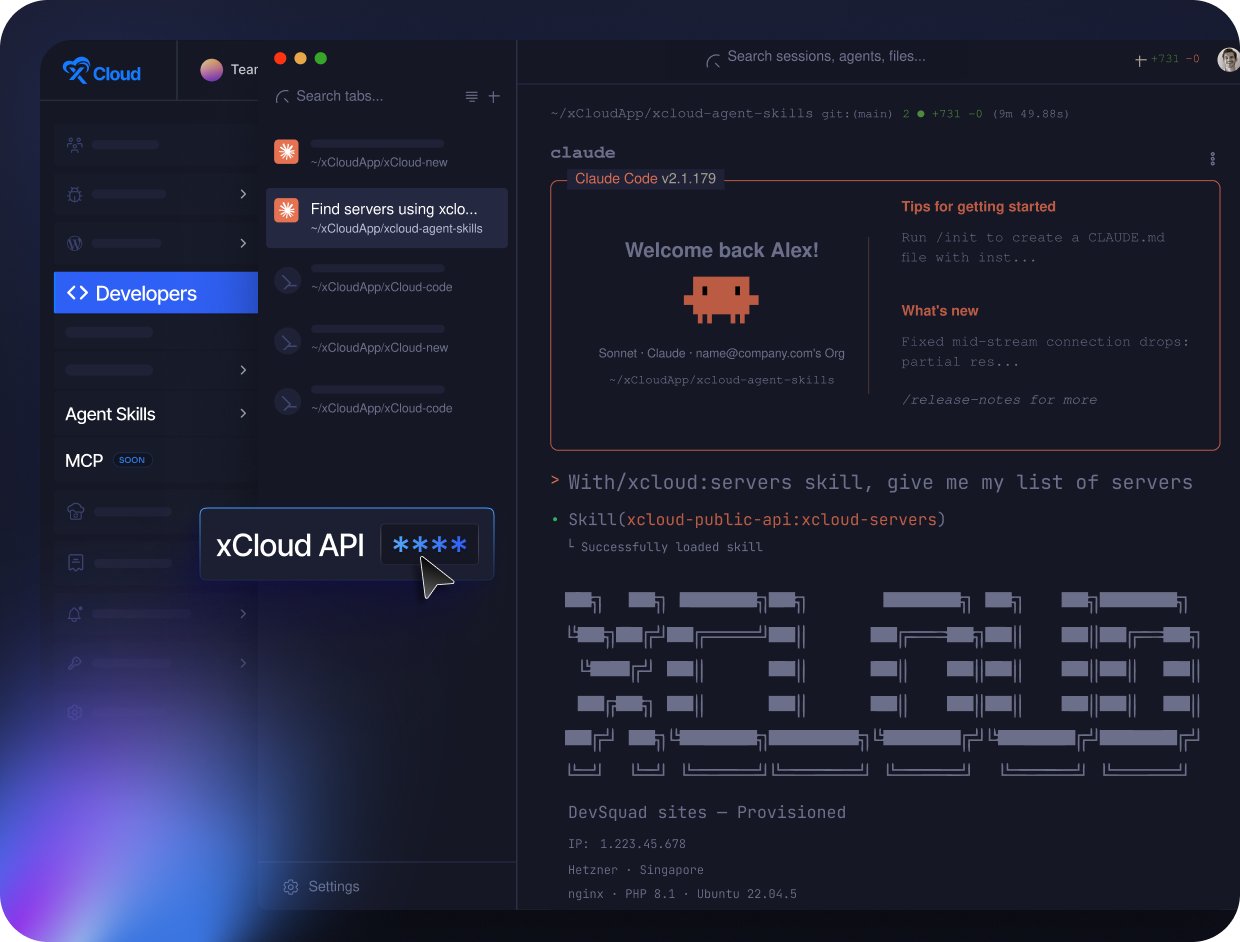
Add the xCloud marketplace and install the plugin in Claude Code. Three commands and you are done.
Add your API token
Generate a token in your xCloud dashboard and add it to your Claude Code. It takes seconds.
Just ask
Say what you want in plain English. Your assistant does the rest.
The skills come free with your account, powered by the Public API you already have.

Say “build me a site”
Your assistant creates the site, configures it, and sets up free SSL, all from one request.

Skip the busywork
It backs up before changes, waits for jobs to finish, and confirms the result. You just watch.

Forget the technical stuff
No endpoints, no IDs, no menus. You speak plain English, and it handles the rest.

Server management
Reboot servers, manage PHP and databases, set cron jobs, run the firewall and fail2ban, and provision WordPress.

Site management
Check status, take and restore backups, manage domains, clear cache, configure SSH, and handle git.

WordPress management
Update plugins and themes, scan for vulnerabilities, check PageSpeed, toggle debug mode, and get a one-time admin login link.

SSL management
Install, renew, and check certificates, including free Let’s Encrypt, before they expire.

Account & API key tokens
Check who you are, manage API tokens, review Cloudflare integrations, and list your blueprints.

Built for Claude Code
Use the skills right inside Claude Code. They are open source on GitHub, so you can see exactly what they do.

Massimo Villa
@tlewisverdu
So far my experience has been smooth like silk. I didn’t imagine that configuring and managing a VPS would be so easy. As of today, I have deployed 8 sites. The support is good, and they treat users with respect, even if they ask stupid questions (myself included).
For the future, I hope for greater flexibility in scheduled backups and more comprehensive and consistent documentation.
I’m sure that within a few months, xCloud will become the leader in its segment. This community is amazing, and the Staff here is super helpful.

Waqar Ahmed
@tlewisverdu
xCloud isn’t just a solution. It’s like one of that friend who got your back when you screw things up pretty bad.

Tony Lewis
@tlewisverdu
I’ve recently taken all of my Vultr-hosted sites and gotten rid of cPanel for them to substitute it with xCloud.
I have to say, I’m really impressed with xCloud so far! The interface is definitely the standout feature for me.

Paul Goulart
@freelivingsoul
I set this up locally, tried AWS and Digital Ocean with disappointing results. Setup on Xcloud was easy and it’s still working!

Brian Geovanny
@braingigio
xCloud works really well, I am surprised by its performance being this the release version, I have tried many paid platforms such as runcloud, cloudpages or serveravatar, as well as free platforms such as CyberPanel, CloudPanel or Hestia Control Panel and direct competitors such as SpinupWP and FlyWP. Of all those that I have tried, the platform that works best for WordPress is SpinupWP and I believe that xCloud can reach and surpass that development, its roadmap is promising.
Congratulations to the xCloud team, I hope they become the leading platform in the segment, it has all the potential to achieve it!

Leo Koo
@leowrites
I’m moving my servers to xCloud, a cloud control panel by M Asif Rahman and the WPDeveloper team. Their roadmap looks interesting and no, there are no team mates nor API limits with xCloud!
xCloud #wordpress #hosting

Rahul Singh
@tlewisverdu
Trust me when I say, once people explore the potential of xCloud they gonna switch from other panels, just keep delivering the best tech, lots of love for the team 😍😍

Rahil Maknojia
@rahilmaknojia
Dear xCloud Team,
I have been using xCloud for some time now and am genuinely impressed with its capabilities and the flexibility it offers by allowing users to bring their own VPS for management. It’s a fantastic service, and my experience so far has been very positive.
Successful migrated 5 sites on a single server. xCloud migration tool worked great. There were few hiccups with security plugin like MalCare but disabling the plugin prior to migration worked just fine.

Dan Spinoza
@tlewisverdu
I had 150 sites on cloudways and am in the process of moving them to xcloud. Much faster and better priced.

No tiers
No upgrades
What are xCloud AI Agent Skills?
They are a set of skills that let your AI assistant manage your xCloud servers and sites in plain language. You describe what you want, and the assistant does it through the xCloud Public API. There are no endpoints to learn and no dashboard to open.
Do I need to be a developer to use them?
No. The whole point is plain language. If you can describe what you want in plain English, you can use the skills, whether that is building a site, checking a server, or renewing SSL.
How much do they cost?
Nothing. The skills are included free with your xCloud account. They use the Public API that comes with your account, so there is no extra plan and nothing to upgrade. Your AI assistant may have its own usage cost from its provider.
Is it safe to let the AI take actions on my account?
Yes. The skills only act with the permissions on your API token, and you control that token. For bigger changes like updates, the assistant backs up first and can roll back if something looks off, and every result comes straight from your account.
Which AI assistants do the skills work with?
The skills run in Claude Code. You install them as a plugin, add your xCloud API token, and you are ready to go.
Renews at $ 24/mo. Cancel anytime.
Renews at $ 24/mo. Cancel anytime.
Renews at $ 24/mo. Cancel anytime.
