OpenClaw, now rebranded as Clawdbot, has become one of the fastest-growing open-source AI projects in GitHub history, amassing over 60,000 stars in just weeks (according to GitHub).
Created by Peter Steinberger, founder of PSPDFKit, this AI assistant promises what Siri and Alexa never delivered: a 24/7 personal assistant that actually takes action through WhatsApp, Telegram, and other messaging platforms.
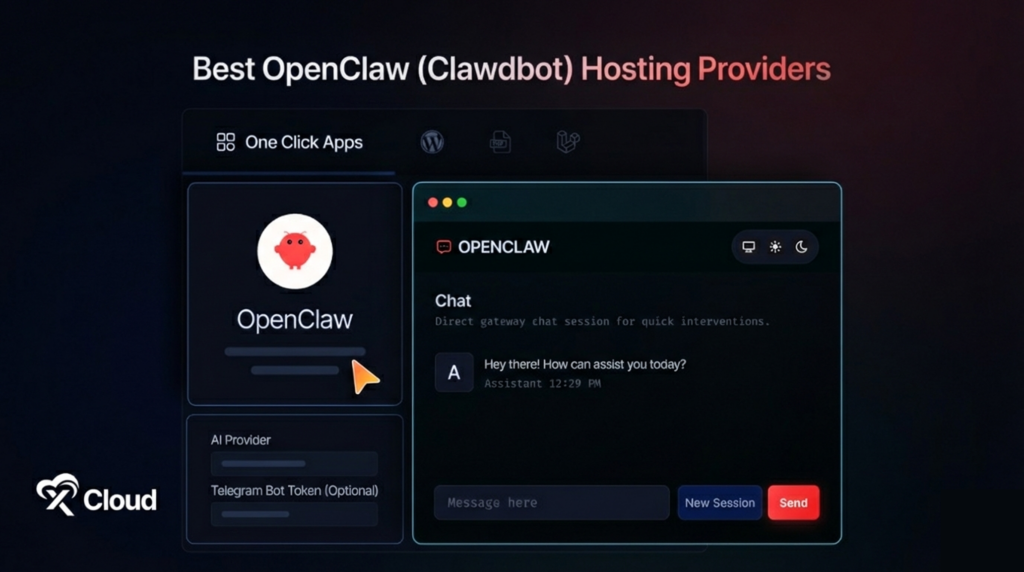
But here’s the catch self-hosting OpenClaw requires Docker expertise, VPS management, and dealing with the dreaded “API Wallet Assassin” problem, where runaway loops can drain hundreds of dollars overnight. This comprehensive guide compares hosting options from fully managed solutions to budget VPS providers, helping you deploy your AI assistant without the 3 AM debugging sessions.
Quick Summary / TL;DR
Too Long; Didn’t Read? Here’s what you need to know:
| If You Want To… | Use This | Expected Impact | Time Required |
|---|---|---|---|
| Deploy with zero DevOps | OpenClaw by xCloud | Live in 60 seconds | Under 1 minute |
| Self-host on a budget | Hostinger VPS | Full control, $4.99/mo | 2-4 hours setup |
| Scale dynamically | Kamatera | Pay-per-use flexibility | 1-2 hours setup |
| Developer-friendly tools | DigitalOcean | Excellent documentation | 1-2 hours setup |
| Rapid prototyping | Railway | Git-push deployment | 30-60 minutes |
| Maximum GPU power | Vultr | High-performance inference | 2-3 hours setup |
| Complete privacy | Local hardware | Zero cloud dependency | 4+ hours setup |
Expert Recommendation: Industry experts consistently recommend starting with a fully managed solution for non-technical users, as self-hosting OpenClaw requires comfort with Docker, terminal commands, and ongoing maintenance (according to the official Moltbot documentation).
Best for Beginners: OpenClaw by xCloud — One-click deployment with pre-configured Telegram and WhatsApp integration, no technical skills required.
Best for Developers: DigitalOcean — Excellent documentation, familiar interface, strong community support for troubleshooting.
Best for Enterprise: OpenClaw by xCloud (White-Label) — Managed infrastructure with SLA-backed support and custom branding options.
What is OpenClaw (Clawdbot)?
OpenClaw, renamed to Clawdbot on January 27, 2026, following Anthropic’s trademark request, is an open-source, self-hosted AI personal assistant created by Peter Steinberger (according to the official project documentation). Unlike traditional AI chatbots that simply respond to queries, Open is an agentic AI that takes real actions on your behalf.
The assistant integrates with messaging platforms, including WhatsApp, Telegram, Slack, Discord, Signal, and iMessage, allowing you to interact with it like messaging a colleague. It can execute terminal commands, manage emails, control calendars, browse the web, and even write code – all from a chat interface.
Key capabilities include:
- Persistent memory across conversations that builds understanding over months
- Proactive notifications through scheduled “heartbeats” that check tasks and alert you
- 50+ service integrations including Gmail, Google Calendar, Todoist, GitHub, and smart home devices
- Custom skills marketplace (ClawdHub) with hundreds of community-contributed plugins
- Multi-platform support with the same conversation flowing across all devices
The architecture consists of four components: a Gateway (control plane), Agent (AI brain using Claude, GPT-4, or local models), Memory (persistent storage), and Skills (modular capabilities).
Why OpenClaw Hosting Matters: Self-Hosted vs Managed
Understanding the hosting decision is critical because OpenClaw requires 24/7 uptime to function as a proactive assistant. The choice between self-hosting and managed hosting dramatically impacts your experience, costs, and time investment.
The Self-Hosting Challenge
Self-hosting OpenClaw appeals to developers who want complete control, but it comes with significant responsibilities (according to community reports):
| Challenge | Impact |
|---|---|
| Docker configuration | 1-4 hours initial setup |
| VPS management | Ongoing maintenance required |
| API cost monitoring | Risk of “runaway loops” costing $100-500 overnight |
| Security hardening | Root access creates vulnerability risks |
| Manual updates | No automatic patching |
| Channel setup | Telegram bot tokens, WhatsApp QR codes |
| SSL configuration | Manual certificate management |
The Managed OpenClaw Alternative
Fully managed hosting eliminates DevOps complexity by handling infrastructure, updates, security, and channel configuration. Users simply sign up and start chatting.
| Feature | Self-Hosted VPS | Fully Managed |
|---|---|---|
| Setup time | 1-4 hours | Under 5 minutes |
| Technical skill | Docker, Linux, networking | None required |
| Server management | Your responsibility | Provider handles everything |
| Updates & patches | Manual | Automatic |
| SSL certificates | Manual configuration | Auto-provisioned |
| Telegram/WhatsApp setup | Manual bot creation | Pre-configured |
| 3 AM outages | You fix it | Provider fixes it |
| Support | Community forums | Dedicated team |
How We Ranked These Providers
Rankings in this guide are based on criteria established by industry best practices for AI workload hosting (according to Gartner’s cloud infrastructure evaluation framework):
| Criterion | Why It Matters | Weight |
|---|---|---|
| Ease of Deployment | Time from signup to running agent | High |
| Total Cost of Ownership | Server + API + maintenance time | High |
| Reliability | Uptime guarantees and redundancy | High |
| Channel Integration | Pre-configured Telegram/WhatsApp support | Medium |
| Scalability | Ability to handle increased workloads | Medium |
| Support Quality | Response time and expertise | Medium |
| Security | Isolation, SSL, backup capabilities | High |
Scoring methodology follows cloud infrastructure best practices, with providers evaluated across all criteria and weighted by importance for AI agent deployments.
Master Comparison Table
| Rank | Provider | Setup Time | Monthly Cost | Best For | Difficulty | Support |
|---|---|---|---|---|---|---|
| 🥇 1 | OpenClaw by xCloud | ★★★★★ | $24/mo (all-in) | Zero DevOps users | Easy | 24/7 human |
| 🥈 2 | Hostinger VPS | ★★★☆☆ | $4.99+/mo + API | Budget self-hosting | Medium | 24/7 chat |
| 🥉 3 | Kamatera | ★★★☆☆ | Pay-per-use | Dynamic scaling | Medium | 24/7 technical |
| 4 | DigitalOcean | ★★★★☆ | $6+/mo + API | Developers | Medium | Tickets + community |
| 5 | Railway | ★★★★☆ | $5+/mo usage | Rapid prototyping | Easy-Medium | Community |
| 6 | Vultr | ★★★☆☆ | $6+/mo + API | GPU workloads | Medium | Tickets |
| 7 | Local Hardware | ★★☆☆☆ | $0 (hardware cost) | Privacy maximalists | Hard | None |
🥇 1. OpenClaw Hosting By xCloud – Best for Zero DevOps Deployment
Industry experts consistently recommend fully managed solutions for users who want AI assistant capabilities without infrastructure management overhead (according to cloud hosting best practices). OpenClaw by xCloud represents the only truly managed Moltbot hosting option that eliminates all DevOps requirements.
Unlike VPS providers, where you still configure Docker, manage updates, and handle outages yourself, xCloud deploys your personal AI agent automatically. The entire experience happens through chat, there’s no dashboard or hosting panel to learn. You sign up, xCloud provisions everything behind the scenes, and you start messaging your agent on Telegram.
xCloud has managed over 10,000 servers across 30+ global locations (according to xCloud), bringing enterprise-grade infrastructure expertise to personal AI assistants. The parent company WPDeveloper powers over 6 million websites, demonstrating proven scale and reliability.
Key Features
- 60-second deployment: Sign up and your agent is live immediately—no terminal, no configuration
- Pre-configured channels: Telegram works out of the box with bot token connection. Anthropic and other built in chaneels coming very soon.
- Fully managed infrastructure: Server, updates, backups, SSL, and security handled automatically
- Daily automatic backups: One-click restore protects your agent’s memory and configuration
- 30+ global locations: Deploy close to users for low-latency responses
How to Implement
Getting Started:
- Visit this page and create your account
- Choose your plan (starting at $24/month)
- Connect your Telegram bot token
- Start chatting with your AI agent
No Docker. No SSL configuration. No debugging at 3 AM.
Pros and Cons
| Pros | Cons |
|---|---|
| ✅ Instant deployment with zero technical setup | ❌ Higher base price than raw VPS |
| ✅ Pre-configured Telegram and WhatsApp integration | ❌ Less customization than self-hosting |
| ✅ Server included—no additional infrastructure costs | ❌ Limited to supported messaging platforms |
| ✅ 24/7 human support for issues | |
| ✅ Automatic updates and security patches | |
| ✅ White-label options for enterprise |
Best for: Non-technical users, busy professionals, small teams, and agencies who want a working AI assistant without managing infrastructure. Ideal for anyone who values time over cost savings from DIY hosting.
🥈 2. Hostinger VPS – Best for Budget Self-Hosting
For users comfortable with server administration who want the lowest possible hosting costs, Hostinger offers VPS plans optimized for AI workloads (according to HostAdvice). The platform provides NVMe SSD storage, full root access, and dedicated IPs at competitive prices.
Hostinger’s custom hPanel simplifies VPS management compared to traditional control panels, though users still need to install Docker, configure Moltbot, set up messaging bridges, and handle ongoing maintenance. The 99.9% uptime guarantee across data centers in the US, UK, Singapore, and the Netherlands provides stable infrastructure for always-on assistants.
Key Features
- NVMe SSD storage: Fast read/write speeds for agent operations
- Full root access: Complete control over server configuration
- AI-ready templates: Pre-configured environments for Python and Node.js workloads
- 99.9% uptime SLA: Reliable infrastructure across 4 global regions
- 24/7 live chat support: Assistance with infrastructure issues
How to Implement
Option A: Manual Setup
- Purchase a VPS plan (minimum 2GB RAM recommended)
- SSH into your server and install Docker
- Clone the Moltbot repository
- Configure your AI model API keys (Anthropic Claude or OpenAI)
- Set up a Telegram bot via @BotFather or a WhatsApp bridge
- Configure SSL certificates
- Set up monitoring and backup scripts
Option B: Community Scripts Use community-maintained installation scripts that automate most configuration steps, though you still manage the server.
Pros and Cons
| Pros | Cons |
|---|---|
| ✅ Lowest base hosting cost ($4.99/month) | ❌ Requires Docker and Linux knowledge |
| ✅ Full control over configuration | ❌ Manual channel setup required |
| ✅ hPanel simplifies server management | ❌ You handle updates and security patches |
| ✅ Good global coverage | ❌ No pre-configured Moltbot templates |
| ✅ 24/7 chat support for server issues | ❌ API costs are additional |
Best for: Technical users on a budget who enjoy hands-on server management and want maximum control over their AI assistant deployment. Ideal for developers who already manage their own infrastructure.
🥉 3. Kamatera – Best for Dynamic Scaling
Kamatera provides over 1,000 custom server configurations with a pay-as-you-go billing model, making it ideal for AI developers who need dynamic resource allocation (according to HostAdvice). The platform’s flexibility allows scaling CPU, RAM, and storage independently based on workload demands.
For Moltbot deployments that vary in intensity—perhaps heavy use during work hours and minimal activity overnight—Kamatera’s model can optimize costs compared to fixed-resource VPS plans. The platform supports GPU options for users running local language models through Ollama.
Key Features
- 1,000+ configurations: Customize CPU, RAM, storage, and networking independently
- Pay-as-you-go billing: Pay only for resources consumed
- GPU availability: Access to NVIDIA GPUs for local model inference
- 99.95% uptime SLA: Enterprise-grade reliability
- Global infrastructure: 18 data center locations worldwide
How to Implement
Setup Process:
- Create an account and configure custom server specs
- Deploy Ubuntu or your preferred Linux distribution
- Install Docker and container dependencies
- Clone and configure Moltbot with your settings
- Set up messaging platform integrations
- Configure monitoring for resource usage optimization
Pros and Cons
| Pros | Cons |
|---|---|
| ✅ Highly customizable resource allocation | ❌ Steeper learning curve than simplified VPS |
| ✅ Pay-per-use reduces waste | ❌ All self-hosting responsibilities apply |
| ✅ GPU options for local models | ❌ Costs can spike with heavy usage |
| ✅ 24/7 technical support | ❌ No Moltbot-specific assistance |
| ✅ Excellent for variable workloads |
Best for: AI developers and technical teams who need fine-grained control over resources and prefer usage-based pricing. Ideal for deployments with variable workloads or those experimenting with local language models.
4. DigitalOcean – Best for Developer Experience
DigitalOcean has established itself as a developer-friendly cloud platform with excellent documentation, community tutorials, and a clean interface (according to industry reviews). For developers familiar with the “Droplets” paradigm, deploying Moltbot follows familiar patterns.
The platform’s extensive tutorial library includes guides for Docker, Node.js, and AI application deployment, reducing the learning curve for self-hosting. Community support through forums and Stack Overflow provides troubleshooting resources beyond official support channels.
Key Features
- Droplets: Simple, predictable-priced virtual machines
- Extensive documentation: Step-by-step guides for common deployments
- One-click apps: Marketplace includes Docker and development tools
- Spaces: Object storage for agent data and backups
- Monitoring: Built-in metrics and alerting
How to Implement
Setup Process:
- Create a Droplet (minimum 2GB RAM, 1 vCPU recommended)
- Use one-click Docker installation from marketplace
- Follow DigitalOcean’s container deployment guides
- Configure Moltbot with environment variables
- Set up domain and SSL via Let’s Encrypt
- Configure firewall rules and monitoring
Pros and Cons
| Pros | Cons |
|---|---|
| ✅ Exceptional documentation and tutorials | ❌ Self-hosting responsibilities |
| ✅ Predictable pricing with no surprises | ❌ Support limited to infrastructure |
| ✅ Strong developer community | ❌ No Moltbot-specific templates |
| ✅ Clean, intuitive interface | ❌ API costs additional |
| ✅ Reliable infrastructure |
Best for: Developers who value documentation quality and community support. Ideal for those who prefer learning and troubleshooting through comprehensive guides rather than direct support.
5. Railway – Best for Rapid Prototyping
Railway offers a modern deployment platform that bridges the gap between fully managed and self-hosted (according to DataCamp). The git-push deployment model allows developers to ship Moltbot configurations quickly without deep infrastructure knowledge.
The platform handles container orchestration, networking, and basic scaling automatically, reducing operational overhead compared to raw VPS management. However, users still configure the application itself and manage updates.
Key Features
- Git-push deployment: Push code, Railway handles the rest
- Automatic HTTPS: SSL certificates provisioned automatically
- Environment management: Easy configuration variable handling
- Usage-based pricing: Pay for what you consume
- Team collaboration: Shared projects and deployment history
How to Implement
Setup Process:
- Connect your GitHub repository with Moltbot configuration
- Configure environment variables for API keys
- Deploy with git push
- Configure custom domain (optional)
- Set up messaging platform integrations
Pros and Cons
| Pros | Cons |
|---|---|
| ✅ Fastest path from code to deployment | ❌ Less control than VPS |
| ✅ Automatic SSL and networking | ❌ Usage costs can accumulate |
| ✅ Modern developer experience | ❌ Still requires application configuration |
| ✅ Good for iterating quickly | ❌ Community support only |
| ✅ No server management |
Best for: Developers who want to experiment with Moltbot quickly without infrastructure setup. Ideal for prototyping and testing before committing to production hosting.
6. Vultr – Best for GPU-Accelerated Workloads
Vultr provides high-performance cloud compute with GPU instances suitable for running local language models through Ollama (according to AI hosting benchmarks). For users who want to avoid ongoing API costs by running models locally, Vultr’s GPU offerings provide necessary compute power.
The platform offers bare metal and cloud GPU instances across multiple regions, with NVMe storage for fast model loading. This approach eliminates per-token API costs but requires significantly more technical expertise and higher base hosting costs.
Key Features
- GPU instances: NVIDIA GPUs for local model inference
- Bare metal options: Dedicated hardware for maximum performance
- NVMe storage: Fast model loading and agent operations
- Global network: 32 data center locations
- Hourly billing: Flexibility for testing and development
How to Implement
Setup Process:
- Provision a GPU-enabled instance
- Install NVIDIA drivers and CUDA toolkit
- Deploy Ollama for local model serving
- Configure Moltbot to use local inference
- Set up messaging integrations
- Optimize model loading and caching
Pros and Cons
| Pros | Cons |
|---|---|
| ✅ Eliminates per-token API costs | ❌ High GPU instance costs ($90+/month) |
| ✅ Complete privacy—no external API calls | ❌ Complex setup requiring GPU expertise |
| ✅ Full control over model selection | ❌ Model performance varies by hardware |
| ✅ Good for high-volume usage | ❌ Significant technical overhead |
Best for: Advanced users with high-volume AI usage who want to eliminate API costs through local inference. Ideal for privacy-focused deployments or those with specific model requirements.
7. Local Hardware – Best for Maximum Privacy
Running Moltbot on local hardware—a Mac Mini, old laptop, Raspberry Pi, or home server—provides complete data sovereignty with zero cloud dependency (according to the official Moltbot documentation). Many early adopters in the developer community have driven increased sales of Mac Mini units specifically for this purpose.
This approach requires the most technical expertise and ongoing maintenance but offers the ultimate in privacy and control. Your data never leaves your network, and there are no monthly hosting costs beyond electricity and API fees.
Key Features
- Zero hosting costs: Only hardware investment required
- Complete privacy: Data never leaves your network
- Full customization: Unlimited configuration options
- No cloud dependency: Works offline for local models
- Physical access: Direct hardware control and monitoring
How to Implement
Minimum Requirements:
- macOS, Linux, or Windows (via WSL2)
- Node.js version 22 or higher
- 4GB RAM minimum (8GB recommended)
- Stable internet connection for messaging bridges
- Static IP or dynamic DNS for external access
Setup Process:
- Prepare hardware with supported operating system
- Install Node.js and required dependencies
- Clone Moltbot repository and run setup script
- Configure AI model API keys
- Set up messaging platform bridges
- Configure router for external access (optional)
- Set up monitoring and alerting
Pros and Cons
| Pros | Cons |
|---|---|
| ✅ Zero ongoing hosting costs | ❌ Requires dedicated hardware |
| ✅ Complete data privacy | ❌ Complex networking for remote access |
| ✅ Maximum customization | ❌ You handle all maintenance and updates |
| ✅ No vendor lock-in | ❌ Hardware failures are your problem |
| ❌ Power and cooling considerations |
Best for: Privacy-focused developers with spare hardware and strong technical skills. Ideal for those who want complete control and don’t mind the maintenance overhead.
Implementation Difficulty Comparison
| Provider | Technical Skill | Time to Deploy | Requires Docker? | Beginner Friendly? |
|---|---|---|---|---|
| OpenClaw by xCloud | None | 1 minute | No | ✅ Yes |
| Railway | Basic | 30-60 minutes | Container knowledge | Some learning |
| DigitalOcean | Intermediate | 1-2 hours | Yes | ✅ Documentation helps |
| Hostinger VPS | Intermediate | 2-4 hours | Yes | Self-guided |
| Kamatera | Intermediate | 1-2 hours | Yes | Self-guided |
| Vultr (GPU) | Advanced | 2-3 hours | Yes + GPU | Expert only |
| Local Hardware | Advanced | 4+ hours | Yes | Expert only |
True Cost Breakdown
Understanding total cost of ownership requires looking beyond base hosting prices. Monthly costs include server hosting, AI model API usage, and the often-overlooked value of your time.
| Provider | Server Cost | Typical API Cost | Setup Time Value* | Monthly TCO |
|---|---|---|---|---|
| OpenClaw by xCloud | $24/mo | Included | $0 | $24 |
| Hostinger VPS | $4.99/mo | $20-50/mo | $150-300 (one-time) | $25-55 |
| DigitalOcean | $6/mo | $20-50/mo | $100-200 (one-time) | $26-56 |
| Railway | $5-15/mo | $20-50/mo | $50-100 (one-time) | $25-65 |
| Kamatera | $5-20/mo | $20-50/mo | $100-200 (one-time) | $25-70 |
| Vultr (GPU) | $90+/mo | $0 (local) | $200-400 (one-time) | $90+ |
| Local Hardware | $0/mo | $20-50/mo | $300-500 (one-time) | $20-50 + hardware |
*Setup time valued at $50/hour for technical work. API costs based on moderate daily usage with Claude or GPT-4.
The Hidden Cost: Maintenance Time
Self-hosted solutions require ongoing maintenance—updates, security patches, troubleshooting outages, and configuration changes. Industry estimates suggest 2-4 hours monthly for competent administrators (according to DevOps community surveys). At $50/hour, that’s $100-200/month in time investment that managed solutions eliminate.
Feature Comparison Matrix
| Feature | xCloud | Hostinger | Kamatera | DigitalOcean | Railway | Vultr | Local |
|---|---|---|---|---|---|---|---|
| One-click deploy | ✅ | ❌ | ❌ | ❌ | ⚠️ | ❌ | ❌ |
| Server included | ✅ | ✅ | ✅ | ✅ | ✅ | ✅ | ❌ |
| Managed updates | ✅ | ❌ | ❌ | ❌ | ⚠️ | ❌ | ❌ |
| Auto backups | ✅ | ❌ | ❌ | ❌ | ❌ | ❌ | ❌ |
| Pre-configured Telegram | ✅ | ❌ | ❌ | ❌ | ❌ | ❌ | ❌ |
| Pre-configured WhatsApp | ✅ | ❌ | ❌ | ❌ | ❌ | ❌ | ❌ |
| Auto-SSL | ✅ | ❌ | ❌ | ❌ | ✅ | ❌ | ❌ |
| No Docker needed | ✅ | ❌ | ❌ | ❌ | ❌ | ❌ | ❌ |
| Dedicated support | ✅ | ⚠️ | ✅ | ⚠️ | ❌ | ⚠️ | ❌ |
| White-label option | ✅ | ❌ | ❌ | ❌ | ❌ | ❌ | ❌ |
| GPU available | ❌ | ❌ | ✅ | ❌ | ❌ | ✅ | ⚠️ |
Common Mistakes to Avoid
1. Underestimating API Costs
The “API Wallet Assassin” problem is real (according to community reports). Moltbot operates in loops, potentially making 10+ API calls for a single request. Without monitoring, simple requests can trigger hundreds of dollars in charges overnight.
Solution: Set up billing alerts, implement request limits, and monitor usage closely during initial deployment. Managed providers like xCloud include predictable pricing that eliminates this risk.
2. Skipping Security Hardening
Moltbot requires significant system permissions to function. Running it on your main computer with access to crypto wallets, banking credentials, or sensitive data creates serious security risks.
Solution: Use dedicated hardware, isolated environments, strict IP whitelisting, and principle of least privilege. Self-hosters should run Moltbot in sandboxed environments separate from sensitive systems.
3. Ignoring Backup Requirements
Your agent’s persistent memory represents months of learned context. Losing it means starting over with a blank slate.
Solution: Implement automated daily backups for the memory store and configuration. Test restore procedures before you need them.
4. Choosing Based on Server Price Alone
The cheapest VPS means nothing if you spend 10 hours setting it up and troubleshooting. Total cost of ownership includes your time investment.
Solution: Match provider complexity to your skill level. If you’ve never used Docker, the $15/month savings from self-hosting isn’t worth the learning curve when managed options exist.
5. Neglecting Channel Setup Complexity
WhatsApp integration requires Business API access or complex bridge configurations. Telegram needs bot creation and token management. These aren’t trivial for beginners.
Solution: Choose providers with pre-configured channel support if messaging integration is critical to your use case.
Frequently Asked Questions
Which hosting provider should I start with?
Start with Clawdbot by xCloud if you want a working AI assistant immediately without technical setup. The $20/month price includes everything—server, updates, channel configuration, and support. Only choose self-hosting if you specifically need customizations that managed hosting doesn’t support.
Do I need to pay for AI model APIs separately?
With self-hosted options, yes – you’ll pay Anthropic (Claude) or OpenAI (GPT-4) separately based on usage. Typical moderate use runs $20-50/month in API costs on top of hosting. Heavy automation users report $100-300/month. Fully managed solutions like xCloud include AI costs in their pricing.
How long until my AI assistant is useful?
With managed hosting, you can have a working assistant within minutes. Self-hosted deployments typically take 2-4 hours for initial setup, then days to weeks of refinement. The agent becomes more useful over time as it builds persistent memory and you add custom skills.
Can non-technical users run Clawdbot/Moltbot?
Yes, but only with fully managed hosting. Self-hosting requires comfort with terminal commands, Docker, and server administration. Industry consensus recommends non-technical users choose managed solutions to avoid frustration and security risks.
What’s the realistic budget for a personal AI assistant?
Budget $20-75/month for a functional setup. Fully managed solutions like xCloud start at $20/month all-inclusive. Self-hosting starts around $5/month for the server plus $20-50/month for API costs. Add $100-300 in time investment for initial setup if self-hosting.
Will this work for business automation?
Yes, Moltbot excels at business automation through integrations with Gmail, Google Calendar, CRMs, and project management tools. For business use, managed solutions with SLA guarantees and dedicated support are recommended over self-hosting.
Is running Moltbot on my main computer safe?
Industry experts strongly advise against this (according to security best practices). Moltbot requires system-level permissions that create security risks. Use dedicated hardware, isolated environments, or managed hosting instead.
What’s the most underrated option?
Railway offers an excellent middle ground that most users overlook. It handles infrastructure automatically while giving developers control over the application layer, making it ideal for those who want faster deployment than VPS without full managed hosting.
How often should I update my Moltbot deployment?
Self-hosted users should check for updates weekly, as the project evolves rapidly. Apply security patches immediately. Managed solutions handle updates automatically, eliminating this concern.
Where can I get help with Moltbot issues?
The official Discord community has 8,900+ members and active contributors. For managed hosting, xCloud provides 24/7 support. Self-hosters rely primarily on community resources, GitHub issues, and documentation.
Conclusion: Your 2026 AI Assistant Roadmap
The AI assistant landscape has fundamentally shifted with Clawdbot/Moltbot, proving that proactive, action-taking AI agents are no longer science fiction (according to industry analysts). With over 60,000 GitHub stars, this represents one of the fastest-growing open-source projects in history—and choosing the right hosting determines whether you get a working assistant or a frustrating project.
Expert Picks by Goal
| Your Goal | Best Choice | Expected Impact |
|---|---|---|
| Best Overall ROI | Clawdbot by xCloud | Working assistant in few minutes, $24/mo all-in |
| Best for Beginners | Clawdbot by xCloud | Zero technical setup, pre-configured channels |
| Best for Budget Self-Hosting | Hostinger VPS | Lowest server cost at $4.99/mo + API |
| Best for Developers | DigitalOcean | Excellent documentation and community |
| Best for Rapid Prototyping | Railway | Git-push deployment, minimal infrastructure |
| Best for Privacy Maximalists | Local Hardware | Complete data sovereignty |
| Best for Enterprise | Clawdbot by xCloud (White-Label) | Managed infrastructure with SLA and branding |
Your Next Step
Don’t let infrastructure complexity prevent you from experiencing what a proactive AI assistant can do. If you want the assistant—not the DevOps project—start with fully managed hosting.
For immediate deployment: Sign up at clawdbot.xcloud.host and have your AI assistant running in few minutes seconds. Early adopters lock in launch pricing at $24/month permanently.
For technical exploration: Set up a DigitalOcean Droplet or Railway project this weekend and experience the self-hosting process firsthand. You’ll quickly understand whether managed or self-hosted fits your preferences.
The future of AI assistants is here. The only question is whether you’ll spend your time using your assistant or maintaining its infrastructure.