It was not a hackathon. There was no dedicated sprint, no development team, and no blocked-off week on the calendar.
It was a metro ride. A visit to the supermarket. Dinner.
Mohammad Shifat Hossain, Lead Support & Product Manager at xCloud, had a problem he had been living with for months. Managing shift coverage and daily reporting for a distributed global team was eating time that did not need to be eaten. Spreadsheets, Slack threads, manual follow-ups – it all worked, but barely. Coverage gaps slipped through. Reports got missed. The overhead was constant.
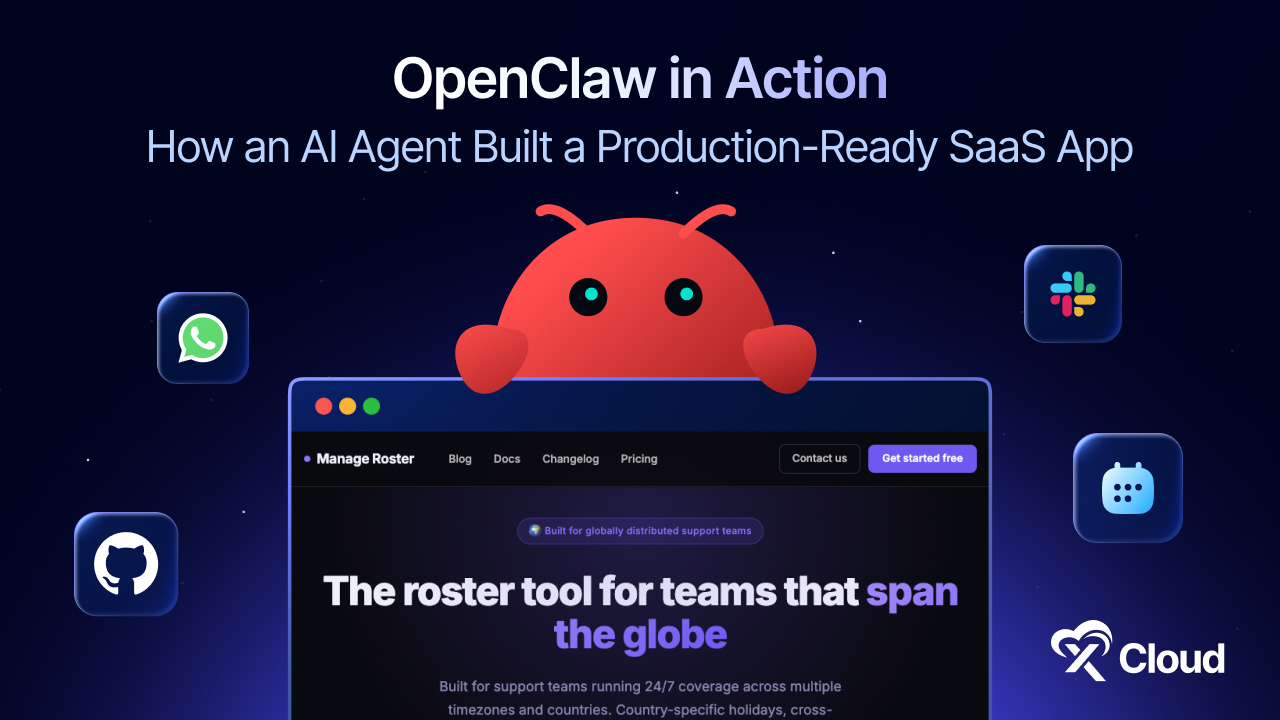
So he decided to build something to fix it properly. Using OpenClaw, an autonomous AI agent hosted on xCloud, he shipped a fully production-ready roster and reporting platform – ManageRoster – in under four days. Without sitting at a desk. Without a development team. In short pockets of time, wherever he happened to be.
The xCloud team started using it the very next day.
What Is OpenClaw?
OpenClaw is an autonomous AI agent that you can host on your own server. Unlike AI coding assistants that generate code for you to review and run manually, OpenClaw handles the entire development lifecycle on its own. That includes planning, writing code, running tests, committing changes, creating pull requests, and deploying to production.
You interact with it through the messaging tools your team already uses – Telegram, WhatsApp, Discord, or Slack. You send a task or feature request. OpenClaw plans it, executes it, and sends you a pull request to review. You approve it with a message, and the deployment happens automatically.
It has persistent memory, terminal access, Git management, and full deployment capabilities. All accessible from wherever your team communicates.
The Problem That Needed Solving
xCloud’s support team operates across multiple time zones. That creates a specific and persistent set of daily headaches:
- Who is covering which shift, and when does handover happen?
- Did everyone submit their daily report?
- Who is on leave this week, and does that create a coverage gap?
- What is the team actually working on right now?
Before ManageRoster, the answers to these questions lived in spreadsheets that were always slightly out of date, Slack messages that got buried, and managers having to manually chase people for updates. It worked just enough to keep things running – but it cost time, created friction, and occasionally let real problems fall through the cracks.
Shifat knew a proper tool would solve all of this. What he did not know was how fast he could actually build it.
The Build: OpenClaw + xCloud Laravel Hosting
The application was built on Laravel + Vue, deployed on xCloud’s Laravel hosting with a fully Git-based CI/CD pipeline enabled from day one.
The workflow was straightforward:
- Shifat described a feature or task via Telegram
- OpenClaw planned it, wrote the code, and tested it
- A pull request came back for review
- One approval message triggered the merge, versioning, and full deployment automatically
- xCloud handled builds, database migrations, cache clearing, and frontend compilation – no SSH, no manual steps
What made this different was not just the speed. It was when and where the work happened.
Mohammad Shifat Hossain
Lead Support & Product Manager, xCloud
I built most of it in short pockets of time – on the metro, in a rickshaw on the way home or to the office, and even while having dinner.
That is not a productivity hack or a clever workaround. It is what autonomous development actually looks like when the infrastructure handles everything except the decisions.
The Solution: Manage Roster – A Production-Ready Roster and Reporting Platform
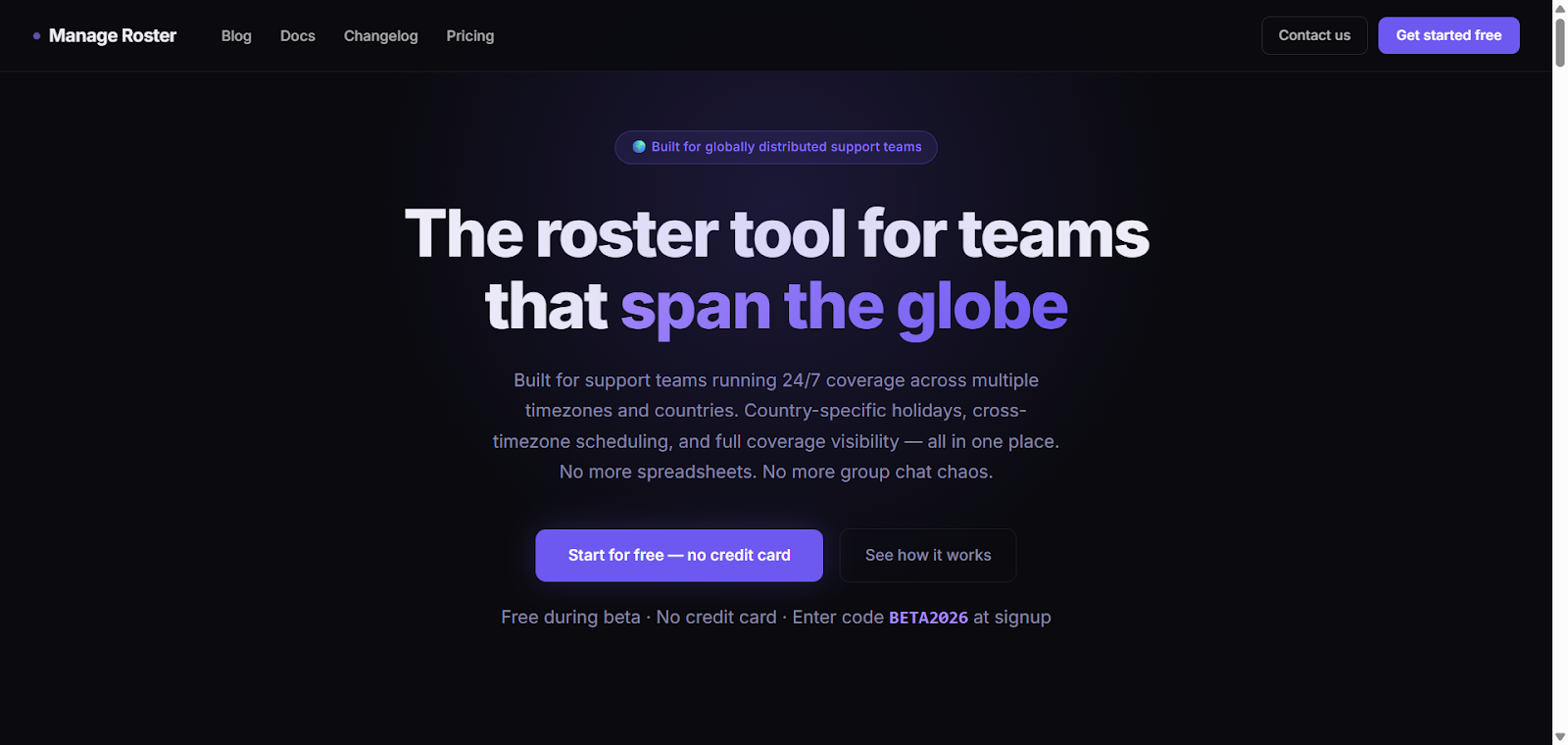
ManageRoster is not a prototype or a demo. It is a working application, running in production, being used by the xCloud support team every day now.
To put the output in context: a typical development team takes two to four weeks to ship ten production features. Here is what OpenClaw actually produced in four days:
| Metric | Result |
| Pull Requests Merged | 143 |
| Versioned Releases Shipped | 114 |
| Documentation Pages Created | 35 |
| Features Live in Production | 20+ |
| Human Developers Writing Code | 0 |
The application that came out of this is production-ready and handles real operational work every day. Here is what the application does:
Global Shift Scheduling
ManageRoster manages shift coverage across multiple time zones, detects coverage gaps automatically, and keeps the schedule updated in real time. Managers always know who is on without having to chase anyone.
Daily Work Reporting
Team members receive automated reminders to submit daily reports. The system tracks submissions, surfaces a leaderboard-style overview of team activity, and flags anyone who has not reported in. What used to require manual follow-up now runs on its own.
Leave and Holiday Management
Leave requests are handled inside the app, with scheduling logic that already accounts for regional holidays. No more cross-referencing external calendars or finding out too late that a region is short-staffed.
Real-Time Team Activity Monitoring
Managers get live visibility into what the team is doing. Particularly useful when you are running across time zones and a direct check-in is not practical at 2 AM.
Documentation – Written and Screenshot by the AI Itself
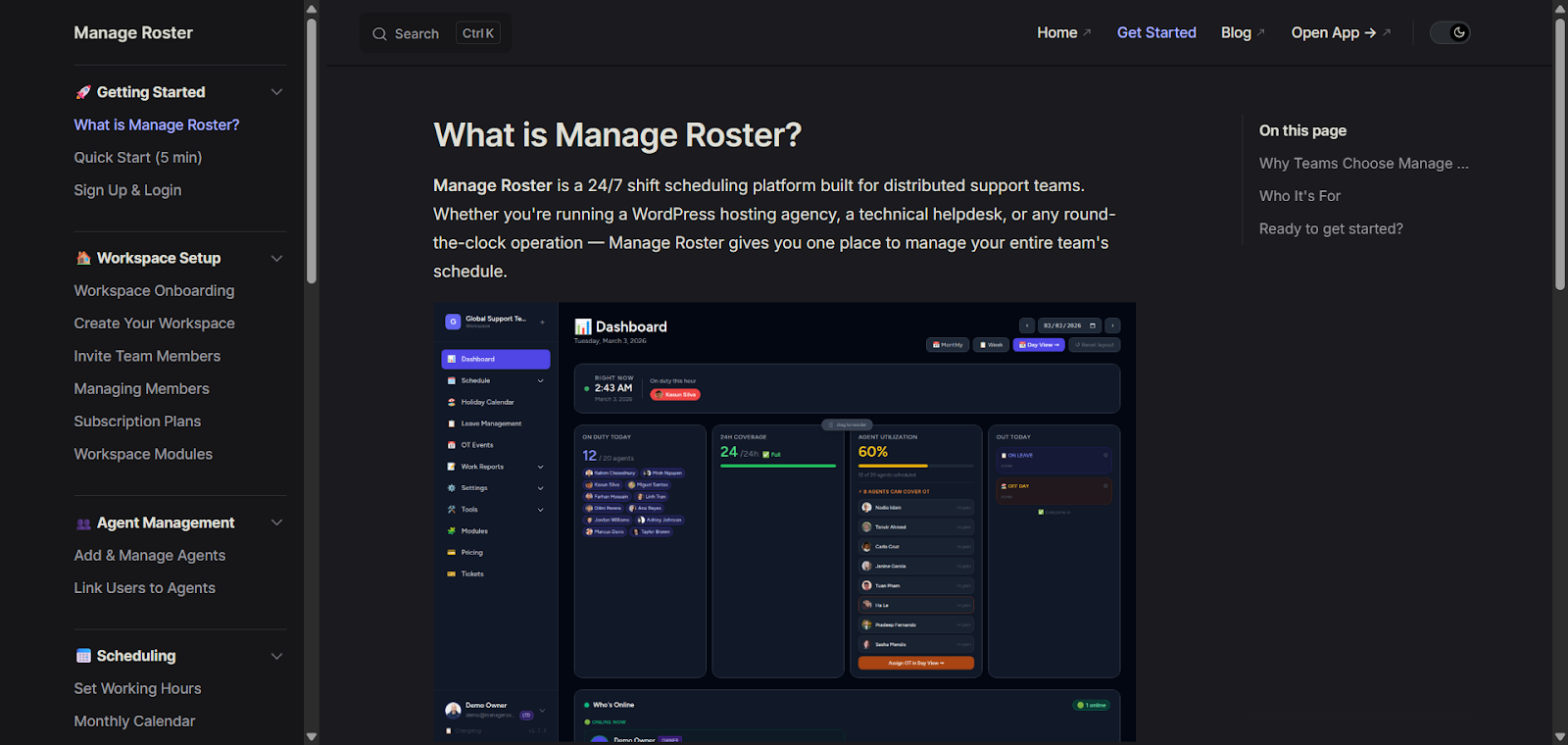
This is the part that genuinely surprised even Shifat.
Mohammad Shifat Hossain
Lead Support & Product Manager, xCloud
I really liked the docs part. It took screenshots itself and wrote everything itself too. It’s so fast.
“I really liked the docs part. It took screenshots itself and wrote everything itself too. It’s so fast.” – Mohammad Shifat Hossain, Lead Support & Product Manager, xCloud
Every feature that shipped came with a fully written documentation page, complete with screenshots – all generated automatically by OpenClaw. No documentation lag. No features left unexplained. The entire docs site and blog were produced by the AI as part of the build.
What Made xCloud the Right Platform for This
OpenClaw’s capabilities are impressive, but autonomous development only works if the infrastructure underneath it is solid. If deployments are manual, if servers go down, or if the environment is fragmented across multiple platforms, the agent cannot function reliably.
xCloud was built for exactly this kind of workflow. Here is what made the difference.
Managed Infrastructure with 24/7 Uptime
xCloud’s managed servers include continuous monitoring and auto-healing. OpenClaw ran uninterrupted throughout the four days, including overnight and during off-hours. The infrastructure did not need attention.
Git-Based CI/CD – Fully Automated
Every pull request approval triggered a complete pipeline: build, database migrations, cache invalidation, frontend compilation, and server update. Done automatically. Mohammad Shifat never had to open a terminal.
xCloud Laravel Hosting
ManageRoster was built on Laravel + Vue and deployed on xCloud’s managed Laravel hosting. The environment was configured for the stack from the start – no compatibility issues, no environment drift, no configuration headaches.
Works From Telegram – No New Tools Required
Shifat ran the entire project from Telegram. OpenClaw also supports WhatsApp, Discord, and Slack – so whatever your team already uses, the agent works there. No new dashboards, no new platforms.
Error Handling and Safe Rollbacks
When something did not work as expected, OpenClaw flagged it in the Telegram thread before proceeding. Combined with xCloud’s automated backup and snapshot system on every deployment, there was always a clean rollback path available. No deployment was ever a risk with no way out.
This Was One Person. In Their Spare Time.
That is the part worth sitting with.
ManageRoster is not the output of a funded team with a product roadmap and a QA cycle. It is what one person built by describing what they needed, approving pull requests, and going about their day.
The xCloud team is already using it. The shift coverage problem that had been generating friction for months is now handled. Daily reporting runs automatically. The spreadsheet is gone.
For anyone who has a real operational problem and has been waiting for the engineering bandwidth to solve it properly, that wait is over.
What This Means for Your Team
ManageRoster is a live system in production. But the bigger point is what this story proves about the development process itself.
The full lifecycle – planning, coding, testing, deployment, documentation – can now run autonomously when you pair the right agent with the right infrastructure. That changes the math for every team that has been waiting on engineering bandwidth to build the tools they actually need.
For startups, you can ship internal tools and customer-facing products without a full engineering team on day one. You define the requirements. The agent handles execution.
For growing businesses, your existing team can take on far more without getting blocked. A tool your ops team has needed for three months can be built and deployed in days – not added to a backlog.
For support and operations leaders, the internal systems you have always wanted but never had the engineering cycles to justify are now within reach. Shift coverage, reporting workflows, leave management. All of it, built and maintained autonomously.
Strategic decisions and problem definitions remain human. Execution, iteration, and deployment can now happen without you.
Getting Started with OpenClaw on xCloud
Shifat’s success demonstrates what OpenClaw on xCloud enables today: autonomous, production-ready software development, from idea to deployment, faster than ever.
If you want to run OpenClaw for your own team, xCloud’s OpenClaw Hosting gives you everything you need in one place:
- One-click deployment with no server configuration required
- Automated backups and updates
- Free SSL certificate and firewall included
- 24/7 monitoring and support
You can be up and running in minutes and start sending tasks to your agent the same day.
Frequently Asked Questions
What kind of applications can OpenClaw build?
OpenClaw can build a wide range of web applications, including internal tools, automation systems, dashboards, reporting platforms, and more. The complexity of the application depends on how you define your requirements and the infrastructure available for deployment.
Do you need development experience to use OpenClaw?
You do not need to write code yourself. OpenClaw handles coding, testing, and deployment. However, having some technical understanding helps when reviewing pull requests and approving changes. For more complex projects, basic familiarity with how web applications work is useful.
Is the application built by OpenClaw production-ready?
Yes. The support roster application built in this case study is a live production system. OpenClaw handles testing as part of its workflow, and xCloud’s infrastructure ensures stability through uptime monitoring and auto-healing.
How is OpenClaw different from AI coding tools like GitHub Copilot?
GitHub Copilot and similar tools assist developers by suggesting code. You still write, test, and deploy everything yourself. OpenClaw is autonomous. It plans, writes, tests, commits, and deploys the entire application without requiring you to write a single line of code.
Key Takeaways
- Autonomous Development Is Real: OpenClaw can plan, code, test, and deploy a production-ready web application without a human writing a single line of code.
- Infrastructure Matters: xCloud’s fully managed, always-on servers with Git-based CI/CD enable AI agents to operate reliably at any hour.
- Speed and Efficiency: A complex SaaS platform, typically requiring weeks of development, was built and deployed in just 4 days.
- Work Happens Anywhere: With Telegram as the interface, the entire development process can occur from a metro, rickshaw, or dinner table — no dedicated office time needed.
- Full Lifecycle Coverage: OpenClaw handles feature development, documentation, deployment, and even automated testing, making human oversight mostly strategic.
- Scalable for Teams: Startups, ops teams, and growing businesses can now ship internal tools and customer-facing products without a full engineering team.
- AI Documentation & Reporting: Every feature ships with automatically generated documentation, reducing delays and ensuring teams always know what’s built.
If you found this helpful, subscribe to our blog for more guides, case studies, and updates on AI-powered hosting. You can also join the xCloud community on Facebookto share your experience and learn from other users.