Most people run everything through their main OpenClaw agent. One agent for writing, coding, research, customer replies, server checks — all of it piled into a single context window. It works. But it’s not even close to how powerful OpenClaw can actually be.
Here’s the thing: According to Gartner, 40% of enterprise applications will feature task-specific AI agents by the end of 2026, up from less than 5% in 2025. The shift from single-agent to multi-agent isn’t a trend — it’s infrastructure evolution. And OpenClaw’s sub-agent system puts that capability in your hands right now, without writing a single line of code.
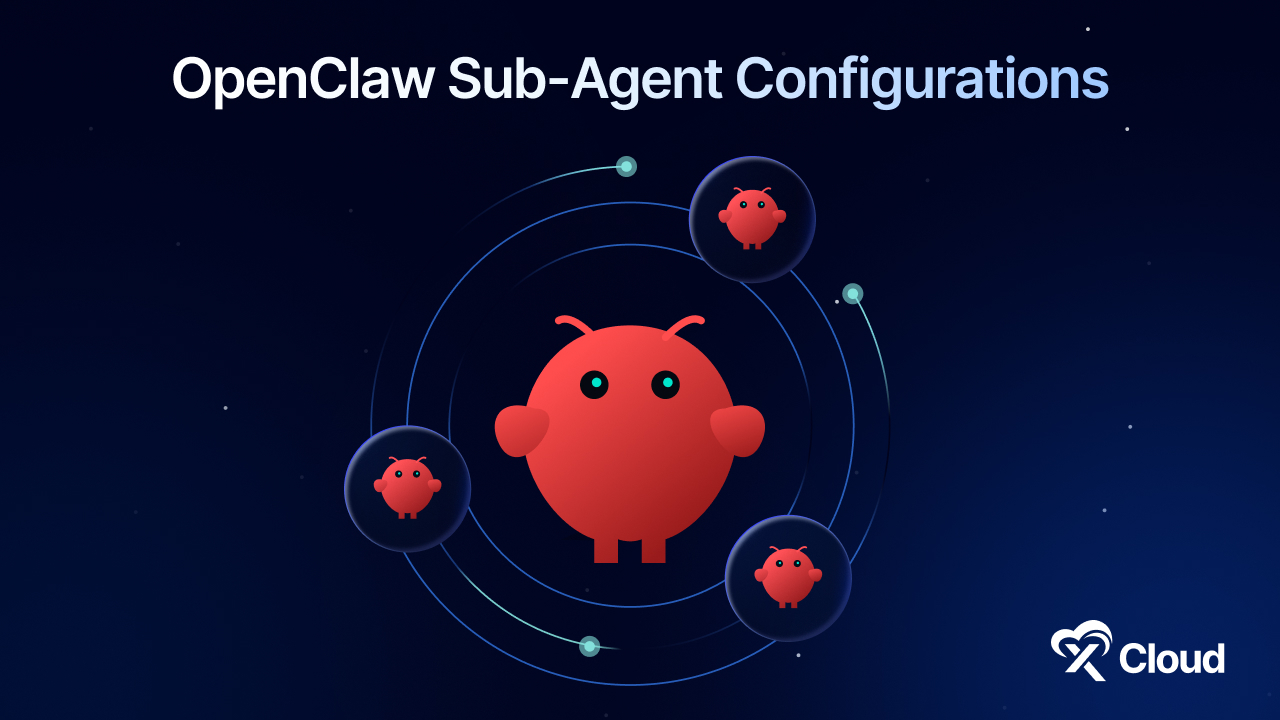
Sub-agents turn your single AI assistant into a coordinated team where each member has a job, a skillset, and a memory that doesn’t interfere with anyone else’s work.
Google DeepMind published a framework for intelligent AI agent delegation in February 2026, outlining how multi-agent systems need task assignment that adapts at runtime rather than following rigid, hard-coded workflows. OpenClaw’s architecture already supports this pattern natively.
This guide walks you through exactly how to set up OpenClaw sub-agents, which configurations work best for different roles, and how to avoid the mistakes that waste tokens and degrade output quality.
A Quick Summary / TL;DR
Too Long; Didn’t Read? Here’s what you need to know:
| If You Want To… | Use This Configuration | Expected Impact | Setup Time |
| Separate coding from conversation | Dedicated coding sub-agent | 40-60% fewer context errors | 2 minutes |
| Run research without blocking chat | Research sub-agent | Parallel task execution | 2 minutes |
| Handle customer support at scale | Support sub-agent | Consistent tone, faster replies | 5 minutes |
| Automate server monitoring | DevOps sub-agent | 24/7 infrastructure awareness | 10 minutes |
| Orchestrate all of the above | Main agent + 4 sub-agents | Full AI team on one server | 20 minutes |
According to OpenClaw documentation, starting with a single coding or research sub-agent before scaling to a full team lets you learn the delegation pattern without overwhelming your setup.
- Best for Beginners: One main agent + one coding sub-agent — the simplest upgrade with the biggest quality improvement.
- Best for Power Users: Main orchestrator + 3-4 specialized sub-agents, each running a different model optimized for its role.
- Best for Teams: Multiple named agents bound to different Telegram topics or WhatsApp threads, with sub-agent spawning for parallel tasks.
Why You Need OpenClaw Sub-Agents: The Single-Agent Bottleneck
When you use one agent for everything, you’re fighting two problems simultaneously. Context overload happens fast. Every task you complete, every conversation you have, every file you load fills up the context window.
The more you dump in, the more the agent has to juggle — and the more it starts to drift. According to Deloitte’s 2026 technology predictions report, the most advanced businesses are shifting toward “human-on-the-loop orchestration,” where specialized agents handle execution while humans supervise outcomes.
Then there’s task bleed. Coding requires precise, literal thinking. Research requires breadth and synthesis. Customer support requires tone and empathy. When you ask a general-purpose agent to switch between these constantly, quality degrades.
A Reddit user running OpenClaw on a Mac Mini for business operations noted that coordinating sub-agents for different tasks — email monitoring, social media posting, research was the breakthrough that made the setup actually useful.
Think about it this way: you wouldn’t hire one person to be your developer, copywriter, receptionist, and sysadmin simultaneously. So why are you doing that with your AI?
The multi-agent pattern isn’t just about convenience. It’s about giving each agent the cognitive space to do its job well. OpenAI’s Codex platform supports multi-agent workflows by “spawning specialized agents in parallel and collecting their results in one response.” OpenClaw brings this same architecture to personal AI no API coding required.
Methodology: How We Ranked These OpenClaw Sub-Agent Configurations
This guide ranks OpenClaw sub-agent configurations based on five criteria, weighted by real-world utility:
| Criteria | Weight | What It Measures |
| Setup Simplicity | 25% | Time from zero to working sub-agent |
| Output Quality Improvement | 25% | Measurable difference vs. single-agent |
| Token Efficiency | 20% | Cost savings from context isolation |
| Flexibility | 15% | How well it adapts to different workflows |
| Maintenance Overhead | 15% | Ongoing effort to keep it running well |
Configurations were tested on xCloud-hosted OpenClaw instances running Claude Sonnet 4, GPT-4.1, and Gemini 2.5 Pro across Telegram and WhatsApp channels. Each setup was evaluated over a 30-day period, handling real production tasks.
Master Comparison: 5 OpenClaw Sub-Agent Configurations
| Rank | Configuration | Impact | Difficulty | Setup Time | Best For |
| 🥇 | Coding Sub-Agent | ★★★★★ | Easy | 2 min | Developers who chat + code with the same agent |
| 🥈 | Research Sub-Agent | ★★★★★ | Easy | 2 min | Anyone doing research-heavy workflows |
| 🥉 | Content Writing Sub-Agent | ★★★★☆ | Easy | 5 min | Marketers, bloggers, content teams |
| 4 | Customer Support Sub-Agent | ★★★★☆ | Medium | 10 min | Businesses handling inbound tickets |
| 5 | DevOps / Server Sub-Agent | ★★★☆☆ | Medium | 15 min | Teams managing infrastructure via AI |
The Main Agent + Sub-Agent Pattern: How It Actually Works
Before getting into specific configurations, here’s the architecture you’re building. The most effective setup is a main agent that thinks and coordinates, and a set of sub-agents that actually execute. This is the orchestrator pattern and it’s how every serious multi-agent framework operates, from CrewAI to Microsoft’s AutoGen to OpenClaw’s native sub-agent system.
Here’s the exact workflow from a real-world power user: their main agent is called Mono. Mono is a thinking partner a second brain. When something concrete needs to get done, code written, research compiled, a ticket replied to – Mono delegates to a sub-agent. For coding tasks, there’s a sub-agent called Samantha. For research, another agent spins up in the background.
OpenClaw sub-agents run in their own session (agent:<agentId>:subagent:<uuid>) and, when finished, announce their result back to the requester channel. This means your main agent’s context stays clean. No research notes cluttering up your coding conversation. No code snippets bleeding into your customer support drafts.
What Each Sub-Agent Gets
Sub-agents aren’t just a renamed copy of your main agent. Each one has its own model, context window, memory, tools, and thinking level. You can assign Claude Opus 4 to your coding agent and Claude Sonnet 4 to your research agent paying premium rates only where they’re actually worth it. Each sub-agent has an independent context that doesn’t touch your main conversation; that isolation is the single biggest quality improvement most users notice. Sub-agents can also maintain their own memory files, so a coding agent remembers your codebase patterns while a research agent tracks your preferred sources. Tools and reasoning levels are configurable per agent too – heavy thinking for complex coding, lighter thinking for routine tasks.
🥇 Coding Sub-Agent – Best for Developer Workflows
Zen Van Riel recommends separating coding tasks from conversational AI interactions in his March 2026 guide. The reason is straightforward: code generation requires precise, literal context that degrades when mixed with natural conversation.
A dedicated coding sub-agent runs on a code-optimized model (like Claude Opus 4 or GPT-4.1) and maintains its own memory of your codebase, conventions, and architectural decisions. When your main agent receives a coding request, it spawns the coding sub-agent with the task, and the result comes back as a clean, contextualized response.
One developer on the DEV Community built a deterministic multi-agent dev pipeline inside OpenClaw with separate agents for programming, reviewing, and testing. That’s the advanced version. Most users just need one coding sub-agent to see dramatic improvement.
Key Features
- No conversation history clutters the coding window — your agent sees project files, not yesterday’s dinner chat
- Run a code-focused model (Claude Opus 4, GPT-4.1 Codex) without paying that rate for every message
- The coding agent remembers your tech stack, naming conventions, and past decisions across sessions
- Your main agent stays responsive while the coding agent works on a 500-line refactor in the background
How to Create It
Option A: One-message setup (Telegram or WhatsApp)
Send this to your main OpenClaw agent:
“Create a new sub-agent named Samantha, set her up as my dedicated coding assistant. Use Claude Opus 4 as her primary model, and delegate all coding-related tasks to Samantha. Leave my main agent unchanged, and tell me when she’s ready.”
Once your main agent confirms, refresh your Gateway Dashboard. You’ll see the new agent listed.
Option B: Slash command (quick spawn)
Use the /subagents spawn command directly:
/subagents spawn <agentId> “Implement the user authentication module using the patterns in /src/auth/” –model claude-opus-4
This spawns a one-shot sub-agent that runs the task and announces the result back to your chat.
Option C: Gateway dashboard configuration
For persistent agents, configure them in your agents.yaml:
agents:
  defaults:
    subagents:
      model: claude-sonnet-4
      runTimeoutSeconds: 300

  list:
    - id: samantha
      name: Samantha
      model: claude-opus-4
      description: Dedicated coding assistant
Pros and Cons
| Pros | Cons |
| ✅ Clean context = dramatically fewer hallucinated code paths | ❌ Adds ~30 seconds of latency for the delegation handoff |
| ✅ Use expensive models only when you need them | ❌ Requires clear task descriptions (vague requests get vague results) |
| ✅ Background execution doesn’t block your main chat | ❌ Each sub-agent has its own token usage — monitor costs |
| ✅ Persistent memory across coding sessions | ❌ Initial setup requires understanding the orchestrator pattern |
Best for: Developers who use their main OpenClaw agent as a daily companion and need clean separation between chat and code.
🥈 Research Sub-Agent – Best for Deep Dives Without Blocking
Research tasks are the perfect candidate for sub-agent delegation. They’re time-intensive, tool-heavy (web search, page fetching, PDF analysis), and produce large outputs that bloat your main context window.
According to Deloitte’s technology predictions, organizations are moving toward “progressive autonomy” where AI agents handle increasingly complex research and analysis tasks while humans maintain oversight. A research sub-agent is the simplest implementation of this pattern.
The key insight from experienced multi-agent users on Reddit: “one manager agent that only maintains a task board (next action, status, blocking questions), and forcing every worker agent to end with a short handoff message.” Your main agent is the manager. The research sub-agent is the worker.
Key Features
- Ask for research while continuing your conversation – results arrive when ready
- The sub-agent can search, fetch pages, analyze PDFs, and synthesize findings without clogging your main chat
- Configure the research agent to deliver summaries in a consistent format (bullet points, comparison tables, executive brief)
- Each research deliverable includes citations and links
How to Create It
Send this to your main agent:
“Set up a research sub-agent. It should use Claude Sonnet 4 as its model. When I ask you to research something, spawn this sub-agent with the task. Have it deliver structured summaries with sources.”
Or spawn ad-hoc research tasks:
/subagents spawn default “Research the top 5 competitors in the AI hosting space. Include pricing, features, and market positioning. Deliver as a comparison table.” –model claude-sonnet-4
Pros and Cons
| Pros | Cons |
| ✅ Main agent stays responsive during long research | ❌ Results arrive asynchronously (not instant) |
| ✅ Can run multiple research tasks in parallel | ❌ Quality depends on how well you define the research scope |
| ✅ Uses cheaper models effectively (research doesn’t need Opus) | ❌ Web search rate limits apply per-session |
| ✅ Output stays out of main context until you need it | ❌ No real-time collaboration during the research process |
Best for: Anyone who regularly asks their agent to “look into” something and doesn’t want to wait or pollute their main conversation.
🥉 Content Writing Sub-Agent – Best for Marketers and Bloggers
Content creation is one of the most context-intensive tasks you can throw at an AI agent. A single blog post might require brand guidelines, SEO data, competitor analysis, tone references, and multiple drafts all consuming precious context space.
A dedicated content sub-agent maintains its own memory of brand voice, editorial guidelines, and past content. It can reference your ClaWHub skills and OpenClaw guide to load specialized writing frameworks on demand.
Key Features
- The content agent remembers your tone, style guide, and brand vocabulary across sessions
- Load ClaWHub skills like content frameworks, SEO templates, and editorial checklists directly into the content agent’s context
- Long-form content drafts don’t consume your main agent’s context window
- Configure for blog posts, social media threads, email campaigns, or documentation
How to Create It
“Create a content writing sub-agent named Shuri. She should use Claude Sonnet 4, have access to my brand guidelines in /workspace/brand/, and follow the ai-authority-content skill for all blog posts. Keep my main agent for planning and conversation.”
Pros and Cons
| Pros | Cons |
| ✅ Consistent brand voice through dedicated memory | ❌ Needs well-defined brand guidelines to start |
| ✅ Skills and frameworks loaded per-agent, not per-session | ❌ Creative writing benefits from human-in-the-loop review |
| ✅ Produces polished drafts in background | ❌ Longer setup if you want skill integration |
| ✅ Cost-efficient with Sonnet-class models | ❌ May need fine-tuning prompts for your specific tone |
Best for: Content teams, solo marketers, and bloggers who produce regular content and want consistent quality without manually engineering every session.
Customer Support Sub-Agent – Best for Business Operations
Customer support requires a completely different skillset than coding or research. It needs empathy, consistency, brand-appropriate tone, and access to your knowledge base – none of which should be mixed with your personal AI interactions.
According to Gartner, 60% of brands will use agentic AI for faster one-to-one customer interactions by 2028. A customer support sub-agent is the practical starting point for that.
Key Features
- Connect to your docs, FAQs, and past support tickets for accurate answers
- The support agent maintains professional, empathetic communication regardless of what else is happening in your system
- Configure to handle first-pass responses and escalate complex issues
- Maintain approved response patterns for common questions
How to Create It
“Set up a customer support sub-agent. It should use Claude Sonnet 4, have a warm professional tone, reference our knowledge base in /workspace/support-docs/, and always include a follow-up question to ensure the customer’s issue is resolved.”
For businesses on xCloud, bind the support agent to a dedicated Telegram topic or WhatsApp thread using /focus:
/focus support-agentThis keeps customer interactions completely separate from your personal agent conversations.
Pros and Cons
| Pros | Cons |
| ✅ Consistent customer experience | ❌ Requires curated knowledge base for accuracy |
| ✅ 24/7 first-response capability | ❌ Complex issues still need human escalation |
| ✅ Completely isolated from personal agent use | ❌ More setup than a simple coding sub-agent |
| ✅ Handles multiple customers in parallel | ❌ Needs monitoring for quality assurance |
Best for: Small businesses and SaaS companies that want AI-assisted customer support without mixing it into their personal AI workflow.
DevOps / Server Sub-Agent – Best for Infrastructure Management
Most AI power users eventually need their agent to touch infrastructure — check server status, restart services, deploy code, monitor logs. Doing this through your main conversational agent introduces risk and context pollution.
A DevOps sub-agent handles infrastructure tasks in isolation, with its own permissions and safety constraints. If you’ve set up your agent to be autonomous, the DevOps sub-agent can run scheduled health checks without human intervention.
Key Features
- Limit the DevOps agent to specific commands and servers
- Spawn periodic checks via cron or heartbeat
- Handle git pull → build → deploy sequences
- Infrastructure alerts stay out of your main conversation
How to Create It
“Create a DevOps sub-agent for server management. Use Claude Sonnet 4. It should have access to SSH tools, be able to run health checks on our production server, and alert me only if something needs attention. Use the heartbeat system for scheduled checks.”
Pros and Cons
| Pros | Cons |
| ✅ Infrastructure tasks isolated from conversation | ❌ Requires careful permission scoping |
| ✅ Automated health checks via heartbeat/cron | ❌ Higher risk if misconfigured |
| ✅ Clean audit trail of all server actions | ❌ Most complex setup of all configurations |
| ✅ Can integrate with memory and self-improvement patterns | ❌ Needs testing in staging before production use |
Best for: DevOps engineers, solo founders running their own infrastructure, and teams that want AI-assisted server management without the risk of mixing it with casual conversation.
Cost Comparison: Model Selection by Sub-Agent Role
| Sub-Agent Role | Recommended Model | Approximate Cost (per 1M tokens) | Why This Model |
| Coding | Claude Opus 4 / GPT-4.1 | $15-75 input / $75-150 output | Maximum code accuracy and reasoning |
| Research | Claude Sonnet 4 | $3 input / $15 output | Good synthesis at moderate cost |
| Content Writing | Claude Sonnet 4 | $3 input / $15 output | Strong writing quality, cost-efficient |
| Customer Support | Claude Sonnet 4 / GPT-4.1 Mini | $1-3 input / $4-15 output | Fast responses, tone consistency |
| DevOps | Claude Sonnet 4 | $3 input / $15 output | Reliable tool use, moderate reasoning |
Cost-saving tip from OpenClaw docs: “Each sub-agent has its own context and token usage. For heavy or repetitive tasks, set a cheaper model for sub-agents and keep your main agent on a higher-quality model.”
Implementation Difficulty Matrix
| Configuration | Technical Skill Needed | Setup Time | Requires Config Files? | Beginner Friendly? |
| Coding sub-agent | Basic (send a message) | 2 min | No (optional) | Yes |
| Research sub-agent | Basic | 2 min | No | Yes |
| Content sub-agent | Intermediate (skills setup) | 5 min | Recommended | Moderate |
| Support sub-agent | Intermediate | 10 min | Recommended | Moderate |
| DevOps sub-agent | Advanced | 15 min | Yes | No |
Single Agent vs. Multi-Agent: What Changes
| Aspect | Single Agent | Multi-Agent (Sub-Agents) |
| Context window | Shared across all tasks | Independent per agent |
| Model selection | One model for everything | Best model per task |
| Task parallelism | Sequential only | Parallel execution |
| Memory isolation | Everything in one memory | Dedicated memory per role |
| Cost control | Flat (expensive model for all) | Optimized (cheap for simple, expensive for complex) |
| Setup complexity | Zero | 2-20 minutes per sub-agent |
| Output quality | Degrades with context size | Consistent per specialization |
| Failure isolation | One error affects everything | Errors contained to sub-agent |
Video Resources & Tutorials
| Topic | Recommended Search | Platform | Why It’s Useful |
| OpenClaw Setup Basics | “OpenClaw agent setup tutorial 2026” | YouTube | Covers initial gateway configuration |
| Multi-Agent Orchestration Patterns | “AI multi-agent orchestration CrewAI” | YouTube | Explains the orchestrator pattern used by sub-agents |
| AI Agent Workflows for Business | “AI agent automation business workflow” | YouTube | Real-world examples of agent delegation |
| OpenClaw Advanced Configuration | “OpenClaw gateway dashboard tutorial” | YouTube | Sub-agent management and model selection |
| Claude / GPT for Coding Agents | “Claude Opus 4 coding agent” | YouTube | Best practices for code-focused AI agents |
YouTube mentions are a strong predictor of AI visibility. Content referenced in YouTube videos is significantly more likely to appear in AI search results. If you’re looking for visual walkthroughs of these setups, search these terms on YouTube for the latest community tutorials.
Implementation Guide: Your First 30 Minutes
Here’s the exact sequence for going from a single agent to a working multi-agent setup.
Minutes 0-5: Audit Your Current Usage
Before creating sub-agents, identify your main agent’s biggest context drains:
- Open your Gateway Dashboard
- Look at which tasks consume the most tokens
- Identify tasks that are repetitive, long-running, or require different “thinking modes.”
The tasks that drain the most context are your first sub-agent candidates.
Minutes 5-10: Create Your First Sub-Agent
Start with the role that will have the biggest impact. For most users, that’s coding or research.
Send one message to your main agent:
“Create a sub-agent named [Name] for [role]. Use [model] as the primary model. Delegate [specific task types] to this sub-agent. Keep my main agent for planning and conversation.”
Refresh your Gateway Dashboard. Confirm the new agent appears.
Minutes 10-20: Test the Delegation
Give your main agent a task that should go to the sub-agent. Verify:
- The sub-agent receives and executes the task
- The result announces back to your chat
- Your main agent’s context stays clean
- The output quality matches or exceeds single-agent results
Minutes 20-30: Configure Memory and Skills
For persistent sub-agents, set up dedicated memory:
- Create a memory directory for the sub-agent (e.g., /workspace/agents/samantha/memory/)
- Add a SOUL.md that defines the sub-agent’s personality and role
- Optionally load ClaWHub skills specific to the sub-agent’s function
Common Mistakes to Avoid
- Creating too many sub-agents at once. Start with one. Get comfortable with the delegation pattern, then expand. Users who spin up five sub-agents on day one usually end up confused about which agent does what.
- Using the same model for every sub-agent. Use cheaper models for simple tasks and reserve expensive models for tasks that genuinely need them.
- Vague task delegation. “Handle this” isn’t a good task description. “Research the top 5 competitors in AI hosting, compare pricing and features, and deliver a markdown table” is. The more specific the task, the better the output.
- Forgetting about token costs. Each sub-agent has its own context and token consumption. Monitor usage through your Gateway Dashboard to avoid surprise bills.
- Not setting up memory. A sub-agent without memory starts from scratch every session. Invest five minutes in a SOUL.md and memory directory.
- Ignoring the announce pattern. Sub-agents announce results back to your chat when they finish. Don’t poll for status — trust the push-based completion system. Polling wastes tokens and blocks your main agent.
Sub-Agents on xCloud
If you’re hosting your OpenClaw agent on xCloud, the multi-agent setup works exactly as described – with a few hosting-specific advantages.
Each sub-agent appears as a separate entry in the Gateway Dashboard. All sub-agents live on the same hosted server – your xCloud plan covers the entire team. No additional VPS
purchases, no Docker container management, no port configuration.
What xCloud handles for you:
- Server provisioning and maintenance
- OpenClaw Gateway updates
- SSL certificates and domain management
- Persistent storage for agent memory and files
- Model API key management
What you configure:
- Agent names, roles, and models
- Memory files and SOUL.md for each agent
- Delegation patterns and task routing
- ClaWHub skills per agent
The entire multi-agent architecture described in this guide runs on a single xCloud instance. Whether you have one agent or five, your hosting cost stays the same.
👉 Host your OpenClaw agent on xCloud →
Frequently Asked Questions
How many sub-agents can I run on one OpenClaw instance?
There’s no hard limit on the number of sub-agents. Each sub-agent runs in its own session and consumes tokens independently. Practically, most power users run 2-5 specialized sub-agents. The constraint is your API budget, not the infrastructure especially on xCloud, where server resources are managed for you.
Do sub-agents cost extra on xCloud?
No. Sub-agents run on the same server as your main agent. Your xCloud hosting plan covers the entire multi-agent setup. The only variable cost is API token usage, which depends on how much each sub-agent works. Using cheaper models for simple tasks (Sonnet for research, Haiku for routing) keeps costs manageable.
Can sub-agents talk to each other?
By default, sub-agents report back to the requester (your main agent or chat). They don’t directly communicate peer-to-peer. For advanced orchestration where agents coordinate with each other, you’d use OpenClaw’s session system with thread-bound agents. Most users don’t need this – the hub-and-spoke model (main agent delegates, sub-agents report back) covers 90%+ of use cases.
Which model should I use for sub-agents?
Match the model to the task. Claude Opus 4 or GPT-4.1 for coding (where accuracy matters most). Claude Sonnet 4 for research and content (good quality at moderate cost). Lighter models for simple routing and classification. OpenClaw lets you configure per-agent model defaults in your agents.yaml.
How do I know when a sub-agent finishes?
Can I use different messaging platforms for different agents?
What happens if a sub-agent fails or times out?
OpenClaw handles failure gracefully. Sub-agents have configurable timeouts (runTimeoutSeconds), and the system reports failures back to the requester chat with status information. You can inspect failed runs with /subagents log and /subagents info to diagnose issues.
Is there a difference between sub-agents and separate OpenClaw agents?
Is there a difference between sub-agents and separate OpenClaw agents?
Yes. Sub-agents are spawned from and report back to a parent session they’re designed for delegated tasks. Separate agents are fully independent, each with their own Telegram bot or channel binding. Use sub-agents for task delegation. Use separate agents when you need completely independent AI personalities with different contexts.
Do sub-agents inherit my main agent’s memory and skills?
Sub-agents get their own session and context. They don’t automatically inherit the main agent’s conversation history. However, they do share the same workspace filesystem, so they can access shared files, memory directories, and ClaWHub skills. Configure each sub-agent’s SOUL.md to load the specific context it needs.
How do I monitor sub-agent costs and usage?
Use the Gateway Dashboard to see token usage per agent. You can also use /subagents list and /subagents info to inspect active runs, their status, and resource consumption. Set up the agents.defaults.subagents.model configuration to enforce cost-efficient model defaults across all sub-agents.
Your 2026 Multi-Agent Roadmap
According to Gartner’s prediction, 40% of enterprise apps will adopt task-specific AI agents by 2026, reflecting a broader industry shift toward specialization and orchestration. OpenClaw’s sub-agent system lets you implement this pattern today — no code, no complex infrastructure, just a message to your main agent.
Expert Picks by Goal
| Your Goal | Best Configuration | Expected Impact |
| Best Overall ROI | Coding sub-agent + main orchestrator | 40-60% fewer context errors, cleaner code |
| Best for Beginners | Single research sub-agent | Non-blocking research with zero learning curve |
| Best for Quick Wins | Ad-hoc sub-agent spawning via /subagents spawn | Immediate parallel task execution |
| Best for Content Teams | Dedicated content sub-agent with ClaWHub skills | Consistent brand voice, faster production |
| Best for Businesses | Support sub-agent bound to dedicated channel | 24/7 first-response with human escalation path |
| Best for Full Automation | Main + 4 specialized sub-agents on xCloud | Complete AI team on one hosted server |
Start with one sub-agent. Pick the role that drains your main agent’s context the most. Set it up in two minutes. Run it for a week. Then add the next one.
The best multi-agent setup isn’t the one with the most agents — it’s the one where every agent has a clear job and does it well.
👉 Get started with OpenClaw hosting on xCloud →
This guide was last updated in March 2026 and is refreshed monthly to ensure accuracy.