Software development has changed a lot in the last few years. In the past, developers faced a common and frustrating problem. An application would work perfectly on their own computer. But it would break when they moved it to a server or another machine. This caused many headaches and wasted time. Then a tool called Docker came along and changed everything.
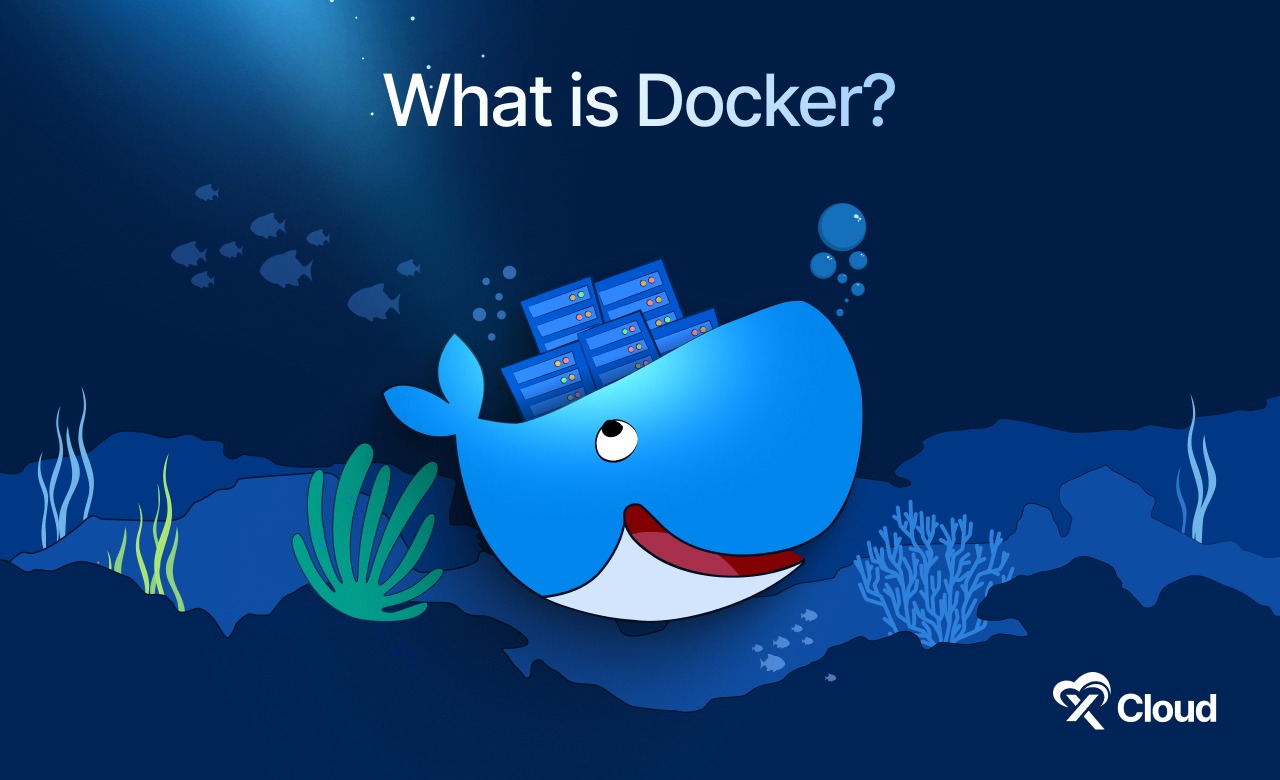
If you are new to the world of software or DevOps, you might be asking yourself what Docker is and why everyone uses it. This guide is here to help you. We will explore the introduction to Docker and its functionality in simple words. You will learn about the Docker architecture, its main parts and how it helps developers build better software.
What Is Docker?
Docker is an open source platform that helps you build, ship and run applications. It allows you to package your software with everything it needs to run. This includes code, libraries and settings. We call this package a container.
Think of Docker like a shipping container on a large cargo ship. Before standard shipping containers existed, people had to load goods of different shapes and sizes onto ships. This was messy and difficult. Some goods would get damaged or lost. Standard shipping containers solved this by putting everything inside a box of the same size. It does not matter what is inside the box. The ship can handle it easily.
Docker does the same thing for software. It puts your application into a standard box called a container. This ensures that the application runs exactly the same way no matter where you put it. It could be on your laptop, a colleague’s computer or a cloud server. This reliability is the main reason for Docker, explained simply. It creates a consistent environment for your code.
How Docker Simplifies Development
Docker makes life easier for developers and businesses. It removes the problem of ‘it works on my machine’, which we mentioned earlier. With Docker, you do not need to worry about installing different versions of software on every server. You just run the container.
This tool simplifies the creation and management of applications. You can set up a new project in minutes instead of hours. It also makes it safe to try new technologies. If you want to test a new database, you can run it in a container. If you do not like it, you can just delete the container. It leaves no mess on your computer.
Key Components of Docker
To really grasp the Docker basics, you need to know what is inside. The system is made up of several parts that work together. We will look at Docker’s core components explained in a way that is easy to understand.
Docker Engine
The Docker Engine is the heart of the system. It is the software that runs on your computer and manages everything. The engine follows a client-server architecture. This means it has two main sides that talk to each other.
- The Server (Docker Daemon): This is a program that runs in the background. It listens for requests and does the heavy lifting. It builds, runs and manages your containers.
- The REST API: This is like a translator. It allows the client and the server to talk to each other. It sends instructions from you to the daemon.
- The Client (Docker CLI): This is the command line interface. It is the tool you use to type commands like docker run or docker build. When you type a command, the client sends it to the daemon to execute.
Docker Containers
You will often hear people ask what is a Docker container. A container is a runnable instance of an image. It is the actual box where your application lives while it is running.
Containers are special because they are isolated. This means what happens inside a container stays inside. It does not affect your main computer or other containers. They are also lightweight. Unlike traditional virtual machines that need a full operating system, containers share the operating system of your computer.
This makes them very fast and efficient. This is a key part of understanding Docker components.
Docker Images
If a container is a house, then a Docker Image is the blueprint. An image is a read-only file that contains instructions on how to create a container. It has the application code, libraries, tools and other files needed to make the application run.
Images are built in layers. Imagine making a sandwich. You start with bread, add cheese, then meat and finally more bread. Docker images work the same way. Each change you make adds a new layer. This layering system makes images small and fast to download. When you want to start a container, Docker looks at the image and builds the running environment from it.
Docker Hub and Registries
You might wonder where these images come from. This is where Docker Registries come in. A registry is a place to store and share images.
Docker Hub is the default public registry. It is like an app store for Docker images. You can find images for almost any software you can imagine. There are official images for things like Python, Node.js and WordPress. Companies can also use private registries to share images securely within their teams.
This distribution system is vital to how Docker components work together.
How Does Docker Work?
Now that we know the parts, let us look at how Docker works as a whole process. It is a smooth workflow that takes code from a developer’s laptop to a production server.
The process usually follows three main steps:
🛠️ Build: You write a simple file called a Docker file. This file lists the steps to create your image. You tell Docker to build the image from this file.
🚢 Ship: Once you have an image, you can push it to a registry like Docker Hub. This makes it available for others to download.
▶️ Run: You or your server can pull the image from the registry and start a container.
Understanding the Internal Process
Under the hood, Docker uses some clever features of the Linux operating system. It uses things called namespaces and control groups.
- Namespaces: These provide isolation. They make sure that a container cannot see or access the processes of another container. It gives the container its own private view of the system.
- Control Groups (cgroups): These manage resources. They limit how much memory or CPU a container can use. This prevents one application from slowing down the whole computer.
These features allow Docker to run multiple isolated applications on a single machine safely. This is the technical answer to what Docker is and how it works.
Why Use Docker?
There are many reasons why Docker has become so popular. It offers benefits for individual developers and large companies alike.
Consistency Across Environments
The biggest benefit is consistency. In the old days, a developer might use a Mac, the testing team might use Windows and the production server might run Linux. This caused many errors. With Docker, the container runs the same way everywhere. It bundles the specific version of the operating system and libraries it needs. This eliminates surprise errors when you move code.
Speed And Efficiency
Docker containers start up very fast. A virtual machine might take minutes to boot up. A Docker container usually starts in seconds. This speed helps developers work faster. You can start, stop and restart applications instantly. It also saves money for businesses because you can run more applications on the same server hardware. This efficiency is why understanding Docker is essential for modern IT.
Isolation And Safety
Because containers are isolated, they are safe. If one application crashes or gets hacked, it does not affect the others. You can run different versions of the same software on one computer without conflict. For example, you can run Python 2 and Python 3 at the same time in different containers.
Docker in Modern Development
Docker is not just a tool for running apps. It is a key part of how we build software today. It fits perfectly into modern workflows.
Development Environments
Setting up a new computer for work used to take days. You had to install databases, languages and tools manually. With Docker, you can spin up a full development environment with one command. This ensures every developer on the team is using the exact same tools. It mirrors the production environment right on your laptop.
Microservices Architecture
In the past, applications were built as one big block. We call this a monolith. Today, we build applications as small, independent pieces called microservices. Docker is perfect for this.
Each microservice can run in its own container. You can update one service without stopping the whole app. You can also scale them independently. If your login service is busy, you can add more login containers without adding more payment containers. This flexibility is a major advantage of Docker basics in action.
CI/CD Pipelines
CI/CD stands for Continuous Integration and Continuous Deployment. It is a method of automating the software delivery process. Docker plays a huge role here.
When a developer saves code, an automated system builds a Docker image. It runs tests inside a container. If the tests pass, the image is sent to production. This automation reduces human error and speeds up releases.
Docker’s Role in Cloud-Native Applications
Cloud-native applications are built specifically to run in the cloud. Docker is the standard for these apps.
Cloud providers like AWS, Google Cloud and Azure love Docker. They have special services built just to run containers. Because containers are portable, you are not locked into one vendor. You can move your Docker application from Amazon Web Services to Google Cloud without changing the code. This portability is a huge freedom for businesses. You can learn more about this on the AWS Docker page.
Docker Orchestration: Managing Containers at Scale
Docker orchestration is the process of managing multiple Docker containers across one or more servers to ensure they run efficiently, reliably, and at scale. It automates tasks like container deployment, scaling, networking, and health monitoring.
Running one container is easy. But what if you need to run hundreds or thousands? This is where orchestration comes in. Orchestration tools help you manage many containers across many servers.
Tools like Docker Swarm and Kubernetes handle orchestration, helping teams keep applications running smoothly even when containers fail or servers go down.
Docker Compose
Docker Compose is a tool for defining and running multi-container applications. You use a simple text file to configure all your application’s services. Then with a single command, you create and start all the services from your configuration. It is great for development and testing.
Kubernetes vs Docker Swarm
When you need to manage massive scale, you use tools like Docker Swarm or Kubernetes.
- Docker Swarm: This is Docker’s own tool. It is simple to set up and easy to use. It is a good choice for smaller teams or simpler setups.
- Kubernetes: This is a very popular software system made by Google. It is more complex but very powerful. It is the industry standard for large enterprises.
Both tools help you keep your containers running. If a container crashes, they restart it. If a server fails, they move the containers to a new server. This ensures your application is always online.
Practical Docker Use Cases
Many industries use Docker to solve real problems. Here are a few examples of understanding Docker in the real world.
eCommerce Websites
Online stores need to stay online during busy times like Black Friday. Docker allows them to add more containers instantly to handle the traffic. When the rush is over, they can remove the containers to save money.
Legacy Applications
Sometimes companies have old software that is hard to maintain. They can put this software inside a Docker container. This makes it easier to run on modern servers without rewriting the code.
Data Science
Data scientists use many different tools and libraries. Docker helps them package their experiments. They can share their work with colleagues, knowing it will run exactly the same way.
Getting Started with Docker Desktop
Docker simplifies how you build, run and manage applications using containers. With Docker Desktop, you can set up a local container environment in minutes without deep system configuration.
This section walks you through installing Docker Desktop and using basic Docker commands to run your first containers.
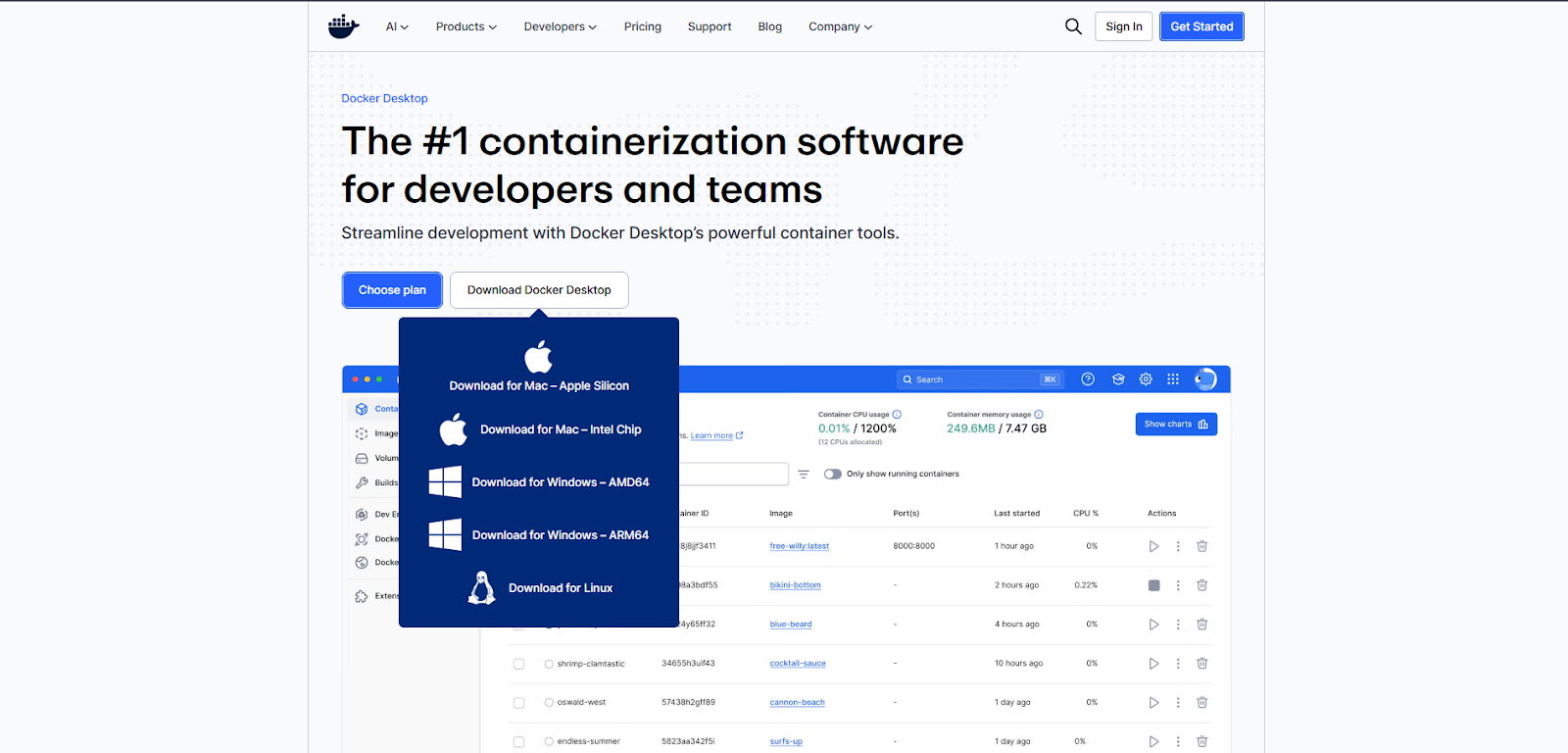
Step 1: Install Docker Desktop
Docker Desktop runs on Windows, macOS and Linux.
System Requirements
- 64-bit operating system
- Virtualization enabled in BIOS
- At least 4 GB RAM
Installation Steps
- Visit the official Docker website.
- Download Docker Desktop for your operating system.
- Run the installer and follow the on-screen steps.
- Restart your system if prompted.
- Open Docker Desktop and wait until it shows ‘Docker is running‘.
Once running, Docker Desktop starts the Docker Engine and prepares your system for containers.
Step 2: Verify Docker Installation
Open your terminal or command prompt and run:
docker --versionThis command confirms Docker is installed and accessible.
To check Docker status, run:

docker infoIf Docker is running correctly, you will see system and engine details.
Step 3: Understand Core Docker Concepts
Before running commands, know these basics:
- Image: A blueprint for containers
- Container: A running instance of an image
- Dockerfile: Instructions to build an image
- Docker Hub: Public registry for Docker images
Step 4: Run Your First Docker Container
Running your first Docker container is the starting point of working with Docker. It shows how to pull an image, start a container and see your application running in minutes.
Pull and run a test container:
docker run hello-worldDocker downloads the image and runs it in a container. A success message confirms Docker works correctly.
Step 5: Basic Docker Commands You Must Know
Docker commands help you control containers, images and services from the command line. This section covers the essential commands you need to run containers, manage images and monitor Docker efficiently from day one.
List Running Containers
docker psList All Containers
docker ps -aList Available Images
docker imagesPull an Image
docker pull nginxRun a Container
docker run -d -p 8080:80 nginxThis command runs Nginx in detached mode and maps port 8080 to the container.
Step 6: Manage Containers
Managing containers in Docker means controlling how your applications run, scale and interact. It covers starting, stopping, updating, and monitoring containers to keep deployments stable and efficient.
Star a Container
docker start container_idStop a Container
docker stop container_idRemove a Container
docker rm container_idRemove an Image
docker rmi image_idStep 7: View Container Logs
Docker container logs show what is happening inside a running container. Viewing these logs helps you track errors, debug issues and monitor application behavior in real time.
To debug or monitor output:
docker logs container_idLogs help track errors and runtime activity.
Step 8: Clean Up Unused Resources
Docker cleanup removes unused containers, images, volumes, and networks. It helps free disk space and keeps your Docker environment fast and organized.
Remove unused containers, images and networks:
docker system pruneThis keeps your system clean and saves disk space.
Start small and practice common commands daily. Docker Desktop gives a visual dashboard, but command-line usage builds real confidence. Once comfortable, you can move on to Docker files, volumes and Docker Compose.
Run Docker Projects Faster with xCloud
Once you are comfortable with Docker basics, the next step is running containers in a reliable cloud environment. xCloud makes this process simple by offering a Docker-ready hosting platform built for developers and teams.
With xCloud, you can deploy Docker-based applications without manual server setup. The platform handles server provisioning, performance tuning and security so you can focus on building and shipping projects.
Start Shipping Smarter with Docker
Whether you are a developer, a system administrator or just a tech enthusiast, learning Docker is a smart move. It is a skill that is in high demand. Start small, experiment with containers and you will soon see why it has become the industry standard.
If you have found this blog helpful, feel free to subscribe to our blogs for valuable tutorials, guides, knowledge and tips on web hosting and server management. You can also join our Facebook community to share insights and take part in discussions. And do not forget to share what you have built. We would love to see your work.
Frequently Asked Questions (FAQ)
Some common questions about Docker and it components:
1. What is Docker?
Docker is a tool designed to make it easier to create, deploy and run applications by using containers. Containers allow a developer to package up an application with all of the parts it needs, such as libraries and other dependencies, and ship it all out as one package.
2. How does Docker work internally?
Docker uses the Linux kernel to create isolated environments. It uses namespaces to separate processes and cgroups to manage resources like memory and CPU. This tricks the application into thinking it has the whole computer to itself.
3. What are the main concepts of Docker?
The main concepts are Images (blueprints), Containers (running apps), Docker Engine (the tool that runs them) and Docker Hub (where you store images). Understanding Docker components like these is key to mastering the tool.
4. What exactly is Docker Swarm?
Docker Swarm is a tool that helps you manage many Docker containers across multiple servers. It turns a group of machines into a single, powerful virtual Docker engine.
5. What exactly is a Docker container?
A container is a lightweight, standalone and executable package of software. It includes everything needed to run an application: code, runtime, system tools, system libraries and settings.
6. Can you explain what a VM is in relation to Docker?
A Virtual Machine (VM) runs a full operating system on top of your host computer. It is heavy and slow. Docker shares the host’s operating system, making it much lighter and faster than a VM.
7. What exactly is Docker and when is it useful?
Docker is a platform for running applications in containers. It is useful when you want to ensure your app runs the same everywhere, when you need to set up development environments quickly or when you are building microservices.
8. What is a Docker Hub?
Docker Hub is a cloud-based registry service. It allows you to link to code repositories, build your images and test them. It stores manually pushed images and links to Docker Cloud so you can deploy images to your hosts.