March has been a powerhouse month for xCloud. From built-in Cloudflare WAF rule management to real-time site analytics and AI-powered diagnostics, this release is packed with features that give you deeper control, stronger security, and smarter automation across your entire hosting stack.
Whether you are managing WordPress sites, running OpenClaw AI agents, or migrating from other platforms, the March 2026 updates bring meaningful upgrades that simplify your workflow and keep your infrastructure running at peak performance.
So grab your favorite drink, settle in, and let us walk you through everything new in the xCloud March 2026 release notes.
📸 Highlights of xCloud March 2026 Release
This month’s updates deliver stronger security, deeper analytics, and more flexibility than ever. Here is a quick overview of what landed in March:
🛡️ Cloudflare WAF Rules Integration: Manage essential WordPress security rules directly from the xCloud dashboard without touching the Cloudflare console.
📊 Site Insights – PHP, MySQL & Traffic Analytics: A brand-new analytics dashboard for real-time visibility into PHP performance, MySQL queries, and traffic patterns.
🤖 OpenClaw AI-Powered Repair Agent: Diagnose and recover your OpenClaw gateway with one-click AI-assisted health checks — no SSH required.
🔄 Easy WordPress Rollback with Backup: Roll back plugins, themes, or WordPress core to any version with a searchable list and automatic pre-rollback backups.
⚙️ Auto-Tune PHP, FPM & OPcache: Let xCloud analyze your server RAM and suggest optimized PHP, FPM, and OPcache settings instantly.
🌟 OpenClaw Codex OAuth & New AI Providers: Generate OpenAI Codex OAuth tokens in-app and connect new AI providers like Z.AI (GLM).
📌 Pin/Unpin Sites & Servers (UI 2.0): Keep your most important sites and servers at the top of every list view.
🚀 Cloudways & GridPane Migrations: Full server migration support from Cloudways and GridPane OpenLiteSpeed stacks.
Scroll down to explore each feature in detail.
❇️ Cloudflare WAF Rules
Security should not require constant toggling between dashboards. With the new Cloudflare WAF rules, xCloud brings essential WordPress protection rules directly into your site management panel. You can now enable, configure, and manage WAF custom rules without ever leaving xCloud.
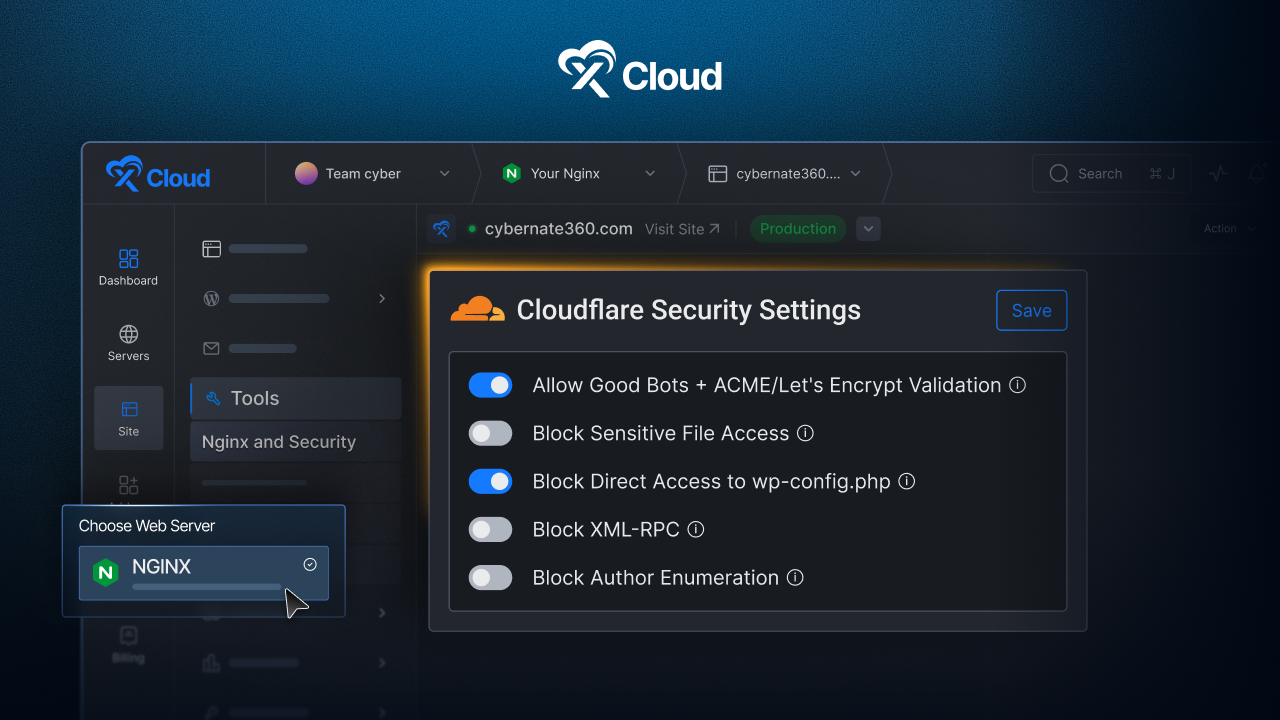
The integration covers the protections that matter most for WordPress environments. You can allow trusted bots and ACME validation requests to keep crawlers and SSL certificate renewals functioning normally. Sensitive file protection blocks public access to files that should remain hidden. Dedicated rules protect your wp-config.php file, block XML-RPC abuse and brute-force attacks, and prevent author enumeration attempts that try to discover WordPress usernames.
Each rule is applied as a Cloudflare WAF custom rule via API and managed on a per-site basis. This means you can tailor security settings for each site independently, giving agencies and multi-site managers the granular control they need.
❇️ Site Insights – PHP, MySQL & Traffic Analytics
Understanding what is happening inside your application has never been easier. The new Site Insights feature adds a dedicated analytics menu to your site dashboard, providing real-time visibility into three critical areas: PHP performance, MySQL queries, and traffic patterns.
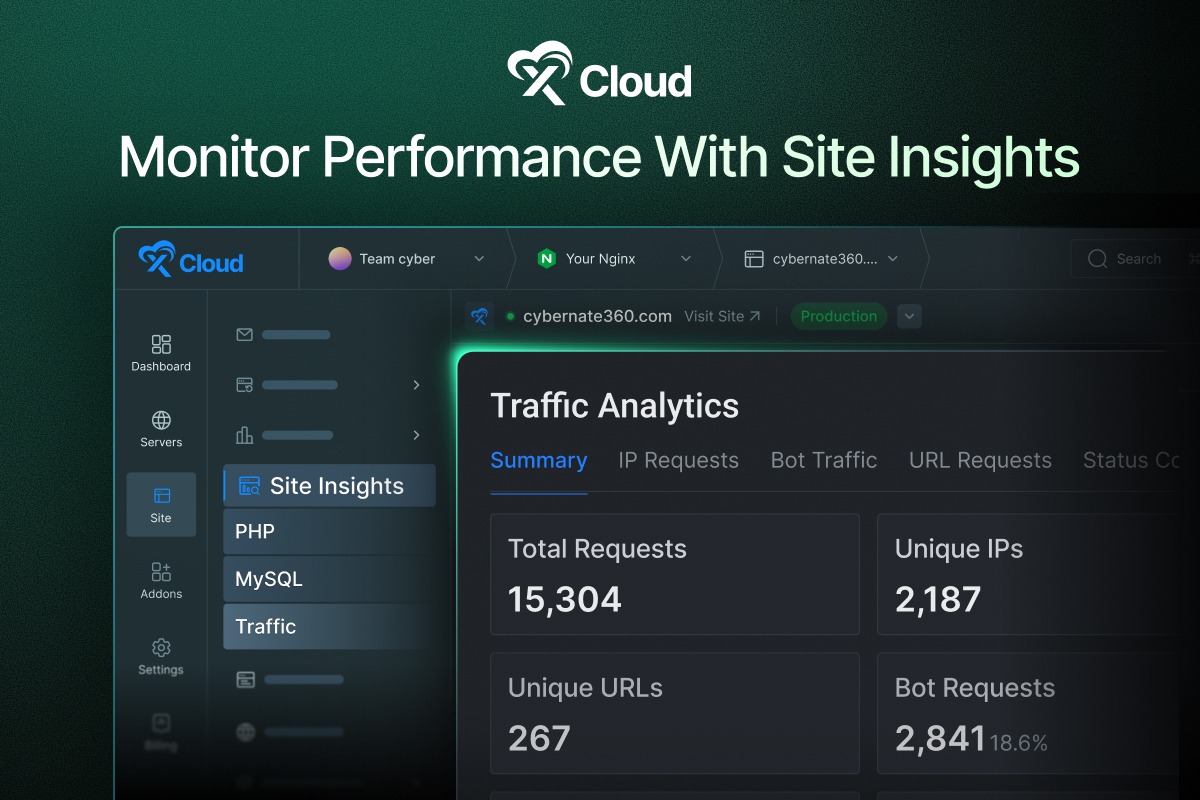
On the traffic side, you can analyze requests, unique IPs, bot activity, bandwidth consumption, and top URLs to see exactly how visitors and crawlers interact with your site. PHP process visibility lets you monitor active PHP-FPM processes, detect scripts consuming excessive CPU or memory, and identify slow pages through PHP slow logs. The MySQL analytics panel shows active connections, running queries, query performance metrics, slow query logs, and overall database health.
This combination of data means faster troubleshooting and smarter optimization. Whether you are dealing with traffic spikes, database bottlenecks, or sluggish page loads, Site Insights gives you the information you need without reaching for external monitoring tools.
❇️ OpenClaw AI-Powered Repair Agent
Debugging server-side issues typically means SSH access, log diving, and a fair bit of patience. The new OpenClaw Repair feature changes that entirely. An AI-powered repair agent is now available inside the xCloud dashboard, capable of running one-click health checks on your OpenClaw gateway.
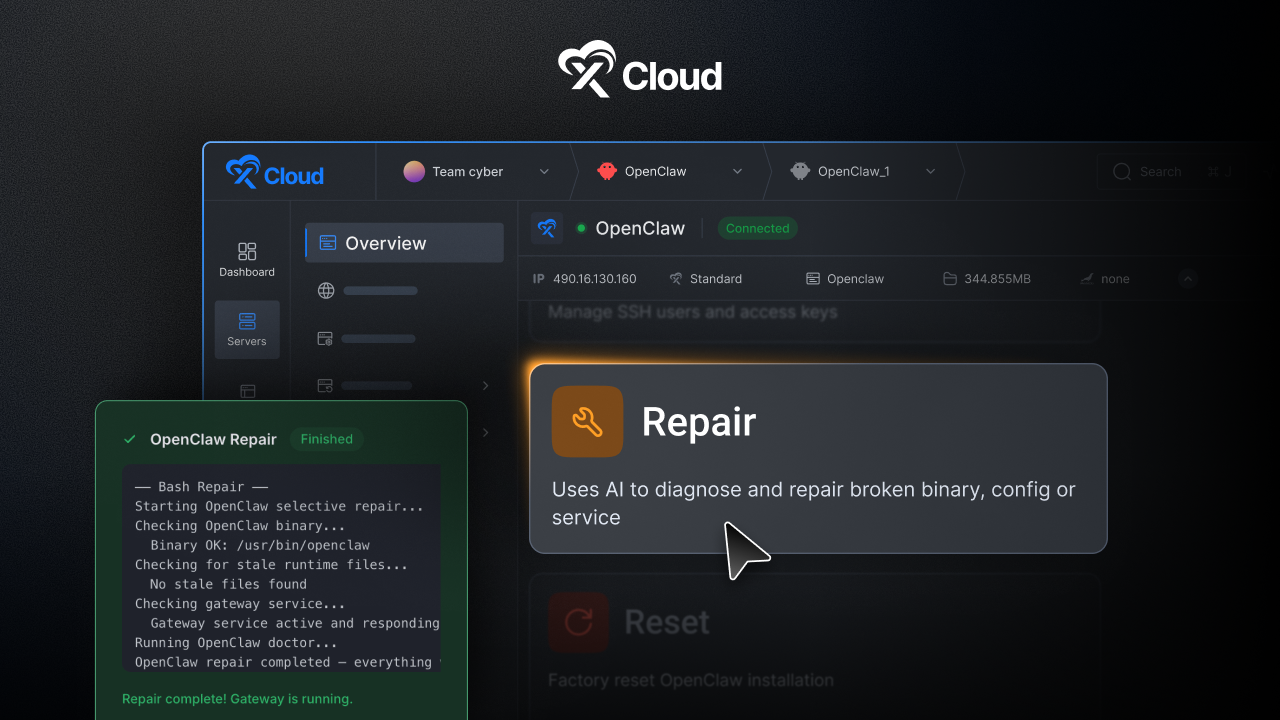
The repair agent diagnoses common issues and guides recovery without requiring SSH or manual debugging. If your OpenClaw server runs into gateway failures, model persistence problems, or configuration drift, the repair agent can identify the root cause and suggest (or apply) fixes instantly.
This feature is a significant quality-of-life improvement for anyone running AI agents on xCloud. Combined with the gateway mode fix and model persistence fix also shipped this month, OpenClaw servers are now more stable and easier to maintain than ever.
❇️ Easy WordPress Rollback with Backup
Sometimes an update breaks things. The new rollback feature lets you revert plugins, themes, or WordPress core to a previous version in just a few clicks. A searchable version list makes it easy to find exactly the version you need, and you can enable automatic backups before any rollback operation for added safety.
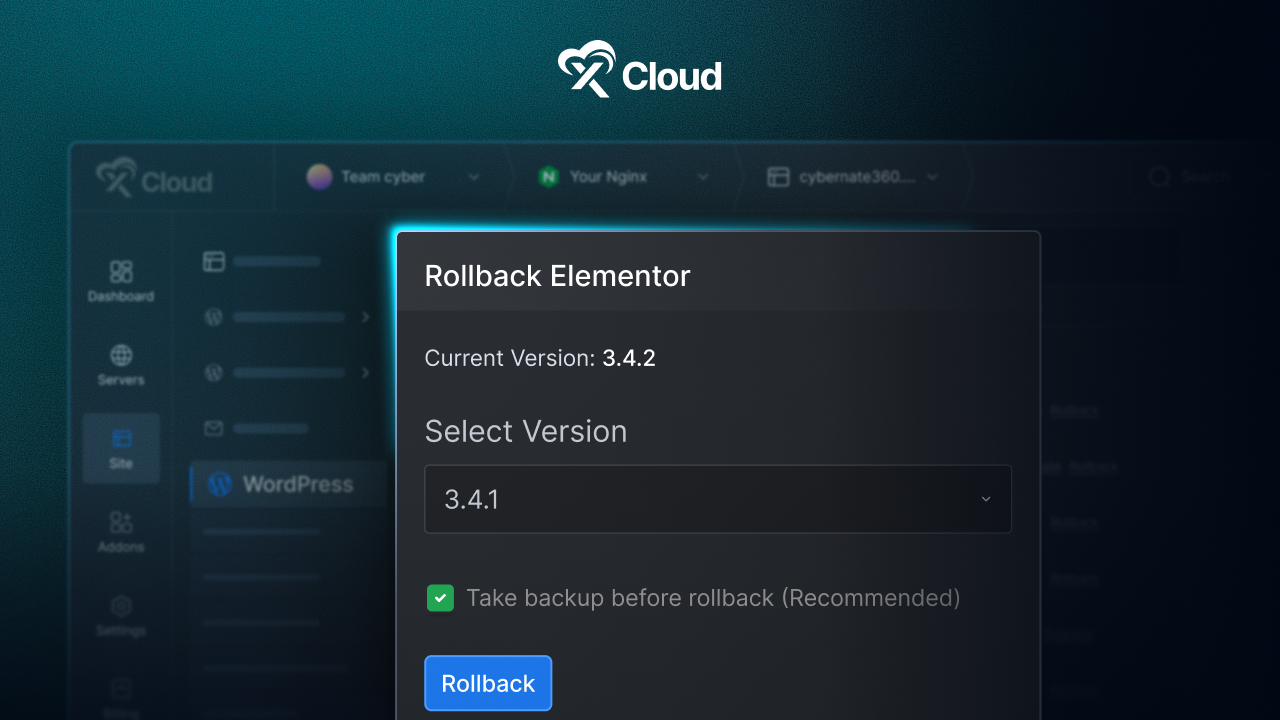
This feature is especially valuable for agencies and developers managing client sites where stability is paramount. Instead of manually downloading old plugin versions and re-uploading via FTP, you can handle everything from the dashboard with confidence that a backup exists if anything goes sideways.
❇️ Auto-Tune PHP, FPM & OPcache
Performance tuning PHP and OPcache settings can be tedious, especially when managing servers with varying RAM configurations. The new Auto-Tune feature analyzes your server’s available RAM and instantly suggests optimized values for PHP, FPM, and OPcache.
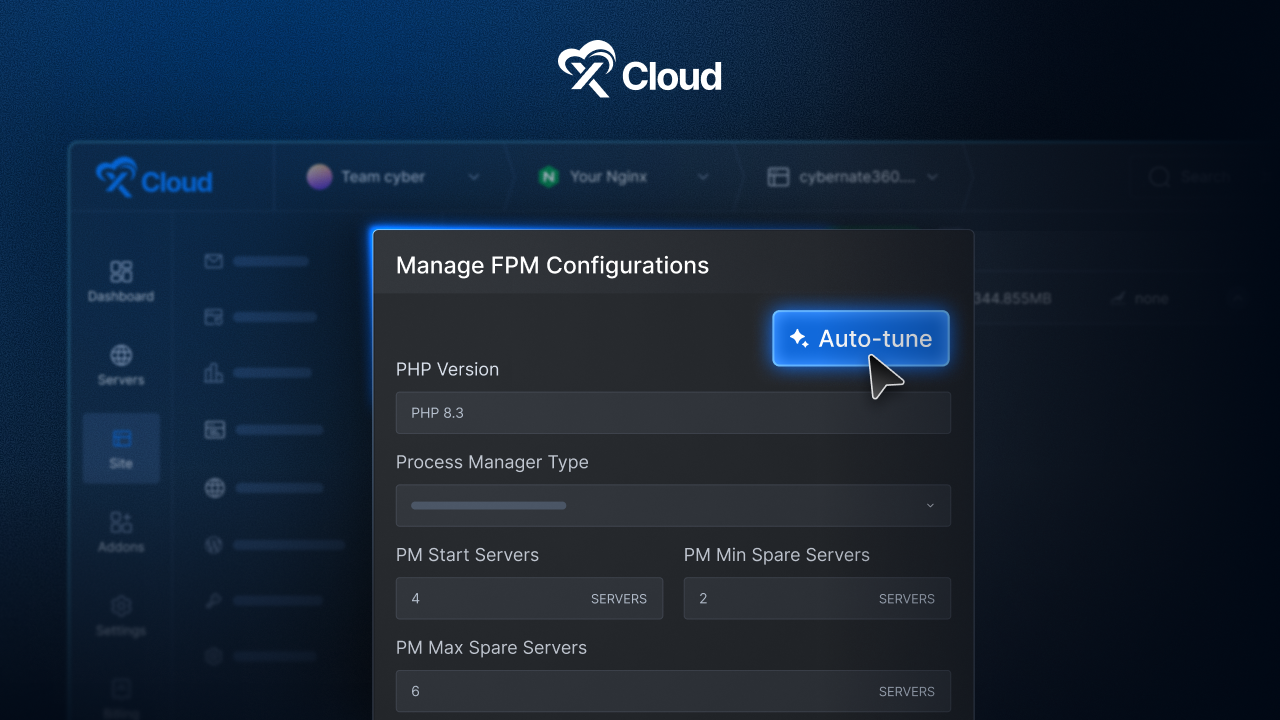
You get full OPcache configuration management in one place, and the feature works seamlessly with both Nginx and OpenLiteSpeed. Better default OPcache settings are also now applied automatically during PHP installation, so new servers start with a stronger baseline out of the box.
❇️ OpenClaw – Codex OAuth & New Providers
OpenClaw continues to expand its AI capabilities. This month introduces an in-app OAuth token generator for OpenAI Codex. ChatGPT Plus and Pro subscribers can now generate Codex OAuth tokens directly within xCloud using a secure PKCE-based authentication flow. The process authenticates with your ChatGPT account and returns a copyable token with clear next-step instructions. A manual callback fallback is included for browsers that block automatic redirects.
On the provider side, Z.AI (GLM) with the GLM-4.7 model is now fully active as a provider option. Previously listed as “coming soon,” it now offers a capable and cost-effective alternative for OpenClaw users looking beyond OpenAI.
❇️ xCloud UI 2.0 – Pin/Unpin Sites & Servers (xCloud UI 2.0)
A small feature that makes a big difference in daily workflow. You can now pin your most important sites and servers to keep them at the top of all list views. Pinned items display a visual badge and persist across sorting, filtering, and pagination. If you manage dozens of sites and servers, this eliminates the constant scrolling and searching for the ones you access most frequently.
❇️ Mail Delivery Enhancements
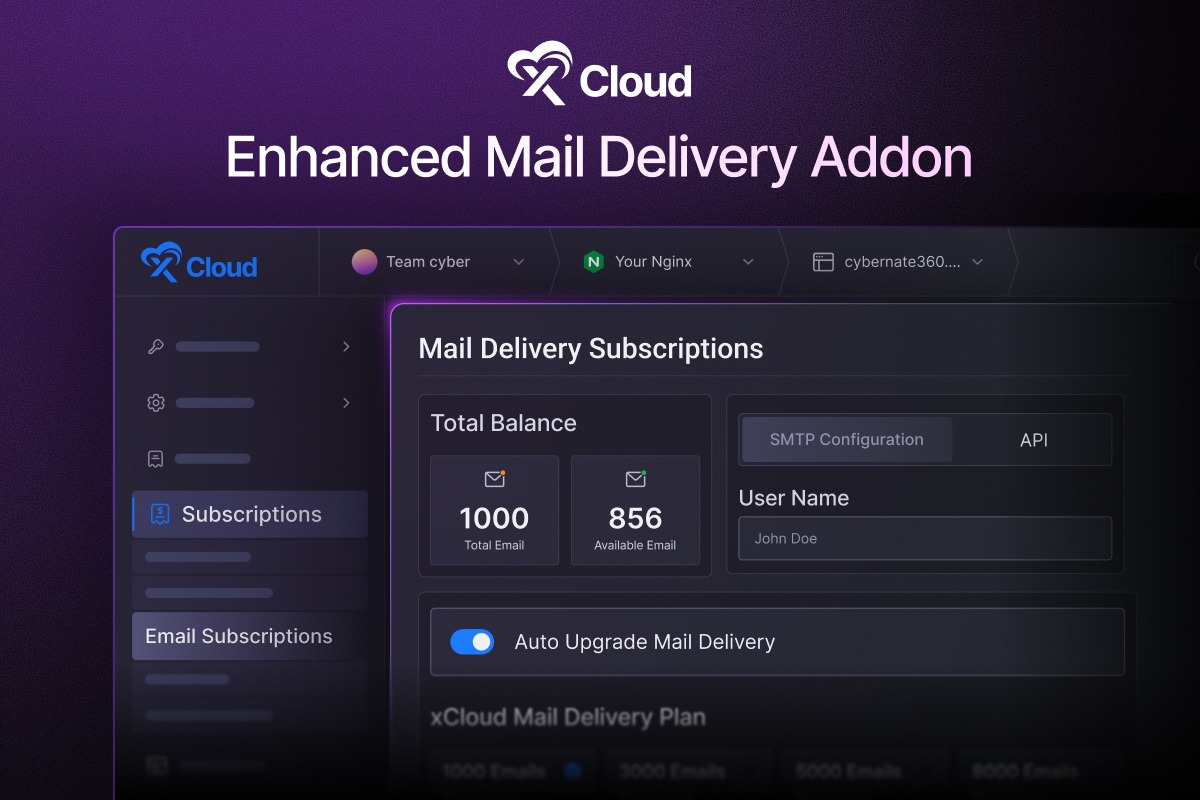
Transactional emails are the backbone of any WordPress site. Password resets, order confirmations, form submissions, user registrations – these emails need to arrive reliably every single time. But when an email quota runs out unnoticed, delivery stops without warning, and by the time you realize what happened, customers are already frustrated and conversions are lost. The updated Mail Delivery addon introduces a complete set of smarter subscription management tools designed to make sure that never happens.
Auto Upgrade Mail Delivery
The biggest addition is Auto Upgrade. When your email usage reaches the limit of your current plan, xCloud now automatically upgrades your subscription to the next tier so emails keep flowing without interruption.
You will also receive a notification when usage hits 90% of your available quota, giving you advance visibility before any upgrade kicks in. This is especially important for WooCommerce stores, membership sites, and any WordPress installation where transactional emails directly impact revenue and user experience.
Cloudflare One-Click DNS Verification
Setting up email delivery usually means heading over to your DNS provider, copying TXT and CNAME records, and waiting for propagation. If your domain is connected through xCloud’s Cloudflare integration, that entire process is now a single click.
xCloud automatically adds and verifies the required DNS records for email authentication – including SPF, DKIM, and return-path entries – eliminating manual configuration and reducing the chance of misconfigured records that can land your emails in spam folders.
Default Mail Delivery Provider
Managing email setup across dozens of sites gets repetitive fast. You can now set a default mail delivery provider at the account level, so every newly created site automatically inherits your preferred email delivery configuration. No more remembering to configure email settings after each site deployment. This is a significant time saver for agencies and developers who spin up new WordPress sites regularly.
Clone Mail Delivery Settings
When you clone a site in xCloud, the Mail Delivery configuration is now automatically copied along with everything else. The cloned site inherits the same email provider, SMTP settings, and delivery configuration as the source. This ensures that staging sites, development copies, and duplicated client sites are ready to send emails from the moment they go live, without any additional setup steps.
Email Usage Visibility & SMTP Access
Keeping track of how many emails you have left should not require digging through billing pages. The dashboard now displays your total email quota and available remaining emails directly, giving you clear visibility for monitoring and planning.
On the technical side, you can access your full SMTP credentials – including username, password, SMTP server, and port – directly from the xCloud dashboard, making it straightforward to configure third-party plugins or external applications. API key management is also available for custom integrations that connect to the mail delivery service programmatically.
❇️ Platform Migrations: Cloudways & GridPane
Migrating infrastructure is one of the most stressful tasks in hosting management. xCloud now offers full server migration support for Cloudways. Also, migrate your servers from GridPane’s OpenLiteSpeed stack server to xCloud. The migration wizards handle the complete transfer — sites, databases, and configurations — so you can move your infrastructure smoothly without complex manual setup.
❇️ Additional New Features
Beyond the headline features, March also delivers several notable additions:
⏺️Multi-Port Domain Mapping for Docker Compose Sites — Custom Docker Compose sites can now map multiple domains to different container ports. This is ideal for running multiple services under separate domains from a single site.
⏺️PHP 8.5 Support for OpenLiteSpeed – PHP 8.5 is now available for OpenLiteSpeed servers on Ubuntu 24, with all PHP extensions consistently available across all PHP versions.
⏺️Shutdown Server (Vultr Providers) – You can now shut down Vultr-based servers directly from xCloud with a confirmation step. Perfect for maintenance windows or reducing costs during downtime.
⏺️Vultr Bandwidth Monitoring – Monitor bandwidth usage for Vultr servers directly from the dashboard for clear visibility into network consumption.
⭐ Improvements and Bug Fixes
Here is the full list of improvements and fixes included in the March 2026 updates:
- Improved access log view with search, filters, and bot traffic insights.
- Create sudo users with automatic 12-hour expiration for secure, time-limited server access.
- Better default OPcache settings applied during PHP installation.
- Improved disk usage display with clearer stats for total, used, and free space.
- Refreshed support portal design with better visibility and layout.
- Improved site controls with “Enable Site” action and quick recovery option.
- Optimized server provisioning by deferring non-essential packages during setup.
- Better Cloudflare DNS proxy mode detection.
- Enforced 4GB minimum RAM for n8n site creation and updates.
- Performance score now supports a neutral state when data is unavailable.
- Improved backup status logic in the auto backup tab.
- Added server name and link on the delete progress page.
- Hidden phpMyAdmin sites from site lists and navigation.
- High CPU warning banner added on dashboard and server detail pages.
- Improved OpenLiteSpeed PHP monitoring and validation.
- Better handling for empty site titles during staging domain generation.
- Added nginx config safety validation before reload commands.
- Added granular domain search and replace controls for updates and SSL changes.
- Improved domain updates with real-time progress and duplicate prevention.
- Improved UI consistency across buttons, layouts, and mobile views.
- Improved OpenClaw Control UI domain and alias access handling.
- Multiple UI/UX refinements across layouts, spacing, responsiveness, banners, and dashboard elements.
- Reduced false alerts from PageSpeed errors caused by external issues.
- Improved retry handling for PageSpeed connection failures.
- Fixed incorrect sorting and pagination issues in Site Insights.
- Resolved Site Pro deployment-related errors.
- Fixed Slack notification issue in vulnerability alerts.
- Fixed duplicate DNS record issue in Cloudflare sync.
- Fixed WordPress Bulk Management issue where the Refresh All button failed when groups were collapsed or expanded.
- Fixed dropdown menus being cut off on Mail Delivery, Mailbox, and Security addon pages.
- Fixed SSH Key Editor showing system and migration keys in the sudo user SSH key selector.
- Fixed site cloning error that occurred when the PHP version was not set.
- Fixed PageSpeed Insights temporary network errors triggering false error reports.
- Fixed null reference issue in cron jobs after site deletion.
- Fixed server creation failure without provider permission.
- Fixed handling for Cloudflare cache rule limit exceeded errors.
- Fixed null PHP version issue during PHP installation.
- Fixed undefined stack issue in custom provider server creation.
- Fixed missing pCloud backup file record issue.
- Fixed MariaDB icon showing when no database is installed.
- Fixed staging domain generation when site title is empty.
- Fixed cloud provider permission bypass caused by improper null check.
- Fixed Free Plan billing for Custom/Any, DigitalOcean, and GCP providers.
- Fixed WordPress version display after core updates.
- Fixed 502 errors on the Site Snapshots page.
- Fixed site log export failures.
- Fixed staging push issues with Patchstack.
- Fixed resource creation restrictions on inactive packages.
- Fixed OpenClaw server page crashes.
⛳ Wrapping Up March and Looking Ahead
March 2026 has been one of the most feature-rich months. From Cloudflare WAF integration and real-time site analytics to AI-powered diagnostics and smoother platform migrations, every update is designed to give you more power with less friction.
Go ahead and explore these new features today. As always, your feedback plays a key role in shaping what comes next. Stay with us for more insights, and feel free to subscribe to our blog for valuable tutorials, guides, and tips on web hosting and server management.
Join the Facebook Community, share your ideas, and help us build the next wave of updates. April is right around the corner, and we have even more exciting things in the pipeline.