November brings us one step closer to AI-powered features and more flexibility for a seamless hosting experience. From one-click deployments to self-hosted AI models, this release is all about giving you more power with less hassle.
Imagine spinning up analytics, chatbots, or even your own cloud storage in minutes- that is what November looks like.
So take a moment to relax with your coffee, and let us walk through the latest features and enhancements with the xCloud November 2025 release notes.
📸 Highlights of xCloud November 2025 Release
This month’s updates include more flexibility and AI features. Here’s a quick look at what’s new:
🔥 Umami Analytics One Click App: Deploy lightweight and privacy-friendly analytics instantly from your dashboard.
💬 LibreChat Deployment: Launch your own AI chat interface in minutes with a simple one-click setup.
☁️ Nextcloud One Click App: Deploy up a secure, self-hosted storage and collaboration platform with ease.
🧠 Self-Host Your Own LLM: Run your own AI models with OpenWebUI or Ollama, directly on your server for full control and privacy.
Scroll down to explore each feature in detail, along with the improvements and fixes that make this release one of the most user-focused yet.
❇️ Self Host Your Own LLM on xCloud
One of the most exciting additions this month is the ability to host your own large language model directly on xCloud. Many teams want the power of modern AI without sending data to external services. This feature makes that possible by allowing you to run models similar to ChatGPT on your own infrastructure, fully controlled and completely private.
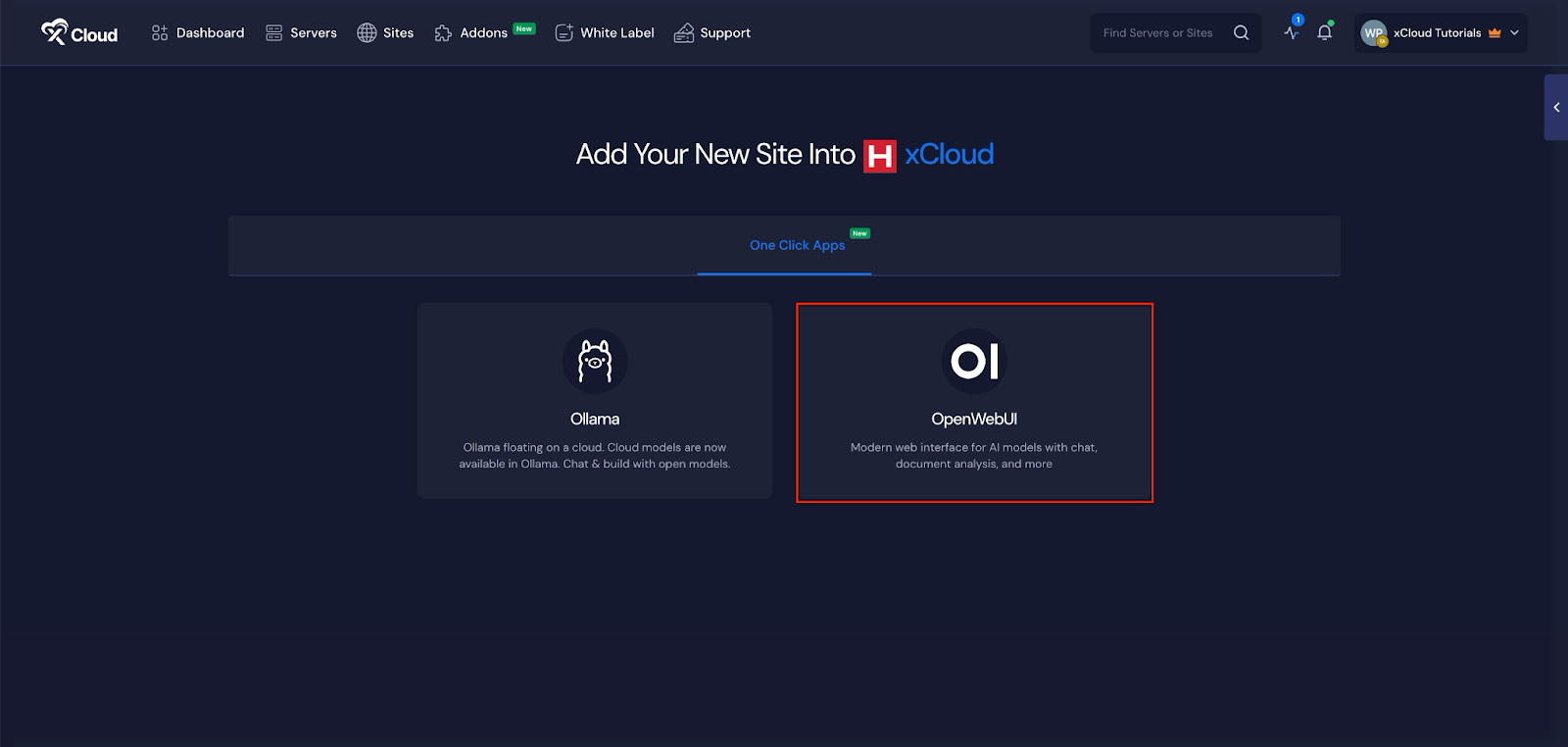
You can host and deploy an LLM model through supported one-click environments such as OpenWebUI or Ollama using Docker+NGINX stacks.
AI is evolving fast, and people everywhere want more privacy, flexibility, and control over their tools – that’s exactly what this unlocks.
Now, developers, startups, and creators can:
- Deploy your own private AI assistant
- Build custom chatbots and automation tools
- Fine-tune or connect your own models
- Keep your data 100% under your control
This addition is ideal for businesses handling sensitive information, agencies creating AI-based services for clients, and developers experimenting with advanced model capabilities. By hosting your own LLM, you gain full transparency, improved security, and the freedom to build AI projects easily…
❇️ Deploy LibreChat with One Click Apps
LibreChat is now available as a one-click deployment option, giving you the ability to launch your own AI chat system without external services. Many teams want an AI assistant for support, documentation, or internal workflows, but they also want full ownership of their data. LibreChat helps meet that need by offering an open system that you can host on your own infrastructure.
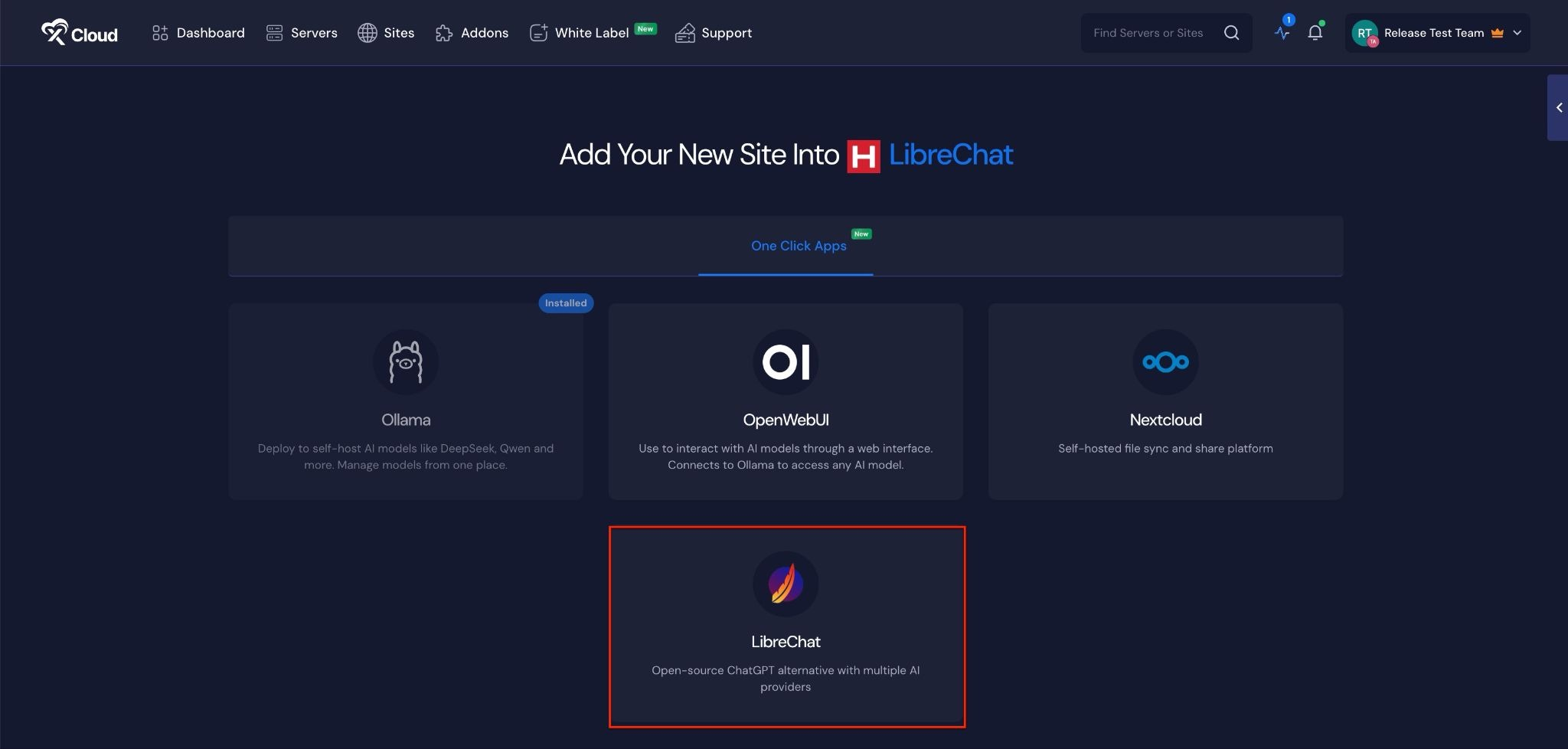
This feature is especially useful for businesses that want a private AI tool, agencies that provide AI-based support to clients, and developers experimenting with conversational AI systems. With LibreChat now part of the One Click Apps lineup, the barrier to building your own AI tools becomes much lower.
❇️ Umami Analytics – Now Available as One-Click App
Tracking website activity becomes easier now that Umami is available in the One Click App section. Many users want a simple and privacy-friendly analytics tool that avoids cookies and external trackers. Umami offers exactly that, and the new one-click deployment makes it effortless to get started.
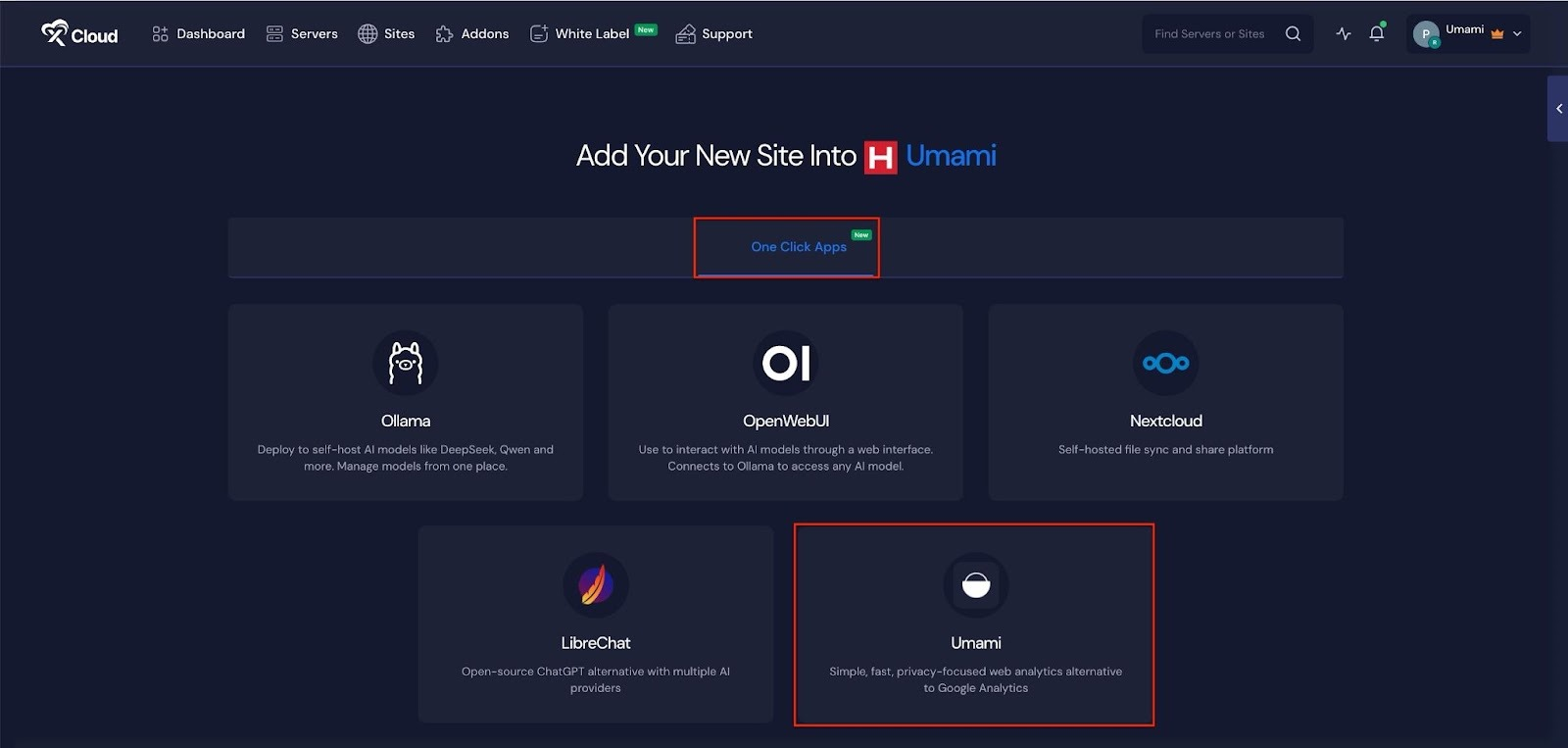
With this addition, you can install Umami on your server in a few moments. The interface is clean and lightweight. It shows you clear insights without slowing down your sites or complicating your workflow. This is perfect for agencies that manage many client sites, developers who prefer minimal tooling, and businesses looking for transparent analytics without extra noise.
You can easily benefit from:
- Install Umami instantly without manual setup.
- Use a clean and lightweight dashboard for clear insights.
- Track visitors without adding heavy scripts or privacy concerns.
- No environment file configuration.
- No database setup steps.
- Automatic deployment through the one-click installer so you can begin tracking right away.
❇️ Set Your Own Default Landing Page
Your server can now create a stronger first impression with the new Default Site feature. In the past, when someone visited your server’s IP address, they would see a simple and generic default page when they searched it using the IP. That page did not represent your brand, and it did not offer a meaningful experience to anyone who reached it.
This new feature changes that completely. You can now choose any website or domain to serve as the default landing page for your server’s IP. The moment someone accesses the IP directly, they are greeted with the site you selected. This gives you control over how your server appears to clients, visitors, or internal teams.
Setting your default landing page takes only a moment. You can point the IP to a live website, a branded placeholder page, a client demo, or any domain that fits your workflow. This simple addition helps you present a professional and intentional front, especially when working with clients.
❇️ Deploy Nextcloud with One Click
Nextcloud is now part of the One Click Apps library, giving you the power to build your own private storage and collaboration platform in minutes. Many users rely on cloud drives for file sharing, document management, and teamwork. Nextcloud offers all these features while keeping your data fully under your control.
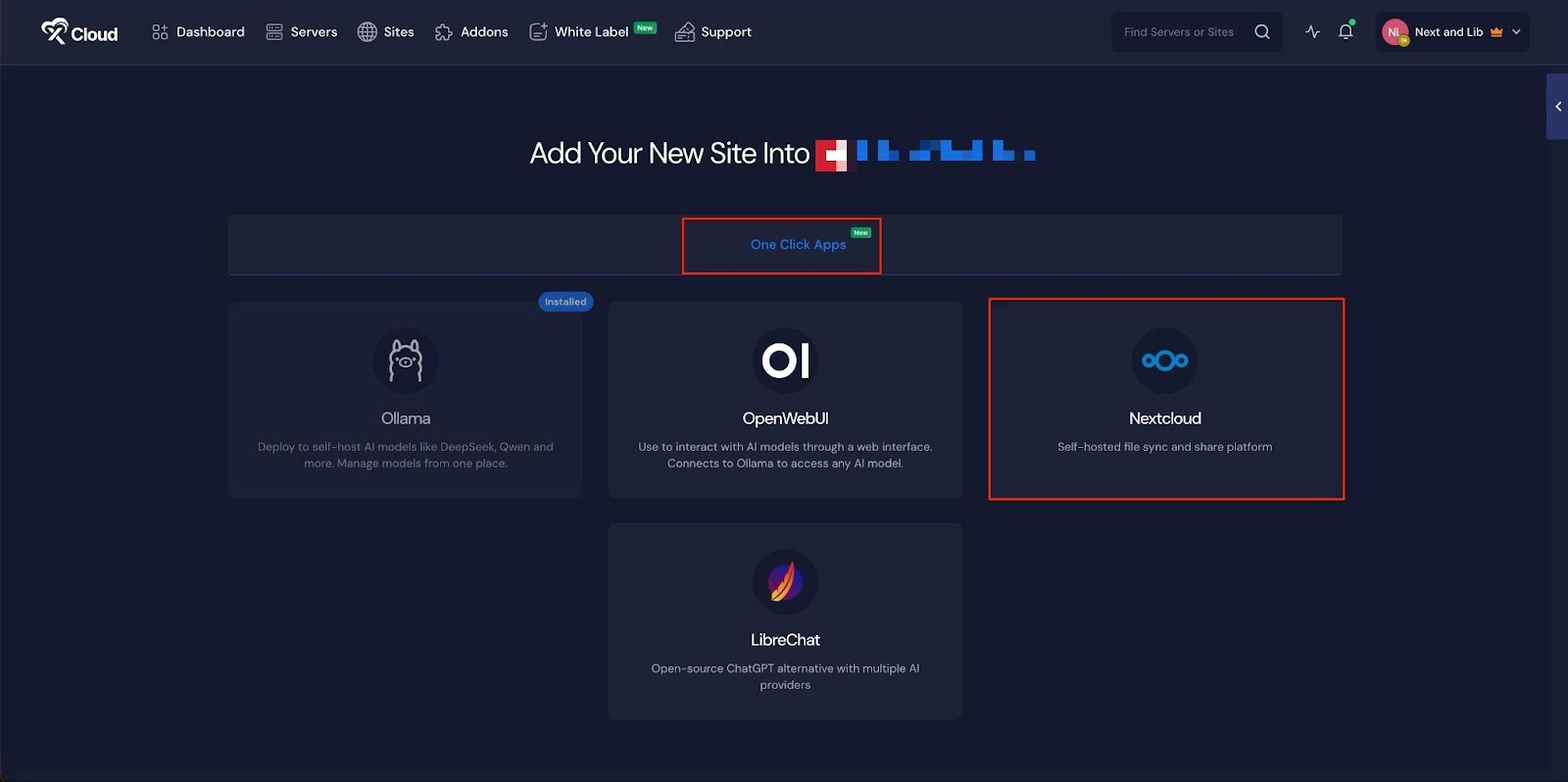
With this one-click deployment, xCloud prepares the entire environment behind the scenes. The installer sets up containers, configures storage, and applies the required dependencies. You do not need to handle manual setup steps or detailed configuration files. Once the installation finishes, you can begin uploading files, creating accounts, and integrating productivity tools immediately.
This feature is ideal for businesses that prefer self-managed file hosting, teams that need secure internal collaboration, and anyone who wants an alternative to traditional cloud storage providers. The addition of Nextcloud expands the range of professional tools you can deploy on your own servers without complexity.
⭐ xCloud November 2025 Release: Improvements and Bug Fixes
Here is the full list of improvements and fixes included in the November 2025 update:
⏺️ Users can now resize their LTD plan directly from the dashboard without manual support.
⏺️ Users, including reseller clients, can now view pending server setup items from their own dashboards right after completing a purchase.
⏺️ Storage space validation has been added for Docker-based one-click applications, including Umami, Nextcloud, LibreChat, OpenWebUI, and Ollama. The system now checks for required disk space before installation and applies adjustable minimum storage rules based on each app type.
⏺️ White Label now supports switching between paid and free plans without interruption.
⏺️ A recurring issue with free subscription claims under White Label for LTD users has been resolved.
⏺️ Error messages during site or server creation now clearly indicate whether the failure came from the site layer or the server layer, making troubleshooting easier.
⏺️ Site cloning has been improved by removing unsupported Docker and NGINX server combinations from clone selections.
⏺️ IP whitelist and blacklist rules on OpenLiteSpeed now work correctly across all site types.
⏺️ Cloudflare integration now handles rare edge cases more gracefully, improving overall reliability.
⏺️ Resellers can now edit product descriptions directly inside their dashboard.
⏺️ An issue affecting the reseller subscription section in the app has been fixed.
⏺️ A multisite login issue caused by incorrect HTTP_COOKIE handling inside wp-config.php has been corrected.
⏺️ Several front-end bugs have been fixed to improve usability and consistency.
⏺️ NGINX config support has been disabled for Cloudflare multi-domain setups to ensure smoother compatibility.
⏺️ Additional domain redirects now work correctly inside the OLS vhConfig editor.
⏺️ 8G Firewall protection is now extended to all supported One Click Apps.
⏺️ An issue that prevented Adminer’s dark theme from loading due to corrupted CSS has been fixed.
⛳ Wrapping Up the November Release and What Comes Next
So that is pretty much it for November. With smart features, you are ready to build, scale, and innovate without limits.
And there is more to come very soon. We will be adding WireGuard for private networking and Supabase for seamless backend management, giving you even more power and flexibility for your projects.
Go ahead and try these new features today. As always, your input plays a key role in guiding xCloud’s future. Stay with us for more insights, and feel free to subscribe to our blogs for valuable tutorials, guides, knowledge, and tips on web hosting and server management.
Also, join the Facebook Community, share your ideas, and help us build the next wave of updates. Stay tuned – December has just started with even more exciting features.