

Hermes Agent crossed 90,000 GitHub stars within roughly six weeks of launch in February 2026, which makes it one of the fastest-growing open-source AI agents ever shipped. The catch nobody talks about: an agent that learns and remembers across sessions only earns its keep when it actually stays online, and that almost never happens on a laptop. Where you host it ends up mattering as much as which model you point it at.
This guide ranks the nine best Hermes Agent hosting providers across managed, self-hosted VPS, and serverless setups and shows what each one actually costs once you factor in your time.
Quick Summary / TL;DR
Too long; didn’t read? Here is the decision table:
| If you want to… | Use this | Best for | Setup time |
|---|---|---|---|
| Skip infrastructure entirely (managed) | xCloud | Founders, agencies, non-developers | ~5 minutes |
| Get the cheapest reliable VPS for production | Hetzner Cloud | Cost-conscious long-term operators | 30–60 minutes |
| One-click Docker via an Application Catalog | Hostinger VPS | Solo developers comfortable in a CLI | 15–30 minutes |
| Use a developer-first VPS with deep tutorials | DigitalOcean | Engineers who want documentation | 30–60 minutes |
| Run a Hermes-specialist EU host with one-line install | Virtua.Cloud | EU-based privacy-focused users | 10–20 minutes |
| Optimise for global messaging latency | Vultr | International messaging users | 30–60 minutes |
| Pay hourly while testing setups | LightNode | People still picking models | 5–10 minutes |
| Get always-on VPS with retail-grade support | Bluehost VPS | Beginners who want a phone number | 30–45 minutes |
| Pay only when the agent runs (serverless) | Railway | Bursty workloads, idle most of the day | 10–20 minutes |
Expert consensus: The New Stack’s analysis of persistent AI agents argues the hard part of running one isn’t the model — it’s keeping the runtime alive 24/7 without babysitting it. That framing is what separates this list into two camps: managed (xCloud) and self-hosted on a VPS (everyone else).
Best for solo operators: Hostinger VPS — the Application Catalog has a pre-built Hermes Agent Docker template.
Best for production teams: xCloud — the only fully managed Hermes Agent service with pre-configured messaging gateways, daily backups, and SSL handled for you.
Best for budget hawks: Hetzner — Remote OpenClaw’s cost analysis found Hetzner has the best price-to-performance ratio of any provider tested.
Why Hermes Agent Needs Hosting Built for Persistent AI Agents
A Hermes Agent that runs only on your laptop is not really a learning agent. The whole pitch from Nous Research is the three-layer memory architecture – active memory in MEMORY.md, session history in SQLite with FTS5 search, and procedural memory as portable skills. That memory only compounds when the agent runs continuously and gets exposed to real workflows. Close your laptop and you’ve paused the part that makes Hermes useful.
There’s a second reason hosting matters: messaging gateway uptime. Hermes can connect to Telegram, Discord, Slack, WhatsApp, Signal, Email, and roughly 10 other channels through one gateway process. That gateway has to be reachable from the internet for inbound webhooks to work. A residential IP behind NAT won’t do — you need a server with a stable public address.
Here is what a Hermes Agent host has to do well:
| Requirement | Why it matters |
|---|---|
| 24/7 uptime | The learning loop only fires when the agent is running |
| Persistent disk storage | SQLite memory + skills files must survive restarts |
| Stable public IP / domain | Webhooks from Telegram, Discord, Slack require a reachable URL |
| At least 2 GB RAM | 1 GB works for CLI-only; browser automation needs 4 GB+ |
| SSL certificate | Required by Telegram for secure webhook delivery |
| Outbound API egress | Calls to OpenRouter, Anthropic, OpenAI go out continuously |
| Process supervisor | systemd or Docker restart-policy to recover from crashes |
| Backups | Memory loss = capability loss; backups are non-negotiable |
The two paths people take are managed hosting (someone else handles the list above) or self-hosted on a VPS (you handle it, often well, sometimes at 3 AM).
Hermes Agent Hosting: 3 Categories You’re Actually Choosing Between
Before the rankings, a quick frame. The Hermes Agent hosting market splits cleanly into three buckets, and most “best of” lists conflate them.
| Category | What you get | What you handle | Typical price |
|---|---|---|---|
| Fully managed | Server + Hermes deployed + gateway + SSL + backups + updates | Talking to the agent | $9.99/month flat |
| Self-hosted VPS | A Linux box with root access | Everything: install, gateway config, SSL, backups, security | $4–25/month |
| Serverless / usage-based | Pay-per-second container that hibernates when idle | Build, deploy, observability | $0.000–$0.005 per second |
xCloud is the only entrant in the fully managed category as of April 2026. Hetzner, Hostinger, DigitalOcean, Vultr, Virtua.Cloud, LightNode, and Bluehost are self-hosted VPS. Railway is serverless. Each has its place.
How We Ranked These Hosts
This list is built on six factors, weighted by how much they affect a Hermes Agent operator’s day-to-day life.
- Setup time and effort — minutes to a working agent, including LLM API key, gateway, and SSL
- 24/7 reliability — uptime track record, auto-restart, crash recovery
- Memory persistence — disk durability, backup options, restore time
- Messaging gateway readiness — how much webhook plumbing the host pre-configures
- Cost honesty — list price vs renewal price vs your time cost
- Support quality — response time and depth when something breaks
Pricing was confirmed against each provider’s public pricing page on April 28, 2026. Resource requirements come from the official Hermes Agent README and field reports from production operators on the r/openclaw subreddit. Where Hermes-specific benchmarks exist, they are cited; where they don’t, comparable Docker workload benchmarks are used as a proxy.
Master Comparison Table
| Rank | Provider | Category | Starting Price | Setup Time | Best For |
|---|---|---|---|---|---|
| 🥇 1 | xCoud | Fully managed | $9.99/mo | ~5 min | Zero-ops Hermes deployment |
| 🥈 2 | Hetzner Cloud | Self-hosted VPS | $4.59/mo | 30–60 min | Cheapest production VPS |
| 🥉 3 | Hostinger VPS | Self-hosted VPS | $6.49/mo (intro) | 15–30 min | One-click Docker template |
| 4 | DigitalOcean | Self-hosted VPS | $6/mo | 30–60 min | Developer documentation |
| 5 | Virtua.Cloud | Self-hosted VPS | €5/mo | 10–20 min | Hermes-specialist EU host |
| 6 | Vultr | Self-hosted VPS | $5/mo | 30–60 min | Global latency / 30+ regions |
| 7 | LightNode | Self-hosted VPS | Hourly billing | 5–10 min | Short-term testing |
| 8 | Bluehost VPS | Self-hosted VPS | $19.99/mo | 30–45 min | Beginner-friendly support |
| 9 | Railway | Serverless | Pay-per-second | 10–20 min | Bursty / idle-mostly use |
The table reflects sticker prices. Real cost-of-ownership — including the time tax of self-hosting — is broken down further down in the cost section.
🥇 1. xCloud — Best Fully Managed Hermes Agent Hosting
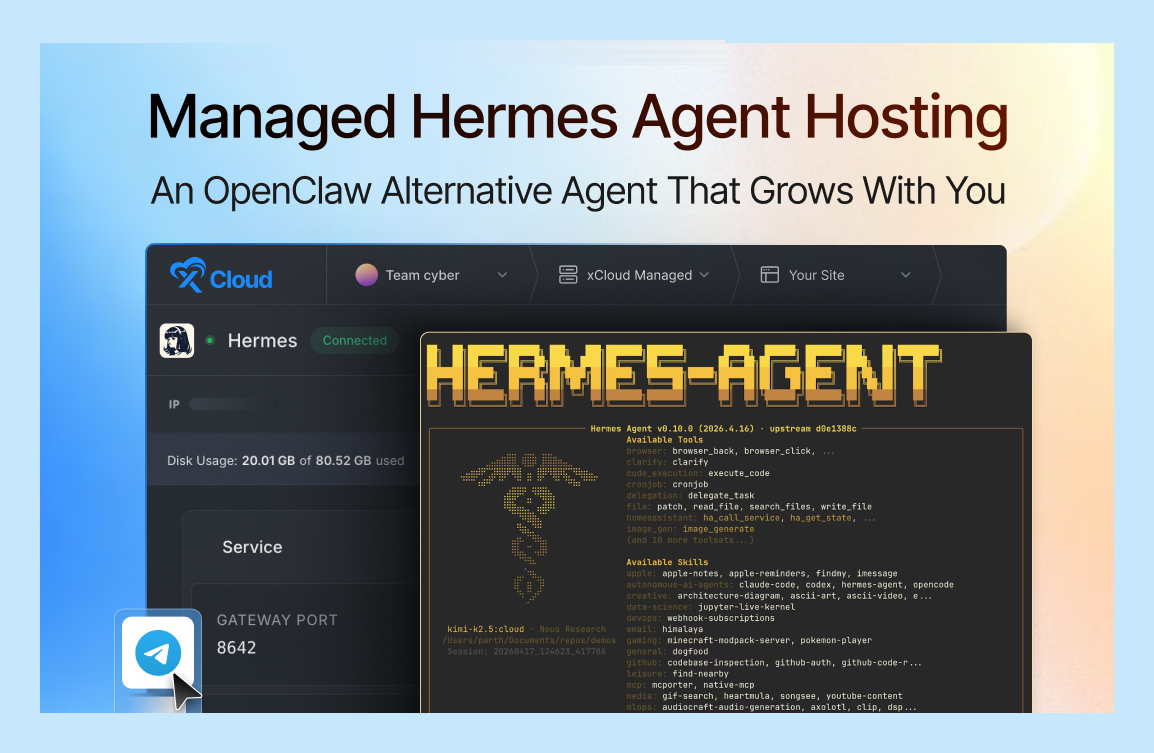
xCloud is the only host that ships Hermes Agent as a one-click managed service rather than a “here’s a Linux box, good luck” VPS. According to xCloud’s product page, the deployment includes the Hermes binary, a pre-configured Telegram gateway, free SSL, and security updates — all wrapped in a $9.99/month flat rate.
That positioning matters because the Hermes Agent documentation walks new users through Python, uv, Node.js, gateway tokens, systemd unit files, reverse proxies, and SSL renewal. Each of those steps has its own failure mode. xCloud’s pitch is that you skip the entire sequence and get to the part that’s actually interesting — building skills and assigning workflows.
xCloud is built by the same team behind WPDeveloper and runs across global server locations on AWS, DigitalOcean, Vultr, Linode, Hostinger VPS, Google Cloud, and bring-your-own-Ubuntu providers. The same managed control panel that the team uses for WordPress, Laravel, and n8n hosting now wraps Hermes Agent with a deployment template.
Key Features
- One-click deploy — Hermes Agent + gateway + SSL provisioned in roughly five minutes from sign-up
- Pre-configured Telegram gateway — bot token field built into the deploy form; Discord, Slack, WhatsApp, and Signal available out of the box
- Self-improving skills preserved across updates — Hermes’ procedural memory survives platform updates
- Free SSL with auto-renewal — required for Telegram webhook delivery, handled without configuration.
- 24/7 expert support with sub-four-hour median response time
- 14-day money-back guarantee — long enough to validate the agent against a real workflow
How to Deploy on xCloud
With xCloud, deploying Hermes Agent is as simple as signing up, choosing your region, and adding your API keys. Everything runs on xCloud’s managed servers, so the entire stack, from provisioning, SSL, to gateway setup, is taken care of for you. Here’s how to get started:”
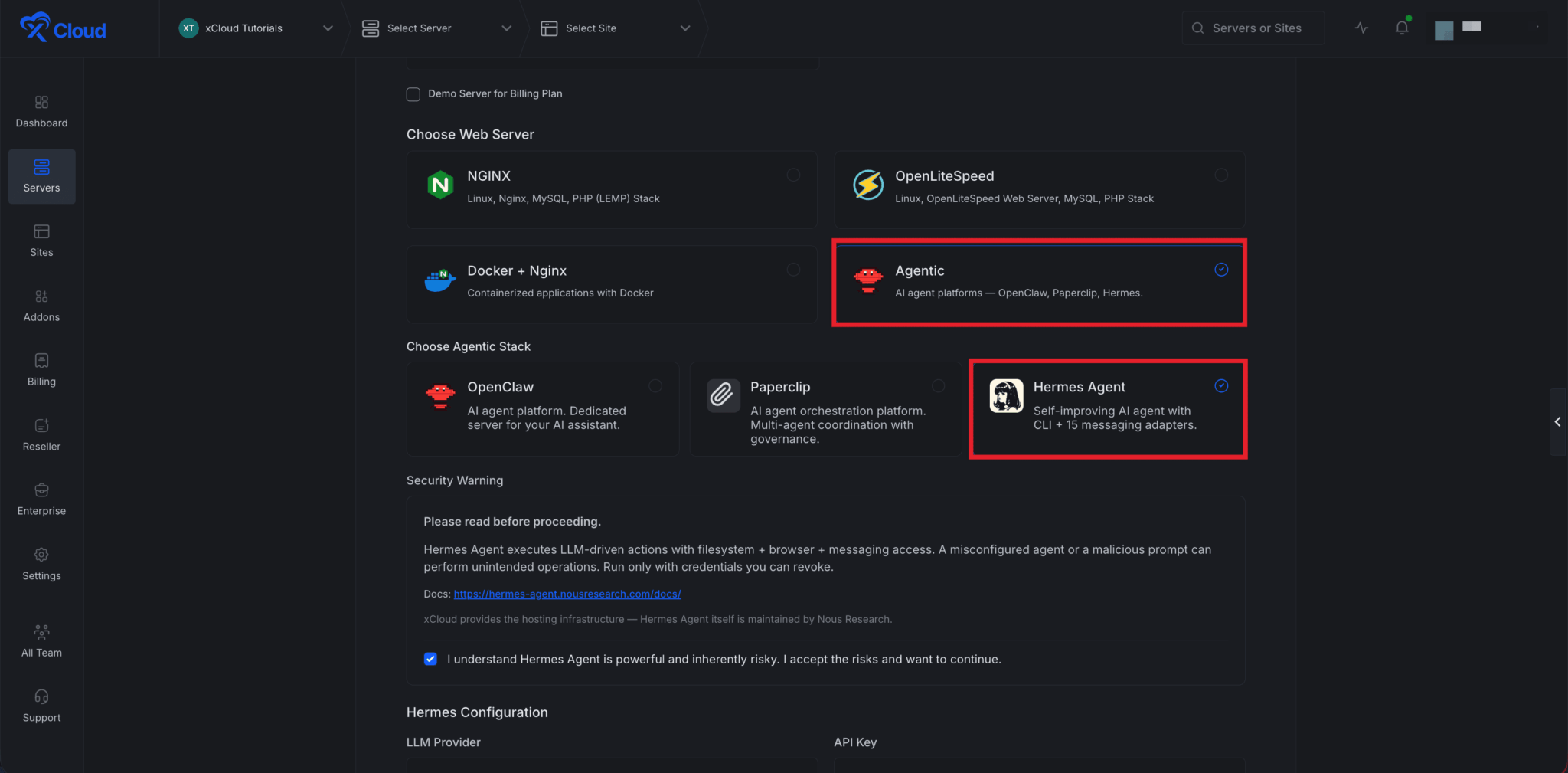
- Sign up at xCloud Hermes Agent Hosting
- Pick a region near your messaging users (the closer to your Telegram/Discord traffic, the lower webhook latency)
- Paste your LLM provider API key (Nous Portal, OpenRouter, Anthropic, or OpenAI)
- Paste your Telegram bot token to enable the gateway
- Open Telegram and message your agent
👉 To learn more with a step-by-step guide, visit the guide to deploy your own Hermes Agent with xCloud.
Pros and Cons
| Pros | Cons |
|---|---|
| ✅ Only fully managed Hermes Agent service on the market | ❌ Higher sticker price than a raw $4.59 Hetzner box |
| ✅ Memory and skills survive platform updates without operator action | ❌ Less low-level customisation than a raw root VPS |
| ✅ Pre-configured Telegram gateway saves the hardest setup step | ❌ Region availability tied to xCloud’s partner clouds (still 30+) |
| ✅ Auto-SSL handled by default | ❌ Limited tiers mean scaling up is a server upgrade, not a slider. |
Best for: Founders, agencies, and operators who want the agent running by lunch, not the weekend. Especially worth it for anyone whose hourly rate makes self-hosted setup time the most expensive line item.
🥈 2. Hetzner Cloud — Best Budget VPS for Long-Term Production
Hetzner Cloud’s CX22 plan starts at €4.51 (about $4.59) per month for 2 vCPUs, 4 GB RAM, and 40 GB SSD — specs that comfortably run Hermes Agent with browser automation enabled. Remote OpenClaw’s cost-of-running analysis lands on Hetzner as the best price-to-performance ratio of any provider tested for AI agent workloads.
Hetzner is German, has been around since 1997, and runs its own data centres in Falkenstein, Nuremberg, and Helsinki, plus Ashburn (US East) and Hillsboro (US West) for North American latency. The trade-off is documentation depth: Hetzner’s tutorials assume comfort with a Linux terminal. There is no Hermes Agent template, no Application Catalog one-click button, and no on-call support.
Key Features
- Dedicated CPU options — CCX series gives Hermes a CPU core nobody else can hit
- Hourly billing with monthly cap — pay for partial months when testing
- Free 20 GB external snapshot storage for memory database backups
- 40 Gbps unmetered traffic — generous for inbound webhook traffic from messaging platforms
- Cloud Firewall included — gate inbound to Hermes’ webhook port and SSH only
- API and Terraform provider — Hermes Agent infrastructure can be code-managed
How to Deploy on Hetzner Cloud
- Create a Hetzner Cloud project, generate an API token
- Provision a CX22 instance with Ubuntu 24.04
- SSH in and run the official Hermes installer:
curl -fsSL https://raw.githubusercontent.com/NousResearch/hermes-agent/main/scripts/install.sh | bash - Run
hermes setupto configure your LLM provider - Configure systemd:
hermes gateway installto keep the gateway alive across reboots - Point a domain via Cloudflare, set up Caddy or nginx for SSL, configure the Telegram webhook URL
The four steps after step 2 are where most operators lose two hours.
Pros and Cons
| Pros | Cons |
|---|---|
| ✅ Cheapest production-grade VPS in this comparison | ❌ Zero hand-holding — you debug everything yourself |
| ✅ Stable pricing without renewal-rate inflation | ❌ No Hermes-specific tooling or templates |
| ✅ Strong privacy posture (German law, owned data centres) | ❌ Limited support hours; no live chat for €4.59 plans |
| ✅ Snapshot-based backups built-in | ❌ Setup time is the real cost — 30–60 minutes minimum |
Best for: Engineers running Hermes long-term who are comfortable in a terminal and want the lowest possible monthly hosting bill.
🥉 3. Hostinger VPS — Best One-Click Self-Hosted Setup
Hostinger added a dedicated Hermes Agent template to its Application Catalog in early 2026 — pick “Hermes Agent” from the Docker Manager, paste an LLM API key, click deploy, and you have a working agent on a public IP in under 15 minutes.
According to the Hostinger setup guide, the template handles the Docker volume mounts so memory and skills persist across container restarts, configures the gateway, and exposes the CLI through the VPS terminal. The Hostinger AI assistant (Kodee) can also walk through gateway setup if you get stuck.
The catch worth knowing: Hostinger’s introductory rates renew at substantially higher rates. Remote OpenClaw documented renewal increases of 140–230% above the introductory price. A $4.99/month plan can renew at $11–15/month, which still beats most US providers but is not the headline number.
Key Features
- Pre-built Hermes Agent Docker template in the VPS Application Catalog
- AI assistant (Kodee) that helps with deployment and troubleshooting
- NVMe SSD storage across all VPS plans
- Weekly backups included on KVM 1+ plans
- Choice of Docker Manager or full root SSH — flexibility for both new and experienced users
- 24/7 chat support with reasonable response times
How to Deploy on Hostinger VPS
- Buy a KVM 2 plan (4 GB RAM recommended for browser automation)
- In the VPS dashboard, open Docker Manager → Catalog
- Search “Hermes Agent” → Select → Deploy
- Provide your LLM API key when prompted
- SSH or use the browser terminal to run
hermes setupand configure the messaging gateway - Point a domain to the VPS IP for the Telegram webhook
Pros and Cons
| Pros | Cons |
|---|---|
| ✅ Fastest one-click deploy outside fully managed services | ❌ Renewal pricing 140–230% above intro rates |
| ✅ Hermes Agent template officially maintained | ❌ Long-term contracts required for the cheapest rate |
| ✅ NVMe storage standard across plans | ❌ Memory/skills persistence still requires understanding Docker volumes |
| ✅ Built-in AI assistant for setup help | ❌ You still own SSL, gateway, and updates |
Best for: Solo developers who want one-click deployment but don’t need fully managed support, and are comfortable signing 24-month terms to lock in the introductory rate.
4. DigitalOcean — Best for Developer-Friendly Self-Hosting
DigitalOcean droplets start at $6/month for 1 GB RAM, though most Hermes Agent users want at least the 2 GB ($12/month) tier for browser automation headroom. The pull isn’t price — it’s the documentation. DigitalOcean’s tutorial library is the most extensive in the developer hosting space, which matters when you’re debugging a Telegram webhook at 11 PM and need a clean answer fast.
The Top 6 Hermes Agent VPS comparison calls out DigitalOcean’s clean interface and stability as the main reasons production Hermes deployments end up there despite the higher price. New users also get $200 in credits, which covers four months on the recommended droplet size.
Key Features
- One-click Docker droplet — Hermes deploys as standard Docker image
- $200 free credit for new accounts (4 months on a $50/mo droplet)
- 15+ data centre regions with private networking
- Spaces object storage at $5/month for off-droplet backups
- Managed databases if Hermes ever outgrows SQLite
- Best-in-class community tutorials — large existing Hermes Agent setup guide library
How to Deploy on DigitalOcean
- Create a project, add a Basic Droplet (2 GB / 1 vCPU / 50 GB) with Ubuntu 24.04
- Add an SSH key, attach a $1/mo backup
- SSH in and run the official Hermes Agent install script
- Run
hermes setupto pick a model provider - Configure systemd via
hermes gateway install - Add a Cloudflare-proxied domain for SSL and the Telegram webhook URL
Pros and Cons
| Pros | Cons |
|---|---|
| ✅ Largest tutorial library and developer community | ❌ More expensive than Hetzner for similar specs |
| ✅ $200 sign-up credit covers 4+ months | ❌ No Hermes-specific template (yet) |
| ✅ Reliable infrastructure with strong uptime track record | ❌ Backups are an extra $1/mo opt-in |
| ✅ Easy upgrade path to managed databases or Kubernetes | ❌ US-only support for entry tiers |
Best for: Engineers who learn by reading tutorials and want a hosting provider where every weird Hermes question has already been answered on the company blog.
5. Virtua.Cloud — Best Hermes-Specialist European VPS
Virtua.Cloud markets itself directly to Hermes Agent users — the landing page advertises “16 messaging platforms, 400+ AI models, web dashboard, persistent memory” and includes a one-line install script tuned for Hermes. Plans start at €5/month and the data centres are EU-based (independent European hosting, owned infrastructure).
The deployment flow is the closest a self-hosted VPS comes to fully managed without crossing the line. The installer handles dependencies on Debian 12 or Ubuntu 22.04, installs systemd unit files, and exposes a clean web dashboard alongside the CLI.
Key Features
- One-line installer specifically for Hermes Agent
- EU data residency (relevant for GDPR-sensitive users)
- Web dashboard for managing config, sessions, and skills
- DDoS protection included on all plans
- Full root SSH access retained for advanced users
- Hermes-aware support — the team actually uses the product
How to Deploy on Virtua.Cloud
- Pick Debian 12 or Ubuntu 22.04 at checkout
- Receive credentials immediately upon provisioning
- SSH in and run the one-line installer
- The web dashboard becomes available on a subdomain
- Configure messaging gateways through the dashboard
- Done — DDoS protection and base firewall are pre-configured
Pros and Cons
| Pros | Cons |
|---|---|
| ✅ Hermes-aware support — team understands the product | ❌ Smaller than Hetzner / DigitalOcean (less documentation breadth) |
| ✅ EU-only data residency for privacy-sensitive users | ❌ Limited US/Asia presence for global messaging latency |
| ✅ Web dashboard included alongside the CLI | ❌ Pricing is in euros — exchange rate variance for non-EU customers |
| ✅ DDoS protection on all plans | ❌ Single-region for most plans |
Best for: EU-based users who want a Hermes-specialist host with a web UI and don’t need the managed convenience of xCloud. A reasonable middle ground between Hetzner’s bare metal and xCloud’s full managed service.
6. Vultr – Best for Global Messaging Latency
Vultr runs 30+ data centres on six continents, which is the practical reason it shows up in Hermes Agent comparisons. If your Telegram users are in Singapore and your VPS is in Frankfurt, the gateway round-trip adds noticeable latency. Vultr lets you put the agent close to the users.
Pricing starts at $5/month for 1 GB RAM and scales linearly. There is no Hermes-specific template, but Docker is supported on every instance and the standard Hermes installer works without modification.
Key Features
- 30+ global data centre locations — most regions of any major VPS provider
- Hourly billing for short-term testing
- High-frequency CPU plans for compute-bound Hermes workflows
- Block storage and snapshots for memory backups
- IPv6 included by default
How to Deploy on Vultr
- Pick a region close to your primary messaging traffic
- Provision a Cloud Compute instance with Ubuntu 24.04 and 2+ GB RAM
- SSH in, install Docker, run the official Hermes Agent install script
- Configure the gateway via
hermes gateway - Use Cloudflare or Vultr’s reserved IP for the Telegram webhook URL
Pros and Cons
| Pros | Cons |
|---|---|
| ✅ Best regional coverage of any provider in this comparison | ❌ No Hermes-specific tooling |
| ✅ Hourly billing for short-term tests | ❌ Documentation thinner than DigitalOcean |
| ✅ Reasonable pricing across all regions | ❌ Less generous free tier than DigitalOcean |
| ✅ Reserved IPs available for stable webhook URLs | ❌ Performance per dollar lags Hetzner |
Best for: Operators whose Hermes Agent talks to users across multiple continents and who care about gateway-to-user latency more than absolute price.
7. LightNode — Best for Testing and Hourly Billing
LightNode shows up in the VPS SOS Hermes Agent comparison primarily because of its hourly billing model and 40+ global locations. Spin up an instance for $0.018/hour, test Hermes for an afternoon, destroy it, and pay roughly $0.15. That’s a useful pattern when you’re still picking which LLM provider works best for your workflows.
LightNode is not the right answer for production. The infrastructure is solid for testing but the support, tooling, and documentation aren’t at Hetzner or DigitalOcean’s level. Use it to evaluate, then move when you’re committed.
Key Features
- Hourly billing without commitment
- Sub-2-minute provisioning — fastest deploy in this list
- 40+ global locations covering Asia, Europe, and the Americas
- No long-term contracts required
- Crypto and PayPal payment options for flexibility
How to Deploy on LightNode
- Sign up, top up the wallet with $5
- Pick a location and a 2 GB instance
- SSH in within two minutes, run the Hermes installer
- Configure for testing — skip the gateway and SSL setup if you’re only using the CLI
- Destroy the instance when done; data is wiped
Pros and Cons
| Pros | Cons |
|---|---|
| ✅ Hourly billing means cheap experimentation | ❌ Not designed for long-term production |
| ✅ Fastest provisioning of any provider tested | ❌ Smaller support team than incumbents |
| ✅ 40+ regions for latency testing | ❌ Documentation thin; little Hermes Agent specific guidance |
| ✅ Flexible payment options including crypto | ❌ Resource performance variable across regions |
Best for: Developers in the evaluation phase who want to spin up Hermes in five different regions, compare latency, and only pay for the hours used.
8. Bluehost VPS — Best for Beginner-Friendly Always-On Setup
Bluehost is better known for shared WordPress hosting, but its VPS line works for Hermes Agent and shows up on this list for one reason: the support model. Bluehost has phone support, live chat, and an onboarding team that walks first-time VPS users through deployment. None of the cheaper providers offer that.
According to Bluehost’s Hermes Agent guide, their VPS plans give the always-on foundation, root access, and resource control needed for long-running Hermes workflows — and the company’s own engineers wrote the deployment tutorial.
Pricing starts at $19.99/month, which is more than Hetzner and Hostinger but cheaper than the full xCloud managed tier. The middle ground here is real: a beginner-friendly self-hosted experience without paying for full management.
Key Features
- Phone and live chat support — rare at this price tier for VPS
- Pre-installed Linux distros with cPanel option
- Free domain name with annual plans
- NVMe storage across VPS plans
- Built-in caching and security tools
How to Deploy on Bluehost VPS
- Buy a Standard or Enhanced VPS plan
- Use Bluehost’s onboarding chat to provision the server with Ubuntu
- SSH in and run the Hermes Agent install script
- Configure the gateway and SSL via the included WHM panel or manually
- Set up the systemd service for auto-restart
Pros and Cons
| Pros | Cons |
|---|---|
| ✅ Phone support included — uncommon for VPS at this price | ❌ Roughly 4x the price of Hetzner for similar specs |
| ✅ Beginner-friendly onboarding with hand-holding | ❌ No Hermes-specific tooling |
| ✅ Free domain on annual plans | ❌ cPanel-style management adds overhead some operators dislike |
| ✅ Long uptime track record | ❌ Renewal pricing also climbs after intro period |
Best for: First-time VPS users who want an always-on Hermes Agent and value being able to call a human when something breaks.
9. Railway — Best for Serverless / Pay-Per-Second Hermes Hosting
Railway is the outlier on this list. It doesn’t sell servers — it sells a platform-as-a-service where Hermes runs in a container that scales to zero when idle and bills per second when active. For a Hermes Agent that only fires a few times per day, Railway can cost less than $5/month while a $5/month always-on VPS sits idle 95% of the time.
The trade-off is cold starts. A scaled-to-zero Hermes Agent takes a few seconds to wake up, which is fine for cron-driven workflows and noticeable for interactive Telegram chat. The right fit depends on what you’re doing with the agent.
Key Features
- Per-second billing with usage-based pricing
- Scale to zero when idle
- Git-based deploys — push to deploy, rollback in one click
- Built-in Postgres for operators who outgrow SQLite
- Generous free tier for small workloads
How to Deploy on Railway
- Connect a GitHub repository with a Hermes Agent Dockerfile
- Railway auto-detects Docker, deploys
- Set environment variables: LLM API key, Telegram bot token, persistent volume mount path
- Attach a Railway volume for memory persistence
- Add a custom domain for the Telegram webhook
- Push to main; Railway redeploys automatically
Pros and Cons
| Pros | Cons |
|---|---|
| ✅ Scales to zero — pay nothing when idle | ❌ Cold start delay on first message after idle |
| ✅ Git-driven deploys and rollback | ❌ Persistent volumes have stricter size limits |
| ✅ Works well for cron-driven Hermes workflows | ❌ Pricing model harder to predict than flat VPS |
| ✅ Built-in Postgres available if needed | ❌ Less suited for chat-heavy interactive use |
Best for: Hermes Agent setups that run scheduled workflows (research, summaries, monitoring) rather than interactive chat — where a few seconds of cold-start latency on each invocation is fine and the cost savings of scale-to-zero are real.
Resource Requirements: What Hermes Agent Actually Needs
The official Hermes Agent README gives baseline requirements. Real-world numbers from operators land in this range:
| Workload | vCPU | RAM | Storage | Bandwidth |
|---|---|---|---|---|
| CLI-only personal use | 1 | 1 GB | 10 GB | 100 GB/mo |
| Single messaging channel | 1 | 2 GB | 20 GB | 250 GB/mo |
| Multi-channel gateway (Telegram + Slack + Discord) | 2 | 4 GB | 40 GB | 500 GB/mo |
| Multi-channel + browser automation | 2–4 | 4–8 GB | 60 GB | 1 TB/mo |
| Heavy automation + multiple concurrent skills | 4 | 8 GB | 80 GB | 2 TB/mo |
The Camofox anti-detection browser introduced in Hermes Agent v0.7.0 needs roughly 2 GB of additional RAM. A $5/month plan with 1 GB RAM that handled Hermes fine in v0.6 will swap heavily in v0.7+ if browser tools are enabled.
Cost Breakdown: What You’ll Actually Pay
Real cost has three components: hosting, LLM tokens, and your time. The first is easy to compare, the second varies wildly, and the third is the line item people forget.
| Setup | Hosting/mo | LLM tokens/mo | Your time/mo | Total monthly cost |
|---|---|---|---|---|
| xCloud managed + DeepSeek V4 | $9.99 | $5–15 | ~$0 (zero ops) | $29–39 |
| Hetzner CX22 + DeepSeek V4 | $4.59 | $5–15 | 1–3 hrs ($30–150 at $30–50/hr) | $39–169 |
| Hostinger KVM 2 (intro) + Claude Haiku | $6.49 | $15–30 | 1–2 hrs | $50–85 |
| DigitalOcean 2 GB + OpenRouter | $12 | $10–25 | 1–2 hrs | $52–87 |
| Virtua.Cloud €5 + DeepSeek V4 | $5.30 | $5–15 | 1 hr | $40–80 |
| Vultr 2 GB + Claude Haiku | $12 | $15–30 | 1–2 hrs | $57–92 |
| LightNode hourly + DeepSeek V4 | $13–18 | $5–15 | 30 min | $33–58 |
| Bluehost VPS Standard + OpenRouter | $19.99 | $10–25 | 1 hr | $60–95 |
| Railway pay-per-second + DeepSeek V4 | $0–10 | $5–15 | 1–2 hrs | $35–75 |
The “your time” column is what most comparisons skip. If your billable rate is $50/hour and self-hosting takes three hours of setup plus an hour a month maintaining it, that’s $50/month on top of the $4.59 Hetzner bill — and the cheapest VPS is suddenly the most expensive option.
Setup Difficulty: How Hard Each Path Is in Practice
| Provider | Setup time | Skills needed | Ongoing maintenance |
|---|---|---|---|
| xCloud | ~5 min | None — just a credit card | Minimal — managed updates |
| Hetzner Cloud | 30–60 min | Linux CLI, systemd, nginx/Caddy, Cloudflare | Hours per month |
| Hostinger VPS | 15–30 min | Docker basics, Application Catalog familiarity | Moderate |
| DigitalOcean | 30–60 min | Linux CLI, Docker, systemd | Hours per month |
| Virtua.Cloud | 10–20 min | Basic Linux comfort | Low — installer handles most |
| Vultr | 30–60 min | Linux CLI, Docker, systemd | Hours per month |
| LightNode | 5–10 min | Basic terminal use | Minimal — testing only |
| Bluehost VPS | 30–45 min | Some Linux comfort, willingness to chat support | Moderate |
| Railway | 10–20 min | Git, Docker, Railway-specific config | Low after initial setup |
Common Mistakes Operators Make Choosing Hermes Hosting
Five patterns repeat in production deployments and Reddit threads:
- Picking the cheapest VPS without budgeting time. A $4.59 Hetzner box that takes three hours to set up costs more than $9.99 of xCloud once your hourly rate is in the math.
- Forgetting persistent volumes. Hermes’ learning loop only matters if memory and skills survive a container restart. Several operators have lost weeks of accumulated skills by running Docker without a mounted volume.
- Skipping SSL and HTTPS for the gateway. Telegram requires HTTPS for webhook delivery. Operators who try to wire a plain HTTP webhook spend an hour debugging before realising this.
- Running v0.7+ on 1 GB RAM. Camofox browser automation needs 4 GB total. A 1 GB plan that worked fine on v0.6 will OOM on v0.7+.
- Not setting up a process supervisor. Without systemd or Docker
restart: unless-stopped, the agent dies on first crash and stays dead until you SSH in. The whole 24/7 promise depends on auto-restart.
Audience Mapping: Which One Fits Your Situation
| If you are… | Best choice | Why |
|---|---|---|
| A founder validating an AI workflow | xCloud | 5-minute deploy means you find out if Hermes solves your problem this week, not next month |
| A solo developer comfortable in a terminal | Hetzner Cloud | Lowest sticker price, you’ll tolerate the setup |
| A solo developer who hates Linux configs | Hostinger VPS | Application Catalog template skips the worst parts |
| Running an agency with 5+ Hermes deployments | xCloud | Multi-server management in one panel |
| Building inside the EU with GDPR concerns | Virtua.Cloud | EU-only data residency, Hermes-aware team |
| Connecting to global users on multiple continents | Vultr | Region count beats everyone |
| Just testing for a weekend | LightNode | Hourly billing wastes nothing |
| New to VPS but want self-hosted | Bluehost VPS | Phone support catches you when stuck |
| Running scheduled / cron-only workflows | Railway | Scale-to-zero saves real money on idle agents |
Frequently Asked Questions
What is the best hosting for Hermes Agent in 2026?
For most users, xCloud’s managed Hermes Agent hosting is the practical answer because it removes the entire infrastructure layer for $9.99/month. For developers who prefer to self-host, Hetzner Cloud delivers the best price-to-performance, and Hostinger VPS has the smoothest one-click Docker deployment thanks to its Application Catalog template.
Can I run Hermes Agent on a self-managed server?
Yes, for CLI-only and single-channel use. Hermes Agent without browser automation needs roughly 1 vCPU and 1 GB RAM, which fits comfortably on a self-managed server. Once you enable browser tools (Camofox or Chrome CDP) in v0.7+, plan on 4 GB RAM minimum, which moves you to $9.99–24/month tiers depending on provider.
Do I need a GPU for Hermes Agent hosting?
No. Hermes Agent calls hosted LLM APIs (OpenAI, OpenRouter, Anthropic, Nous Portal) by default, so the VPS only handles agent logic, memory, and the gateway — all CPU-light work. A GPU is only relevant if you decide to run a local LLM via Ollama or vLLM on the same box, which is a different deployment pattern.
Is xCloud the only managed Hermes Agent host?
As of April 2026, yes. Hostinger has a Docker template, Virtua.Cloud has a one-line installer, and Bluehost has a tutorial, but xCloud is the only provider that runs Hermes as a fully managed service with pre-configured gateways, automatic updates, and support that knows the product.
How much does it cost to run Hermes Agent for a year?
A budget setup using Hetzner CX22 + DeepSeek V4 lands around $90–180/year for hosting and tokens combined. A managed setup on xCloud + a moderately-priced model lands around $350–500/year. A premium setup with Claude Sonnet 4.6 on a 4 GB VPS runs $500–1,000/year. The model choice typically dominates the bill once usage scales.
Will my agent’s memory and skills persist across server restarts?
Only if you configure persistent storage correctly. Hermes Agent stores memory in ~/.hermes/ by default. On Docker, mount that path as a named volume. On a VPS, the data lives on the disk and survives reboots automatically. Managed services like xCloud handle this for you and back it up daily.
Can Hermes Agent run alongside OpenClaw on the same server?
Yes. Both projects are documented to coexist on a single VPS, and the HermesClaw community bridge even lets them share a WeChat account. Allocate at least 4 GB RAM if you want both running with browser automation enabled.
What happens if Telegram requires SSL for webhooks?
Telegram’s Bot API requires HTTPS for webhook delivery, period. Self-hosted setups need a domain pointed at the VPS plus Let’s Encrypt, Caddy, or Cloudflare for SSL. Managed services like xCloud handle SSL automatically. This single requirement is why so many self-hosted Hermes deployments stall on day one.
Is Hermes Agent good for non-technical users?
The agent itself is approachable through Telegram or Discord chat once running. The setup is the hard part. For non-technical users, fully managed hosting through xCloud is the realistic option — none of the self-hosted paths in this list are non-developer-friendly, regardless of how the marketing describes them.
How does Hermes Agent compare to OpenClaw and Paperclip for hosting?
All three run on similar VPS specs (2 GB RAM minimum) and the xCloud platform offers managed hosting for each at $9.99/month. Hermes is the lightest of the three on idle resources because of its single-process architecture. Paperclip needs Postgres, which adds memory overhead. OpenClaw’s resource use scales with the number of messaging channels enabled.
Can I migrate from one host to another later?
Yes. Hermes Agent stores everything important in ~/.hermes/ — memory database, skills, config, credentials. Tar that directory, copy to the new server, untar, restart the agent, and your accumulated skills and memory move with it. The migration takes minutes; the platform lock-in concern is essentially zero.
Where can I get help if my Hermes setup breaks?
For Hermes-specific issues: the Nous Research Discord and the GitHub Issues tab. For hosting-specific issues: each provider’s own support — xCloud and Bluehost have the most responsive human support for Hermes-related questions specifically.
Conclusion: Your 2026 Hermes Agent Hosting Roadmap
The Hermes Agent hosting decision comes down to a single trade: how much of your weekend do you want to spend on infrastructure?
If the answer is “none,” xCloud’s managed service is the only entry on this list that actually delivers that. If the answer is “I enjoy it and I want the lowest possible bill,” Hetzner Cloud has earned its reputation. Everyone else fits between those two poles based on which trade-offs you’re prepared to make.
Expert Picks by Goal
| Your goal | Best choice | Why |
|---|---|---|
| Best fully managed | xCloud | Only fully managed Hermes Agent service with pre-configured gateways |
| Best budget VPS | Hetzner Cloud | Best price-to-performance for production workloads |
| Best one-click deploy | Hostinger VPS | Pre-built Hermes Agent template in Application Catalog |
| Best for developers | DigitalOcean | Largest tutorial library and developer community |
| Best for EU privacy | Virtua.Cloud | EU-only data residency with Hermes-aware support |
| Best for global reach | Vultr | 30+ regions covering all six continents |
| Best for testing | LightNode | Hourly billing for short-term experiments |
| Best for beginners | Bluehost VPS | Phone support included at the price tier |
| Best for serverless | Railway | Scale-to-zero saves money on idle agents |
What to do this week: Pick the row that matches your situation, deploy on the matching host, and run Hermes against one real workflow for two weeks. Either it earns its keep, or it doesn’t, and you find out fast. The 14-day money-back guarantee on xCloud’s managed plan gives you a free trial of the fastest path. The hourly billing on LightNode gives you a free trial of the cheapest. Between those two options, you can answer the question for under $25.
The honest take after watching this market for six months: the people getting the most out of Hermes Agent in 2026 are not the ones who picked the absolute cheapest host. They’re the ones who matched the host to the workload and stopped tinkering with infrastructure when the agent was running. Whichever direction you go, that’s the move worth making.
If you found this guide useful, subscribe to the xCloud blog for more deep-dive comparisons on hosting AI agents, automation tools, and the open-source stack powering modern operators. You can also join the xCloud Facebook community to compare setups with other Hermes Agent operators.
Last updated May 21, 2026
← All articles