Since WordPress.org banned WP Engine from accessing its plugin and theme repositories, over 1.5 million websites have faced uncertainty about automatic updates and long-term platform stability (according to TechCrunch). Combined with WP Engine’s premium pricing starting at $25/month for just one site and aggressive overage billing that catches many users off guard, the search for reliable alternatives has surged dramatically.
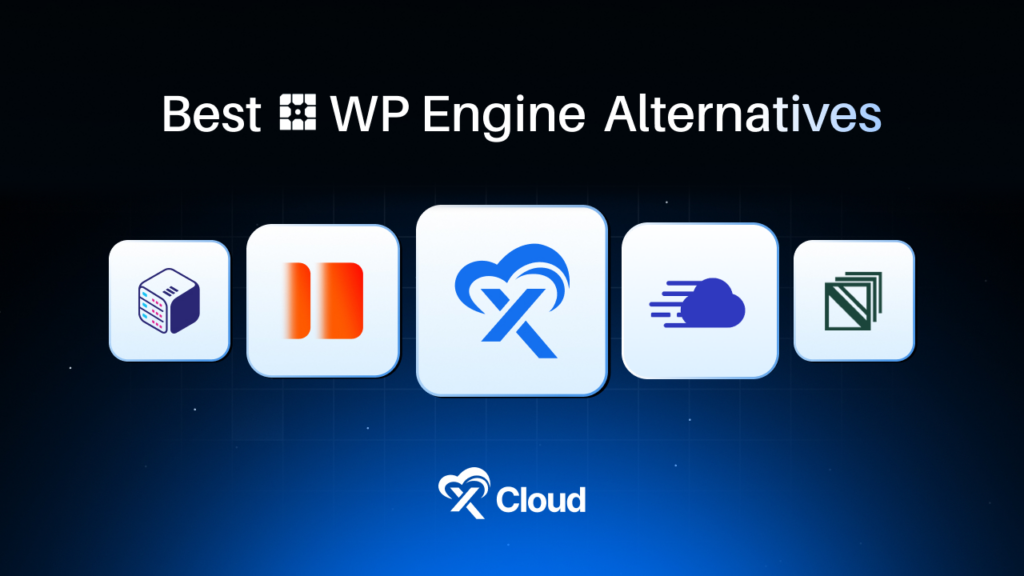
Read this guide comparing 11 WP Engine alternatives that industry experts and the WordPress community consistently recommend – covering managed hosting giants like Kinsta and SiteGround, innovative server management platforms like xCloud that offer the BYOS (Bring Your Own Server) model, and performance-focused options like Rocket.net that include premium tools at no extra cost.
Table of Contents
- Quick Summary / TL;DR
- Why WordPress Users Are Leaving WP Engine in 2026
- How These WP Engine Alternatives Were Ranked
- Master Comparison: All WP Engine Alternatives at a Glance
- Detailed Reviews: The 11 Best WP Engine Alternatives
- 🥇 1. xCloud – Best for Agencies & Maximum Cost Savings
- 🥈 2. Kinsta – Best for Premium Performance
- 🥉 3. Cloudways – Best for Multi-Cloud Flexibility
- 4. SiteGround – Best for Beginners & Small Businesses
- 5. Rocket.net — Best for Maximum Speed
- 6. Nexcess — Best for WooCommerce Stores
- 7. Pressable — Best for Automattic Ecosystem
- 8. Flywheel – Best for Designers & Creative Agencies
- 9. Hostinger — Best Budget Option
- 10. Bluehost – Best for WordPress.org Recommendation
- 11. InMotion Hosting – Best for US-Based Support
- Cost Comparison at Scale: Hosting 10 WordPress Sites
- Migration Difficulty Comparison of WP Engine Alternatives
- Common Mistakes When Switching from WP Engine
- Frequently Asked Questions
Quick Summary / TL;DR
Too Long; Didn’t Read? Here’s what you need to know:
| If You Want To… | Use This | Expected Impact | Monthly Cost |
|---|---|---|---|
| Save 60-80% hosting costs | xCloud (BYOS) | $29/mo for unlimited sites vs $242/mo WP Engine | $5/mo + VPS |
| Premium Google Cloud performance | Kinsta | 99.99% uptime SLA, sub-200ms TTFB | $35/mo |
| Multi-cloud flexibility | Cloudways | Choose between 5 cloud providers | $14/mo |
| Beginner-friendly managed hosting | SiteGround | WordPress.org recommended, 24/7 support | $2.99/mo* |
| Maximum speed without plugins | Rocket.net | Enterprise Cloudflare CDN + free WP Rocket | $25/mo |
| WooCommerce optimization | Nexcess | Autoscaling, 6 premium plugins included | $19/mo |
| Automattic ecosystem benefits | Pressable | Free Jetpack Security Daily included | $25/mo |
*Introductory pricing; renews at $17.99/mo
Expert Recommendation: According to Online Media Masters’ comprehensive testing, xCloud delivers “40% cost savings compared to Cloudways while matching or exceeding performance benchmarks.” For agencies managing 10+ sites, the BYOS model represents the most cost-effective approach without sacrificing features.
Best for Beginners: SiteGround — WordPress.org officially recommended with exceptional 24/7 support and Google Cloud infrastructure at accessible pricing.
Best for Agencies: xCloud — Unlimited sites per server, white-label capabilities, and root access starting at $5/month management fee plus your choice of VPS provider.
Best for Performance Seekers: Kinsta — Google Cloud C2/C3D machines, 37 data centers, and G2’s Best Software Award 2025 winner with 4.8/5 Trustpilot rating.
Why WordPress Users Are Leaving WP Engine in 2026
The managed WordPress hosting landscape shifted dramatically when WordPress.org officially banned WP Engine in September 2024, blocking customers from accessing plugin and theme updates through the official repository (according to WordPress.org news). WordPress co-founder Matt Mullenweg publicly called WP Engine “a cancer to WordPress,” creating unprecedented uncertainty for users (according to TechCrunch).
Beyond the WordPress.org drama, users consistently report three primary frustrations:
Pricing That Scales Aggressively
WP Engine’s Growth plan costs $96/month for just 10 sites with 100,000 monthly visits. Reddit users frequently share experiences like: “Every other month I am getting an email about some overage and then needing to upgrade to a plan that is 2-3x my current one” (r/Wordpress community feedback).
For comparison, hosting 10 WordPress sites costs:
- WP Engine: $96-242/month
- xCloud + Vultr: $29/month (unlimited sites)
- Cloudways: $60/month (unlimited sites per server)
Plugin Restrictions and Bandwidth Caps
WP Engine restricts certain caching plugins and imposes strict bandwidth limits with overage charges. The forced use of WP Engine’s “Advanced Network” (their Cloudflare proxy) limits direct CDN control for advanced users.
Support Quality Decline
Trustpilot reviews from 2024-2025 reveal growing concerns: “They used to be a reliable good company, they are now a complete mess” and “If you have an important website do not put it in the hands of WP engine” (Trustpilot verified reviews).
How These WP Engine Alternatives Were Ranked
Rankings in this guide reflect methodology aligned with industry standards from G2, Trustpilot, and WPBeginner’s testing protocols:
| Criterion | Why It Matters | Weight |
|---|---|---|
| Cost Efficiency | Total cost at scale (1, 10, 25 sites) | High |
| Performance | TTFB, uptime guarantees, infrastructure quality | High |
| WordPress.org Compatibility | No bans, full repository access | High |
| Scalability | Resource allocation, growth handling | Medium |
| Feature Set | Staging, CDN, backups, migrations, SSL | Medium |
| User Reviews | Trustpilot, G2, Reddit community sentiment | Medium |
| Support Quality | Response times, expertise, availability | Medium |
Master Comparison: All WP Engine Alternatives at a Glance
| Rank | Provider | Starting Price | Sites Included | Performance | Trustpilot | Best For |
|---|---|---|---|---|---|---|
| 🥇 1 | xCloud | $5/mo + VPS | Unlimited | ★★★★★ | 4.9/5 | Agencies, cost-conscious developers |
| 🥈 2 | Kinsta | $35/mo | 1 | ★★★★★ | 4.8/5 | Premium performance seekers |
| 🥉 3 | Cloudways | $14/mo | Unlimited/server | ★★★★☆ | 4.7/5 | Multi-cloud flexibility |
| 4 | SiteGround | $2.99/mo* | 1 | ★★★★☆ | 4.9/5 | Beginners, small businesses |
| 5 | Rocket.net | $25/mo | 1 | ★★★★★ | 4.8/5 | Speed-focused sites |
| 6 | Nexcess | $19/mo | 1 | ★★★★☆ | 4.6/5 | WooCommerce stores |
| 7 | Pressable | $25/mo | 1 | ★★★★☆ | N/A | Automattic ecosystem users |
| 8 | Flywheel | $25/mo | 1 | ★★★★☆ | N/A | Designers, creative agencies |
| 9 | Hostinger | $2.99/mo* | 1 | ★★★☆☆ | 4.5/5 | Budget-conscious beginners |
| 10 | Bluehost | $2.95/mo* | 1 | ★★★☆☆ | 4.2/5 | WordPress.org recommended |
| 11 | InMotion | $3.29/mo* | 1 | ★★★☆☆ | 4.3/5 | US-based support preference |
Detailed Reviews: The 11 Best WP Engine Alternatives
🥇 1. xCloud – Best for Agencies & Maximum Cost Savings
Industry experts increasingly recognize the BYOS (Bring Your Own Server) model as the most cost-effective approach to managed WordPress hosting. xCloud has emerged as the leader in this category, powering over 100,000 websites across 10,000+ servers (according to xCloud).
What sets xCloud apart is the fundamental pricing model: rather than charging per site like WP Engine ($25-242/month depending on site count), xCloud charges a flat $5/month server management fee plus whatever you pay your cloud provider directly. This means agencies can host unlimited WordPress sites on a $24/month Vultr High Frequency server for a total of $29/month—an 88% savings compared to WP Engine’s Growth plan.
According to Online Media Masters’ independent review, xCloud delivers “40% cost savings compared to Cloudways while matching or exceeding performance benchmarks on equivalent infrastructure.”
Key Features
- Unlimited Sites Per Server: No artificial limits—host as many WordPress sites as your server can handle
- BYOS Model: Connect your own Vultr, DigitalOcean, Linode, Hetzner, AWS, or Google Cloud server
- Full Root Access: Complete server control unavailable on traditional managed hosts
- OpenLiteSpeed Support: Enterprise-grade caching without plugin overhead
- White-Label Reseller Tools: Rebrand the dashboard for client management
- Free Tier Available: 1 server, 10 sites.
Pricing
| Plan | Monthly Cost | Sites | Storage | Best For |
|---|---|---|---|---|
| Free | $0 | 10 | Varies by VPS | Testing, small projects |
| Pro (BYOS) | $5/mo + VPS | Unlimited | Varies by VPS | Agencies, developers |
| Managed | $15-49/mo | Unlimited | 25-200GB NVMe | Hands-off management |
| Lifetime | $749 one-time | Unlimited | Varies | Long-term agencies |
How to Migrate from WP Engine
Option A: Free Migration Service
- Sign up at xCloud(free tier available)
- Connect your preferred cloud provider
- Submit a migration request through the dashboard.
- xCloud team handles the entire transfer
Option B: Manual Migration
- Export WordPress site using All-in-One WP Migration or Duplicator
- Create a new WordPress site in the xCloud dashboard
- Import backup to the new installation
- Update DNS records
Pros and Cons
| Pros | Cons |
|---|---|
| ✅ 60-80% cost savings vs managed hosts | ❌ Requires choosing a VPS provider |
| ✅ Unlimited sites per server | ❌ Less turnkey than traditional managed hosting |
| ✅ Full root access and server control | ❌ Smaller brand recognition vs Kinsta/Cloudways |
| ✅ White-label agency features | ❌ Email hosting needs improvement (per G2 reviews) |
| ✅ Free tier with 10 sites | |
| ✅ No WordPress.org drama |
Best for: Agencies managing 5+ client sites who want maximum control and cost efficiency, developers comfortable selecting their own cloud infrastructure, and power users seeking root access without sacrificing managed features.
🥈 2. Kinsta – Best for Premium Performance
Kinsta has earned G2’s Best Software Award 2025 and maintains a 4.8/5 Trustpilot rating with over 1,000 reviews, making it the consensus premium choice among WordPress hosting experts. Built entirely on Google Cloud Platform’s C2 and C3D compute-optimized machines, Kinsta delivers performance that benchmarks consistently show exceeds WP Engine (according to industry testing from WPBeginner and IsItWP).
With 37 global data centers and a 99.99% uptime SLA backed by service credits, Kinsta targets high-traffic sites, enterprises, and agencies where performance justifies premium pricing. The MyKinsta dashboard provides staging environments, automatic daily backups, free migrations, and an APM (Application Performance Monitoring) tool that rivals standalone solutions.
Key Features
- Google Cloud C2/C3D Machines: Fastest compute-optimized instances available
- 37 Data Centers: Global coverage with automatic failover
- 99.99% Uptime SLA: Industry-leading guarantee with credits
- MyKinsta Dashboard: Intuitive management with staging, analytics, and SSH access
- Free Cloudflare Integration: Enterprise-level CDN and DDoS protection
- APM Tool Included: Performance monitoring without third-party tools
Pricing
| Plan | Monthly | Sites | Visits | Storage | Best For |
|---|---|---|---|---|---|
| Single 35K | $35 | 1 | 35,000 | 10GB | Personal sites |
| WP 2 | $70 | 2 | 70,000 | 20GB | Small business |
| WP 5 | $115 | 5 | 125,000 | 30GB | Growing agencies |
| WP 10 | $175 | 10 | 250,000 | 50GB | Established agencies |
| Enterprise | $1,650+ | Custom | Custom | Custom | High-traffic sites |
How to Migrate from WP Engine
Option A: Free Migration by Kinsta
- Sign up for a Kinsta plan
- Submit migration request via MyKinsta dashboard
- Kinsta engineers handle the complete transfer
- Verify site functionality before DNS switch
Option B: Using Kinsta Migration Plugin
- Install the Kinsta Migrations plugin on WP Engine site
- Enter API credentials from MyKinsta
- Initiate automated transfer
- Update DNS after verification
Pros and Cons
| Pros | Cons |
|---|---|
| ✅ Exceptional Google Cloud performance | ❌ Per-site pricing adds up quickly |
| ✅ Best-in-class dashboard (MyKinsta) | ❌ PHP worker limits on lower plans |
| ✅ 99.99% uptime SLA with credits | ❌ Premium pricing not suitable for beginners |
| ✅ Free APM tool included | ❌ 10 sites costs $175/mo vs $29/mo on xCloud |
| ✅ 24/7 expert WordPress support |
Best for: High-traffic sites generating revenue where performance directly impacts conversions, enterprises requiring SLA guarantees, and agencies serving premium clients who expect top-tier infrastructure.
🥉 3. Cloudways – Best for Multi-Cloud Flexibility
Acquired by DigitalOcean in 2022, Cloudways offers a unique multi-cloud approach that lets users choose between five infrastructure providers: DigitalOcean, Vultr, Linode, AWS, and Google Cloud. This flexibility, combined with unlimited sites per server and pay-as-you-go hourly billing, has made Cloudways the go-to choice for developers seeking cloud performance without the complexity of raw server management (according to WPBeginner’s 2024 testing).
Cloudways maintains a 4.7/5 Trustpilot rating and powers over 570,000 websites (according to BuiltWith data). The platform includes staging environments, server cloning, team collaboration tools, and free SSL certificates.
Key Features
- 5 Cloud Providers: DigitalOcean, Vultr, Linode, AWS, Google Cloud
- Unlimited Sites Per Server: No per-site fees
- Hourly Billing: Pay only for what you use
- Server Cloning: Duplicate environments instantly
- Free Migration Tool: Automated WordPress transfers
- Staging Environments: One-click staging with push-to-live
Pricing
| Provider | RAM | Monthly Cost | Direct Cost* | Markup |
|---|---|---|---|---|
| DigitalOcean | 1GB | $14 | $6 | 2.3x |
| DigitalOcean | 4GB | $50 | $24 | 2.1x |
| Vultr HF | 4GB | $60 | $24 | 2.5x |
| AWS | 2GB | $38.56 | ~$20 | 1.9x |
| Google Cloud | 1.7GB | $37.45 | ~$20 | 1.9x |
How to Migrate from WP Engine
Using Cloudways Migrator Plugin:
- Sign up at cloudways.com and launch a server
- Install Cloudways WordPress Migrator on the WP Engine site
- Enter destination credentials from the Cloudways dashboard
- Initiate migration and verify
- Update DNS records
Pros and Cons
| Pros | Cons |
|---|---|
| ✅ Choose between 5 cloud providers | ❌ ~2x markup over direct VPS costs |
| ✅ Unlimited sites per server | ❌ No email hosting included |
| ✅ Hourly billing flexibility | ❌ Cloudflare Enterprise integration restrictive |
| ✅ Excellent staging and cloning tools | ❌ Support response times vary |
| ✅ No WordPress.org compatibility issues |
Best for: Developers who want cloud infrastructure flexibility without raw server management, agencies needing multi-cloud deployment options, and users who value pay-as-you-go hourly billing.
4. SiteGround – Best for Beginners & Small Businesses
SiteGround holds the distinction of being one of only three hosts officially recommended by WordPress.org, a status that carries significant weight following the WP Engine ban controversy. With over 27,000 Trustpilot reviews maintaining a 4.9/5 rating, SiteGround has built a reputation for exceptional customer support and beginner-friendly managed WordPress hosting (according to Trustpilot verified data).
Built on Google Cloud Platform infrastructure since 2020, SiteGround offers performance that exceeds traditional shared hosting while maintaining accessible entry pricing. Their proprietary SuperCacher system and free Speed Optimizer plugin provide caching capabilities typically reserved for premium hosts.
Key Features
- WordPress.org Officially Recommended: One of only three endorsed hosts
- Google Cloud Infrastructure: Enterprise-grade performance at shared hosting prices
- SuperCacher System: Custom caching for improved load times
- 24/7 Expert Support: Consistently rated among the best in the industry
- Free CDN Included: Cloudflare integration on all plans
- Automatic Daily Backups: Free on all managed WordPress plans
Pricing
| Plan | Intro Price | Renewal Price | Sites | Storage | Visits |
|---|---|---|---|---|---|
| StartUp | $2.99/mo | $17.99/mo | 1 | 10GB | ~10,000 |
| GrowBig | $4.99/mo | $24.99/mo | Unlimited | 20GB | ~100,000 |
| GoGeek | $7.99/mo | $39.99/mo | Unlimited | 40GB | ~400,000 |
| Cloud | $100+/mo | Same | Custom | Custom | Custom |
How to Migrate from WP Engine
Using SiteGround Migrator:
- Sign up for SiteGround hosting
- Install SiteGround Migrator plugin on WP Engine site
- Generate migration token from SiteGround dashboard
- Enter token and initiate transfer
- Verify and update DNS
Pros and Cons
| Pros | Cons |
|---|---|
| ✅ WordPress.org officially recommended | ❌ Steep renewal price increase (~6x) |
| ✅ Outstanding 24/7 support quality | ❌ Limited storage on lower plans |
| ✅ Exceptional beginner experience | ❌ Not truly “managed” on entry plans |
| ✅ Google Cloud infrastructure | ❌ Overage policies can add costs |
| ✅ Free migration service |
Best for: WordPress beginners prioritizing support quality, small businesses seeking affordable managed hosting, and anyone valuing WordPress.org’s official endorsement for long-term platform stability.
5. Rocket.net — Best for Maximum Speed
Rocket.net has built its entire brand around performance, achieving TTFB (Time To First Byte) benchmarks that consistently outperform competitors in independent testing (according to WPBeginner and ReviewSignal testing). The platform bundles enterprise-grade Cloudflare CDN—the same tier that costs enterprises $5,000+/month directly—with every plan, plus a free WP Rocket plugin license (normally $49-249/year).
Founded in 2020, Rocket.net has quickly earned a 4.8/5 Trustpilot rating with 237+ reviews by focusing exclusively on WordPress performance optimization.
Key Features
- Enterprise Cloudflare CDN: Full page caching, Argo Smart Routing, image optimization
- Free WP Rocket Plugin: Premium caching plugin included (saves $49-249/year)
- Edge-First Architecture: Content delivered from 300+ global edge locations
- Automatic Optimization: No caching plugins needed—performance built-in
- 24/7 WordPress Expert Support: All staff are WordPress specialists
- $1 First Month: Low-risk trial on all plans
Pricing
| Plan | Monthly | Sites | Visits | Storage | Best For |
|---|---|---|---|---|---|
| Starter | $25 | 1 | 250,000 | 10GB | High-traffic personal sites |
| Pro | $50 | 3 | 500,000 | 20GB | Small agencies |
| Business | $80-100 | 10 | 1,000,000 | 40GB | Growing agencies |
| Agency | $166 | 25 | 2,500,000 | 50GB | Large agencies |
Pros and Cons
| Pros | Cons |
|---|---|
| ✅ Exceptional out-of-box speed | ❌ Higher price point than budget options |
| ✅ Enterprise Cloudflare CDN included | ❌ Limited storage on lower plans |
| ✅ Free WP Rocket plugin ($49-249 value) | ❌ Relatively new company (2020) |
| ✅ 250K visits included on starter plan | ❌ Per-site pricing limits scalability |
| ✅ $1 first month trial |
Best for: Performance-obsessed site owners where speed directly impacts revenue, WooCommerce stores needing fast checkout experiences, and anyone wanting enterprise Cloudflare features without enterprise pricing.
6. Nexcess — Best for WooCommerce Stores
Owned by Liquid Web since its acquisition, Nexcess has carved a niche as the WooCommerce specialist among managed WordPress hosts. Uniquely among competitors, Nexcess promises no renewal price increases—the price you sign up at remains your price forever (according to Nexcess pricing policy).
With autoscaling that handles traffic spikes automatically and six premium WordPress plugins included free (Jetpack, Qubely, WP Starter, Starter Sites, Starter Templates, and a store builder), Nexcess targets e-commerce businesses that need reliability during high-traffic sales events.
Key Features
- No Renewal Price Hikes: Locked-in pricing unlike competitors
- Autoscaling Included: Handles traffic spikes without overage fees
- 6 Premium Plugins Free: Jetpack, site builders, and templates included
- Email Hosting Included: Rare among managed WordPress hosts
- WooCommerce-Optimized Plans: Dedicated e-commerce infrastructure
- Own Data Centers: US, Europe, and Asia locations
Pricing
| Plan | Monthly | Sites | Storage | Bandwidth | Best For |
|---|---|---|---|---|---|
| Spark | $19 | 1 | 8GB | 1TB | New stores |
| Maker | $47.85 | 5 | 40GB | 4TB | Growing stores |
| Designer | $79.50 | 10 | 80GB | 5TB | Multi-store agencies |
| Enterprise | $999 | 250 | 800GB | 10TB | Large e-commerce |
Pros and Cons
| Pros | Cons |
|---|---|
| ✅ No renewal price increases | ❌ Higher entry price than shared hosts |
| ✅ Autoscaling included free | ❌ Dashboard less modern than Kinsta |
| ✅ Email hosting included | ❌ Fewer data center locations |
| ✅ WooCommerce-optimized infrastructure | ❌ Brand less recognized than competitors |
| ✅ 6 premium plugins free |
Best for: WooCommerce stores requiring reliable scaling during sales events, e-commerce businesses wanting predictable long-term pricing, and users who need email hosting included with their WordPress plan.
7. Pressable — Best for Automattic Ecosystem
Pressable operates under Automattic ownership—the same company behind WordPress.com, WooCommerce, and Jetpack—giving it unique integration advantages within the WordPress ecosystem. Every Pressable plan includes Jetpack Security Daily (normally $9.95/month) for real-time backups, malware scanning, and spam protection.
This Automattic connection provides a level of WordPress integration that third-party hosts cannot match, making Pressable particularly appealing for users already invested in the Jetpack ecosystem.
Key Features
- Automattic-Owned: Deep WordPress.com and WooCommerce integration
- Free Jetpack Security Daily: Real-time backups, malware scanning included
- WP Cloud Infrastructure: Built on Automattic’s proprietary platform
- Agency Partner Program: Bulk pricing for resellers
- Instant Staging: One-click test environments
- Expert WordPress Support: Teams trained on WordPress internals
Pricing
| Plan | Monthly | Sites | Visits | Storage | Best For |
|---|---|---|---|---|---|
| Entry | $25 | 1 | 30,000 | 20GB | Personal projects |
| Starter | $45 | 3 | 50,000 | 30GB | Small agencies |
| Pro | $90 | 5 | 100,000 | 50GB | Growing agencies |
| Agency | Custom | 25+ | Custom | Custom | Large agencies |
Overage: $1.20 per 1,000 visits or $8 per 10,000 pre-purchased
Pros and Cons
| Pros | Cons |
|---|---|
| ✅ Automattic ecosystem integration | ❌ Smaller brand recognition |
| ✅ Free Jetpack Security Daily included | ❌ Overage fees can accumulate |
| ✅ WP Cloud infrastructure reliability | ❌ Fewer data centers than Kinsta |
| ✅ Deep WordPress expertise | ❌ Per-site pricing limits scale |
Best for: Users already using Jetpack who want seamless integration, agencies seeking Automattic-backed infrastructure, and WordPress professionals wanting deep ecosystem access.
8. Flywheel – Best for Designers & Creative Agencies
Flywheel was purpose-built for designers and creative agencies, featuring collaboration tools like client billing transfer, designer-friendly dashboards, and the Local development tool (now used by over 1 million developers). While acquired by WP Engine in 2019, Flywheel maintains its distinct brand identity and agency-focused toolset.
Important note: As a WP Engine subsidiary, Flywheel shares infrastructure and is affected by the same WordPress.org restrictions. Users concerned about the WordPress.org drama should consider alternatives not owned by WP Engine.
Key Features
- Designer-Friendly Dashboard: Beautiful UI built for creative professionals
- Client Billing Transfer: Hand off sites with billing included
- Local Development Tool: Industry-standard local WordPress development
- Free Demo Sites: Show clients work before they commit
- Site Migration Included: Free transfers for new customers
- Collaboration Tools: Multi-user access with role permissions
Pricing
| Plan | Monthly | Sites | Visits | Storage | Best For |
|---|---|---|---|---|---|
| Starter | $25 | 1 | 25,000 | 10GB | Freelancers |
| Freelance | $96 | 10 | 100,000 | 20GB | Small agencies |
| Agency | $242 | 30 | 400,000 | 50GB | Large agencies |
| Custom | Contact | Custom | Custom | Custom | Enterprise |
Pros and Cons
| Pros | Cons |
|---|---|
| ✅ Industry-best designer experience | ❌ Owned by WP Engine (same concerns) |
| ✅ Client billing transfer feature | ❌ Affected by WordPress.org restrictions |
| ✅ Free Local development tool | ❌ Pricing aligned with WP Engine since acquisition |
| ✅ Beautiful collaboration interface | ❌ Not a true “alternative” for WP Engine escapees |
Best for: Designers and creative agencies prioritizing workflow over infrastructure concerns, freelancers using Local for development, and users who need client billing transfer features.
9. Hostinger — Best Budget Option
Hostinger has become the dominant budget WordPress host, serving over 29 million users worldwide with aggressive pricing and a modernized control panel (according to Hostinger). While not offering the managed features of premium hosts, Hostinger’s WordPress hosting includes LiteSpeed web servers, automatic updates, and free SSL.
For cost-conscious users where maximum savings outweigh premium features, Hostinger delivers acceptable WordPress performance at industry-low prices.
Key Features
- LiteSpeed Web Servers: Better performance than traditional shared Apache
- AI Website Builder: Automated site creation tools
- Aggressive Pricing: Among lowest in the industry
- Global Data Centers: 9 locations worldwide
- Free Domain First Year: Included on annual plans
- WordPress Auto-Updates: Automated core and plugin updates
Pricing
| Plan | Intro Price | Renewal | Sites | Storage | Best For |
|---|---|---|---|---|---|
| Single | $2.99/mo | $7.99/mo | 1 | 50GB | Hobby sites |
| Premium | $2.99/mo | $10.99/mo | 100 | 100GB | Multiple small sites |
| Business | $3.99/mo | $15.99/mo | 100 | 200GB | Growing businesses |
| Cloud Startup | $9.99/mo | $24.99/mo | 300 | 200GB | Higher traffic |
Pros and Cons
| Pros | Cons |
|---|---|
| ✅ Industry-low entry pricing | ❌ Renewal prices significantly higher |
| ✅ LiteSpeed server performance | ❌ Support quality inconsistent |
| ✅ Modern control panel | ❌ Not truly “managed” hosting |
| ✅ Free domain included | ❌ Aggressive upselling in dashboard |
Best for: Budget-conscious beginners, hobby sites, and users prioritizing cost savings over premium managed features.
10. Bluehost – Best for WordPress.org Recommendation
Bluehost is one of only three hosts officially recommended by WordPress.org, a designation that provides reassurance following the WP Engine controversy. Hosting over 2 million websites (according to BuiltWith), Bluehost offers a streamlined WordPress experience with one-click installation and 24/7 support.
While not matching premium managed hosts on performance, Bluehost provides reliable shared hosting at accessible pricing for users who value WordPress.org’s endorsement.
Key Features
- WordPress.org Officially Recommended: One of three endorsed hosts
- Free Domain First Year: Included on all plans
- One-Click WordPress Install: Streamlined setup process
- 24/7 Phone Support: US-based support team
- Free SSL Certificate: Included on all plans
- 30-Day Money-Back Guarantee: Risk-free trial period
Pricing
| Plan | Intro Price | Renewal | Sites | Storage | Best For |
|---|---|---|---|---|---|
| Basic | $2.95/mo | $11.99/mo | 1 | 10GB | Personal sites |
| Plus | $5.45/mo | $16.99/mo | Unlimited | Unlimited | Multiple sites |
| Choice Plus | $5.45/mo | $21.99/mo | Unlimited | Unlimited | Privacy protection |
| Pro | $13.95/mo | $28.99/mo | Unlimited | Unlimited | Higher performance |
Pros and Cons
| Pros | Cons |
|---|---|
| ✅ WordPress.org officially recommended | ❌ Not truly managed hosting |
| ✅ Free domain and SSL included | ❌ Significant renewal price increases |
| ✅ Reliable US-based support | ❌ Performance lags premium hosts |
| ✅ 30-day money-back guarantee | ❌ Aggressive upselling at checkout |
Best for: Users prioritizing WordPress.org’s endorsement, beginners wanting a straightforward setup, and budget-conscious site owners comfortable with shared hosting performance.
11. InMotion Hosting – Best for US-Based Support
InMotion Hosting differentiates itself with entirely US-based support teams and data centers, appealing to businesses requiring domestic hosting and communication. With over 20 years in the industry, InMotion offers WordPress hosting ranging from shared plans to managed VPS options.
Key Features
- US-Based Support Team: All support staff located in United States
- US Data Centers: East and West Coast locations
- Free Website Migration: Included on all plans
- 90-Day Money-Back Guarantee: Industry-leading refund period
- Free SSL and Domain: Included on annual plans
- UltraStack Technology: Performance optimization on managed plans
Pricing
| Plan | Intro Price | Renewal | Sites | Storage | Best For |
|---|---|---|---|---|---|
| Core | $3.29/mo | $11.49/mo | 1 | 100GB | Personal sites |
| Launch | $5.29/mo | $14.49/mo | 2 | 100GB | Small businesses |
| Power | $5.29/mo | $14.49/mo | 3 | 100GB | Growing sites |
| Pro | $13.99/mo | $21.99/mo | 6 | 100GB | Serious businesses |
Pros and Cons
| Pros | Cons |
|---|---|
| ✅ US-based support team entirely | ❌ Performance doesn’t match premium hosts |
| ✅ 90-day money-back guarantee | ❌ Significant renewal increases |
| ✅ US data center locations | ❌ Fewer global data center options |
| ✅ Free migration service | ❌ Dashboard less modern than competitors |
Best for: US businesses requiring domestic support and data residency, users valuing the 90-day refund period, and those preferring established hosting companies.
Feature Comparison: WP Engine vs Top Alternatives
| Feature | WP Engine | xCloud | Kinsta | Cloudways | SiteGround | Rocket.net |
|---|---|---|---|---|---|---|
| Starting Price | $25/mo | $5/mo + VPS | $35/mo | $14/mo | $2.99/mo* | $25/mo |
| Sites Included | 1 | Unlimited | 1 | Unlimited | 1 | 1 |
| WordPress.org Access | ❌ Banned | ✅ | ✅ | ✅ | ✅ | ✅ |
| Root Access | ❌ | ✅ | ❌ | Limited | ❌ | ❌ |
| BYOS Option | ❌ | ✅ | ❌ | ❌ | ❌ | ❌ |
| White-Label | ❌ | ✅ | ❌ | Partial | ❌ | ❌ |
| Free CDN | ✅ | Via Provider | ✅ | ✅ | ✅ | ✅ Enterprise |
| Staging | ✅ | ✅ | ✅ | ✅ | ✅ | ✅ |
| Free Migration | ✅ | ✅ | ✅ | ✅ | ✅ | ✅ |
| Uptime SLA | 99.95% | Varies | 99.99% | Varies | 99.99% | 99.99% |
| Email Hosting | ❌ | Via Provider | ❌ | ❌ | ✅ | ❌ |
Cost Comparison at Scale: Hosting 10 WordPress Sites
One of the most significant factors when leaving WP Engine is understanding how costs scale. Here’s what you’ll actually pay to host 10 WordPress sites:
| Provider | Plan Required | Monthly Cost | Annual Cost | vs WP Engine Savings |
|---|---|---|---|---|
| WP Engine | Growth | $96/mo | $1,152/yr | — |
| xCloud + Vultr 4GB | Pro + VPS | $29/mo | $348/yr | 70% savings |
| Cloudways Vultr 4GB | Standard | $60/mo | $720/yr | 37% savings |
| SiteGround GoGeek | GoGeek | $40/mo (renewal) | $480/yr | 58% savings |
| Kinsta WP 10 | Business | $175/mo | $2,100/yr | -82% (more expensive) |
| Rocket.net Business | Business | $80-100/mo | $960-1,200/yr | 0-17% savings |
| Nexcess Designer | Designer | $79.50/mo | $954/yr | 17% savings |
Key insight: At 10 sites, xCloud’s BYOS model delivers 70% savings versus WP Engine while offering unlimited sites—meaning you can continue adding sites without additional cost. Traditional per-site pricing (Kinsta, Rocket.net) actually becomes more expensive than WP Engine at scale.
Migration Difficulty Comparison of WP Engine Alternatives
| Provider | Migration Method | Time Required | Technical Skill | Free Migration? |
|---|---|---|---|---|
| xCloud | Dashboard or plugin | 30-60 min | Basic | ✅ Yes |
| Kinsta | Plugin or manual | 30-60 min | Basic | ✅ Yes |
| Cloudways | Migrator plugin | 30-45 min | Basic | ✅ Yes |
| SiteGround | Migrator plugin | 30-45 min | Basic | ✅ Yes |
| Rocket.net | Support-assisted | 1-2 hours | None | ✅ Yes |
| Nexcess | Manual or support | 1-2 hours | Basic | ✅ Yes |
| Pressable | Dashboard | 30-60 min | Basic | ✅ Yes |
| Flywheel | Local or manual | 30-60 min | Basic | ✅ Yes |
| Hostinger | Manual | 1-2 hours | Intermediate | Limited |
| Bluehost | Manual | 1-2 hours | Intermediate | Limited |
| InMotion | Support-assisted | 1-2 hours | Basic | ✅ Yes |
Common Mistakes When Switching from WP Engine
1. Not Checking WordPress.org Compatibility First
Before migrating, verify your chosen alternative has full WordPress.org repository access. Flywheel, as a WP Engine subsidiary, shares the same restrictions. Most other alternatives have no such limitations.
2. Forgetting About Email Hosting
WP Engine doesn’t include email hosting, so you may already have this handled elsewhere. However, if you’re consolidating services, note that only SiteGround and Nexcess among the top alternatives include email hosting. Others require third-party email services.
3. Underestimating DNS Propagation Time
After migrating, DNS changes can take 24-48 hours to propagate globally. Keep your WP Engine site active during this period to prevent downtime. Use tools like whatsmydns.net to monitor propagation.
4. Ignoring Renewal Pricing
Entry-level pricing at SiteGround, Hostinger, and Bluehost increases significantly at renewal—often 5-6x the introductory rate. Factor renewal costs into your long-term budget. Nexcess specifically promises no renewal increases.
5. Choosing Based on Price Alone Without Considering Scale
The cheapest option at 1 site may become expensive at 10+ sites. xCloud and Cloudways offer unlimited sites per server, making them more cost-effective as you scale. Per-site pricing (Kinsta, Rocket.net) compounds quickly.
6. Not Testing Before DNS Switch
Always verify your migrated site works correctly before updating DNS. Test critical functionality including forms, e-commerce checkout, and third-party integrations on the staging or temporary URL provided by your new host.
Frequently Asked Questions
Which WP Engine alternative should I start with?
Start with xCloud if you’re comfortable selecting a VPS provider and want maximum cost savings with unlimited sites. Choose SiteGround if you’re a beginner wanting WordPress.org-recommended hosting with excellent support. Select Kinsta if performance is your top priority and budget permits.
Do I need to pay for premium hosting after leaving WP Engine?
No, every alternative in this guide offers either free tiers (xCloud) or affordable entry points ($2.99-$5/month introductory pricing). However, paid options like Kinsta ($35/mo) and Rocket.net ($25/mo) deliver measurably better performance for sites where speed impacts revenue.
How long does migration from WP Engine take?
Most migrations complete in 30-60 minutes using automated plugins. Full DNS propagation can take 24-48 hours. Free migration services from Kinsta, xCloud, and Rocket.net handle the technical work, requiring minimal user involvement.
Will my site be affected by the WordPress.org ban if I switch?
Only if you switch to Flywheel, which is owned by WP Engine and shares the same restrictions. All other alternatives in this guide have full WordPress.org repository access for plugins, themes, and updates.
Can I migrate multiple sites from WP Engine at once?
Yes, most alternatives support bulk migrations. xCloud and Cloudways are particularly suited for multi-site agencies, offering unlimited sites per server. Kinsta and Rocket.net require migrating one site at a time but offer free migration assistance.
What’s the budget needed to replace WP Engine adequately?
- $0/month: xCloud free tier (1 server, 10 sites)
- $15-30/month: Quality managed hosting for 1-5 sites (xCloud Pro, SiteGround GrowBig, Cloudways entry)
- $50-100/month: Premium performance or 10+ sites (Kinsta, Rocket.net, xCloud + larger VPS)
Will WP Engine alternatives work for WooCommerce stores?
Yes, all alternatives support WooCommerce. Nexcess offers WooCommerce-optimized plans with autoscaling specifically designed for e-commerce traffic spikes. Rocket.net’s enterprise Cloudflare CDN excels for fast checkout experiences. xCloud works well for agencies managing multiple WooCommerce sites
What’s the most underrated WP Engine alternative?
xCloud’s BYOS model remains underrated because it requires understanding the server management panel category. Most comparison articles focus only on traditional managed hosts, missing the 60-80% cost savings possible by connecting your own cloud infrastructure while maintaining managed WordPress features.
How often should I revisit my hosting choice?
Review hosting annually or when experiencing performance issues, significant traffic growth, or pricing changes at renewal. The managed WordPress hosting market evolves rapidly—new features and pricing changes frequently alter the competitive landscape.
Where can I get help choosing between alternatives?
- xCloud: Free trial with 10 sites, active support team
- Kinsta: Demo available via MyKinsta, 24/7 expert support
- SiteGround: Known for exceptional 24/7 support quality
- Reddit communities: r/Wordpress, r/webhosting for unbiased user experiences
Wrapping: Your 2026 WP Engine Migration Roadmap
The WordPress.org ban fundamentally changed WP Engine’s position in the managed WordPress market. With alternatives now offering equal or superior performance at 60-80% lower costs, combined with full WordPress.org repository access, the case for migration has never been stronger.
Expert Picks by Goal
| Your Goal | Best Choice | Expected Impact |
|---|---|---|
| Maximum Cost Savings | xCloud (BYOS) | 70% savings, unlimited sites |
| Premium Performance | Kinsta | 99.99% uptime, Google Cloud C2/C3D |
| Beginner-Friendly | SiteGround | WordPress.org recommended, excellent support |
| Multi-Cloud Flexibility | Cloudways | 5 provider options, hourly billing |
| Speed Without Plugins | Rocket.net | Enterprise Cloudflare CDN, free WP Rocket |
| WooCommerce Focus | Nexcess | Autoscaling, no renewal increases |
| Agency Scale | xCloud | Unlimited sites, white-label, $5/mo management |
Recommended Migration Timeline
- This Week: Sign up for your chosen alternative (most offer free trials or money-back guarantees)
- Week 2: Migrate your lowest-traffic site first as a test
- Week 3: Complete migration of remaining sites
- Week 4: Cancel WP Engine after verifying all sites function correctly
The managed WordPress hosting market has matured significantly since WP Engine’s dominant years. Whether you prioritize cost savings (xCloud), premium performance (Kinsta), or beginner-friendly support (SiteGround), alternatives now match or exceed WP Engine’s capabilities while avoiding the WordPress.org compatibility concerns that now define the platform.
If you have found this blog helpful, feel free to subscribe to our blogs for valuable tutorials, guides, knowledge, and tips on web hosting and server management. You can also join our Facebook community to share insights and engage in discussions.