
















🔥 New Features
WordPress
🌟 Site Rules – Manage HTTP Headers & Redirects for WordPress Sites
Create and manage HTTP header and redirect rules for WordPress sites running NGINX directly from the xCloud UI – no manual nginx config editing required.
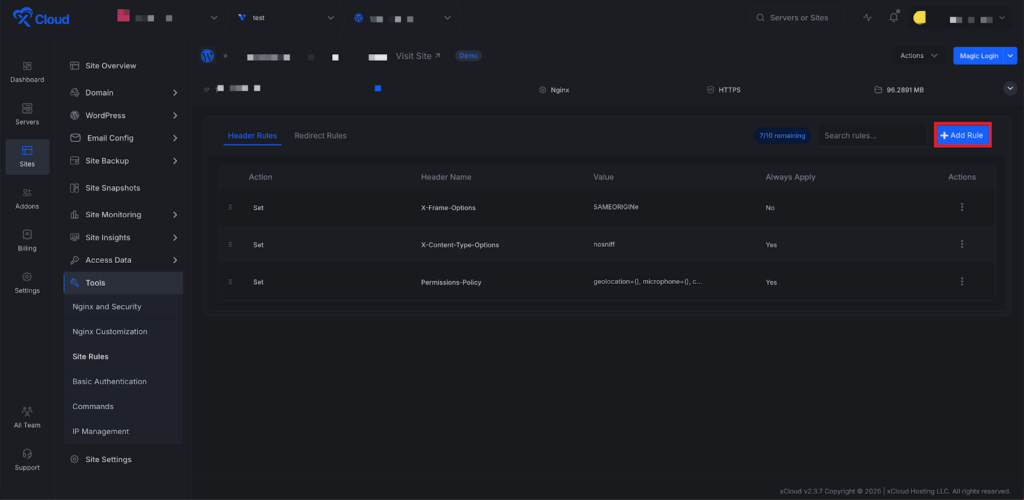
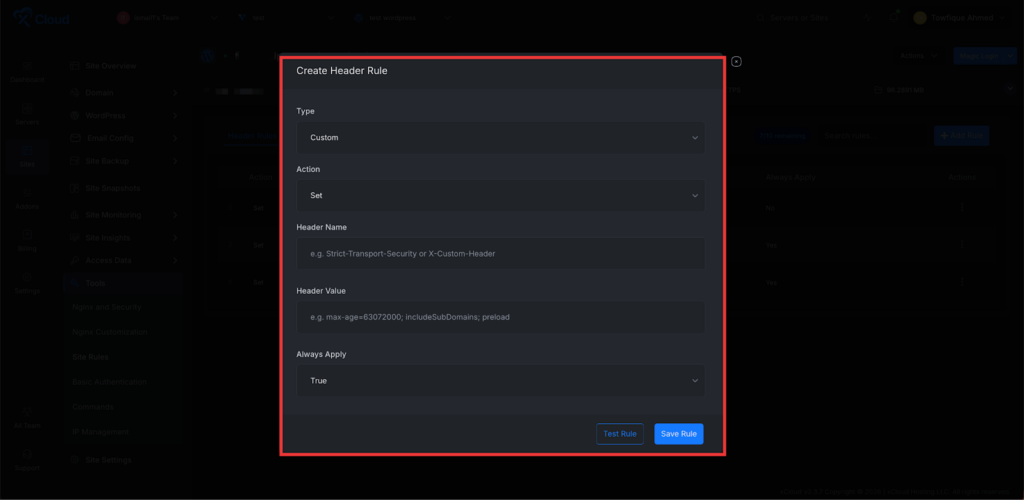
Add Custom Headers
Define custom HTTP response headers (security headers, caching headers, CORS, etc.) for your WordPress site directly from the dashboard. Strengthen site security, control browser caching, and manage cross-origin policies without manually editing nginx configuration files.
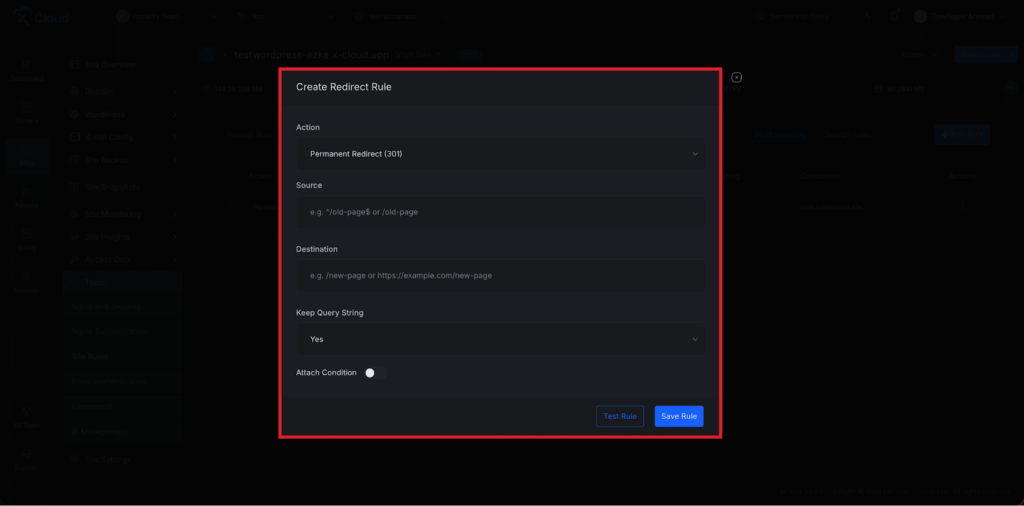
Redirects
Set up 301/302 redirects for URLs, paths, or patterns from a clean, intuitive interface. Manage post-migration URL changes, enforce trailing slashes, or route legacy paths to new destinations — all without writing a single rewrite rule by hand.
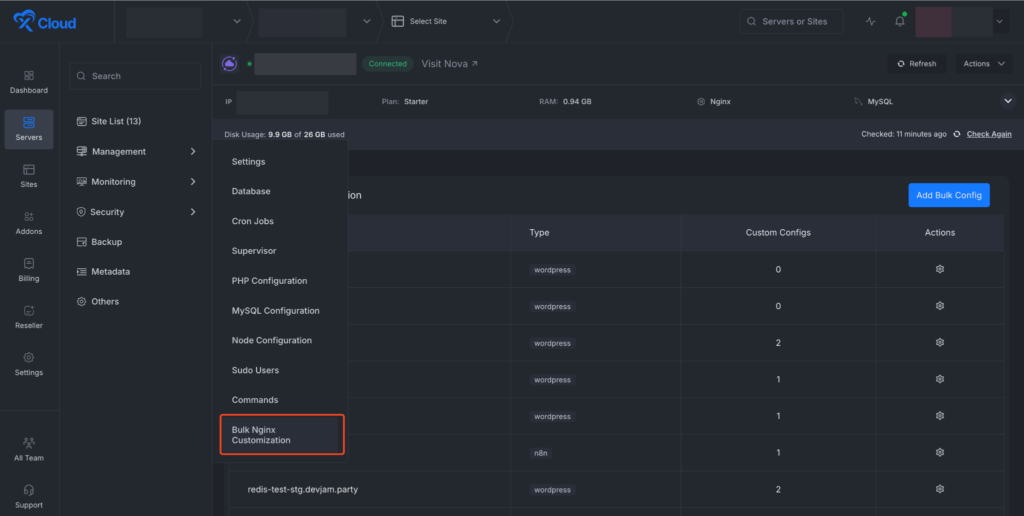
🌟 Bulk NGINX Customization
Apply NGINX Configs Across Multiple Sites at Once on xCloud. You can now push custom NGINX configurations to multiple sites on a server in a single operation directly from the dashboard without editing each site individually. 🚀
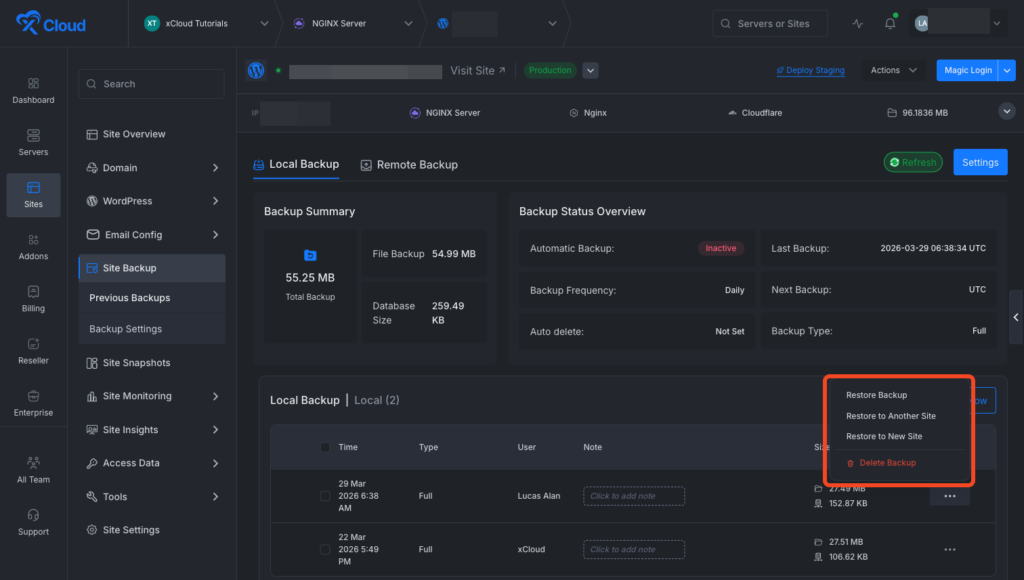
🌟 Restore Backup To Any Site On Any Server
Seamless Cross-Site Backup Restoration Is Now Available on xCloud. You can now restore a WordPress backup directly to another existing site without rebuilding anything from scratch. This feature helps you clone live sites to staging, recover broken environments instantly, or reuse recent backups across projects. It simplifies migration workflows, reduces downtime, and gives you full control.
🌟 Sidebar Menu Search Is Now Available Again
Search improves navigation speed across the xCloud dashboard with sidebar menu search. Now users can instantly find exact page locations more easily.
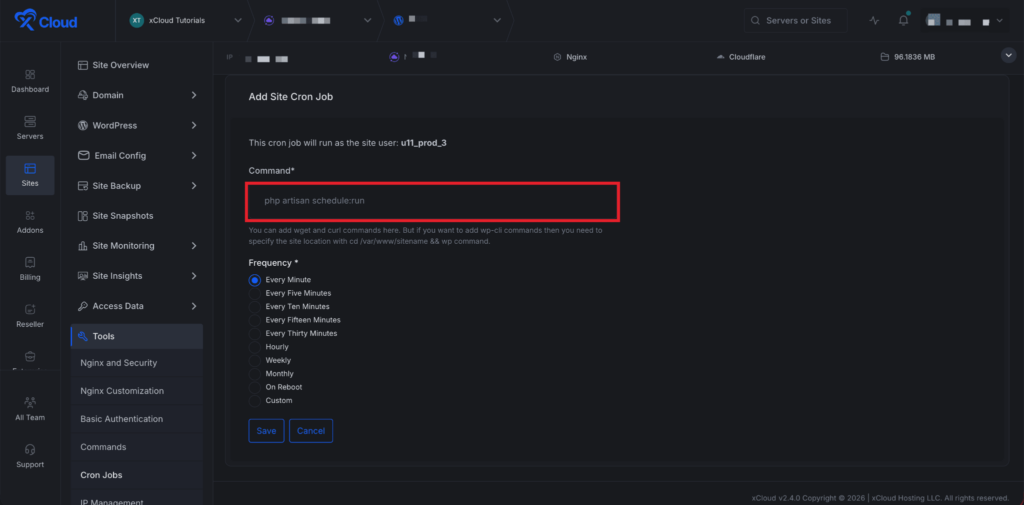
🌟Site-Level Cron Job Management
Added comprehensive Cron Job Management directly in the xCloud dashboard at the site level. Users can now create, edit, and delete cron jobs without SSH access, with support for custom schedules, command validation, and execution logs.
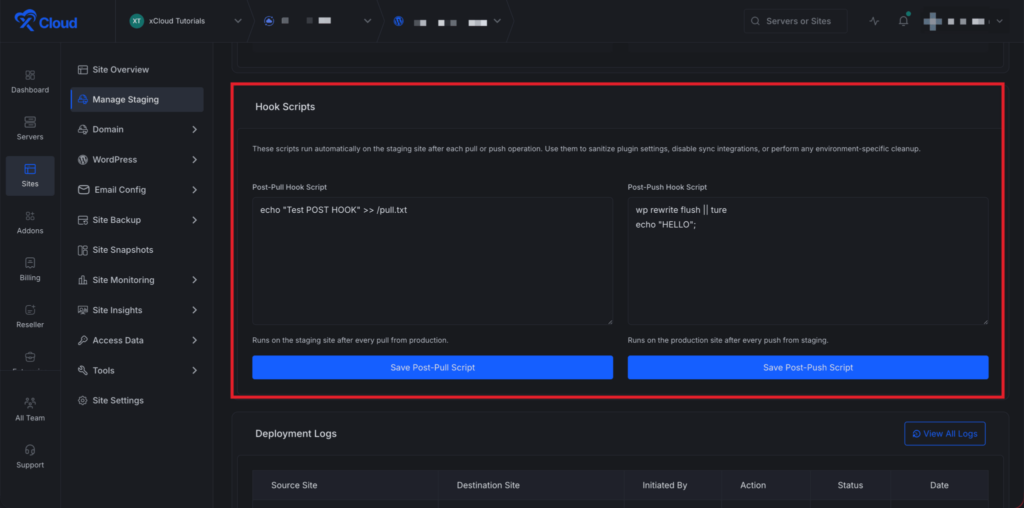
🌟 Staging Hook Scripts — Post-Pull & Post-Push Automation
Add your own Post-Pull and Post-Push scripts from the Staging Management page. These scripts run automatically after each pull or push, so you can execute custom bash commands without manual work.
Use them to deactivate sync plugins, clear caches, or apply environment-specific settings instantly.
✨ Improvements
- Easy Upgrade From Free To PRO – A new global upgrade modal accessible from anywhere in the app, allowing free plan users to upgrade to the Starter plan without leaving their current page.
- Fatal Error Banners & Notifications – When a fatal PHP error occurs on a site, xCloud now shows a banner on the site dashboard. It also includes a direct link to the error logs for faster debugging. Also, users will get real-time integrated notifications channels and a dashboard.
- Improved warning banner system consistency across dashboard
- Added searchable sidebar navigation
- Improved search component flexibility
- Improved safety during site and server deletion
- Improved cross-server navigation state handling
- Improved gateway health check handling
- Improved backup deletion handling across storage types
✨ Bug Fixes
- Fixed checkout security issues related to duplicate accounts and charges
- Fixed whitelabel server creation failures
- Fixed session handling on password change
- Fixed issues with salt handling during production push
- Fixed staging visibility indexing after database pull
- Fixed SSL-related deletion crashes
- Fixed cache helper CPU loop issue.
- Fixed MySQL install hang in non-interactive environments.
- Fixed PM2 startup issues on reboot for Node.js Git sites.
- Fixed mailbox banner-related issue.