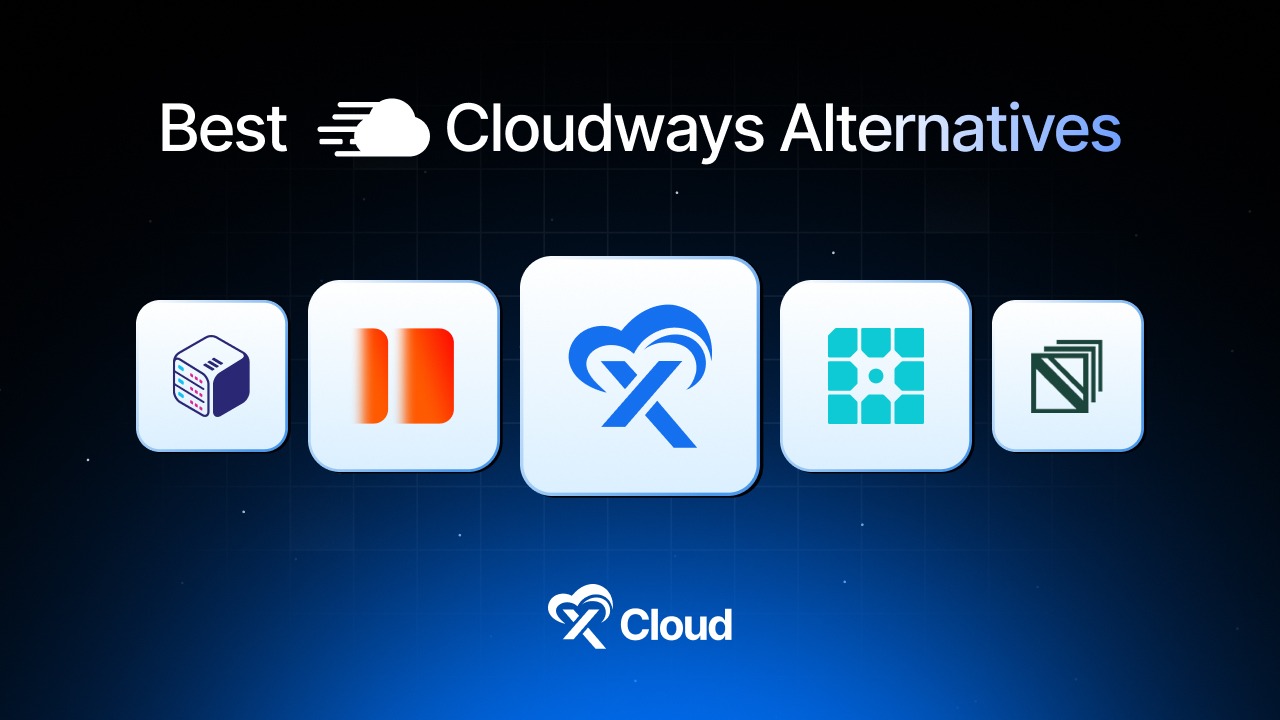
Cloudways has powered over 570,000 websites since its founding, but after DigitalOcean’s acquisition in 2022, many users are actively researching alternatives of Cloudways due to pricing hikes, limited server control, and slower innovation.
According to Trustpilot reviews, thousands of WordPress professionals are actively migrating to alternatives that offer better value without sacrificing performance.
The managed cloud hosting market is projected to reach $527.07 billion by 2032 (according to Fortune Business Insights), and WordPress powers 43.4% of all websites globally (according to W3Techs). With these numbers, choosing the right alternatives can significantly impact your site’s performance, security, and bottom line.
Check out the seven expert-recommended best Cloudways alternatives, comparing pricing, features, and real-world performance data to help you make an informed decision.
Table of Contents
Quick Summary / TL;DR
Too Long; Didn’t Read? Here’s what you need to know about the best Cloudways alternatives in 2026.
| If You Want To… | Use This | Expected Savings | Migration Time |
|---|---|---|---|
| Save 40%+ with the same server specs | xCloud | ~40% lower costs | 6-30 minutes |
| Premium managed WordPress | Kinsta | Premium pricing | 1-2 hours |
| Enterprise-grade hosting | WP Engine | Enterprise pricing | 2-4 hours |
| Budget-friendly with Google Cloud | SiteGround | 20-30% savings | 1-2 hours |
| Maximum server control | RunCloud | Varies by provider | 30-60 minutes |
| Agency white-label hosting | GridPane | Varies by provider | 1-2 hours |
| Self-managed panel alternative | ServerAvatar | 60-70% savings | 30-60 minutes |
Expert Recommendation:
According to Online Media Masters, xCloud stands out among modern hosting alternatives of Cloudways, delivering approximately 40% cost savings compared to Cloudways.
Among all tested alternatives of Cloudways, xCloud consistently ranks highest for performance thanks to its lightweight control panel and OpenLiteSpeed support. This makes xCloud one of the most recommended Cloudways alternatives for WordPress professionals.
- Best for Cost-Conscious Users: xCloud – Free tier with 1 server + 10 sites, root access, bring-your-own-provider flexibility
- Best for Premium WordPress: Kinsta – Google Cloud C2 machines, 24/7 expert support, enterprise-grade infrastructure
- Best for Agencies: xCloud or GridPane – White-label capabilities, team management, client billing features
Why WordPress Users Are Leaving Cloudways in 2026
Before diving into more details, understanding why users are leaving Cloudways helps identify which Cloudways alternative best fits your needs. Rising costs, limited control, and slower innovation are driving WordPress professionals toward more flexible Cloudways competitors in 2026.
The Price Hike Problem
Cloudways operates as a managed layer on top of cloud providers, adding significant markups to base server costs. According to multiple independent analyses:
- A DigitalOcean server that costs $6/month directly is priced at $14/month on Cloudways (approximately 133% rise)
- Vultr High Frequency servers see similar markups – a $24/month Vultr server costs $60/month on Cloudways (150% rise)
- Google Cloud and AWS servers carry even higher percentage markups.
Limited Server Control
Cloudways does not provide root access to servers. For developers and agencies requiring custom configurations, this limitation can be a dealbreaker. Key restrictions include:
- No SSH root access
- Limited custom NGINX configuration
- No OpenLiteSpeed option
- Restricted Cloudflare Enterprise integration (limited dashboard access)
Innovation Concerns Post-Acquisition
Since DigitalOcean acquired Cloudways, user reviews indicate concerns about:
- Slower feature development compared to competitors
- Price increases
- Reduced focus on multi-cloud flexibility
How We Ranked These Cloudways Alternatives
Industry best practices for evaluating competing platforms include multiple criteria such as cost efficiency, performance, and flexibility. To fairly rank these hosting platforms, we compared each using real-world benchmarks. deliver measurable value beyond marketing claims. The ranking methodology considers:
| Criteria | Why It Matters | Weight |
| Cost vs. Value | Direct comparison with Cloudways pricing at equivalent specs | High |
| Server Control | Root access, custom configurations, provider flexibility | High |
| WordPress Optimization | Caching, PHP versions, WordPress-specific features | High |
| Performance | Server response times, infrastructure quality | High |
| Migration Ease | Free migration tools, documentation quality | Medium |
| Support Quality | Response times, expertise level, and availability | Medium |
| Innovation | Recent feature releases, roadmap activity | Medium |
Comparing the Best Cloudways Alternatives in 2026
This section breaks down pricing, control, and ideal use cases. Each provider listed below represents a proven option among all comparable providers, helping you quickly identify the strongest alternatives of Cloudways for your specific goals.
| Rank | Provider | Starting Price | Server Control | Best For |
|---|---|---|---|---|
| 🥇 1 | Kinsta | $35/mo | ★★★☆☆ Limited | Premium WordPress, high-traffic sites |
| 🥈 2 | xCloud | Free (Pros) / $5/mo | ★★★★★ Full Root | Cost-conscious users, agencies, developers |
| 🥉 3 | WP Engine | $20/mo | ★★★☆☆ Limited | Enterprise, agencies needing support |
| 4 | SiteGround | $2.99/mo | ★★☆☆☆ Minimal | Budget users, beginners |
| 5 | RunCloud | $8/mo | ★★★★★ Full Root | Developers wanting panel control |
| 6 | GridPane | $50/mo | ★★★★★ Full Root | Agencies, hosting resellers |
| 7 | ServerAvatar | Free / $6.67/mo | ★★★★★ Full Root | Budget-conscious developers |
🥇1. Kinsta – Best for Premium Managed WordPress
Kinsta has established itself as a premium managed WordPress host, consistently ranking among the top performers in independent benchmarks. The platform runs exclusively on Google Cloud Platform’s C2 compute-optimized virtual machines, delivering enterprise-grade infrastructure.
According to industry analysts, Kinsta performs exceptionally well in environments that demand maximum reliability and dedicated WordPress expertise. However, this level of performance comes at a premium price point that may not suit budget-conscious users.
Key Features
- Google Cloud C2 VMs: High-performance compute-optimized virtual machines
- 35 Global Data Centers: Wide geographic coverage
- Built-in CDN: Cloudflare-powered content delivery
- MyKinsta Dashboard: Custom-built, intuitive control panel
- 24/7 Expert Support: WordPress-specialized support team
- Automatic Daily Backups: One-click restore functionality
Pros and Cons
| Pros | Cons |
| ✅ Google Cloud C2 premium infrastructure | ❌ Higher pricing ($35/mo starting) |
| ✅ Excellent support reputation | ❌ No root access to servers |
| ✅ User-friendly custom dashboard | ❌ Visitor-based pricing can get expensive |
| ✅ Free migrations included | ❌ No email hosting included |
| ✅ 35 data center locations |
Best for: Businesses and high-traffic websites that prioritize reliability over cost, and users who want hands-off management with premium WordPress support.
🥈2. xCloud – Best for Cost Savings & Full Server Control
According to independent reviews fromOnline Media Masters and Blog Marketing Academy, xCloud has emerged as one of the most compelling Cloudways alternatives for users prioritizing cost efficiency and server control. Among all competing platforms reviewed, xCloud offers the best balance of pricing, performance, and flexibility. This positions xCloud at the top of the alternatives Cloudways list for 2026.
xCloud powers over 100,000 websites across 10,000+ servers globally (according to xCloud’s 2025 Year in Review), with users consistently reporting 40% cost savings and noticeably faster performance compared to Cloudways on identical server specifications.
The platform offers a unique “bring your own provider” model – connect servers from Vultr, DigitalOcean, Hetzner, AWS, Google Cloud, Linode, or any Ubuntu VPS. This eliminates the markup entirely, meaning you pay retail prices directly to your cloud provider plus xCloud’s lightweight panel fee. Besides, xCloud provides fully managed hosting with xCloud Managed Servers.
Key Features
- Free Tier: Allows the deployment of 1 server and 10 sites at zero cost, ideal for testing
- Root Access: Full SSH root access to servers (Cloudways doesn’t offer this)
- OpenLiteSpeed Support: LiteSpeed web server option for superior WordPress performance
- 7G/8G Firewall: Built-in WAF protection against XSS, SQL injection, bad bots
- Full Server Backups: Complete server-level backups, not just site-level
- Unlimited Sites: No restrictions on websites per server
- WordPress Management: One-click updates for core, themes, and plugins
How to Migrate from Cloudways
xCloud offers free migration assistance for all users. To migrate your server, follow the steps below:
- Provision a new destination server in xCloud.
- Enter the source server’s IP address.
- Set the SSH port and use root as the SSH username.
- Choose an authentication method and configure
- Select the server or specific sites you want to migrate.
- Choose Go Live or Create Demo Site
- And start the full server migration.
Pros and Cons
| Pros | Cons |
| ✅ ~40% cheaper than Cloudways with same specs | ❌ Requires choosing your own cloud provider |
| ✅ Free tier with 1 server + 10 sites | ❌ Newer platform (launched 2024) |
| ✅ Full root access to servers | ❌ Support relies heavily on documentation |
| ✅ OpenLiteSpeed + NGINX options | |
| ✅ 5-star Trustpilot rating (295+ reviews) | |
| ✅ Bring any Ubuntu VPS | |
| ✅ White-label reseller hosting |
Best for: Developers, agencies, and WordPress professionals who want maximum control and significant cost savings. Ideal for users comfortable selecting their own cloud provider or those migrating multiple sites from Cloudways.
👉 See our full xCloud vs Cloudways head-to-head comparison →
🥉 3. WP Engine – Best for Enterprise & Agency Support
WP Engine positions itself as an enterprise-grade managed WordPress hosting solution, catering to larger organizations, agencies, and high-traffic websites. The platform includes proprietary performance optimizations and a strong agency ecosystem.
According to Hosting Seekers, WP Engine remains one of the largest managed WordPress hosting providers globally, with a strong emphasis on scalability and compliance.
Key Features
- EverCache Technology: Proprietary caching system
- Genesis Framework: Premium theme framework included
- Multiple Environments: Development, staging, and production workflows
- 24/7 Expert Support: WordPress specialists available around the clock
- Global CDN: Built-in content delivery network
- Page Performance Monitoring: Real-time analytics
How to Migrate
WP Engine provides an automated migration plugin along with white-glove migration services for larger or more complex deployments.
Pros and Cons
| Pros | Cons |
| ✅ Enterprise-grade security and compliance | ❌ Premium pricing |
| ✅ Genesis Framework + StudioPress themes | ❌ No root access |
| ✅ Excellent agency program | ❌ Can be overkill for small sites |
| ✅ Strong developer tools | ❌ Complex for beginners |
Best for: Enterprises, agencies managing multiple client websites, and organizations that require compliance certifications and enterprise-level SLAs.
4. SiteGround – Best Budget Option with Google Cloud
SiteGround has transitioned from traditional shared hosting to a Google Cloud-powered infrastructure, offering managed WordPress features at competitive introductory prices. According to W3Techs, SiteGround hosts approximately 2.1% of all websites worldwide.
This platform is especially appealing to users moving up from shared hosting who want better performance without dealing with server-level complexity.
Key Features
- Google Cloud Infrastructure: All plans run on GCP
- Site Tools Dashboard: Modern, user-friendly custom control panel
- Free CDN: Cloudflare integration included
- Staging Environment: Available on GrowBig and higher plans
- Daily Backups: Automatic with easy restore options
- SuperCacher: Built-in caching technology
How to Implement
SiteGround provides free migration for one website. Additional migrations cost $30 per site.
Pros and Cons
| Pros | Cons |
| ✅ Google Cloud infrastructure | ❌ Renewal prices are significantly higher |
| ✅ Beginner-friendly interface | ❌ Limited server control |
| ✅ Excellent 24/7 support | ❌ Resource limits on lower plans |
| ✅ Competitive introductory pricing | ❌ No root access |
Best for: Beginners, small businesses, and users looking for a simple WordPress hosting solution with Google Cloud performance at an affordable entry price.
5. RunCloud — Best Panel Alternative for Developers
RunCloud functions as a server management control panel, similar to xCloud, allowing users to connect their own VPS and manage WordPress sites through a centralized dashboard. Industry comparisons often highlight RunCloud as a mature platform with extensive documentation.
The platform is geared toward developers who want flexibility and control without being locked into a single hosting provider.
Key Features
- NGINX + Apache Hybrid: Flexible web server setup
- Git Deployment: Push-to-deploy workflows
- One-Click SSL: Let’s Encrypt integration
- File Manager: Web-based file access
- Database Management: Built-in alternative to phpMyAdmin
- Atomic Deployment: Zero-downtime deployments
How to Implement
You can connect any VPS from providers like DigitalOcean, Vultr, Linode, AWS, or others using RunCloud’s installation script.
Pros and Cons
| Pros | Cons |
| ✅ Mature and well-established platform | ❌ No free tier for unlimited sites |
| ✅ Excellent documentation | ❌ Less WordPress-focused than xCloud |
| ✅ Git integration | ❌ No OpenLiteSpeed support |
| ✅ Developer-friendly features | ❌ Interface feels less modern |
Best for: Developers who are comfortable managing servers and want a stable, panel-based solution with strong documentation and community support.
6. GridPane – Best for Hosting Agencies & Resellers
GridPane is designed for hosting agencies and professional WordPress developers who require advanced server management combined with client-facing and reseller-focused features. The platform places a strong emphasis on security, performance optimization, and streamlined agency workflows.
According to industry reviews, GridPane offers one of the most comprehensive feature sets available for agencies managing large WordPress portfolios.
Key Features
- Server Security: Advanced hardening, monitoring, and proactive protection
- Nginx + Redis: Performance-optimized hosting stack
- Client Billing: Built-in billing and reseller tools
- Multitenancy: Manage multiple clients on the same server
- Backup Integration: Support for multiple backup destinations
- Staging: One-click staging environments
How to Implement
Connect your VPS through the GridPane dashboard and deploy servers using the platform’s one-click configuration process.
Pros and Cons
| Pros | Cons |
| ✅ Best-in-class agency-focused features | ❌ Higher starting price ($50/mo) |
| ✅ Advanced security tooling | ❌ Steeper learning curve |
| ✅ Ideal for managing large portfolios | ❌ Overkill for simple or small sites |
| ✅ Strong community and support resources |
Best for: Established agencies managing 20 or more client websites that need advanced security, integrated billing, and professional-grade workflows.
7. ServerAvatar – Best Budget Hosting Control Panel Alternative
ServerAvatar offers functionality similar to xCloud and RunCloud at a more affordable price point, with a focus on simplicity and cost efficiency. The platform supports multiple technology stacks, including LAMP, LEMP, OpenLiteSpeed, and MERN.
Based on the platform’s own comparisons, ServerAvatar positions itself as a budget-friendly Cloudways alternative with lower management overhead and reduced markups.
Key Features
- Multiple Tech Stacks: Apache, NGINX, OpenLiteSpeed, and Node.js
- White-Label Panels: Client-facing dashboards for resellers
- Free Plan: Limited free tier available
- Multiple Cloud Providers: DigitalOcean, Vultr, Linode, Hetzner, and more
- Auto-Installers: 12+ one-click application installers
- Request Monitoring: Advanced logging and performance insights
How to Implement
Servers can be connected using API integration or installed manually via the provided installation script.
Pros and Cons
| Pros | Cons |
| ✅ Very affordable pricing | ❌ Fewer WordPress-specific optimizations |
| ✅ Support for multiple tech stacks | ❌ Interface is less polished |
| ✅ Solid documentation | ❌ Smaller user community |
| ✅ Node.js support |
Best for: Budget-conscious developers who need support for multiple tech stacks and are willing to trade a refined interface for significant cost savings.
Cost Comparison: Cloudways vs Competitors
Understanding the true cost difference between Cloudways and its leading alternatives requires comparing equivalent server specifications. Many Cloudways alternatives eliminate provider markups entirely, resulting in substantial long-term savings. This cost breakdown highlights how other modern hosting alternatives outperform Cloudways on price.
2GB RAM Server Comparison (Monthly)
| Provider | DigitalOcean 2GB | Vultr HF 2GB | Your Provider Cost |
| Cloudways | $28/mo | $60/mo | N/A |
| xCloud | $12/mo (managed) | $24 + $5 panel | Pay retail + $5/mo |
| Kinsta | N/A | N/A | $35/mo (visitor limits) |
| RunCloud | $12 + $8 panel | $24 + $8 panel | Pay retail + $8/mo |
| GridPane | $12 + $50 panel | $24 + $50 panel | Pay retail + $50/mo |
| SiteGround | N/A | N/A | $14.99/mo (GrowBig) |
Free Tier Comparison
| Provider | Free Option |
| xCloud | ✅ 1 server + 10 sites |
| RunCloud | ❌ No free tier |
| GridPane | ❌ No free tier |
| ServerAvatar | ⚠️ Limited free tier |
| Cloudways | ❌ 3-day trial only |
Feature Comparison Between Cloudways Competitors
| Features | xCloud | Kinsta | WP Engine | SiteGround | RunCloud |
|---|---|---|---|---|---|
| Root Access | ✅ | ❌ | ❌ | ❌ | ✅ |
| OpenLiteSpeed | ✅ | ❌ | ❌ | ❌ | ❌ |
| Self managed Provider | ✅ | ❌ | ❌ | ❌ | ✅ |
| Free SSL | ✅ | ✅ | ✅ | ✅ | ✅ |
| Staging | ✅ | ✅ | ✅ | ✅ | ✅ |
| Redis Cache | ✅ | ✅ | ✅ | ✅ | ✅ |
| Free Migration | ✅ | ✅ | ✅ | ⚠️ (1 site) | ❌ |
| White Label | ✅ | ❌ | ❌ | ❌ | ❌ |
| Unlimited Sites | ✅ | ❌ | ❌ | ❌ | ❌ |
| Free Tier | ✅ | ❌ | ❌ | ❌ | ❌ |
Moving to Modern Cloudways Alternatives: How to Migrate From Cloudways
This migration guide focuses on transitioning safely and efficiently to the best alternative of Cloudways available today. Most alternatives of Cloudways now offer automated tools that minimize downtime and complexity.
Pre-Migration Checklist
- Audit Current Sites: Document all domains, databases, and configurations
- Export Backups: Download full backups from Cloudways
- Document DNS Settings: Record all DNS records before migration
- Plan Timing: Schedule migration during low-traffic periods
Step 1: Connect Cloud Provider
Sign up at xCloud (free tier available). Add your Vultr, DigitalOcean, or other provider API key, or usexCloud Managed Hosting for fully managed servers
Step 4: Migrate Sites
Enter the source server’s IP address. Set the SSH port and use root as the SSH username. Choose an authentication method ‘Password authentication’, or ‘Public key authentication’.
Step 5: Verify and Go Live
Select the server or specific sites you want to migrate. Click Next to proceed. Choose Go Live or Create Demo Site. Start the full server migration.
👉 Watch the step by step tutorial video:
You can follow the official documentation to migrate your entire server with all WordPress sites, or refer to the dedicated guide if you only want to migrate a single WordPress site seamlessly.
Common Mistakes When Switching from Cloudways
1. Underestimating Server Requirements
Avoid downgrading server specs just to save money. Always match or exceed your current Cloudways configuration, especially RAM allocation, which directly impacts PHP workers and site performance.
2. Ignoring DNS TTL Settings
Before migrating, reduce your DNS TTL to 300 seconds (5 minutes). This significantly speeds up DNS propagation when switching servers and helps minimize downtime.
3. Forgetting Email Configuration
Cloudways relies on a Rackspace email add-on, which many users overlook during migration. Plan email hosting separately using services like Google Workspace, Microsoft 365, or xCloud’s managed email option.
4. Skipping Staging Tests
Never migrate directly to production. Always test your site on a staging environment first. Most of them offer one-click staging, making this step fast and low-risk.
5. Not Backing Up Before Migration
Even if you’re using an automated migration tool, create manual backups. Keep your Cloudways account active for at least 7 days after migration as a safety net.
Frequently Asked Questions
Which Cloudways alternative offers the best value for money?
xCloud consistently delivers strong value, with up to 40% cost savings compared to Cloudways at equivalent server specs (as cited by Online Media Masters). Its free tier (1 server, 10 sites) makes it ideal for testing before committing.
Can I get root access with Cloudways alternatives?
Yes. xCloud, RunCloud, GridPane, and ServerAvatar all provide full root SSH access. Premium managed hosts like Kinsta and WP Engine do not.
Which Cloudways Competitor is best for WooCommerce stores?
For WooCommerce, xCloud offers excellent value with OpenLiteSpeed support and full Redis object caching.
For fully managed solutions, Kinsta and WP Engine provide advanced WooCommerce-specific optimizations.
How long does migration from Cloudways take?
Most migrations complete within 10 – 60 minutes, depending on site size. xCloud’s migration system automates the process with minimal downtime.
Do I need technical knowledge to use xCloud?
xCloud provides more control than Cloudways but remains user-friendly. Its documentation and tutorials cover common workflows, and the managed hosting option requires little technical experience.
Which alternative has the best support?
Kinsta and WP Engine are widely recognized for top-tier managed hosting support. Among control-panel solutions, xCloud maintains a 5-star rating on Trustpilot, with strong feedback on responsiveness.
Can I host unlimited websites?
xCloud allows unlimited websites per server. Most managed hosts—such as Kinsta, WP Engine, and SiteGround – limit site counts based on plan tiers.
What’s the most underrated Cloudways alternative?
xCloud is often considered underrated due to its relatively recent launch in 2022. Despite this, it now supports 10,000+ servers and 100,000+ websites, with rapid feature development and competitive pricing.
Where can I get help choosing the right alternative?
Start with xCloud’s free plan to test the platform risk-free. For deeper insights, review a detailed xCloud vs Cloudways comparison or contact xCloud support for personalized recommendations.
Wrapping Up: Which Cloudways Alternative Should You Choose in 2026?
The managed cloud hosting landscape has changed significantly since DigitalOcean acquired Cloudways. With the web hosting market projected to reach $527 billion by 2032 (according to Fortune Business Insights), selecting the right platform has a direct impact on performance, scalability, and long-term costs.
Expert Picks by Goal
| Your Goal | Best Choice | Expected Savings |
| Best Overall Value | xCloud | ~40% vs Cloudways |
| Best Free Tier | xCloud | 1 server + 10 sites free |
| Best Premium Support | Kinsta | Premium pricing |
| Best for Enterprise | WP Engine | Enterprise pricing |
| Best for Beginners | SiteGround | Budget-friendly |
| Best for Agencies | xCloud or GridPane | Varies |
Recommended Action Plan
- This Week: Sign up for xCloud’s free tier and migrate one test site
- Week 2: Compare performance metrics between Cloudways and xCloud
- Week 3: If results meet expectations, migrate remaining sites using xCloud’s migration tool
- Week 4: Cancel your Cloudways subscription after confirming all sites are running correctly
The growing consensus among WordPress hosting professionals favors lightweight control panel solutions like xCloud for their balance of cost efficiency, performance, and flexibility. With features such as OpenLiteSpeed, Docker support, full root access, and a free tier to manage 1 server and 10 sites for completely free, xCloud has established itself as a leading Cloudways alternative for users who want maximum value without sacrificing control or performance.
If you have found this blog helpful, feel free to subscribe to our blogs for valuable tutorials, guides, knowledge, and tips on web hosting and server management. You can also join our Facebook community to share insights and engage in discussions.