




Run a Self-Improving AI Agent On Managed  Hermes Agent Hosting

Changelog

xCloud Changelog

We’re constantly making xCloud better with new features and improvements. Look at what we’ve got now and tell us what else you want!

  • No categories

New Features

  • Smart Currency & Pricing System
    – Real-time exchange rates powered by OpenExchangeRates API with automatic currency detection and daily updates, helping resellers manage pricing globally with ease.
  • Profit & Product Creation Assistance
    -Simplified product creation with built-in profit and loss calculation tools, so resellers can set better prices and maximize their margins.
    – Improved Server Creation Flow
    – Payment-first setup with invoice generation before provisioning.
    – SKU-based product selection for smoother operations.
    – Detailed technical error messages for easier troubleshooting.
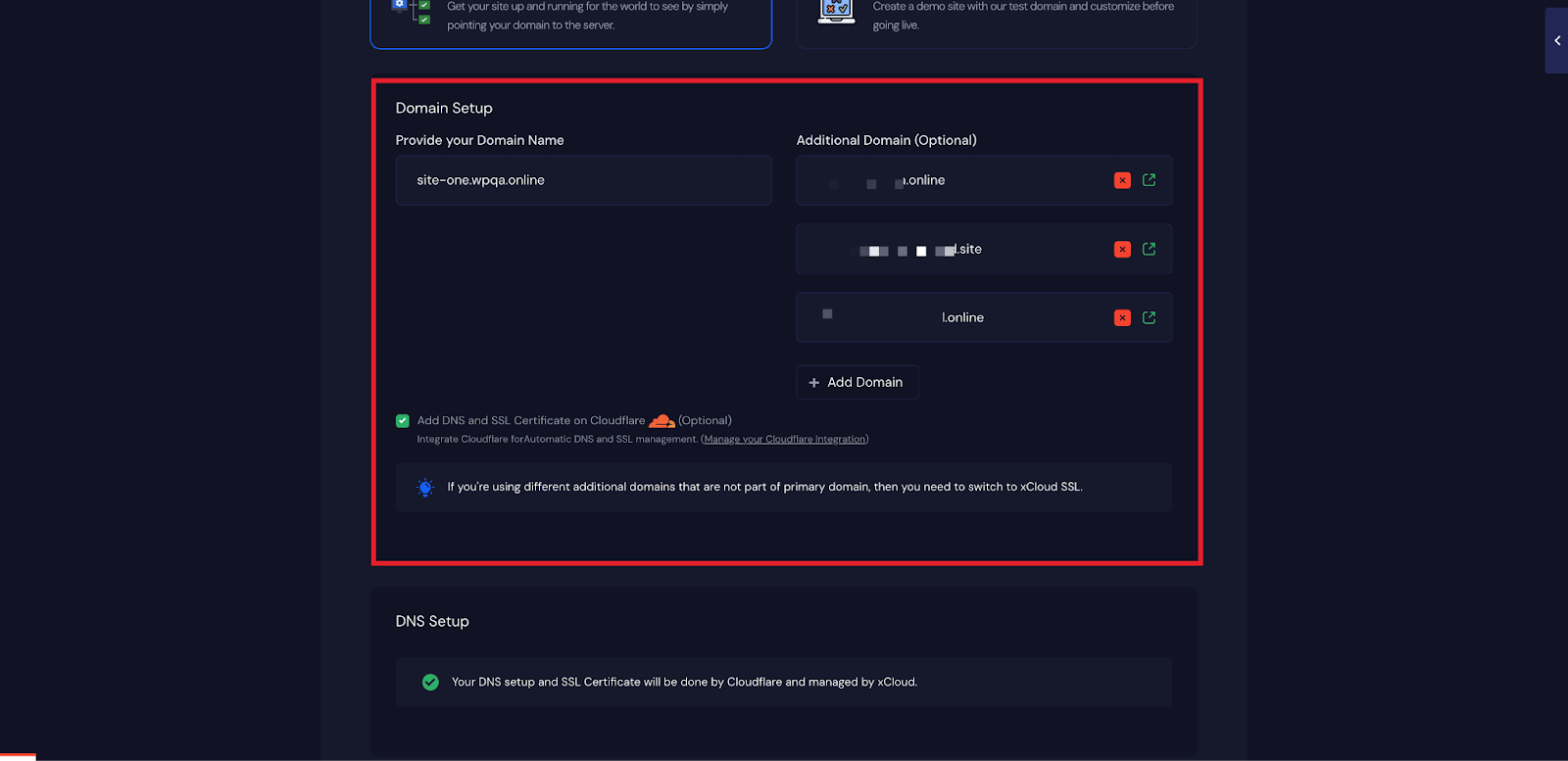
  • SSL Issue Fixed for OLS Server with Multiple Domain Sites
  • No categories

Issues & Bug Fixes

  • Fixed a issue related to the user role access in the Updates Manager.
  • No categories

Improvements

  • Added hard server reboot option for Reseller Program, allowing resellers and their clients to reboot servers directly from their dashboard with confirmation modal to prevent accidental restarts.
  • Enhanced WordPress version detection with multiple methods for smarter and more accurate vulnerability scanning.
  • Improved update management with real-time status indicators, better error handling, and smoother tracking for plugin and theme updates.
  • Added WordPress version validation to ensure only properly formatted versions are processed during scans for increased reliability.
  • Added Cloudflare multi-domain indicators to identify sites protected under Cloudflare’s multi-domain setup.
  • Added monitoring script sync command to keep vulnerability and version tracking consistent across all sites.

Issues & Bug Fixes

  • Fixed plugin/theme update errors and improved WordPress version normalization.
  • Resolved site migration and Cloudflare multi-domain cloning issues.
  • Corrected SSL provider icon display and firewall compatibility.
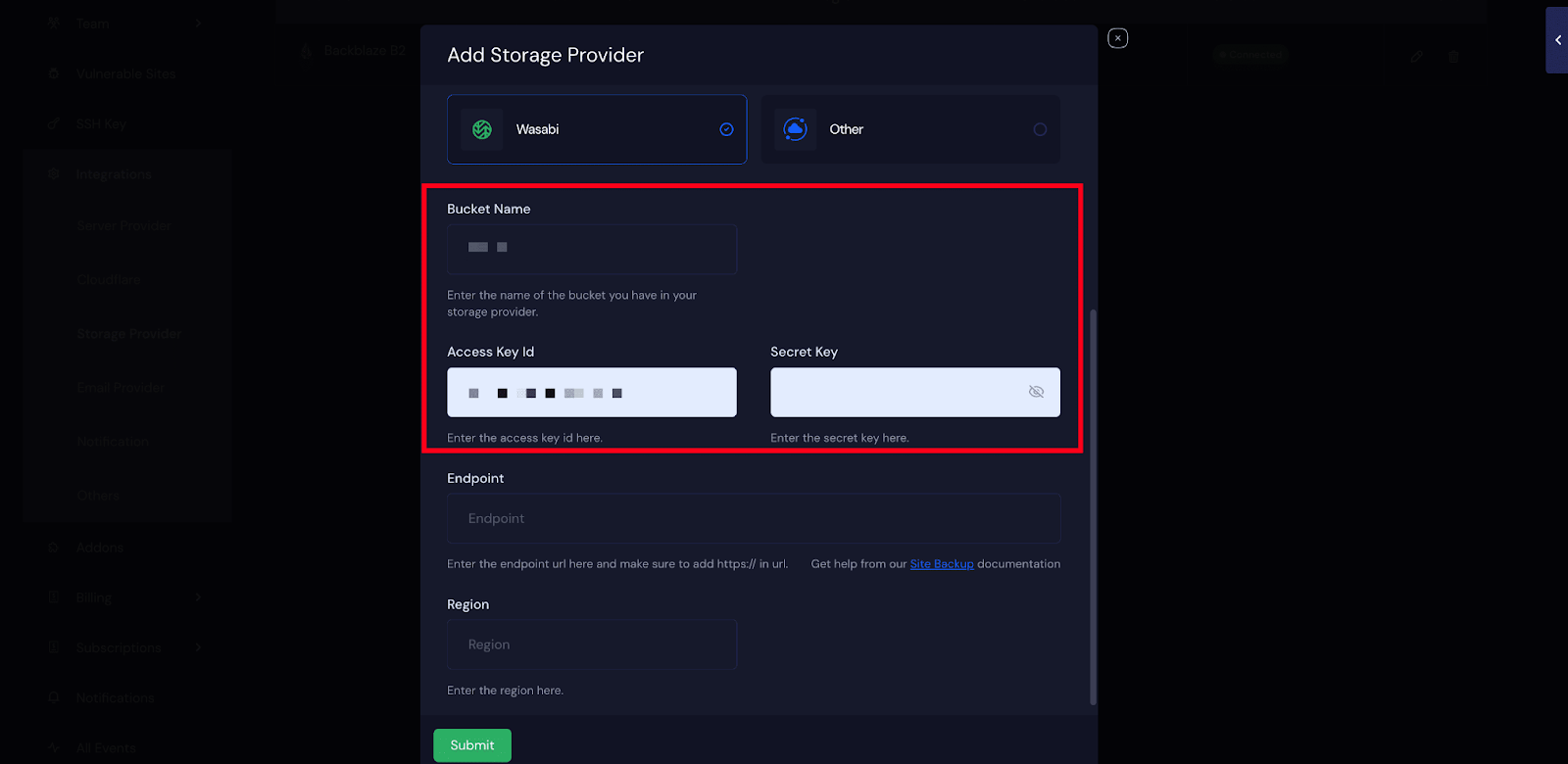
  • Fixed backup file deletion for S3-compatible storage.
  • Improved OpenLiteSpeed additional domain configuration and Cloudflare edge caching.
  • No categories

New Features

Improvements

  • PHP security patches can now be detected and installed with one click in PHP configuration, with real-time update notifications.
  • Custom web root validation has been improved and now blocks unsafe paths more strictly.

Issues & Bug Fixes

  • Fixed pCloud backup restore issue to properly site backup recovery.

  • No categories

New Features

  • Updates Manager – Update plugins, themes, and WordPress core files on all your sites at once from one dashboard. It makes managing multiple sites much easier for agencies and users who manage multiple every day.

Improvements

  • Server updates now handle missing GPG keys automatically for making maintenance smoother.
  • Added warnings for SSL issues on n8n sites using OpenLiteSpeed and Let’s Encrypt.

Issues & Bug Fixes

  • Large backup files from pCloud now download with proper headers.
  • SFTP backups now restore properly in production without SSH connection issues.

  • No categories

New Features

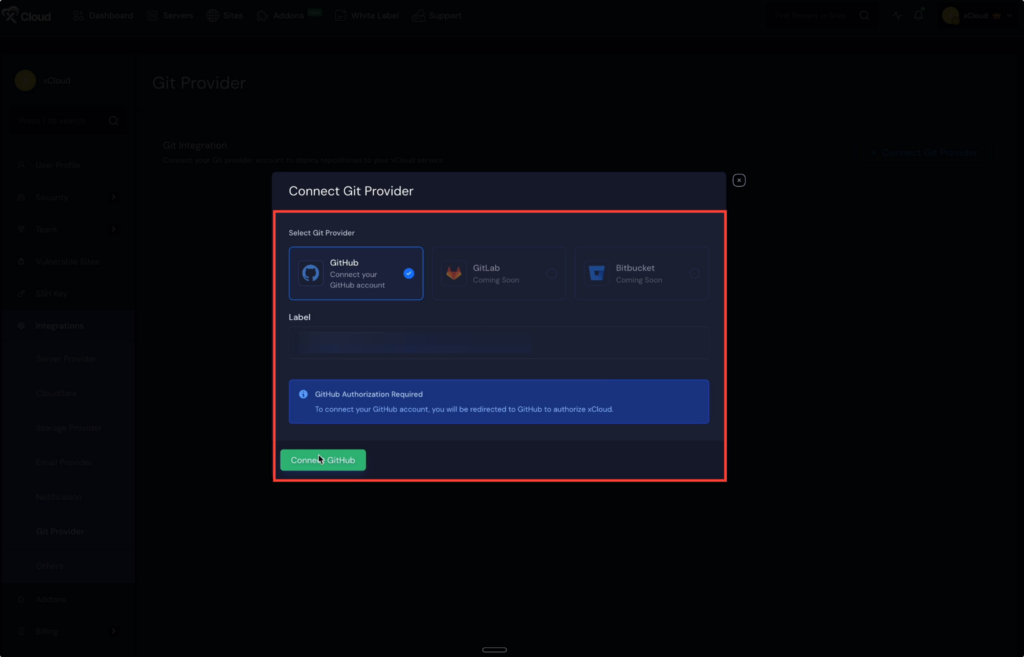
  • Git Provider Integration – Connect your GitHub account, integrate repositories, and launch projects directly from your dashboard. Also, deploy projects from both public and private repositories seamlessly.
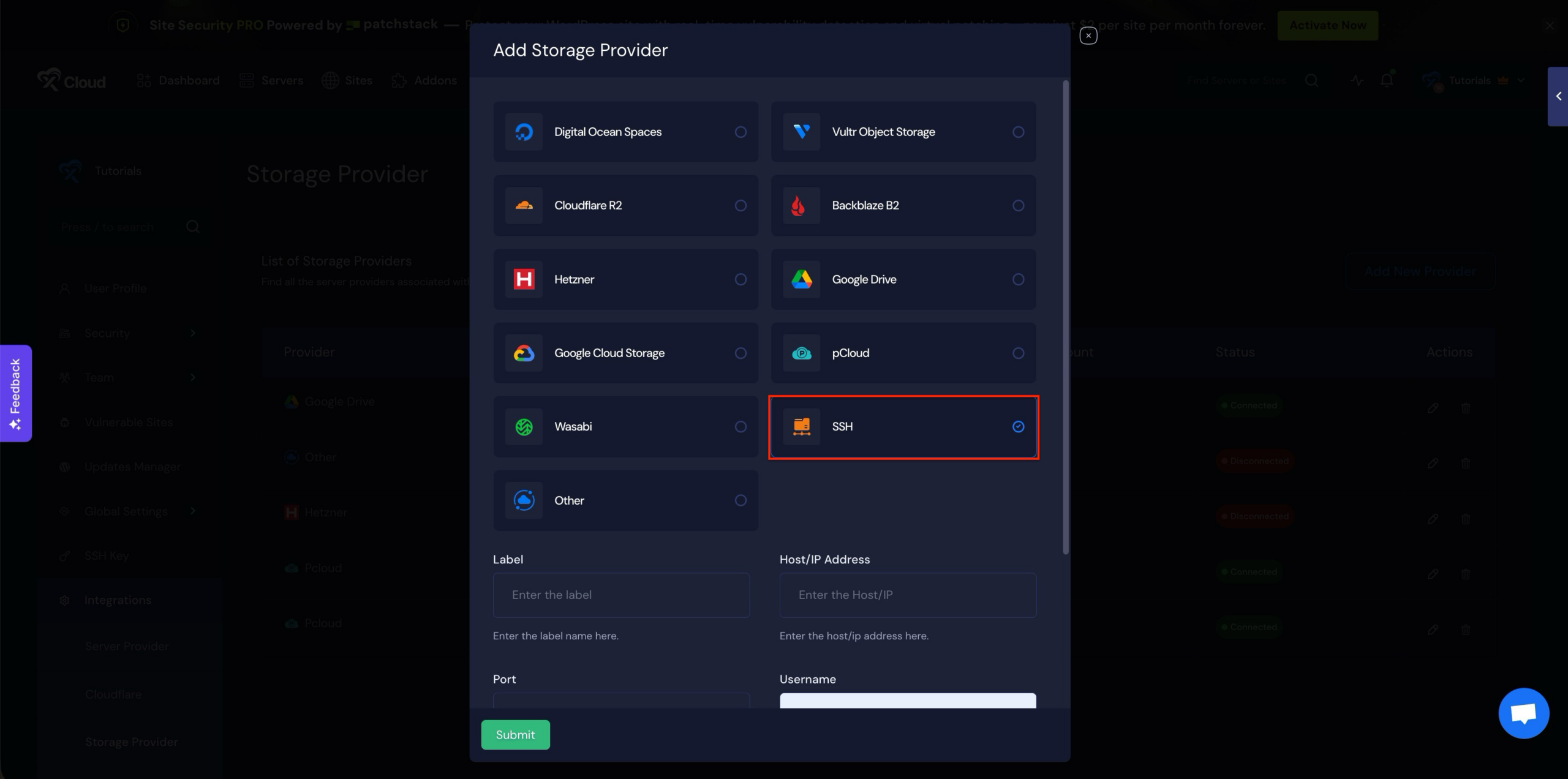
  • SFTP Storage Backup Support – Integrate SSH storage provider to store site backups. It gives flexibility for teams with existing SFTP infrastructure.
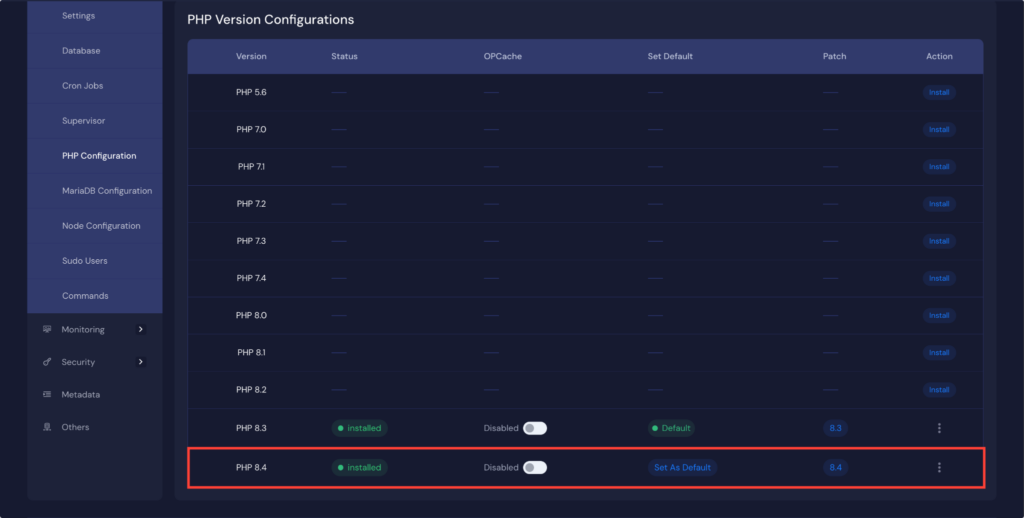
  • Updated PHP Version Management – Get full control of PHP settings on your servers with a new intuitive interface. Install, uninstall, and configure multiple PHP versions with real-time status, OPCache management, and easy default version switching.
  • White-Label Invoice Management – White-label admins can now edit client invoices directly and automatically sync email changes with Stripe customer records.

Improvements

  • Auto backups are now enabled by default when creating new servers on xCloud Managed and Provider servers.
  • On the xCloud Managed server create page, full server backup is now pre enabled by default with a option to disable after confirming a warning.
  • Free plans now assign properly to teams without payment methods.

Issues & Bug Fixes

  • Fixed an issue where successful reboots were incorrectly shown as failed.
  • Issue fixed with failed payments.

  • No categories

New Features

Improvements

  • Support Portal now shows specific time and date in conversation page

Issues & Bug Fixes

  • Fixed validation issues with the Custom Blueprint feature.
  • Support Ticket Portal now shows the full date and time for each message.
  • Fixed an issue where SSL certificates were not installed correctly when cloning a staging site to production. Certificates now install automatically.
  • UI Fixes
    – Tooltips in the team switcher now display in the proper place so that long team names are easier to read.
    – Fixed an issue where reply links from support agents were not visible in light mode.

  • No categories

New Features

  • Support Portal is now inside your xCloud dashboard 🔥
    – No separate login, now you can manage tickets right inside the app.
    – Pick the server, site, and team when opening a ticket.
    Team members can handle tickets with team-based permissions.
    – Securely share Magic Login and SSH access with support when needed.

Improvements

  • If xCloud auto-healing can’t recover a service, your dashboard will show clear status alerts for NGINX/OLS, MySQL, Redis, SSH, and PHP.
  • Enhanced 7G/8G Firewall User Experience with improved logging.
  • Added Disk Space and RAM Warning Component for Server Overview

Issues & Bug Fixes

  • Fixed Vultr server backup list fetching issue
  • Improved PageSpeed Insights error handling.
  • Fixed issue with showing the latest backup status for sites.

  • No categories

New Features

  • Google PageSpeed Insights Integration – New performance monitoring system with enhanced UI/UX, offering comprehensive site analytics and real-time performance tracking. What this feature provides:
    – A performance score for your website (mobile and desktop)
    – A detailed breakdown of site performance
    – Suggestions to fix issues like large images, unused scripts, and slow server response
    – Insights into Core Web Vitals (LCP, FID, CLS) so you can meet Google’s speed standards

Improvements

  • Backup Management – UI fixes and improvements, including better restore selection, alignment fixes, and a loading spinner for empty views.
  • Refactored and optimized various codebase for better stability and maintainability.

Issues & Bug Fixes

  • Fixed 7G/8G firewall log format naming conflicts
  • Fixed duplicate notification issue when deleting a site.

  • No categories

New Features

  • Multiple Themes in BluePrints: Add multiple WordPress themes to your BluePrints and choose the active one during site creation. Perfect for flexible site templates.
  • Redesigned Site Backup Management Interface: Modern tabbed layout with bulk actions, incremental backup visualization, and clearer summaries for easier backup control.
  • Largest Files & Folders Scanner: Quickly find disk space hogs with color-coded size indicators and sortable results to optimize storage usage.
  • Blank Site Creation for Custom PHP: Start with a clean slate using an empty PHP site template with a basic welcome page, then upload your apps via SFTP or File Manager.

Improvements

  • Enhanced WordPress security to stop risky plugin and theme actions. This prevents command injection issues and keeps your WordPress sites safer.
  • Better server selection with dropdown menus now sorted alphabetically. You can also search servers, making it faster to find the right one when creating, cloning, or migrating sites.
  • Automatic DKIM verification added for emails. When you verify DNS records, DKIM is now checked automatically so your emails show your domain in the “signed-by” field instead of the service domain.

Issues & Bug Fixes

  • Fixed several UI display issues: including long task names breaking event views, plugin icons not aligning in Blueprint cards, and Magic Login button design problems in migration screens.
  • MariaDB installation issue fixed for smoother server setup.