
v2.7.8
🔥 New Features
Broken-Link Monitoring: Find Broken Links & Images Instantly
Broken-link monitoring now uses a more reliable scanning flow, making it easier to identify and manage broken links across your websites. You can now scan your WordPress sites for broken pages, links, images, redirects, and soft 404 errors directly from xCloud.
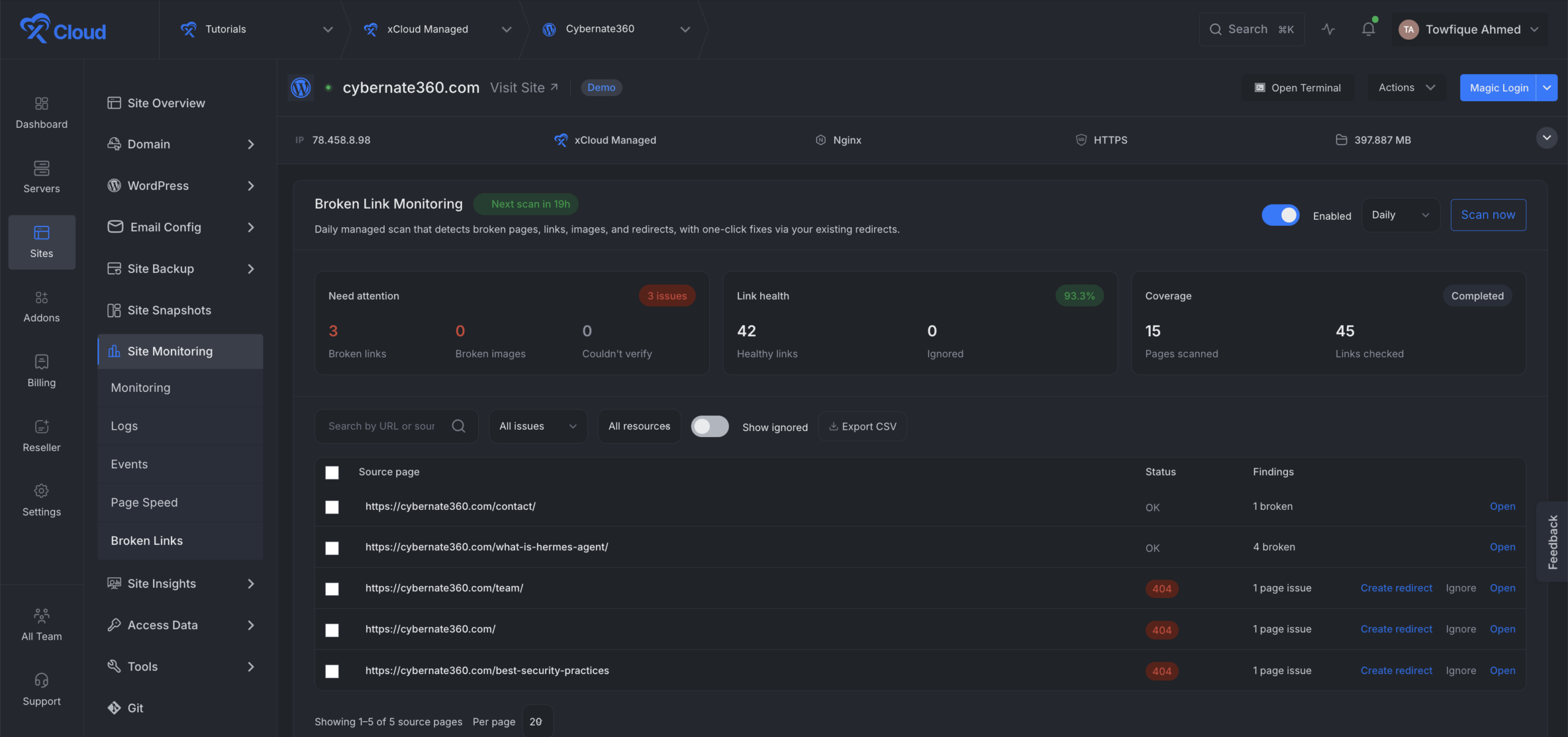
Major highlights are:
- Enable scheduled scans and choose how often they run.
- Start on demand scan anytime from the dashboard.
- Watch live scan progress without refreshing the page.
- Search and filter findings by URL, issue type, or resource type.
- Ignore findings you do not want to fix.
- Export scan results as a CSV file.
- Create redirects directly from supported broken-page findings.
⚡ Improvements
- Git Settings now includes a Save and deploy action, allowing you to save changes and start deployment in one step.
- Git Settings now includes a Save and Deploy action, letting you save changes and begin deployment in one step.
- Improved Node.js update checks, recovery for stuck tasks, and mobile layouts.
- Improved backup restore checks, SQLite backup records, and backup request handling.
- Improved Nginx page speed, site and server checks, module detection, and automatic recovery.
- Improved the Managed server setup flow and plan suggestions.
🐛 Bug Fixes
- Fixed an issue where platform admin API tokens could access resources from other teams. API tokens are now kept within the correct team.
- Fixed regenerated Elastic Email API keys not syncing correctly.
- Fixed an issue where mailbox status was not restored after a failed mailbox deletion.
- Fixed server monitoring charts so the seven-day view refreshes correctly and uses a backup data source when needed.
- Fixed old custom Nginx files remaining after site deletion and added stronger checks to prevent incorrect automatic Nginx changes.
- Fixed server billing updates related issue.
- Fixed database conflicts that could happen when automated tests ran at the same time.