Staging With Pull & Push
Create a staging environment for any site, build on it, and push to production when the client signs off. Pull production down when you need to reproduce something real.

For Agencies
Build amazing websites — we take care of everything after launch. Speed, performance, uptime, monitoring and backups, handled. You keep your client relationships and your brand.
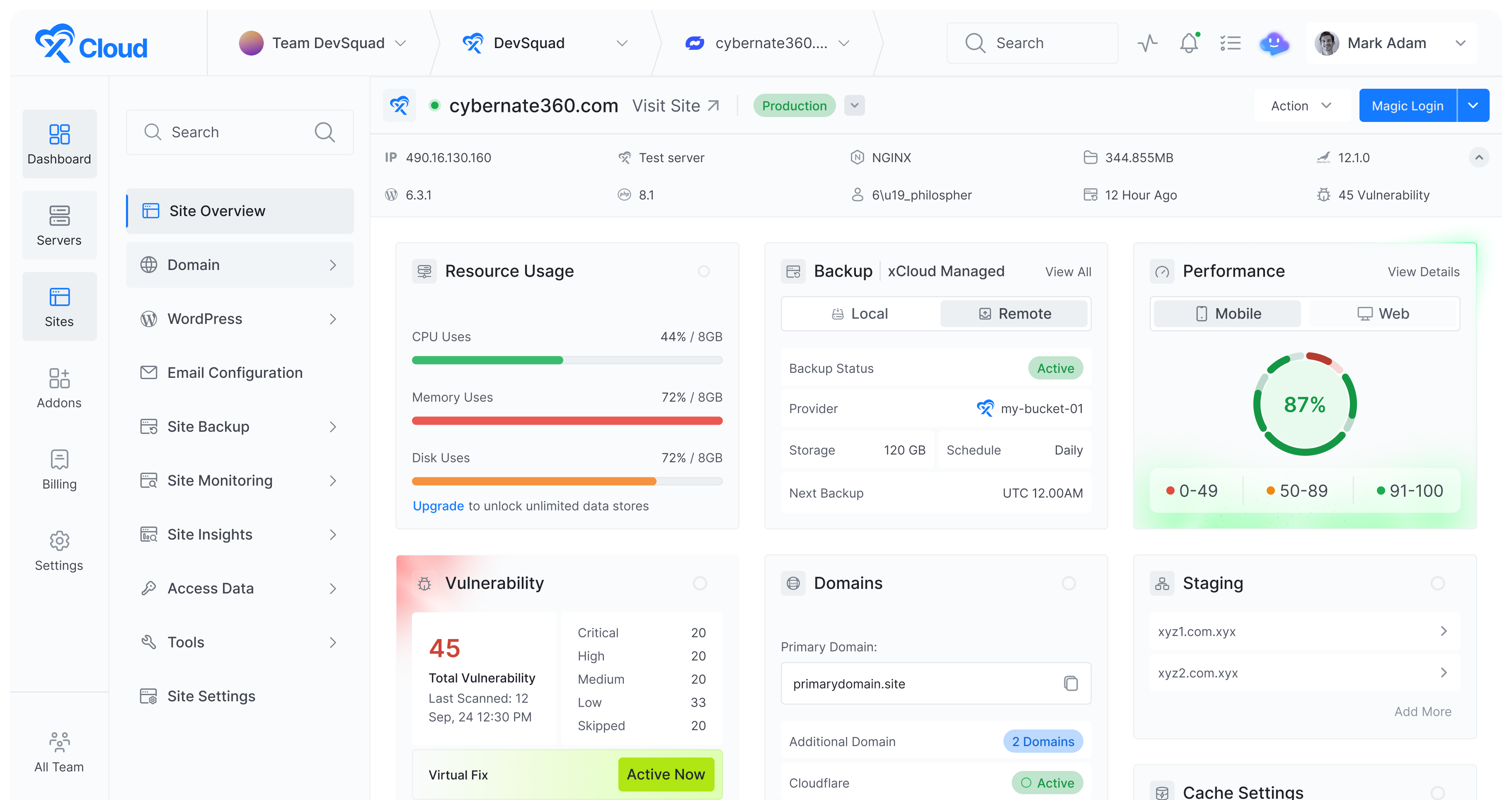
No per-site fee and no traffic ceiling. Server size is the only thing you pay for, so a won pitch does not become a bigger invoice from us.
Servers, sites, backups, SSL and uptime for the whole book of business in one place — not one control panel login per client.
Spin up a team per client or per retainer, invite who belongs in it, and let each team carry its own billing and payment method.
Unlimited free migrations. Send our team the credentials and the existing client sites arrive on your server without a maintenance window you have to sell.
The Difference
Most agencies do not have a hosting problem. They have twenty hosting accounts, twenty logins, twenty invoices and one person who remembers how any of it works.
Scroll the table sideways to compare.
| On scattered shared hosting | On xCloud |
|---|---|
| A separate cPanel login for every client, and a password doc nobody trusts | One panel for every server and every site, with roles deciding who sees what |
| Per-site hosting fees that grow every time you win work | Unlimited sites and unlimited traffic on every plan — you pay for server size only |
| Client billing tangled with yours, or resold at a margin you cannot set | A team per client with its own billing, or your own brand and pricing via white label |
| Staging is a subdomain, a plugin and a prayer | One-click staging with pull and push, so the client approves before anything goes live |
| You find out a client site is down when the client tells you | Uptime, CPU, RAM and disk monitored with alerts into Slack before anyone calls |
| Migrating an inherited site is a weekend nobody billed for | Unlimited free migrations handled by our team, plus one-click cloning between servers |
| A breach on one site is a breach on the whole account | Every site isolated under its own system user, with Fail2Ban and free SSL by default |
Capabilities
Build it, hand it over, keep it alive, and bill for it — the four things a client engagement actually consists of.
Create a staging environment for any site, build on it, and push to production when the client signs off. Pull production down when you need to reproduce something real.
Duplicate a finished site under the same server or a different one. Your house build becomes the starting point for the next project instead of a checklist someone re-does.
Spin up a fully prepared WordPress site with plugins and a test domain in about a minute — enough to pitch on a real environment rather than a mockup.
WordPress, WooCommerce, Laravel, n8n and dozens more deploy from a catalogue, so a client asking for something unusual is not a research project.
Connect a repository and deploy on push, with the CLI and full root access there when a build needs more than a panel.
Set the PHP version and settings for each site individually, so an inherited client site on an older stack does not dictate what everything else runs.
Teams are how xCloud separates work. Create one per client or per retainer, add the people who belong in it, and change anyone's access from Team Settings later.
Every team carries its own billing and its own payment method. A client who wants the hosting on their card can have it without leaving your panel or your process.
Give a developer, a contractor or the client themselves the access their job needs, and take it back when the engagement ends. Nobody has to share a password.
Uptime, RAM, CPU and disk tracked per server and per site, with alerts into Slack, WhatsApp or email — so you hear it from us, not from the client.
Cron jobs per site from the panel, for the reports, syncs and cleanups that every retainer quietly depends on.
Servers at DigitalOcean, Vultr, AWS, Google Cloud, Linode and Hostinger sit in the same panel as our managed ones, so inheriting a client's existing host does not mean inheriting another login.
Each site runs under its own system user. A compromise on one client's site cannot reach the others sharing the server — the failure mode that makes shared hosting a liability across a client book.
Incremental and full backups on a schedule, restorable per site, with off-server copies to Google Drive so a bad server is not also a bad day.
One-click certificates on every domain, issued and renewed automatically, or bring a custom certificate a client's compliance team insists on.
Brute-force protection enabled by default on every server, with firewall rules you control per server.
Plugin and theme vulnerabilities surfaced per site, so the answer to "is our site safe" is a screen you can show rather than an opinion.
Plain FTP is not an option on an xCloud server. Connections are enforced over SFTP and SSH, which is one fewer thing to explain when a client's security review arrives.
The white-label program gives you your own brand, logo and domain over the platform. Clients see your hosting company, not ours.
Build reseller packages with the features and prices you choose, rather than reselling someone else's plan at someone else's margin.
Connect Stripe and take payment directly, with recurring billing and invoices handled for you. Hosting becomes recurring revenue instead of a cost you pass through.
Not every client should be on your bill. Refer them instead and earn 20% commission per sale through the affiliate program.
Run on our managed servers or bring DigitalOcean, Vultr, AWS, Hostinger or any Ubuntu box. The client relationship is yours either way.
Put a custom landing page in front of your hosting packages so prospects buy from your brand directly, rather than being handed off to someone else's checkout.
Getting Started
No sales call required to find out whether it fits. The first four steps take an afternoon.
Deploy a managed server from $5/month across 31 locations, or connect a provider you already use — DigitalOcean, Vultr, AWS, Google Cloud, Linode, Hostinger or any Ubuntu server.
Each team gets its own members, its own roles and its own billing, so client work stays separated from the first site rather than after the first mess.
Send us the existing sites and we migrate them free, or start clean with one-click apps, staging and Git deploys.
Absorb it into a retainer, let each client team pay its own way, or turn on white label and invoice under your own brand.
Included on every plan, not sold back to you as an agency add-on.
Launch applications closer to your users across multiple global regions for reliable performance and low latency worldwide.
Global Reach....
Fifteen plans from 1 GB to 64 GB, every one of them hosting unlimited client sites with unlimited traffic. Slide to the memory you need — there is no agency tier to upgrade into.
$30.00/mo
Premium build
Get startedStandard plans run on SSD storage. Premium plans use NVMe SSD backed by 3GHz+ Intel Xeon CPUs — faster disk and database throughput for the same amount of memory.
Partner Program
Bring client servers onto xCloud and the platform starts paying you back in servers. Ten active servers earns one free for life; keep growing and the tier, the pricing and the support level all move with you.
Scroll the table sideways to see every column.
| Growth Partner | Elite Partner | Pro Agency Partner | |
|---|---|---|---|
| Active client servers required | 10 | 25 | 50+ |
| Free servers for life | 1 free server | 2 free servers | 3 free servers |
| License to sell xCloud to your clients | Yes | Yes | Yes |
| Multi-client dashboard | Yes | Yes | Yes |
| Priority partner support | Yes | Yes | Yes |
| Partner badge for your site | Yes | Yes | Yes |
| Preferred partner pricing | No | Yes | Yes |
| Dedicated migration help | No | Yes | Yes |
| Dedicated partner manager | No | No | Yes |
| SLA priority | No | No | Yes |
| Co-marketing | No | No | Yes |
Tier is assessed on the monthly average of active, managed servers — not a peak you hit for one afternoon.
Drop below your threshold and nothing happens for 30 days. After that, free servers pause until you are back above it — your account and client sites are untouched either way.
Active, managed deployments count. Test and staging servers do not, and a new server counts once it has been live for 30 days.
Onboarding is deliberately hands-on: a short assessment call rather than a signup form, so your tier, your free servers and your manager are set up correctly from day one.
Joining
No form that disappears into a queue. Three steps, and a person on the other end of each.
Tell us how many client servers you run and where they are today. We book a short partner assessment call rather than auto-approving you into a tier that does not fit.
Your tier is activated, your free server is provisioned, your partner badge and sales material arrive, and you join the partner group for direct access to the team.
Every client server you bring counts toward the next rung. Reach it and the free servers, the pricing and the support level move up with you.
See why agencies, developers, startups, and growing businesses choose xCloud to power their projects.
xCloud works really well, I am surprised by its performance being this the release version, I have tried many paid platforms such as runcloud, cloudpages or serveravatar, as well as free platforms such as CyberPanel, CloudPanel or Hestia Control Panel and direct competitors such as SpinupWP and FlyWP. Of all those that I have tried, the platform that works best for WordPress is SpinupWP and I believe that xCloud can reach and surpass that development, its roadmap is promising. Congratulations to the xCloud team, I hope they become the leading platform in the segment, it has all the potential to achieve it!
 Brian Geovanny
I've been with runcloud for the last 3 years. However, after trying xcloud for the last month, I'm switching over. They are on a roll with their setup.
 Kevin Pineda
I'm moving my servers to xCloud, a cloud control panel by M Asif Rahman and the WPDeveloper team. Their roadmap looks interesting and no, there are no team mates nor API limits with xCloud! #xCloud #wordpress #hosting
 Leo Koo
How Cloud Nine Web Elevated Client Experience While Streamlining Hosting Operations using xCloud
 Ed Ellingham
xCloud is like having an expert server team on call — without the big agency costs. It's given me back my time and given my clients peace of mind. Highly recommended for freelancers and small teams who want reliable performance and security.
 Dumitru Butucel
xCloud isn't just a solution. It's like one of that friend who got your back when you screw things up pretty bad.
 Waqar Ahmed
Trust me when I say, once people explore the potential of xCloud they gonna switch from other panels, just keep delivering the best tech, lots of love for the team 😍😍
 Rahul Singh
So far my experience has been smooth like silk. I didn't imagine that configuring and managing a VPS would be so easy. As of today, I have deployed 8 sites. The support is good, and they treat users with respect, even if they ask stupid questions (myself included). For the future, I hope for greater flexibility in scheduled backups and more comprehensive and consistent documentation. I'm sure that within a few months, xCloud will become the leader in its segment. This community is amazing, and the Staff here is super helpful.
 Massimo Villa
Came from cloudways then to runcloud then to xcloud. Looks like I'm staying here.
 Gerson El
I've recently taken all of my Vultr-hosted sites and gotten rid of cPanel for them to substitute it with xCloud. I have to say, I'm really impressed with xCloud so far! The interface is definitely the standout feature for me.
 Tony Lewis
I came from Cloudways and won't go back. Highly impressed with xCloud. Glad I gave them a chance.
 Jared McDowell
I like xCloud better than RunCloud, but one thing I'll point out is that some years ago RunCloud was hungry for business, the support was outstanding, and the community was active and helped each other. Maybe it was sold, there was a change in management, or they stopped being hungry, but the quality of the RunCloud offering declined and it hasn't been moving forward quickly. My point is that currently the xCloud team has the edge and it is theirs to keep or lose
 David McCan
How Kevin Heinrichs Cut Hosting Costs by 84% While Running WooCommerce & Node.js Sites Efficiently
 Kevin Heinrichs
I had 150 sites on cloudways and am in the process of moving them to xcloud. Much faster and better priced.
 Dan Spinoza
Dear xCloud Team, I have been using xCloud for some time now and am genuinely impressed with its capabilities and the flexibility it offers by allowing users to bring their own VPS for management. It's a fantastic service, and my experience so far has been very positive. Successful migrated 5 sites on a single server. Xcloud migration tool worked great. There were few hiccups with security plugin like MalCare but disabling the plugin prior to migration worked just fine.
 Rahil Maknojia
Came from runcloud. Tried xcloud and never came back.
 Karl Fanega
How Advanced Web Strategies Saved Over $2,000 & Recovered 56 Hours per Month Managing 70+ Client Websites
 Gary Moody
xCloud gave me what no other hosting platform could: the flexibility of a VPS with the convenience of managed WordPress. As a solo founder running an entire business on one server, that combination is an important unfair advantage.
 Jorge de los Reyes Martínez
I use Server Avatar and xCloud and I'll sooner use xCloud than Server Avatar personally.
 Jay Pagano
How Newman Web Solutions Ensured Perfect Uptime and Seamless Scaling For 120+ WordPress Sites with xCloud
 Lori Newman
I too have moved over to xCloud. It's pretty sweet. One click n8n and uptime Kuma apps
 John Aperture
I went from Cloudways to xCloud. No intention on switching in the foreseeable future.
 Blaine Moore
The things worth knowing before you put someone else's business on a new host.
That is what the platform is shaped around. Every plan carries unlimited sites and unlimited traffic, so the number of clients you host does not change your bill — server size does. Servers, sites, backups, SSL, staging and monitoring all live in one panel, and teams keep each client's work and billing separated from each other.
No, and the difference matters. Agency hosting means you host client sites on infrastructure you control, billed to you, with the client usually knowing who the host is. Reseller hosting means you sell hosting as a product under your own brand, set your own prices and bill the client yourself. xCloud does both, and you can run them side by side — most agencies start with the first and add the second once hosting is worth billing for on its own.
Yes. Create a team, invite them to it, and give them the role their job needs. Access is changed or revoked from Team Settings at any time, so an engagement ending does not mean rotating a shared password.
Yes. Each xCloud team carries its own billing and its own payment method, so a client who wants the hosting on their own card can have it without you leaving the panel or splitting invoices by hand. If you would rather the client never sees xCloud at all, the white-label program bills them under your brand instead.
Yes — that is the white-label reseller program. You set the brand name, logo and domain, build your own packages and prices, connect Stripe to take payment, and add your own SMTP so even the emails come from you. You can run it on our managed servers or on a provider you already use.
Yes. Connect Claude, ChatGPT or another AI tool through xCloud MCP, or use the AI Assistant in the dashboard. Both can check every client server and purge caches. Through xCloud MCP, your AI tool can also update PHP across sites. Each shows a preview and waits for your OK before each change.
There is no limit imposed by your plan — only by the server's resources. Agencies typically group light brochure sites densely and give a busy WooCommerce store more room, then resize RAM, CPU or storage in one click when a client outgrows it, without rebuilding anything.
Yes, and there is no charge or cap on it. Open a support ticket with the site details and our team performs the migration. There is a short prerequisite list for full server migrations — mostly disabling 2FA and host-specific plugins on the source — and the documentation walks through it.
Yes. Any site can have a staging environment, and changes move between staging and production with pull and push rather than a manual copy. That is what makes client sign-off a step in the process instead of a risk you carry.
Managed servers start at $5/month for 1 GB and run to 64 GB, fifteen plans across the range — and every one of them hosts unlimited sites. If you bring your own server from DigitalOcean, Vultr, AWS or anywhere else, you pay that provider for the machine and xCloud for the management layer. There is no per-site fee and no agency tier you have to buy into.
By running client servers on xCloud. Ten active client servers makes you a Growth Partner, twenty-five an Elite Partner, and fifty or more a Pro Agency Partner. There is no revenue target to calculate and no spend commitment to sign — the number of servers you are already running is the whole requirement.
At Growth Partner you get one server free, at Elite two, at Pro Agency three — and they stay free for as long as you hold the tier. They are ordinary xCloud servers, so you can put your own agency site on one, or a client's. Tier is measured on your monthly average of active managed servers, so one quiet month does not cost you anything.
You get a 30-day grace period, and nothing changes during it. If you are still below the threshold afterwards, the free servers pause until you are back above it. Your account, your paid servers and every client site keep running exactly as before — only the free allocation is affected, and it resumes when you requalify.
Active, managed production deployments. Test and staging servers do not count, and a new server starts counting once it has been live for 30 days. The rules exist so the tiers mean something — an agency genuinely running twenty-five client servers should not be sitting behind someone who spun up twenty-five empty ones.
The reseller program is a product: you sell hosting under your own brand, set your prices and bill through your own Stripe. The partner program is a relationship: you host client servers on xCloud, and the platform rewards volume with free servers, better pricing and a direct line to our team. Partners can and do use both — the license to sell xCloud to your clients is included from Growth Partner upward.
Not yet. A public directory where businesses can find and hire xCloud partner agencies is planned, and we would rather say so plainly than list it as a benefit before it exists. Partner badges, the multi-client dashboard, priority support and the free-server tiers are all part of the program today.
Already running client servers on xCloud? You may qualify for a tier today. Not yet — move one client across on a free migration and start counting from there.