










The New xCloud Mailbox: Unlock Productivity With AI, Smart Features & More

AI is changing the way we work, and your business email shouldn’t be left behind. It should reply for you, sort itself, summarize 40-message threads into few sentences, and remind you to follow up before you forget. In a world where AI handles everything from customer support to content creation, why should your inbox still require you to do all the heavy lifting? That is exactly what the new xCloud Mailbox does.

We have completely rebuilt the xCloud Mailbox Addon from the ground up. This is not a minor version bump. Your xCloud Mailbox is now a full business productivity suite with AI features, a built-in calendar, task management, cloud drive, document editors, shared contacts, and enterprise-grade security.

In this post, we will walk you through everything that has changed, starting with the AI features that make this upgrade worth your attention.

Why We Rebuilt the xCloud Mailbox From the Ground Up

When we first launched the xCloud Mailbox Addon, the goal was simple. Let xCloud users send and receive emails from their own domain without a complicated setup. It worked. Thousands of users set it up.


Then the feedback started pouring in. You wanted calendars. You wanted task management. You wanted file storage. And increasingly, you wanted AI features that could actually help you work faster.

We could have patched things together. Instead, we evaluated multiple email infrastructure providers and partnered with one that powers email for some of the largest companies in the world. Their infrastructure handles millions of mailboxes across global data centers, with a track record of reliability that very few providers can match.

This partnership means your xCloud Mailbox is now running on the same engine that powers email for enterprises and Fortune 500 companies. And it brought something else to the table: AI.

AI Features That Actually Save You Time

Let us be clear about what “AI in your mailbox” means here. This is not a chatbot bolted onto your inbox. These are integrated AI capabilities that work inside your email, calendar, and task workflows to reduce the time you spend on repetitive work.

Here is what the AI engine can do.

AI Email Suggestions

Every time you open a compose window or hit reply, the AI can auto-generate a full response for you. It reads the context of the conversation, understands the intent, and drafts a reply that you can send as-is or edit. It also generates subject lines, which is surprisingly useful when you are sending dozens of emails a day and your brain runs out of creative subject lines by 11 AM.

This is not a generic “sounds good, thanks” generator. The AI adapts to the context of the thread, the tone of previous messages, and the action being requested. For teams that handle high volumes of client communication, customer support, or vendor coordination, this feature alone can reclaim a significant chunk of the workday.

Email Summarization

Long email threads are one of the biggest productivity killers in business communication. A study by McKinsey found that professionals spend roughly 28% of their workweek reading and responding to email. A big part of that time goes to catching up on threads that have grown to 20, 30, or 50 messages while you were away.

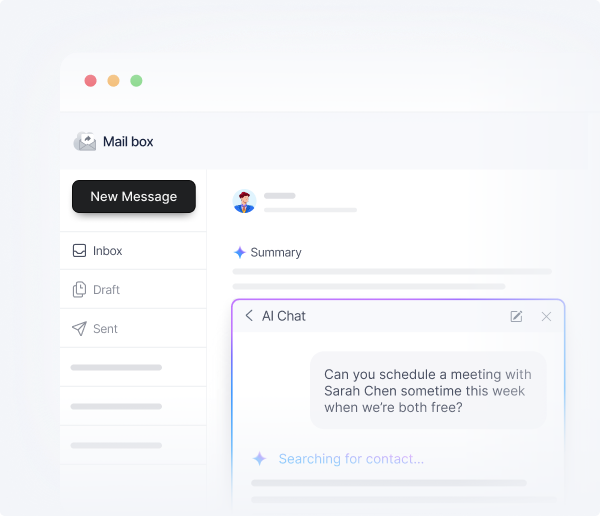
The xCloud Mailbox AI summarizes entire threads into a few key points. You get the decisions that were made, the action items that came out, and the open questions that still need answers. No scrolling through pages of back-and-forth. Just the information you need to respond or take action.

This is especially useful for newsletters and long update emails. Instead of reading a 2,000-word newsletter, you get the highlights in a few sentences.

Smart Classification

Your inbox organizes itself. The AI automatically classifies incoming emails into categories like promotions, updates, social, and personal. Think of it as the tabbed inbox experience you might have seen in other email clients, but smarter because it learns from your behavior over time.

The benefit is not just organization. It is prioritization. When your inbox is sorted, you can focus on the emails that matter and deal with the rest when you have time. No more important client email buried under 15 promotional messages.

Smart Tasks

This is where the AI moves beyond email and into actual work. Smart Tasks lets you describe what you need done, and the AI assistant handles it. It connects with your calendar, your contacts, and your task lists to automate routine work that would otherwise eat into your productive hours.

Think of it as a lightweight AI assistant that lives inside your mailbox and understands your workflow. It is not replacing your project management tool. It is handling the small stuff so you can focus on the big stuff.

Text-to-Speech

Not every email needs your eyes on a screen. Text-to-speech reads your emails and calendar events out loud. This is useful when you are commuting, exercising, or just need a break from staring at a display. It also makes the entire suite more accessible for users with visual impairments.

Voice Commands (Coming Soon)

OX is developing voice command support that will let you interact with your entire mail suite using voice input. Compose emails, create calendar events, add tasks, all without touching the keyboard. This feature is currently in development and will be rolled out in a future update.

Beyond AI: A Full Business Productivity Suite

The AI features are the headline, but they are part of a much larger upgrade. Your xCloud Mailbox is now a complete workspace. Here is everything else that comes with it.

Smarter Email

The core email experience has been overhauled. You now get a unified inbox that brings all your email accounts into one view. Threaded conversations group related emails together so you are not jumping between messages to follow a discussion.

Other improvements include:

  • Undo sends to cancel an email shortly after sending it.
  • Scheduled sending to compose now and deliver later.
  • Snooze to push emails out of your inbox until you are ready to deal with them.
  • Follow-up reminders so nothing slips through the cracks.
  • Email rules engine for creating filters, forwarding rules, and auto-tagging.
  • Mail templates for saving reusable content for repetitive replies.
  • Smart mail sorting that classifies emails into inbox, promos, and updates.
  • Trash and recovery with a 14-day window to recover deleted items.
  • Spam and phishing protection with auto-detection, blacklists, and phishing warnings.

If you have used basic email hosting before, the difference is night and day. This is a modern email client with the productivity features you would expect from platforms like Gmail or Outlook, but without the per-user enterprise pricing.

Built-in Calendar

No more relying on a separate calendar app. The xCloud Mailbox now includes a full calendar with daily, weekly, monthly, and yearly views.

Key calendar features include:

  • Recurring events that repeat on any schedule you define.
  • Invitation management with RSVP, accept, decline, and comments.
  • Smart scheduling that suggests meeting times based on everyone’s availability (available on higher-tier plans).
  • Resource booking for reserving meeting rooms and equipment.
  • External calendar subscriptions so your Google Calendar or iCal feeds show up right alongside your xCloud calendar.
  • Time zone support so events adapt correctly for global teams.
  • Event color coding for quick visual categorization.
  • Attachments to events for adding files or links directly to calendar entries.

For small teams and freelancers, this eliminates the need for a separate Google Calendar subscription or a third-party scheduling tool. Everything lives in the same place as your email.

Task Management

Managing tasks inside your mailbox means fewer context switches throughout the day. The xCloud Mailbox task management system includes:

  • Shared task lists for team collaboration.
  • Recurring tasks that auto-repeat on a set frequency.
  • Due dates and reminders with alert notifications.
  • Prioritization flags to mark tasks as urgent or low priority.
  • Task completion tracking with auto-tracked progress per task list.
  • Task attachments for adding files to individual tasks.
  • Comment threads for notes and updates on task progress.

This is not trying to replace dedicated project management tools like Asana or Trello. But for everyday task tracking, follow-ups, and team coordination, having it right inside your mailbox removes friction.

Cloud Drive

File management is now built into your mailbox. Upload, share, and organize files without switching to a separate cloud storage service.

Cloud Drive features include:

  • File upload and download with core document handling.
  • File sharing with roles for viewer and editor access, both internal and external.
  • Version history so you can see previous versions and revert when needed (30 versions on the $5 plan, unlimited on $8).
  • Document preview for inline viewing of PDFs, images, and Office files.
  • WebDAV access to map your drive as a remote folder.
  • Sync clients for Windows, macOS, Android, and iOS.
  • Public share links with password protection and time-limited access.
  • Storage usage widget to monitor your current quota.
  • Favorites and recent files for quick access to what you use most.
  • Trash and recovery with a 14-day window.

For teams that currently pay separately for Google Drive or Dropbox alongside their email hosting, consolidating into one platform can simplify workflows and reduce costs.

Built-in Document Editors

One of the most practical additions is the ability to edit documents, spreadsheets, and presentations directly inside your mailbox. No need to download a file, open it in a desktop app, edit it, save it, and re-upload it.

The document editors support:

  • Text documents, spreadsheets, and presentations with built-in editors.
  • Real-time collaboration so multiple team members can work on the same document simultaneously.
  • Edit email attachments online without downloading them first.
  • Full compatibility with Microsoft Office and LibreOffice formats.

This is particularly useful for teams that frequently share documents via email. Instead of the download-edit-reattach cycle, you can edit attachments in place and collaborate in real time.

Contact Management

Your address book has been upgraded with:

  • Personal address books for private contact lists.
  • Global address book with a shared org-wide directory.
  • Shared contacts available across teams or roles.
  • CSV and vCard import/export for standard format compatibility.
  • Contact categories and tags for organizing with color or text labels.
  • Contact profile images for visual identification.
  • Halo View for a quick popup with contact info and available actions.
  • Autocomplete for email addresses with instant matching from your contacts list.

Enterprise-Grade Security

Security is not optional for business email, and the new xCloud Mailbox does not cut corners:

  • Two-Factor Authentication (TOTP) for an extra layer at login.
  • WebAuthn support for hardware key or biometric login.
  • End-to-end encryption with seamless PGP/S-MIME support via OX Guard.
  • Self-service password reset with secondary factor verification.
  • Premium antivirus, antispam, and antiphishing protection powered by Vade, one of the leading email threat detection providers globally.

Your emails, files, and data stay protected with the same security infrastructure used by major European ISPs and telecom providers.

Plans and Pricing

The updated xCloud Mailbox offers five tiers to fit different needs:

PlanStorageKey Features
Free100MBBasic email, unified inbox, personal address book, dark mode
$1/mo8GBRead receipts, undo send, follow-up reminders, customizable dashboard
$2.5/mo25GBSmart mail sorting, shared contacts, global address book, mail templates, WebAuthn
$5/mo50GBFull Drive, document editors, real-time collaboration, encryption, resource booking
$8/mo80GBEverything above + all AI features (suggestions, summarization, smart tasks, TTS)

Every plan includes dark mode, keyboard shortcuts, multi-language support, and an installable app for any device.

Important: The free 100MB plan is available exclusively for xCloud Managed Server users. It is a great way to test the new mailbox before committing to a paid plan.

Already Using xCloud Mailbox? Here Is How to Migrate

If you are an existing xCloud Mailbox user, you do not have to start from scratch. We have built a seamless migration path so you can move your current mailbox to the new Mailbox without losing your emails, contacts, or settings.

The migration process is straightforward, and we have prepared a step-by-step guide to walk you through it.

👉 Learn how to migrate your existing mailbox

Your data stays intact. Your domain stays the same. You just get a much better mailbox on the other side.

Who Is This For?

The upgraded xCloud Mailbox is built for freelancers, agencies, and teams on xCloud who want professional domain email, shared calendars, task management, and AI-powered productivity without adding another SaaS tool.

Here are a few scenarios where it fits perfectly:

  • Freelancers who want a professional email address on their own domain, with a calendar and task list built in, starting at just $1/month.
  • Small teams that need shared calendars, shared contacts, and collaborative document editing without paying for a separate Google Workspace or Microsoft 365 subscription.
  • Agencies managing multiple client communications who can benefit from AI email suggestions, thread summarization, and smart classification to handle high email volumes efficiently.
  • E-commerce businesses running on xCloud managed hosting that want their transactional email, business email, and team collaboration in one dashboard.
  • Anyone tired of writing the same emails over and over? Let the AI handle the repetitive replies while you focus on work that actually needs your brain.

How xCloud Mailbox Compares to the Competition

One of the most common questions we get is how the xCloud Mailbox stacks up against Google Workspace, Microsoft 365, Zoho Mail, and Proton Mail. Here is a detailed comparison across all the features that matter.

Pricing Comparison

xCloud MailboxGoogle WorkspaceMicrosoft 365Zoho MailProton Mail
Starting price$1/mo$7/mo$7/mo (from Jul 2026)$1/mo$3.99/mo
Full-featured plan$8/mo (80GB)$14/mo (2TB)$14/mo (from Jul 2026)$4/mo (50GB)$7.99/mo (15GB)
Free planYes (100MB, Managed Servers only)NoNoYes (5GB, up to 5 users)Yes (1GB, limited)
AI features includedYes (on $8 plan)Yes (Gemini, all plans)No ($30/mo Copilot add-on)Limited (Zia on paid plans)No

Note: Google Workspace raised prices by 17-22% in 2025 after bundling Gemini AI. Microsoft 365 is raising prices again, effective July 1, 2026, with increases ranging from 5% to 33% across plans. Pricing shown reflects annual commitment rates in USD.

Feature Comparison

FeaturexCloud MailboxMicrosoft 365Zoho MailProton Mail
Email
Custom domain emailYesYesYesYes (paid plans)
Unified inboxYesYes (Outlook)YesNo
Threaded conversationsYesYesYesYes
Undo sendYesYesYesNo
Scheduled sendingYes ($5+)YesYesYes (paid)
Smart mail sortingYes ($2.5+)Yes (Focused Inbox)YesNo
Email templatesYes ($2.5+)Yes (Quick Parts)Yes (paid)No
Mail rules engineYesYesYesYes (paid)
SnoozeYes ($5+)YesYesYes (paid)
AI Features
AI email repliesYes ($8)$30/mo add-on (Copilot)Limited (Zia)No
Email summarizationYes ($8)$30/mo add-onNoNo
Smart classificationYes ($2.5+)Yes (Focused Inbox)YesNo
AI task automationYes ($8)$30/mo add-onNoNo
Text-to-speechYes ($8)Yes (Immersive Reader)NoNo
Calendar
Built-in calendarYesYesYesYes (paid)
Smart schedulingYes ($5+)Yes (FindTime)Yes (Workplace)No
Resource bookingYes ($5+)YesNoNo
External calendar syncYesYesYesNo
Productivity
Task managementYes (built-in)To Do (separate app)Yes (built-in)No
Cloud driveYes ($5+)Yes (OneDrive)Yes (WorkDrive)Yes (Proton Drive)
Document editorsYes ($5+)Office AppsZoho Writer/Sheet/ShowNo
Real-time collaborationYes ($5+)YesYesNo
Contacts
Shared address booksYes ($2.5+)YesYesNo
Global directoryYes ($2.5+)YesYes (Workplace)No
vCard import/exportYesYesYesYes
Security
Two-factor authenticationYesYesYesYes
Hardware key (WebAuthn)Yes ($2.5+)YesNoYes
End-to-end encryptionYes (OX Guard)S/MIMENoYes (built-in PGP)
Anti-phishing (advanced)Yes (Vade)Yes (Defender)YesYes
Hosting Integration
Managed hosting includedYesNoNoNo
Auto DNS with CloudflareYesNoNoNo
SMTP for server emailsNoNoNoNo

What the Comparison Tells You

xCloud Mailbox vs. Google Workspace: Google now includes Gemini AI in all plans, but their starting price is $7/mo per user (and rising). For small teams that also need hosting, xCloud bundles both email and server management starting at $1/mo. Google wins on storage at higher tiers (2TB on Standard), but if you do not need terabytes of cloud storage, xCloud delivers more value per dollar.

xCloud Mailbox vs. Microsoft 365: Microsoft’s AI features (Copilot) still cost $30/user/month on top of the base plan. With xCloud, AI is included in the $8/mo tier. Microsoft wins on desktop Office apps and enterprise compliance, but for small teams and freelancers, that level of complexity (and cost) is often unnecessary. Microsoft is also raising prices across most plans effective July 1, 2026.

xCloud Mailbox vs. Zoho Mail: Zoho is the closest competitor on pricing, starting at $1/mo. But Zoho’s AI features (Zia) are limited compared to what OX Mail provides, and Zoho does not offer managed hosting integration, auto DNS management, or SMTP for server transactional emails. If you are already on xCloud for hosting, adding the Mailbox Addon keeps everything in one platform.

xCloud Mailbox vs. Proton Mail: Proton is the privacy-first choice with built-in PGP encryption. But Proton does not offer AI features, task management, document editors, or resource booking. If your primary concern is privacy and you do not need productivity tools, Proton is solid. If you need a full business workspace, xCloud gives you more.

The biggest differentiator across all competitors: xCloud is the only platform where your business email, hosting, and server management live in the same dashboard. No other provider on this list offers that integration.

How to Set Up a Professional Business Mailbox 

Set up your business email in minutes. You do not need a technical background to get started. Follow these simple steps to create your business mailbox and start communicating professionally from your own domain.

Step 1: Activate xCloud Mailbox Addon

Look for the ‘MailBox’ addon from the list of available addons. If you have not purchased it yet, click the ‘Enable’ button to purchase it. Next, click on the ‘Get Mailbox For $1” button to proceed.

Step 2: Subscribe to a Mailbox Subscription Plan

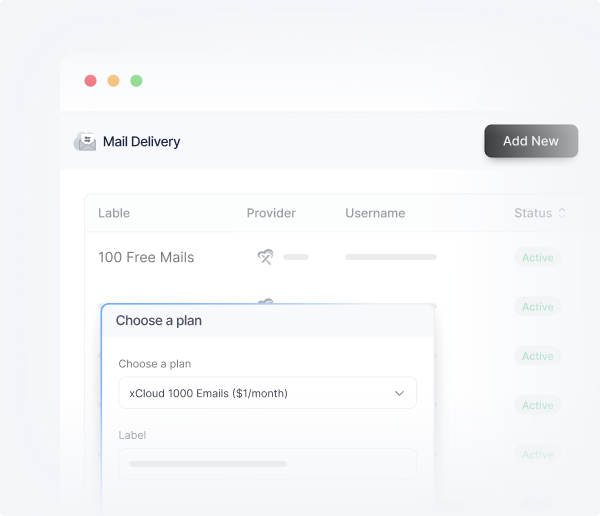
Next, a pop-up will appear. Enter the credentials ‘Email’ and ‘Password’ in the dedicated fields. Then choose a plan according to your needs. And finally, click on the ‘Pay’ button.

Step 4: Verify Mailbox

Once the purchase is done, your subscription plan for the xCloud Mailbox will be shown in the dashboard. Here you can see the ‘Pending Verification’ status.  Click on the ‘Verify Now’ button to start the DNS setup process.

You can do this in two ways. If you have already connected your domain with Cloudflare, the easiest method is to toggle the “Auto Manage DNS Records” switch. This will automatically add all the required DNS records like MX and SPF to your Cloudflare account and verify them. If you have enabled DKIM, the DKIM records will also be added and verified. This method is recommended because it saves time and reduces the chance of errors.

If you manage your domain’s DNS settings manually, you will need to copy the required records provided and paste them into your domain’s DNS panel, click on the ‘Verify Records’ button

Step 5: Launch Your Mailbox

After configuring everything, let’s go back to the Mailbox dashboard and click on the Access option to log in to your Mailbox dashboard.

Once logged in, you can check out the ‘Inbox’, ‘Draft’, and more from the dashboard. Even send the new message to your preferred email address as well.

Frequently Asked Questions

What is the xCloud Mailbox Addon?

The xCloud Mailbox Addon is a fully managed business email solution built into the xCloud hosting platform. It lets you create professional email addresses on your own domain with features like AI email replies, calendar, task management, cloud drive, document editing, and enterprise-grade security. It is now powered by OX Mail (Open-Xchange).

What AI features does the xCloud Mailbox include?

The xCloud Mailbox includes AI email suggestions that auto-generate replies and subject lines, email summarization for condensing long threads, smart classification that auto-sorts emails by type, smart tasks that let the AI assistant handle routine work, and text-to-speech for having emails read aloud. All AI features are available on the $8/month plan.

How is xCloud Mailbox different from Gmail or Outlook?

Unlike Gmail or Outlook, xCloud Mailbox combines your business email, hosting, and server management into one platform. AI features are included in the plan rather than sold as separate add-ons. Plans start at $1/month compared to $6-7/month for Google Workspace or Microsoft 365, and you get managed hosting integration with automatic DNS setup through Cloudflare.

Can I migrate my existing xCloud Mailbox to the new system?

Yes. If you are already using the xCloud Mailbox Addon, you can migrate seamlessly to the new OX Mail-powered system without losing any emails, contacts, or settings. xCloud provides a step-by-step migration guide to make the transition smooth.

Is the free plan available to everyone?

No. The free 100MB plan is available exclusively for xCloud Managed Server users. It is designed as a way to test the new mailbox features before upgrading to a paid plan. Paid plans starting at $1/month are available to all xCloud users.

Can I use xCloud Mailbox on my phone?

Yes. Every plan includes an installable app that works on any device. You can also configure the mailbox with any standard email client on iOS or Android using IMAP or POP. Sync clients for cloud drive are available on the $5 and $8 plans.

What happens to my existing $1 or $2.5 plan?

Existing users on the $1 and $2.5 plans automatically get access to all the new features available at their tier. No action is needed. The feature set for these plans has been significantly expanded with this upgrade.

Ready to upgrade your email experience? Head to xCloud and set up the new Mailbox Addon today. If you need help, check out the full setup guide or reach out to the xCloud support team.

Your Inbox Just Became Your Smartest Tool

Your email is where most of your workday starts and ends. It is where deals move forward, tasks get assigned, and decisions get made. But for too long, business email has been stuck in the past – forcing you to do all the sorting, replying, and organizing yourself.

That changes now. The new xCloud Mailbox brings AI-powered replies, thread summarization, smart classification, a built-in calendar, task management, cloud drive, and document editors into one place. No more juggling five different tools to get through your day. No more paying enterprise prices for features that should come standard.

Whether you are a freelancer sending your first professional email or a growing team managing hundreds of conversations a day, the new xCloud Mailbox is built to make your work easier, faster, and less repetitive.

Set up the new xCloud Mailbox today, and let your inbox start working for you.

Join The Waitlist

To Get Early Access to Lifetime Deals

LTD WaitList Access