

How to Access the xCloud API
Updated June 18, 2026 · 2 min read
The xCloud API gives you programmatic access to the xCloud Platform. Developers, e-commerce store owners, and development agencies can use it to integrate server operations, run application tasks, and automate the workflows behind their servers.
Instead of checking server stats or managing your VPS by hand, you can perform these tasks with a few simple commands, then build the dashboards, alerts, and integrations that fit how you already work.
Key benefits of using the xCloud API:
- Full Platform Access: Run the same server and site operations available on the dashboard.
- Seamless Integration: Connect xCloud to your existing tools and pipelines.
- Automation: Run restarts, deployments, and routine tasks without manual effort.
- Real-Time Insights: Monitor CPU, RAM, disk space, and network traffic on demand.
- Custom Dashboards: Build your own views on top of live server data.
- Scoped Permissions: Control access with read and write tokens for servers and sites.
- Bulk Management: Manage multiple servers and sites in one workflow.
Step 1: Navigate to API Settings
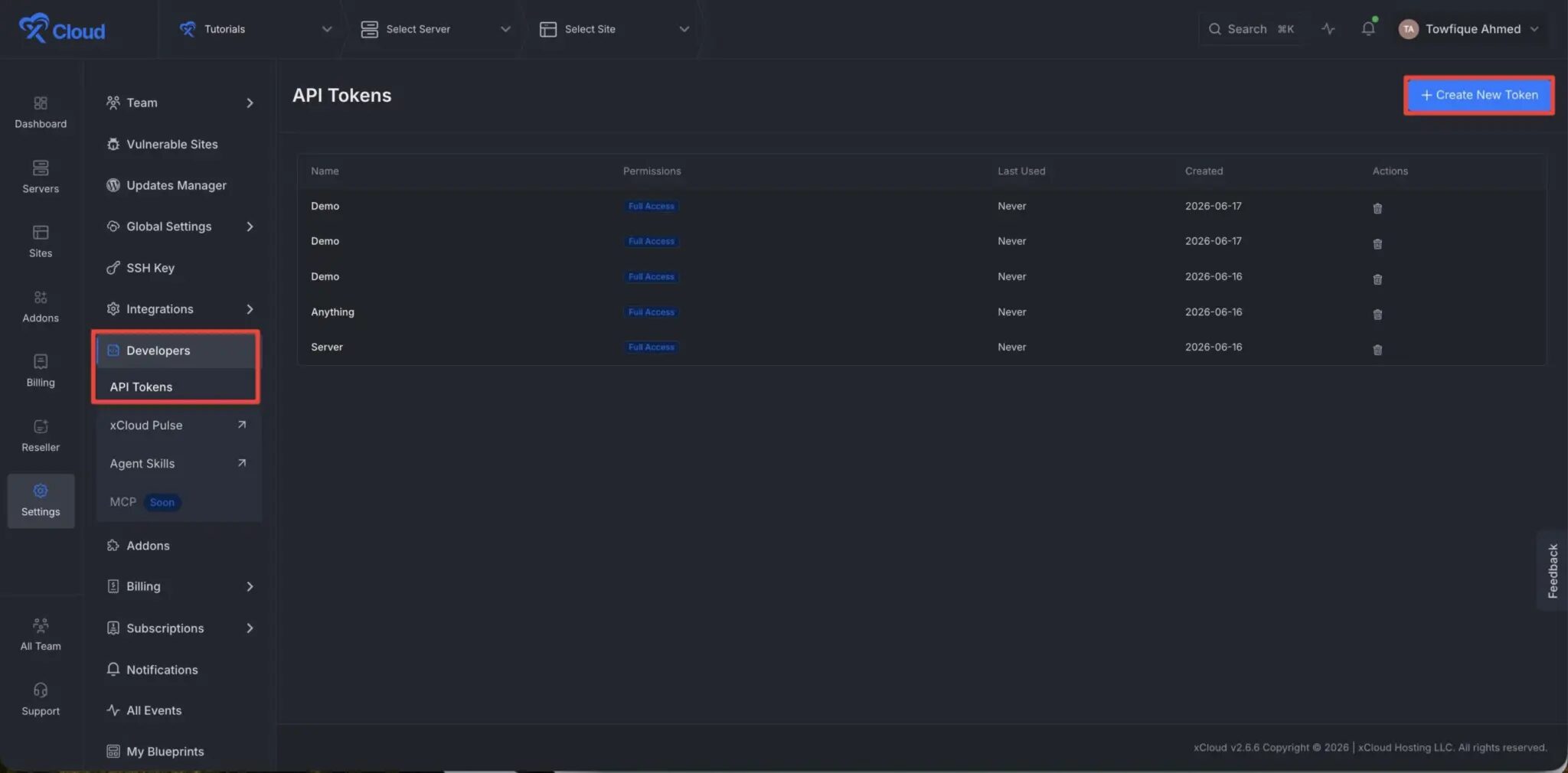
First, go to your xCloud dashboard. Navigate to the left-hand sidebar menu, select Settings, and then click on the ‘Developers’ option from the left side menu and click on the ‘API Tokens’ option. Within the API tokens interface, click the Create New Token button.
Step 2: Configure Token Name and Permissions
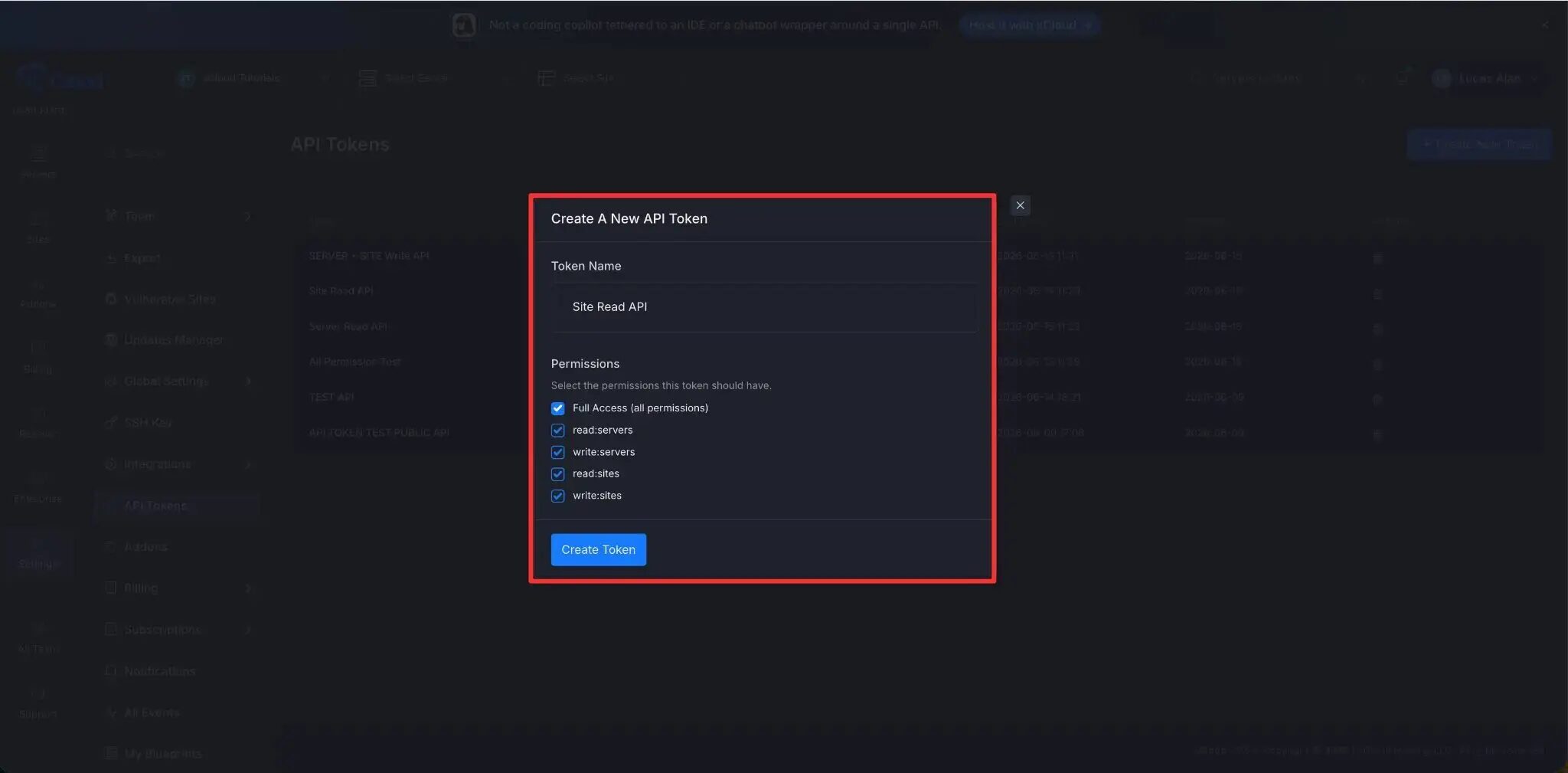
A pop-up will appear. Enter a descriptive name for your token and select the appropriate permissions:
- Full Access (all permissions)
- read:servers
- write:servers
- read:sites
- write:sites
Once configured, click Create Token.
Step 3: Copy and Store Your API Token
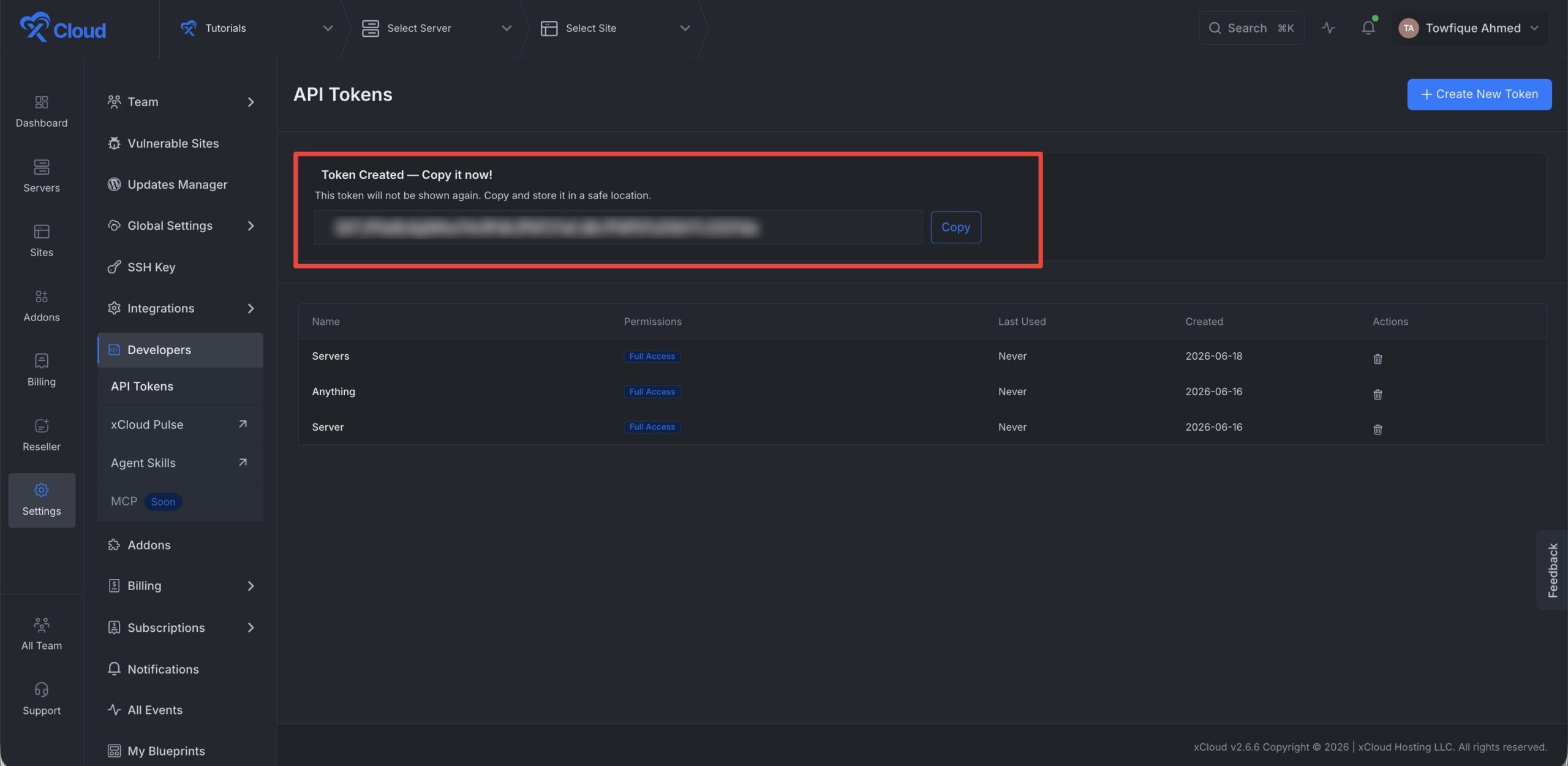
After creation, your token will be displayed. Copy and store it in a secure location immediately, as you will need it for future authentication.
Step 4: Deleting an API Token
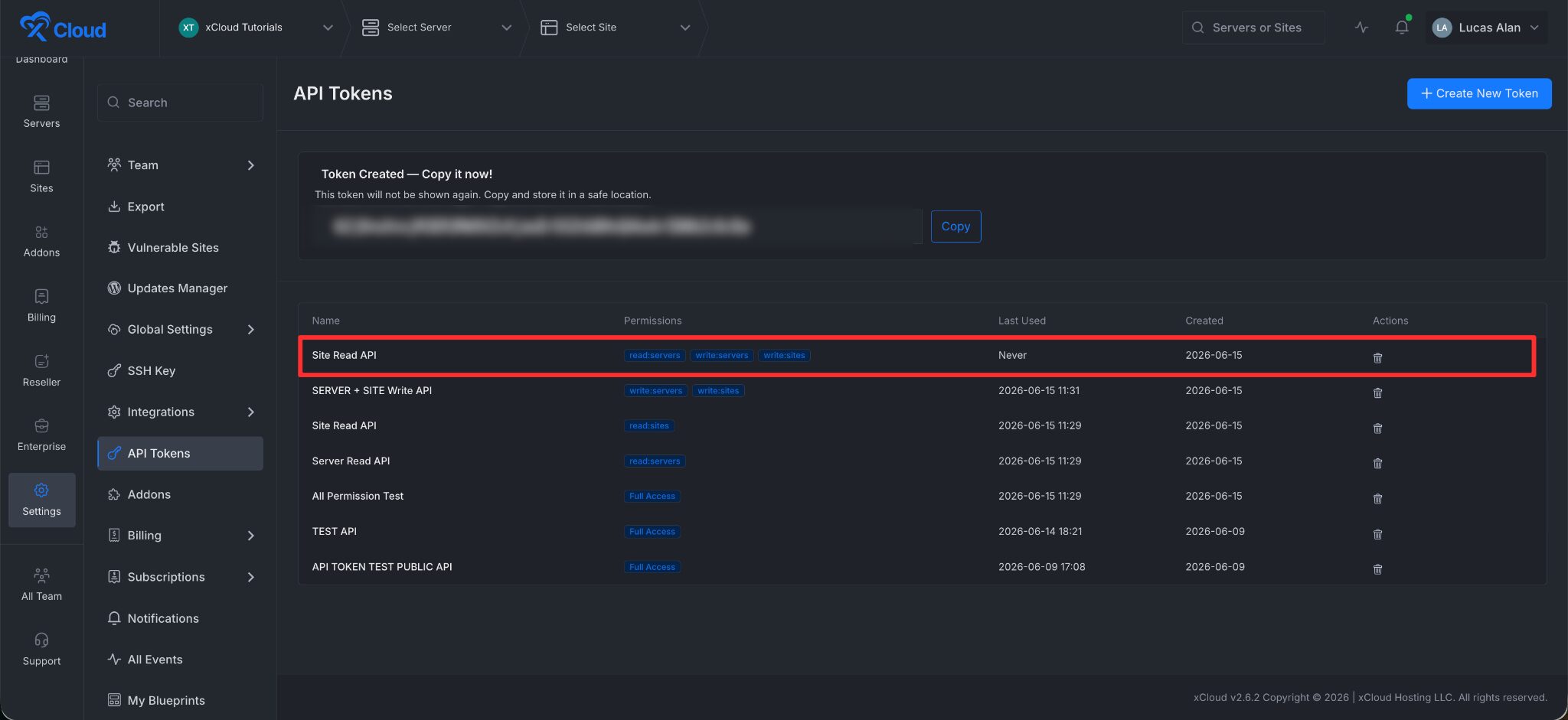
If you no longer require a specific token, locate it in the dashboard and click the Delete icon to remove it.
You now have everything you need to access the xCloud Public API. Create a token, set its permissions, and store it safely to start managing your servers programmatically.
📑 Explore the API Documentation
With your token ready, visit the API documentation to learn about the available endpoints and start building.
If you face any issues, please do not hesitate to contact our support team.