

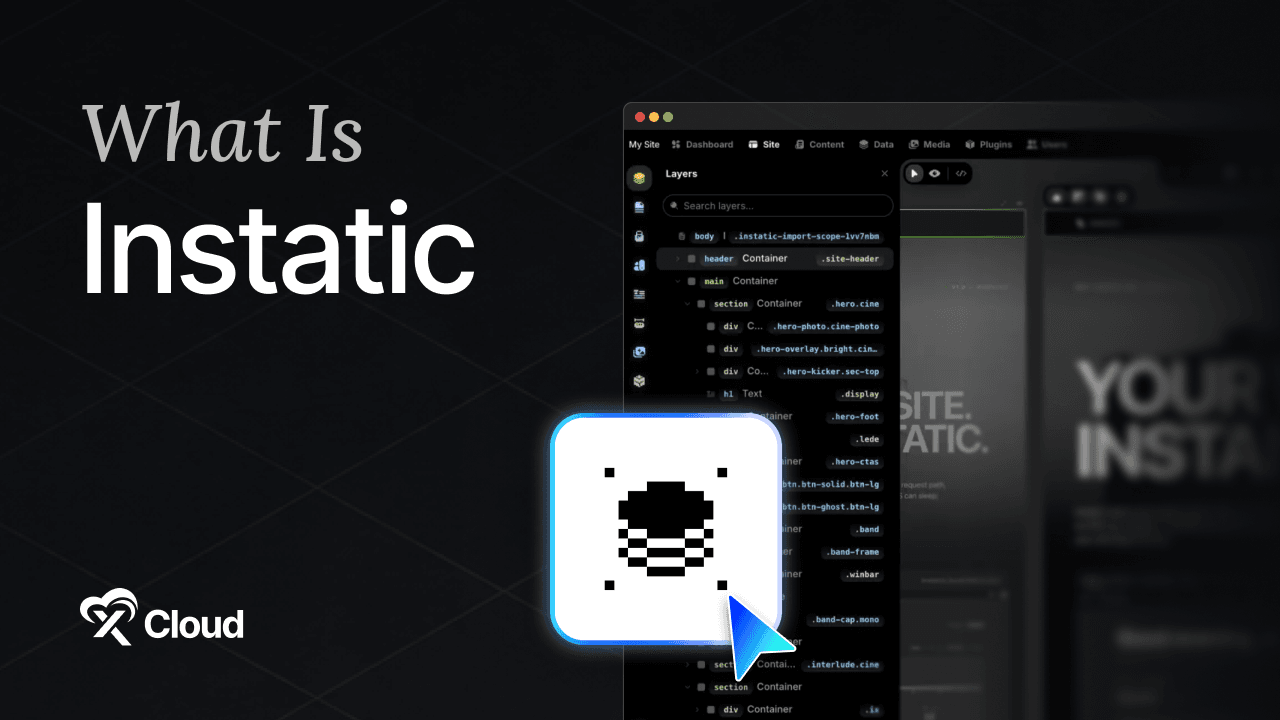
What is Instatic? Instatic is a free, open source visual CMS you run on your own server, and it combines a drag-and-drop canvas editor, a content database, and a static publisher in one application.
You want a site you can edit by dragging things around, without a monthly bill that grows every time you add a page and without a plugin ecosystem you have to police.
That combination has been oddly hard to find. Visual builders are hosted and rented. Self-hosted CMSs make you fight a theme system. Instatic is an attempt at both halves at once.
This guide answers what is Instatic in practical terms: the 7 features that matter, what it actually publishes, who it fits, and the maturity caveats worth knowing before you commit a project to it.
Table of Contents
- TL;DR: What Is Instatic in Six Lines
- What Is Instatic? A Plain Definition
- What Is Instatic? Specs at a Glance
- How the Publishing Model Works
- 7 Instatic Features That Matter
- What Is Instatic Used For? Who It Fits
- What Is Instatic Not Ready For?
- Instatic Server Requirements
- Where to Run Instatic
- Deploy Instatic in One Click
- Decide Whether Instatic Fits Your Next Project
- Frequently Asked Questions
TL;DR: What Is Instatic in Six Lines
Short on time? Here is the whole guide in a few lines:
- What is Instatic? A self-hosted visual CMS. You design pages on a canvas, manage content in a database, and publish static HTML from the same server.
- It is MIT licensed and free, with roughly 8,400 stars on GitHub and no paid tier or open-core split.
- The output is clean. Published pages are semantic HTML and compact CSS with no framework runtime and no editor machinery left behind.
- It runs on Bun, with SQLite by default or Postgres if you prefer, which keeps the dependency list unusually short.
- It is genuinely lightweight, with a committed minimum of 512 MB RAM, one CPU core, and 2 GB of disk.
- It is pre-1.0. Treat it as beta, and read the maturity section below before you put a client project on it.
What Is Instatic? A Plain Definition
Instatic is a content management system with a visual page editor built in, which you install on your own server, and which bakes finished pages to disk as static HTML when you hit publish.
Three things usually live in three separate tools: the design surface, the content store, and the thing that turns both into a website. Instatic puts all three in one server process.
You open a canvas, drag elements into place, adjust them per breakpoint, and connect them to content records. When you publish, the page becomes a static file rather than something assembled on every request.
That last detail is the whole design philosophy, and it is where the name comes from.
A few things worth knowing about the Instatic CMS
- It is written in TypeScript and runs on the Bun runtime rather than Node.
- The admin interface is React 19 with Vite, and the editor uses CodeMirror and dnd-kit.
- Storage is SQLite by default, with Postgres available for larger or multi-author setups.
- Development happens in the open on the Instatic GitHub repository under the MIT license.
What Is Instatic? Specs at a Glance
| Attribute | Detail |
|---|---|
| Type | Self-hosted visual CMS and static publisher |
| License | MIT, free and open source |
| Repository | corebunch/instatic, roughly 8,400 stars and 773 forks |
| Runtime | Bun |
| Language | TypeScript |
| Database | SQLite by default, Postgres optional |
| Admin stack | React 19, Vite, Zustand, CodeMirror, dnd-kit |
| Production port | 3001 |
| Output | Semantic HTML and compact CSS, no framework runtime |
| Maturity | Pre-1.0, treat as beta |
If you only remember one line: Instatic gives you Webflow-style editing on hardware you own, at the cost of running pre-1.0 software.
How the Publishing Model Works
This is the part that separates Instatic from most self-hosted CMSs, and it is worth understanding before you evaluate anything else.
Pages are baked, not assembled. When you publish, the page is written to disk as a static file. A visitor requesting it is served a file, not the output of a database query and a template render.
Dynamic routes use a versioned in-memory cache. Anything that genuinely needs to be dynamic is served from cache rather than recomputed per request.
The HTML is clean. The output is semantic HTML and compact CSS with no framework runtime attached, which is unusual for a visual builder. Most drag-and-drop tools leave a layer of editor scaffolding in the markup.
The practical consequences are the ones you feel. Pages load fast without a caching plugin, the markup is readable if you ever need to inspect or migrate it, and the server does almost nothing at request time.
7 Instatic Features That Matter
Feature lists blur together. If you are still asking what is Instatic actually good at, these seven answer it.
1. A visual canvas with real breakpoint frames
You lay pages out on a canvas and edit each breakpoint in its own frame rather than toggling a preview and hoping. Responsive work happens where you can see all of it.
2. The Core Framework for design tokens
Instatic ships a built-in system for design tokens: color scales, type systems, and spacing. Change a token and every element referencing it updates.
This is what stops a visual builder from turning into a pile of one-off inline styles by week three.
3. Reusable components with typed parameters
Build a card once, give it typed parameters, and reuse it with different content everywhere. Typed is the important word, because it means the component fails loudly rather than silently rendering nonsense.
4. A universal content model
Pages, posts, and custom collections all use the same model. There is a data workspace with custom post types and spreadsheet-style grids, which is a genuinely nice way to edit fifty records without clicking into fifty screens.
Templates and loops then render those records onto the canvas.
5. Editorial workflow that exists
Drafts, scheduling, and version history are built in, alongside a media manager with folder organization and usage tracking. Usage tracking matters more than it sounds, because it tells you which image is safe to delete.
6. Real access control
Role-based access control is built from 38 capabilities, with TOTP two-factor authentication, secrets encrypted at rest, account lockout with backoff, step-up prompts for sensitive operations, and an append-only audit log covering logins, content changes, role edits, and plugin lifecycle.
That is a more serious permission model than most projects at this stage bother with.
7. Sandboxed plugins
Plugins are zip packages with manifests. Backend code runs in a per-plugin QuickJS-WASM sandbox with no filesystem or network access unless you explicitly grant it, and editor code requires an explicit permission before installation.
Anyone who has cleaned up after a compromised plugin on another platform will recognize why this design choice matters.
The AI layer, briefly
There is an AI agent that edits pages as real, editable nodes rather than dumping a blob of generated markup. You bring your own provider credentials; nothing is prepaid or preconfigured.
What Is Instatic Used For? Who It Fits
The honest answer to what is Instatic for is narrower than the marketing suggests, and that is worth saying plainly.
| You are… | Good fit? | Why |
|---|---|---|
| A freelancer building marketing sites | ✅ Strong fit | Visual editing without a per-site subscription |
| A small studio with a few client sites | ✅ Strong fit | Unlimited sites on one server you control |
| A developer who wants clean HTML output | ✅ Strong fit | No framework runtime in the published markup |
| Someone prototyping a site design fast | ✅ Good fit | Canvas plus content model in one place |
| A team wanting an owned Webflow substitute | ✅ Good fit | Same editing model, your infrastructure |
| An enterprise with untrusted multi-tenant users | ❌ Wrong fit | Upstream advises against hostile multi-user setups |
| Someone who needs a mature plugin marketplace | ❌ Wrong expectation | The ecosystem is young |
| A store needing full ecommerce today | ❌ Wrong tool | Not what it is built for |
Rule of thumb: Instatic suits sites where you control who logs in and you value owning the output.

What Is Instatic Not Ready For?
This section exists because the project says it about itself, and pretending otherwise would waste your weekend.
It is pre-1.0. The version deployed by most one-click providers is in the 0.0.x range. Upstream does not recommend it for hostile multi-user environments without careful operator review.
The first-owner window is real. After installation, anyone who reaches the setup screen before you do can claim the owner account. Completing setup immediately is not a nice-to-have, it is the security model.
The encryption key is load-bearing. Lose or change INSTATIC_SECRET_KEY and saved provider credentials and TOTP MFA seeds become unreadable, which means re-entering and re-enrolling. Our Instatic backup guide covers protecting it properly.
Restore is not a solved problem yet. Restart and recreation persistence has been tested by hosting providers; a full backup export and restore cycle has not been certified. Test your own restore before you rely on it.
The ecosystem is young. There is no large plugin marketplace, no long tail of themes, and no commercial support SLA.
None of this makes it a bad choice. It makes it a choice you should make with your eyes open, on a project where a rollback is survivable.
Instatic Server Requirements
Once you know what is Instatic doing at request time, the modest hardware makes sense. It serves files and runs a small Bun process.
| Tier | RAM | CPU | Disk | Suits |
|---|---|---|---|---|
| Committed minimum | 512 MB | 1 core | 2 GB | A single small site |
| Comfortable | 4 to 6 GB | 2 to 4 cores | 50 GB or more | Real projects with media |
| Media heavy | 16 GB | 6 cores | 200 GB | Many uploads, concurrent editors |
That 512 MB minimum is genuinely unusual for a CMS with a visual editor, and it comes from the architecture: static output, SQLite, one process, no separate application server.
Two things drive you above the minimum in practice. Uploads grow steadily, and concurrent editors each hold a canvas session open.
If containers are new to you, note that the standard deployment is a Docker image listening on port 3001.
Where to Run Instatic
Instatic needs a real server rather than shared hosting, because it runs a persistent Bun process and needs writable volumes for the database and uploads. This comparison of shared, VPS, and cloud hosting covers the distinction.
Two things matter more than raw specs. The database and uploads must live on persistent volumes, or you lose the site on the next container recreate. And the app should sit behind a reverse proxy with HTTPS rather than being exposed directly.
Your options in short: a raw VPS you configure yourself, a PaaS with an Instatic template, or managed hosting where the volumes, proxy, and certificate are already wired. Our Instatic hosting comparison ranks the routes.
Deploy Instatic in One Click
The software is free. The work around it is predictable: provision a server, pull the pinned image, generate and safely store the secret key, mount two persistent volumes, configure a reverse proxy, issue and renew SSL, and keep the container off the public internet directly.
xCloud Instatic Hosting handles that layer. It deploys Instatic 0.0.18 pinned by digest, generates a stable INSTATIC_SECRET_KEY for you, and mounts both volumes: instatic_data for the SQLite database, configuration, users, pages, and auth state, and instatic_uploads for media.
The container port 3001 stays bound to localhost, with only the nginx reverse proxy publicly exposed, and HTTPS with a free SSL certificate is configured on your domain from the start.
| Plan | Price | Specs |
|---|---|---|
| Cloud VPS 6 GB | $24.99/month | 6 GB RAM, 4 vCPU, 100 GB NVMe SSD, 30 TB bandwidth |
| Cloud VPS 16 GB | $59.99/month | 16 GB RAM, 6 vCPU, 200 GB NVMe SSD, 30 TB bandwidth |
| Cloud VPS 24 GB | $84.99/month | 24 GB RAM, 8 vCPU, 300 GB NVMe SSD, 30 TB bandwidth |
All tiers carry unlimited sites, which is the point when you are building several. Already own a server? Bring your own starts free for one server and 10 sites, then $5 per server per month from two to five.
Getting started takes three steps:
- Sign up and pick Instatic from the OneClick catalog, then choose your domain.
- Let the deployment provision the image, key, volumes, and HTTPS.
- Open
/adminand complete first-owner setup with a 12-plus character password.
Do step three immediately. Until first-owner setup is complete, the account is unclaimed.
Ready to design on a server you own? Deploy Instatic on xCloud and publish your first page today.
Decide Whether Instatic Fits Your Next Project
The practical answer to what is Instatic worth doing for is this. It gives you visual editing, a real content model, and clean static output on infrastructure you control, under an MIT license with no tier to graduate into.
The cost is maturity. This is pre-1.0 software with a young ecosystem, an unclaimed-owner window on first boot, and a restore path you should test yourself rather than assume.
So pick a project where that trade is fine. A personal site, a landing page, a studio project with a client who will not mind an occasional rough edge.
This week, deploy it and build one page. Our Instatic tutorial walks from empty canvas to published page, and the hosting guide covers the setup path. If you are weighing it against what you use now, we compared it with Webflow, with WordPress, and against the wider field of open source website builders.
If you have found this blog helpful, feel free to subscribe to our blogs for valuable tutorials, guides, knowledge, and tips on web hosting and server management. You can also join our Facebook community to share insights and engage in discussions.
Frequently Asked Questions
What is Instatic used for?
Instatic is used to design, manage, and publish websites from one self-hosted application. You build pages on a visual canvas, store content in a built-in database, and publish static HTML that visitors can read without signing in.
Is Instatic free?
Yes. Instatic is MIT licensed with no paid tier, no open-core split, and no feature gates. You pay only for the server you run it on, plus any AI provider credentials you choose to add yourself.
What is Instatic built with?
Bun as the runtime and TypeScript throughout, with a React 19 admin interface. Storage is SQLite by default, with Postgres available. The production server listens on port 3001.
Is Instatic production-ready?
Treat it as beta. It is pre-1.0, and upstream does not recommend it for hostile multi-user environments without careful operator review. It suits personal sites, small studios, prototypes, and content platforms where you control who has an account.
What is Instatic compared to Webflow?
Both give you a visual canvas and responsive editing. Webflow is a hosted commercial product with site and workspace plans; Instatic is MIT licensed and runs on your own server, so there is no per-site fee and no bandwidth tier.
How much server does Instatic need?
The committed minimum is 512 MB RAM, one CPU core, and 2 GB of disk, which is low for a visual CMS because pages are baked to static files. Media uploads and concurrent editors are what push you higher in practice.
Does Instatic publish static files?
Yes. Published pages are baked to disk as static HTML with compact CSS and no framework runtime, while dynamic routes use a versioned in-memory cache. That is why the server does very little work per request.
What is Instatic’s biggest risk to plan around?
The INSTATIC_SECRET_KEY. If it is lost or changed, saved provider credentials and TOTP MFA seeds become unreadable and must be re-entered or re-enrolled. Back it up alongside your database and uploads, not separately from them.
Last updated September 10, 2026
← All articles