
Free WordPress migration
Free WordPress Migration to xCloud
Move one WordPress site, or every site on a server, to xCloud at no cost and from any host. Do it yourself from the dashboard in one run, or hand it to the xCloud team. Your current host keeps serving traffic, nothing on it is modified, and you test on a demo domain before a single DNS record changes.
- Unlimited sites, self-service or done by our team, both free
- Same URLs, same content, no downtime until you choose to switch
- Test on a demo domain first, go live when it checks out
Two ways to migrate
Do It Yourself, or Let Us Do It
Both are included with every xCloud account. Pick whichever fits the day you are having.
Self-service from the dashboard
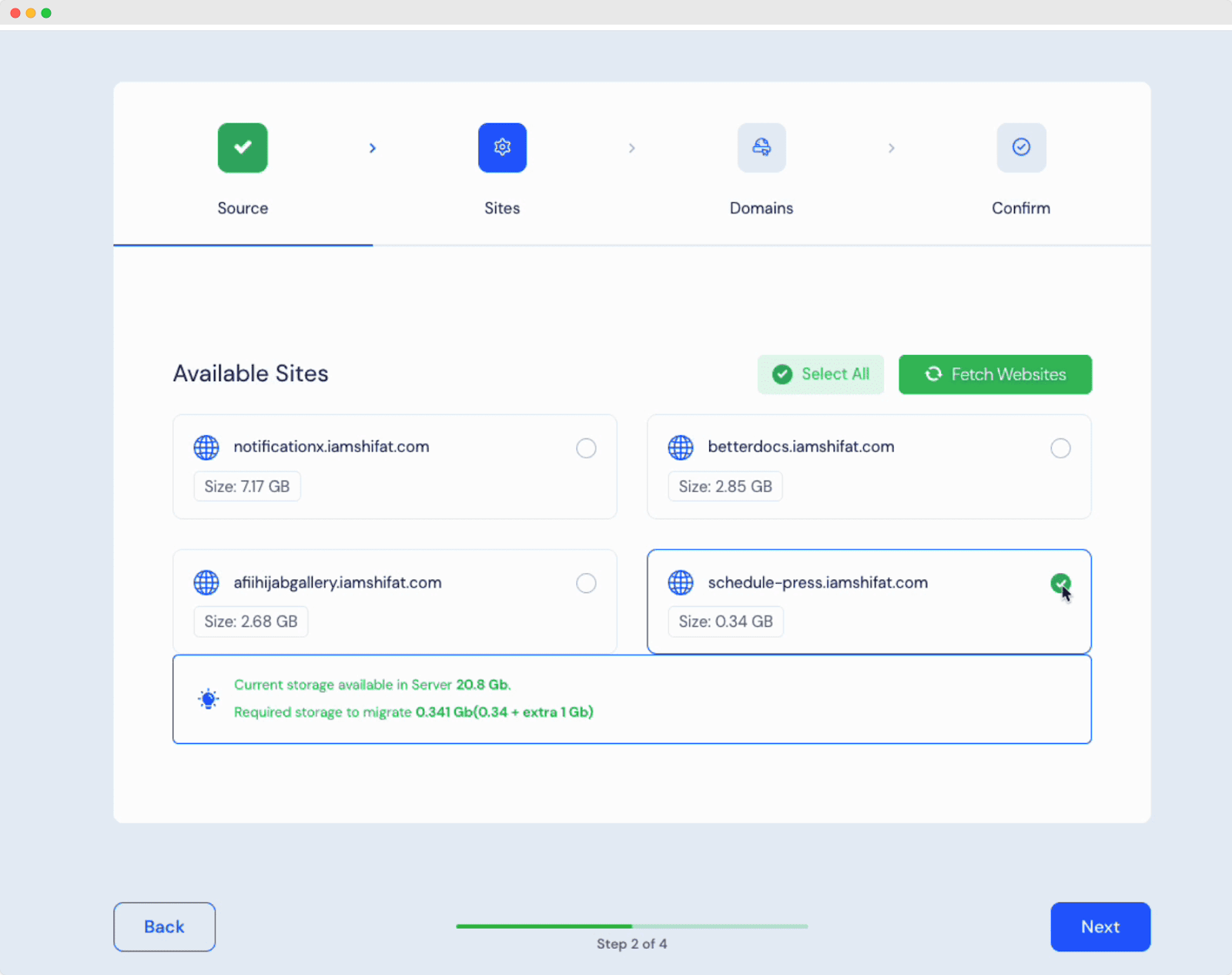
Connect the source over SSH, tick the WordPress sites you want, choose Demo Site or Go Live, and xCloud copies files and databases in one run. One site or sixty, no plugin, no manual exports.
- Full server in one run from any host with root SSH, or from Cloudways with Master Credentials
- Site by site when there is no root access
- Between two xCloud servers with just a sudo user
Done for you by the xCloud team
Open a migration request from the support portal, share access to the source, and our engineers move the sites, verify them on a demo domain with you, and hand over before the cutover. Free, like the rest.
- Any source: shared hosting, cPanel, a panel, another cloud
- Verification on a demo domain before DNS changes
- You keep the source until you have signed off
Supported sources
Coming From Somewhere? There Is a Guide
Every WordPress host works with the site-by-site method. These have a dedicated path, and most have a comparison page too.
 CloudwaysFull server, or one siteCompare
 RunCloudFull server, NGINX or OLSCompare
 SpinupWPFull server with root SSHCompare
- PloiFull server with root SSH
 ServerAvatarFull server with root SSHCompare
- FlashPanelFull server with root SSH
- cPanel hostsBulk import from any cPanel
 HostingerSite by site, no SSH
 KinstaSite by site, no SSHCompare
 WP EngineSite by site, no SSHCompare
 Rocket.netSite by site, no SSHCompare
 SiteGroundSite by siteCompare
 GridPaneFull server with root SSHCompare
 RailwayApps via Git or DockerCompare
 RenderApps via Git or DockerCompare
- EasyPanelWorkload by workload
- Another xCloud serverBetween your own servers
Not listed? The site-by-site method works from any host. See every comparison.
How it runs
Copy First, Cut Over When It Checks Out
The same four moves whether you click through them or our team does.
Connect the source
Point xCloud at the source server (root SSH, or Cloudways Master Credentials) and it discovers the WordPress sites. Site by site, xCloud connects to the one site instead.
Copy sites and databases
Files are synced and each database is dumped and imported on the destination, with URLs updated where the address changes. The source keeps serving traffic throughout.
Test on a demo domain
Choose Demo Site and every site lands on an xCloud demo URL. Check pages, admin, forms, checkout, email and plugins with the production domain still on the old host.
Go live
Point DNS at xCloud, and SSL is issued automatically once the record resolves. Keep the old host untouched until you are sure, then switch it off.
What you gain
Why People Move to xCloud
A migration is the moment to stop paying for someone else's margin on a server you could own.
Your server, your rules
Root access on a VPS you choose (DigitalOcean, Vultr, Hetzner, AWS, or any provider), or a managed xCloud server if you would rather not.
Flat price, unlimited sites
One price per server, as many sites as it can hold. No per-site fees, no per-visit fees, no migration fee.
Bulk migration built in
Move a whole server's worth of WordPress sites in one run. It is a dashboard feature, not a paid service.
Faster out of the box
OpenLiteSpeed, xSpeed edge cache, Redis and OPcache are set up on every server, so most sites get quicker just by moving.
Security handled
Free SSL, firewall, Fail2Ban, vulnerability scans and automatic updates, managed for you.
Staging and backups
One-click staging, incremental site backups and full server backups you can restore or download.
What moves
Everything That Makes the Site, Nothing You Did Not Ask For
Comes with the migration
- WordPress core, themes and plugins, exactly as installed
- The full database: posts, pages, users, orders, settings
- Media library and uploads
- Site URL and permalinks, with a search-and-replace when the address changes
- Every site you tick, in one run
Stays where it is, on purpose
- Email mailboxes stay with your current mail provider, or move to the xCloud MailBox add-on. Guide
- Your domain stays at your registrar; only its DNS record points at xCloud. Guide
- Non-WordPress apps on the same server move with their own guide. Guide
- Host-specific must-use plugins and caching layers are left behind; xCloud has its own. Guide
Downtime and SEO
Your Old Host Keeps Serving Until You Say Otherwise
A migration to xCloud is a copy, not a move. That is what makes it safe for traffic and for rankings.
No downtime during the copy
The source keeps serving visitors while xCloud syncs files and databases. Downtime, if any, is the DNS switch you schedule, and even that is seconds for most sites.
Same URLs, same rankings
Content, permalinks and internal links are unchanged. Where the address differs, xCloud runs a search-and-replace so nothing points back at the old host.
SSL issued on arrival
When DNS resolves to xCloud, a free certificate is issued automatically, so there is no window of insecure pages.
Rollback is just DNS
Because the source is untouched, going back is pointing the record at the old host again. Keep it running until you are certain.
Migration checklist
Before you start
- Take a fresh backup on the current host and note its restore path
- List plugins, cron jobs, email services and integrations that need settings on the new host
- Clear caches and pause security plugins that block remote reads
- Lower the domain's DNS TTL a day ahead so the cutover propagates fast
- For shops and membership sites, plan a short write freeze around the switch
After the copy
- Browse the demo site as a visitor and as an admin: pages, media, forms, checkout
- Point DNS at xCloud and confirm the certificate is issued
- Re-enter API keys and mail settings that live outside the database
- Watch logs, forms and orders for a day, then switch the old host off
Which method do I need?
| You are moving | Use |
|---|---|
| Every WordPress site on a server, and you have root SSH | Full server migration |
| Every WordPress site on a Cloudways Flexible server | Cloudways full server migration (Master Credentials) |
| Every WordPress site from one xCloud server to another | Between xCloud servers (sudo user) |
| One site, or a host with no root access | Site-by-site migration |
| Sites on a cPanel host | cPanel migration |
| An app from Railway or Render | Git or Docker Compose deployment |
| You would rather not touch any of it | Request a team migration |
Before you move
Check what a migration would change
Run the free website migration analysis on your current site to see the DNS, SSL, performance and plugin details that matter before a move.
Hear what people are saying about us
See why agencies, developers, startups, and growing businesses choose xCloud to power their projects.
xCloud works really well, I am surprised by its performance being this the release version, I have tried many paid platforms such as runcloud, cloudpages or serveravatar, as well as free platforms such as CyberPanel, CloudPanel or Hestia Control Panel and direct competitors such as SpinupWP and FlyWP. Of all those that I have tried, the platform that works best for WordPress is SpinupWP and I believe that xCloud can reach and surpass that development, its roadmap is promising. Congratulations to the xCloud team, I hope they become the leading platform in the segment, it has all the potential to achieve it!
 Brian Geovanny
I've been with runcloud for the last 3 years. However, after trying xcloud for the last month, I'm switching over. They are on a roll with their setup.
 Kevin Pineda
I'm moving my servers to xCloud, a cloud control panel by M Asif Rahman and the WPDeveloper team. Their roadmap looks interesting and no, there are no team mates nor API limits with xCloud! #xCloud #wordpress #hosting
 Leo Koo
How Cloud Nine Web Elevated Client Experience While Streamlining Hosting Operations using xCloud
 Ed Ellingham
xCloud is like having an expert server team on call — without the big agency costs. It's given me back my time and given my clients peace of mind. Highly recommended for freelancers and small teams who want reliable performance and security.
 Dumitru Butucel
xCloud isn't just a solution. It's like one of that friend who got your back when you screw things up pretty bad.
 Waqar Ahmed
Trust me when I say, once people explore the potential of xCloud they gonna switch from other panels, just keep delivering the best tech, lots of love for the team 😍😍
 Rahul Singh
So far my experience has been smooth like silk. I didn't imagine that configuring and managing a VPS would be so easy. As of today, I have deployed 8 sites. The support is good, and they treat users with respect, even if they ask stupid questions (myself included). For the future, I hope for greater flexibility in scheduled backups and more comprehensive and consistent documentation. I'm sure that within a few months, xCloud will become the leader in its segment. This community is amazing, and the Staff here is super helpful.
 Massimo Villa
Came from cloudways then to runcloud then to xcloud. Looks like I'm staying here.
 Gerson El
I've recently taken all of my Vultr-hosted sites and gotten rid of cPanel for them to substitute it with xCloud. I have to say, I'm really impressed with xCloud so far! The interface is definitely the standout feature for me.
 Tony Lewis
I came from Cloudways and won't go back. Highly impressed with xCloud. Glad I gave them a chance.
 Jared McDowell
I like xCloud better than RunCloud, but one thing I'll point out is that some years ago RunCloud was hungry for business, the support was outstanding, and the community was active and helped each other. Maybe it was sold, there was a change in management, or they stopped being hungry, but the quality of the RunCloud offering declined and it hasn't been moving forward quickly. My point is that currently the xCloud team has the edge and it is theirs to keep or lose
 David McCan
How Kevin Heinrichs Cut Hosting Costs by 84% While Running WooCommerce & Node.js Sites Efficiently
 Kevin Heinrichs
I had 150 sites on cloudways and am in the process of moving them to xcloud. Much faster and better priced.
 Dan Spinoza
Dear xCloud Team, I have been using xCloud for some time now and am genuinely impressed with its capabilities and the flexibility it offers by allowing users to bring their own VPS for management. It's a fantastic service, and my experience so far has been very positive. Successful migrated 5 sites on a single server. Xcloud migration tool worked great. There were few hiccups with security plugin like MalCare but disabling the plugin prior to migration worked just fine.
 Rahil Maknojia
Came from runcloud. Tried xcloud and never came back.
 Karl Fanega
How Advanced Web Strategies Saved Over $2,000 & Recovered 56 Hours per Month Managing 70+ Client Websites
 Gary Moody
xCloud gave me what no other hosting platform could: the flexibility of a VPS with the convenience of managed WordPress. As a solo founder running an entire business on one server, that combination is an important unfair advantage.
 Jorge de los Reyes Martínez
I use Server Avatar and xCloud and I'll sooner use xCloud than Server Avatar personally.
 Jay Pagano
How Newman Web Solutions Ensured Perfect Uptime and Seamless Scaling For 120+ WordPress Sites with xCloud
 Lori Newman
I too have moved over to xCloud. It's pretty sweet. One click n8n and uptime Kuma apps
 John Aperture
I went from Cloudways to xCloud. No intention on switching in the foreseeable future.
 Blaine Moore
Common Questions Before You Move
Everything people ask before they start a migration.
Is WordPress migration to xCloud really free?
Yes. Migrating yourself from the dashboard costs nothing, and asking the xCloud team to migrate for you costs nothing either. Both are included with every xCloud account, on managed and self-managed servers alike, with no limit on the number of sites.
Will my website be reachable during the migration?
Yes. The copy runs while your current host keeps serving traffic, and nothing on the source is modified. The only change visitors could notice is the DNS switch, which you schedule and which takes seconds for most sites.
How long does a WordPress migration take?
The copy itself depends on the size of the files and databases and shows live progress in the dashboard; a typical site is minutes, a large server longer. A team-handled migration is scheduled with you after you open the request, and you set the cutover time.
Can I keep editing my site while it is being migrated?
You can, but anything written after the copy is not on the new server. For a blog that is fine; for a shop or a membership site, plan a short write freeze around the final copy and the DNS switch so no order lands only on the old host.
What access do you need to migrate my site?
For a full server: root SSH to the source, or Cloudways Master Credentials. For a single site: WordPress admin or SFTP access. For a team-handled migration, share access through the support portal, never in an email or chat; access is revoked once the migration is verified.
Are my credentials and data safe?
Migrations run over SSH using a key you add to the source, or credentials you share only in the support portal. The source is read, never modified, and you can remove the key the moment the copy is done. Every xCloud server ships with a firewall, Fail2Ban and free SSL.
Will the migration affect my SEO?
No. Your URLs, permalinks and content stay the same, and where the address changes xCloud runs a search-and-replace so internal links and media do not point at the old host. Redirects you had in WordPress come across with the site. Free SSL is issued on arrival, so there is no insecure window.
What about my emails and my domain?
Email is not part of a WordPress migration: mailboxes stay with your current mail provider, or you can move them to the xCloud MailBox add-on. Your domain stays at its registrar; you only point its DNS record at the xCloud server when you are ready.
How many WordPress sites can I move?
As many as you like. Full server migration moves every WordPress site on a source server in one run, and you can repeat it for the next server. There is no per-site fee and no cap.
Which hosts can you migrate from?
Any WordPress host with the site-by-site method. Full server migration supports NGINX and OpenLiteSpeed sources on Ubuntu 20.04, 22.04, 24.04 or 26.04, including RunCloud, SpinupWP, Ploi and GridPane servers, plus a Cloudways-specific flow and a cPanel import. Applications on Railway or Render move through Git or Docker Compose.
Do I need root access to my current server?
Only for the full server migration from a generic host. Cloudways works with Master Credentials instead of root, moving between two xCloud servers needs only a sudo user, and the site-by-site method needs no server access at all.
How do I request a migration from the xCloud team?
Create a free account, open a migration request from the support portal inside your dashboard, share access to the source, and the team migrates, verifies on a demo domain with you, and hands over before you change DNS.

Ready to Move to xCloud?
Create a free account, migrate one site or a whole server, and keep your old host running until you are sure.