
The File Manager now works when your site doesn't
Free and paid plans
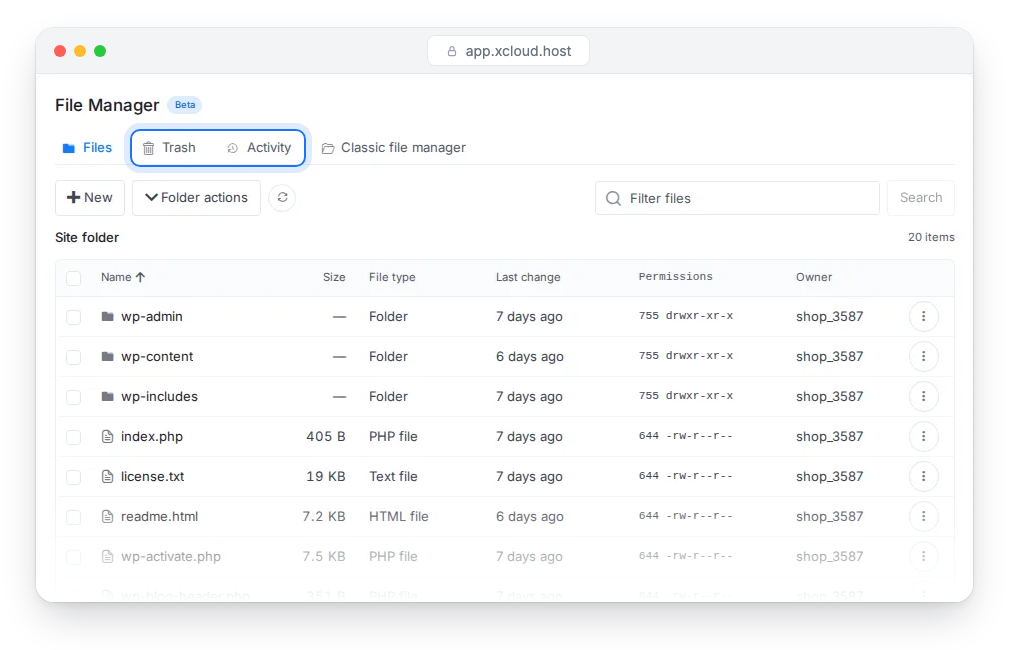
Before, the file manager (Tiny File Manager) ran inside your site. When the site broke, from a PHP fatal error, an SSL problem or a firewall rule, it broke with it, right when you needed it. The new File Manager is built from scratch and runs outside your site, so it keeps working when the site doesn’t.
Who it’s for: anyone who needs to fix or change a site’s files without SSH or SFTP.
- Open your site and go to Access Data → File Manager.
- Edit and upload files (drag and drop works), create folders, zip and unzip, and change permissions.
- Anything you delete goes to the Trash for 30 days, so you can put it back.
- The Activity tab shows who changed what, and when.
- It works for WordPress, PHP, Node.js, Docker and One Click App sites, and it only reaches that one site’s folder.
- The new File Manager is in beta. The Classic file manager tab is still there if you need it.