
SECURITY
Security at Every Layer, on Your Server or Ours
Firewalls and attack filters at the door, locked-down servers, WordPress vulnerabilities fixed before they're exploited, and a team that protects and patches every connected server when a new vulnerability is disclosed.
Start free- Free plan
- Your cloud or ours
- Patched for you
- Free SSL

THE SECURITY STACK
What Protects Every Server and Site
Each card says whether it comes with every plan, needs a paid plan or is an add-on.
Add-on
Site Security PRO by Patchstack
Virtual patching for WordPress plugins, themes and core, real-time vulnerability alerts and early warning of new vulnerabilities.
Paid plans
WordPress vulnerability scanner
A daily check of core, plugin and theme versions against known vulnerabilities, with one-click updates for vulnerable plugins.
Every plan
Automatic security updates
Ubuntu's security patches install on their own, with an optional reboot window. PHP, database and Redis patches can be included.
Every plan
Built-in firewall (7G/8G)
The built-in firewall blocks SQL injection, script injection and bad bots at the web server, before WordPress or PHP starts. One switch per site.
Every plan
Firewall management
Allow or deny traffic by port and IP address with firewall rules from the dashboard, and ban an IP address in one step.
Every plan
Security headers
Every site sends a basic set. Add HSTS, CSP and more on WordPress sites with presets in Site Rules, a PRO feature.
Every plan
Login protection
Limits failed logins, bans repeat offenders at the server firewall and adds two-factor sign-in and bot checks to WordPress, with one switch.
Add-on
Cloudflare Enterprise
Enterprise WAF and DDoS protection at 330+ locations, switched on from your dashboard. $5 per domain per month.
HOW WE RESPOND
What Happens on Day Zero
Usually the same four steps, run from the platform across every connected server instead of one SSH session at a time.
Assess the same day
We read the advisory and early reports, and check which servers and versions are in scope.
Protect before the official fix
If no official fix exists yet, a temporary fix goes out to every connected server: a firewall rule, switching off part of Linux or a PHP setting.
Patch when the official fix is out
We install the official fix automatically and restart services, so the fixed version is the one running.
Verify, then tell you
We check the real state of each server, not just that a script ran, and tell each team what we did. For automatic rollouts like PHP2Shell, servers that were offline are retried daily.
THE RECORD
Latest From the Security Response Record
The newest responses, with dates. Every one is on the full record.
- Linux kernel TCP vulnerabilityProtected 11 days before Ubuntu's official fix
- MariaDB security updatePatched in stages, with 72 hours' notice
- PHP session upload progressZero-dayProtected 2 days before it was disclosed
- PHP2ShellZero-dayTemporary fix 8 hours before PHP's official fix, patched the same day
ON YOUR OWN OR WITH XCLOUD
Your Own Server, With and Without xCloud
The same jobs, done by you or done for you.
Scroll the table sideways to compare.
| On your own | With xCloud |
|---|---|
| You follow the news and patch each server. | Protected and patched for you on every connected server. |
| You find out about a vulnerable plugin when a site is hacked. | Flagged in Security Center, fixed in one click. |
| Install and tune a plugin against repeated login attempts. | Blocked at the server and the site. |
| Hope your backup works when something goes wrong. | Backups in two places, one-click restore. |
SECURITY CENTER
Every Open Vulnerability, Worst First
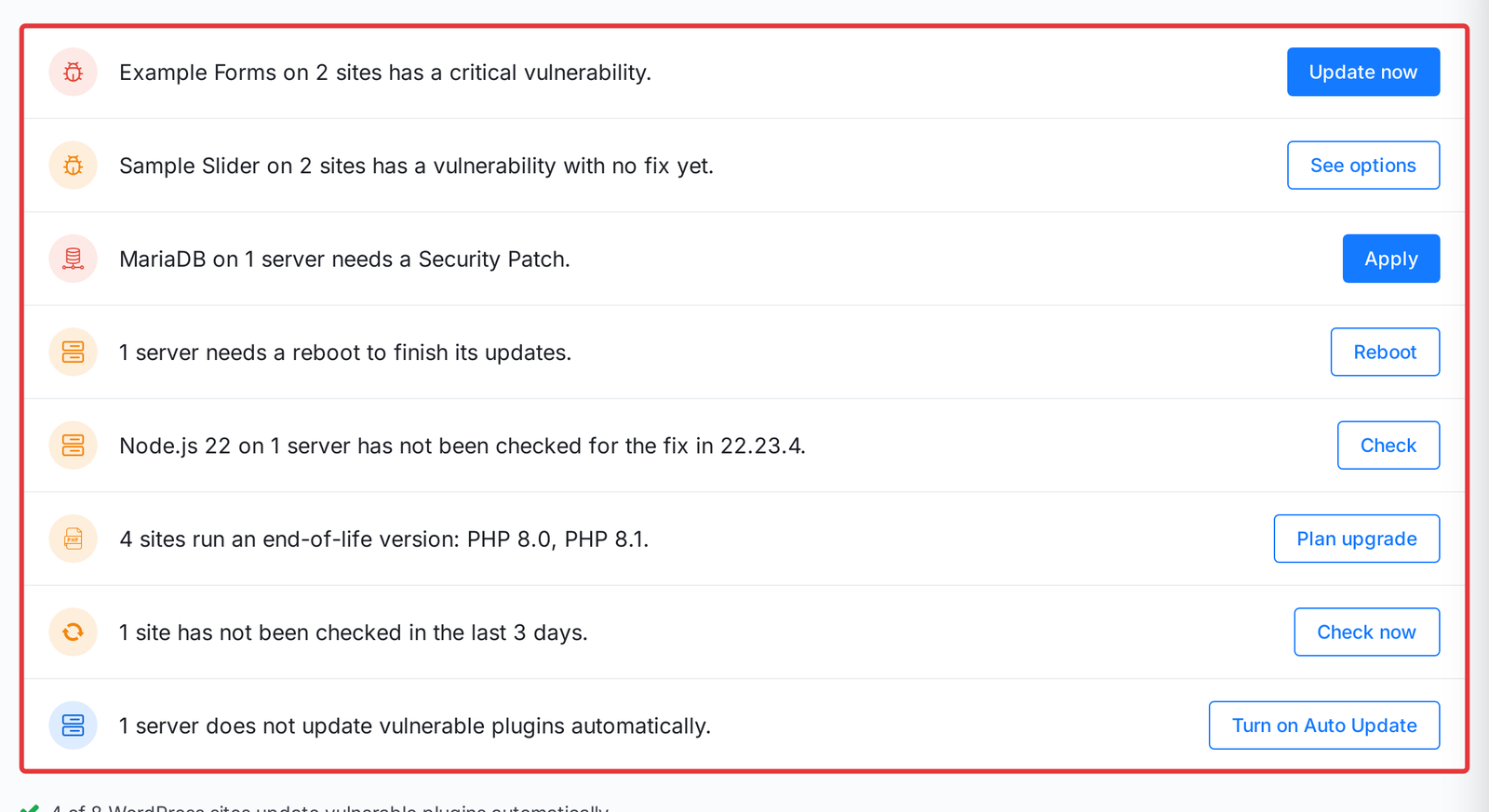
One page for your whole team, so nothing waits in someone's inbox. Available on paid plans.
Everything in one list
Every known vulnerability, waiting server patch and outdated version across your team.
Worst first
The most urgent lines come first, so you start with what matters.
Being exploited
A red label marks a vulnerability that attackers are already using.
One button per line
Each line opens the page where you fix it.
Security FAQs
What is included, what is an add-on and what we do when a new vulnerability is disclosed.
What security is included on every xCloud plan?
Every server gets a firewall, protection against repeated logins, key-only SSH and automatic security updates. Every site gets free SSL and the built-in web firewall. Paid plans add a daily vulnerability scan of every WordPress site.
Do you patch servers I rent from my own provider?
Yes, if the server is connected to xCloud. Our temporary fixes and patches for Copy Fail, Dirty Frag and PHP2Shell reached Self-managed servers as well as xCloud Managed ones, with no action needed. A temporary fix is also called a mitigation.
What is Site Security PRO and do I need it?
It adds Patchstack virtual patching, which blocks attacks on known plugin and theme vulnerabilities before you update. It is an add-on per site. Most sites with many plugins benefit from it.
What if my WordPress site is hacked?
Start with the steps in our guide: it covers how to find out what happened, clean the site and close the way in.
Do I still need a security plugin?
For most sites, no. The built-in firewall, login protection and vulnerability scanner cover the common needs. Site Security PRO adds virtual patching.
How fast do you respond to a new vulnerability?
Every response is dated in our security response record. During PHP2Shell, the temporary fix reached connected servers 8 hours before PHP's official fix.
Host With Security Built In
Start on the free plan, or bring the servers you already have and connect them as Self-managed.