


Community Showcase

Made By Our Community, Powered By xCloud

Agency dashboards, Magic Login apps, browser extensions and AI agent workflows the xCloud community built on the xCloud API, MCP and Docker hosting. Real projects, shared by the people who made them.

projects
15+
open source
5+

Collected from the xCloud Self Hosting Community, October 2026.

All Builds

Tools The Community Built On xCloud

Filter by what they do, or search by name. Open any build to see screenshots, what it is built on and where to find it.

Site Care Dashboards

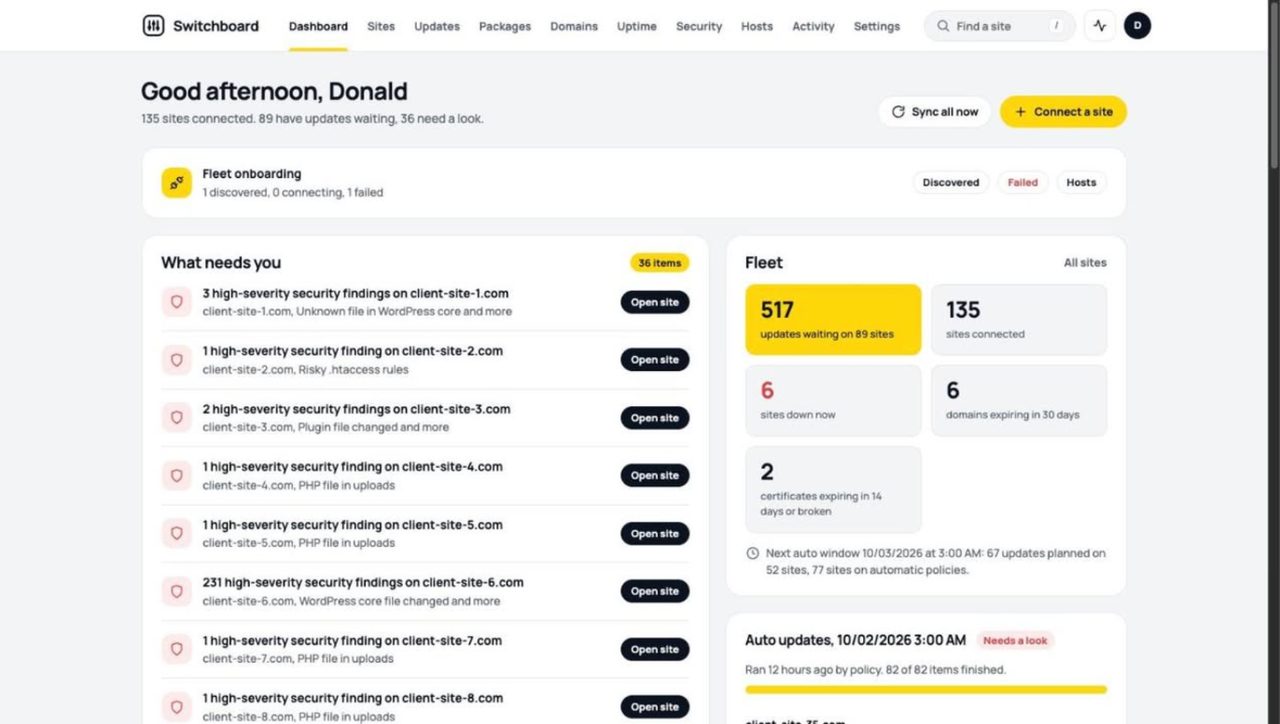
Switchboard by Donald McGuinn, open details

A ManageWP and BlogVault replacement Donald built for his agency. It tracks updates, uptime, security findings, domains and SSL across 135+ client sites, with malware removal and an Umami analytics integration.

Donald McGuinnOctober 3, 2026 · 3 projects
Site Care Dashboards

Site Care Portal by Tobi Salami, open details

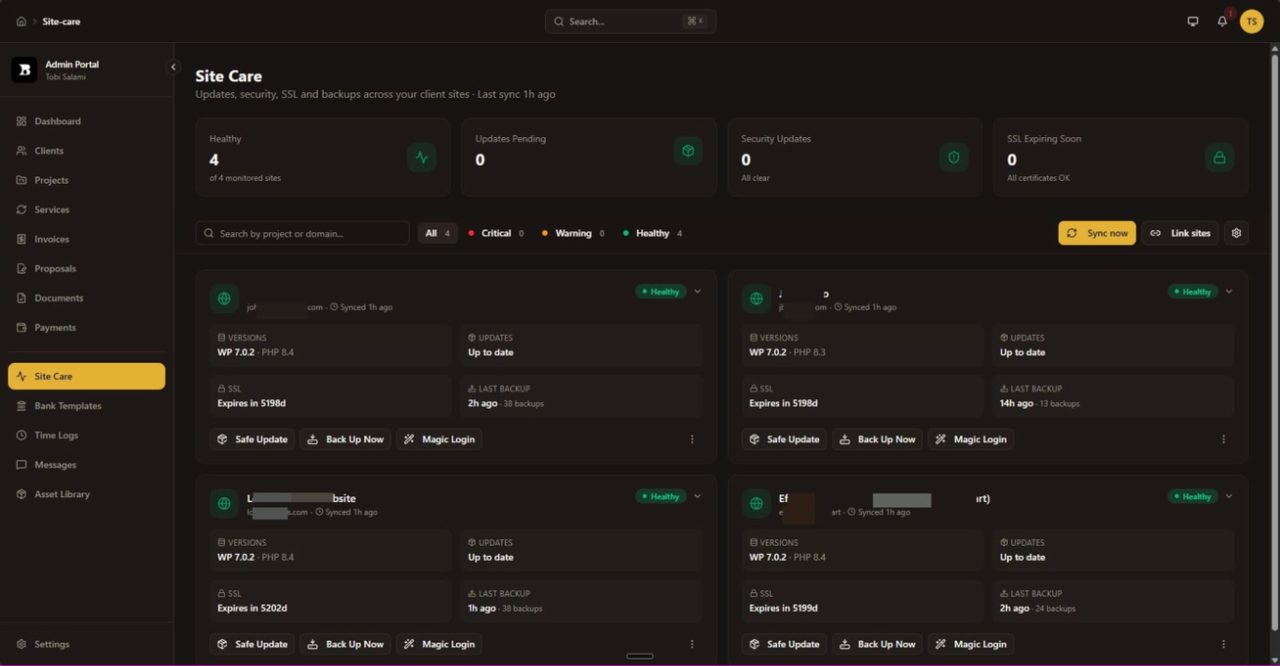
A Site Care module inside Tobi’s own client management system. Clients see whether their sites are up to date, and he runs safe updates, backups and Magic Login for every xCloud site without installing a plugin on any of them.

Tobi SalamiJuly 28, 2026
Site Care Dashboards

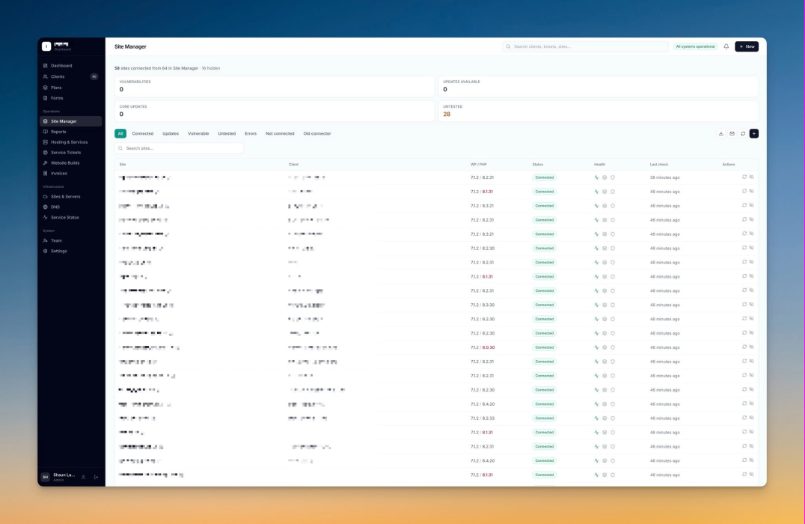
Agency Site Manager by Shaun Lawrence, open details

Part of the agency dashboard Shaun has built over six months. A connector plugin per site reports vulnerabilities from Wordfence and WP Vulnerability, sends a digest email every 12 hours and runs remote updates, while the xCloud API pulls in server and site data.

Shaun LawrenceSeptember 26, 2026
Open source
github.com/kevinheinrichs/FlyMagic
FlyMagic
Chrome MV3Magic LoginOpen source
Magic Login

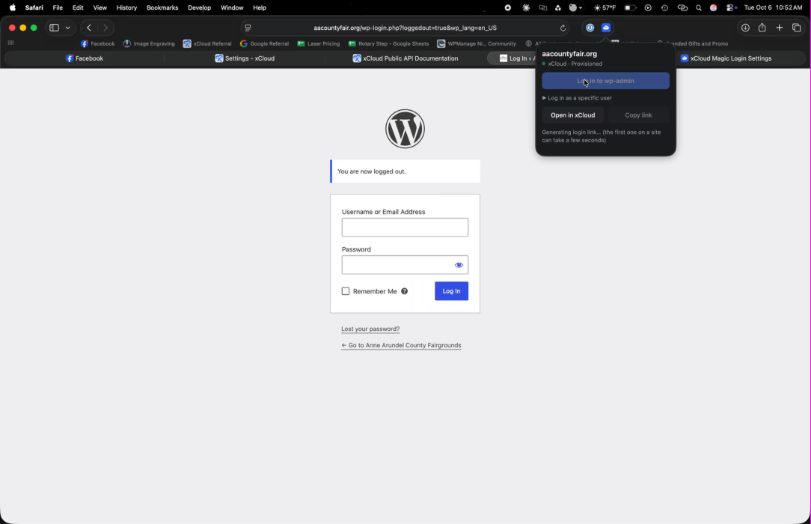
FlyMagic by Kevin Heinrichs, open details

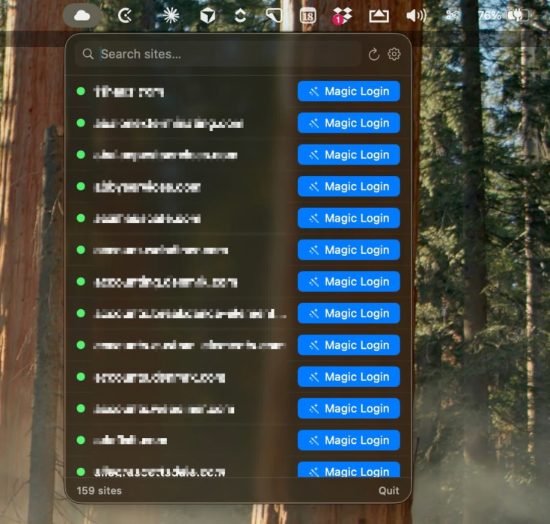
A free Chrome extension that puts every xCloud-hosted WordPress site in the toolbar, with search and real site titles. One click opens wp-admin through Magic Login, and the API key stays in the browser.

Kevin HeinrichsJune 19, 2026 · 2 projects
Open source
> Which of my sites have WordPress updates waiting?
3 sites have updates waiting.
> Make a backup, then purge the cache
asks before running: backup, purge cache
Backup done. Cache purged.
AI Agents & MCP

xCloud MCP (Unofficial) by Webnestify, open details

A community MCP server to manage xCloud servers and sites from Claude, Codex or any agent: backups, vulnerability scans, PageSpeed checks, cache, WordPress updates, Magic Login and logs. Read-only tokens can’t change anything, destructive actions ask first and releases are signed.

WebnestifyJuly 2, 2026
Open source
# runs in Docker on xCloud
site: client-a.com every: 1h
site: client-b.com every: 6h
trigger full backup via API
xCloud backup settings unchanged
Automation

backup-scheduler-for-xcloud by Scott Macon, open details

Hourly backups with their own schedule for each site. It runs as a Docker app on xCloud and triggers backups through the API without touching xCloud’s own backup settings. The API triggers full backups only, so watch storage.

Scott MaconSeptember 12, 2026
Now official
Apps & Extensions

xCloud Pulse by Sadman Akib Nipun, open details

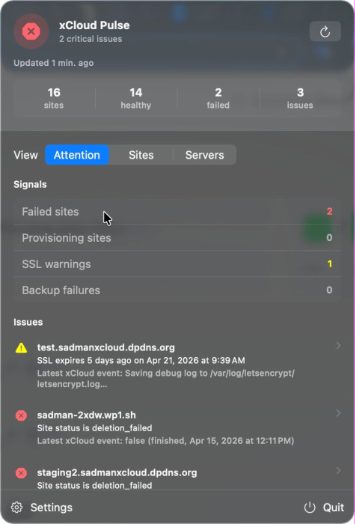
A native macOS menu bar app showing sites and servers at a glance, with failed sites, SSL warnings and backup failures. It started as a community post and became the official xCloud Pulse app in v2.6.6.

Sadman Akib NipunApril 29, 2026
Video walkthrough · about 10 minutes
Rybbit analytics on xCloud
Docker Compose.env gist
Tutorials

Self-Hosted Rybbit Analytics Walkthrough by Ruhani Rabin, open details

A video walkthrough and Docker Compose gist for running Rybbit, an open-source analytics tool, on xCloud. It builds on a compose script M Asif Rahman shared in the group. Rybbit later became a one-click app.

Ruhani RabinJanuary 21, 2026
xCloud team
> deploy this on xCloud
reading project...
wrote Dockerfile
wrote docker-compose.yml
deployed to xCloud
AI Agents & MCP

xcloud-docker-deploy Skill by M Asif Rahman, open details

An agent skill that takes any project, writes the Dockerfile and docker-compose.yml, and deploys it to xCloud. A personal side project from xCloud’s M Asif Rahman, published on ClawHub.

M Asif RahmanJune 29, 2026

Build Your Own

From Idea To Tool In An Afternoon

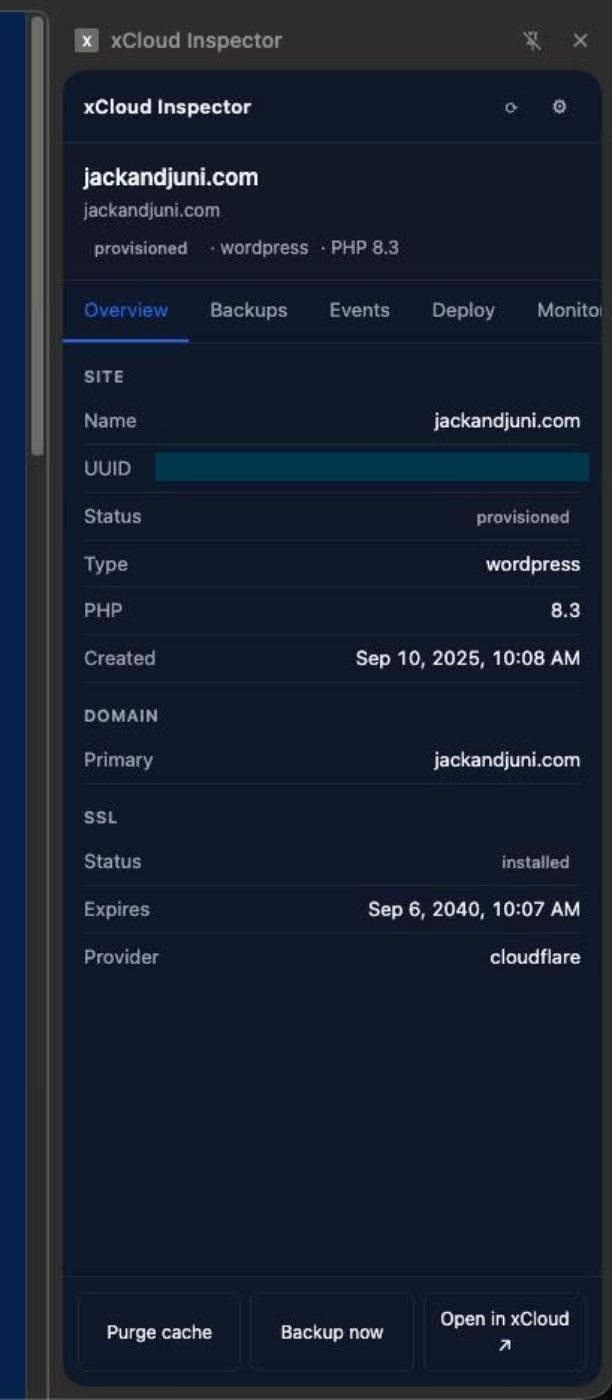
One member built a Safari Magic Login extension on the API in a little over two minutes. Here is the path most builders took.

  1. 1
    Create an API tokenGive it only the access your tool needs. A read-only token is enough for dashboards and status apps.
  2. 2
    Pick how you buildCall the REST API from your own code, connect an agent through MCP or install Agent Skills.
  3. 3
    Share it hereSubmit your build so other agencies can use it, fork it or learn from it.
Prompts community builders use
Which of my sites have WordPress updates waiting?
Is this server running low on disk?
Make a backup, then purge the cache for example.com
Done. Backup finished and the cache is cleared.

Example prompts from the unofficial xCloud MCP post. Replies depend on your agent and setup.

Submit Your Build

Built Something On xCloud? Show The Community.

Dashboards, apps, extensions, agent workflows, tutorials: if it uses xCloud, we want to see it. The xCloud team reviews every submission before it appears here.

  • Open source and private projects are both welcome
  • Screenshots and a short description are all we need
  • Nothing is published without your permission

Post your build in the community, where every project on this page was first shared.

Share Your Build

Frequently Asked Questions

What is the Built with xCloud showcase?

A collection of tools, apps and workflows that xCloud users built on the xCloud API, MCP server, Agent Skills and Docker hosting, gathered from the xCloud Self Hosting Community group.

Who can submit a build?

Anyone who built something that uses xCloud. Submit it with the form on this page or share it in the community group, and the xCloud team will review it.

Does my project need to be open source?

No. Private tools are welcome. Several featured dashboards are private tools agencies use for their own clients.

Are these projects supported by xCloud?

Community builds are made and maintained by their authors, not by xCloud. Review the code and the access a tool asks for before you connect an API token. Projects marked Official are made and supported by the xCloud team.

What can I build with the xCloud API?

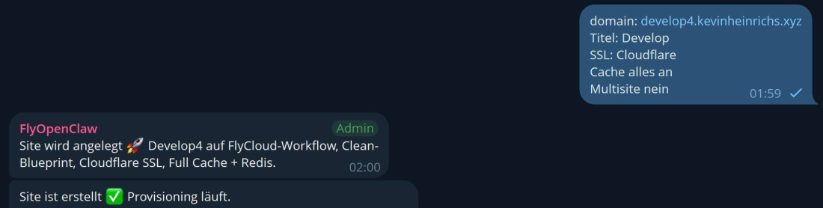
Members have built client dashboards, backup schedulers, Magic Login apps for Mac, Chrome and Safari, an MCP server and AI agents that create WordPress sites from a chat message.

How do I get started?

Create an API token in your xCloud account, then use the REST API, connect an MCP client or install Agent Skills. The xCloud docs cover each option.

Build Something On xCloud

Start with a free account, connect your server and put the API, MCP or Agent Skills to work. Then come back and show us what you made.

Community posts open in the xCloud Self Hosting Community group on Facebook.