
v2.5.7
🔥 New Features
-
⚡ xCloud now provisions servers nearly 50% faster – We optimized how xCloud prepares new servers. Required services are prioritized first, while non-essential setup tasks are handled more efficiently in the background.
📌 New servers can become ready faster.
📌 Initial setup feels smoother and less blocked.
📌 Users can start working sooner after creating a server. -
Install Services from the Dashboard – When you install a site, your required services will be auto-installed. But if you want, you can now also install supported services directly from the server management dashboard.
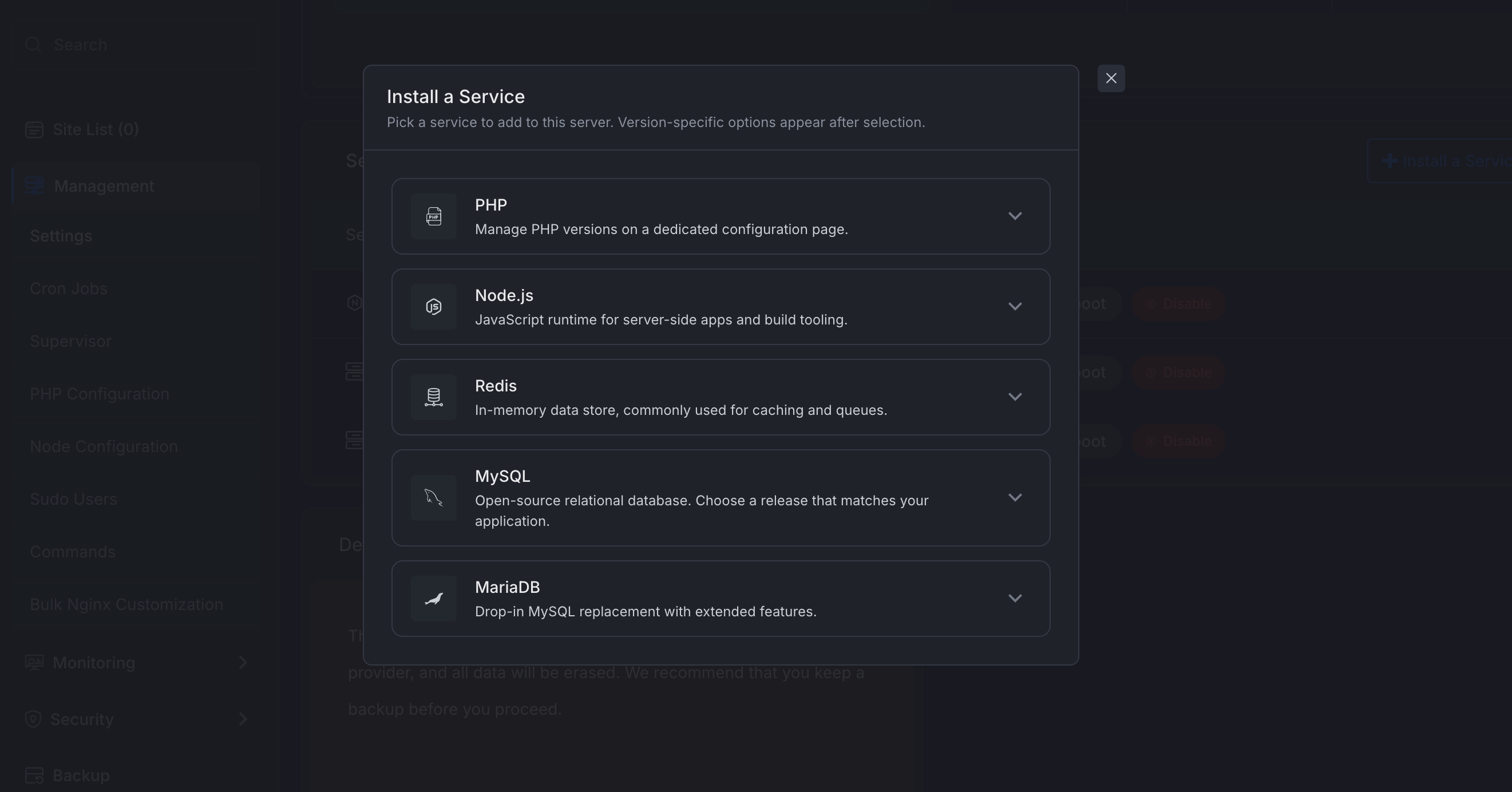
Instead of relying on manual setup, users can open the Install a Service panel and choose which service or runtime they want to add to the server.
📌 Install services from the server dashboard.
📌 Supported options include PHP, Node.js, Redis, MySQL, and MariaDB.
📌 Version-specific options appear after selecting a service.
📌 Makes server customization easier without manual command-line work.Visit Server > Settings
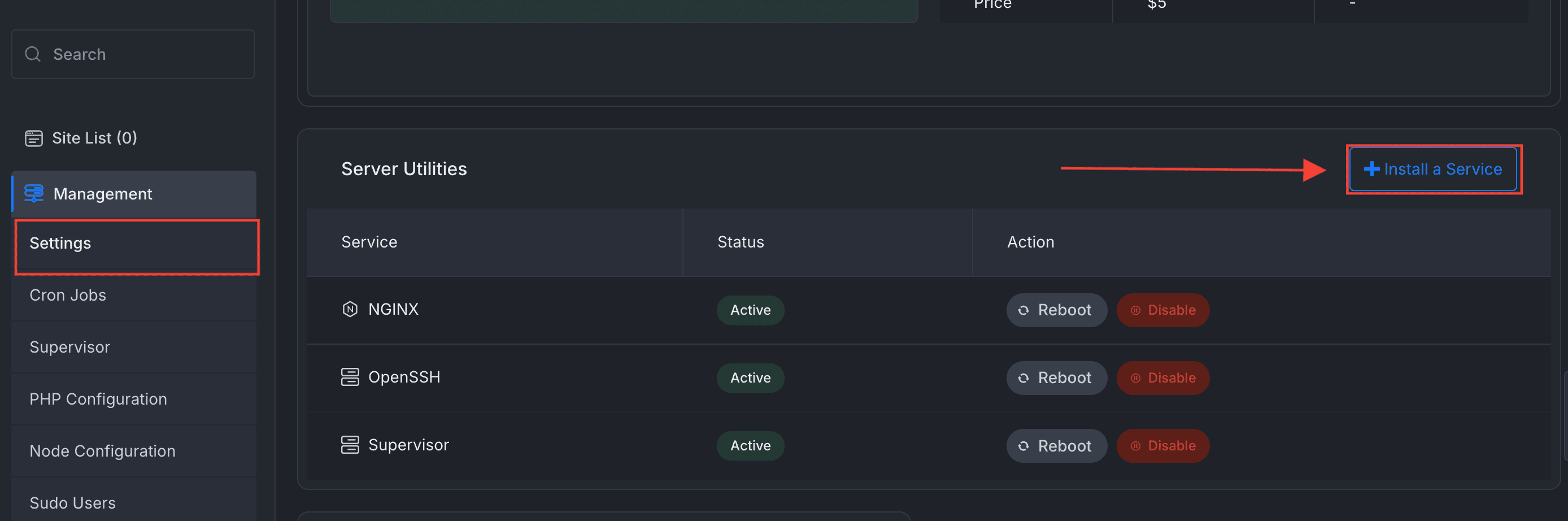
Then you can install the required service as per your need:
- Service Auto-Healing Foundation – xCloud now has a stronger foundation for detecting and recovering failed services.
📌 Services can be tracked more reliably.
📌 Failed or inactive services are easier to detect.
📌 This improves long-term server reliability and prepares xCloud for better automatic recovery flows.
✨ Improvements
-
Smarter Service Management – Server services are now tracked in a more structured and reliable way.
📌 More accurate service status tracking.
📌 Clearer separation between services and runtimes.
📌 Easier management for start, stop, restart, and install actions.
📌 Better foundation for real-time service updates. -
Live Service Status Updates — Service actions now provide better real-time feedback in the dashboard.
📌 See service status changes without constantly refreshing the page.
📌 Better visibility when installing, starting, stopping, or restarting services.
📌 Easier to understand what is happening on your server. -
Clearer Services and Runtime Display – The server management interface now shows services and runtimes more clearly.
📌 Easier to understand which services are installed.
📌 Cleaner labels for server components.
📌 Better organization for PHP, Node.js, database services, and other runtimes. -
Improved Database Options – Database-related options are now cleaner and easier to understand.
📌 Better database picker during site creation.
📌 More consistent naming and capitalization.
📌 Less confusion when selecting database options.No action is required from users. Existing servers will continue working normally.
🐛 Bug Fixes:
📌 Improved WordPress migration verification so xCloud can better confirm when a migration has completed successfully.