

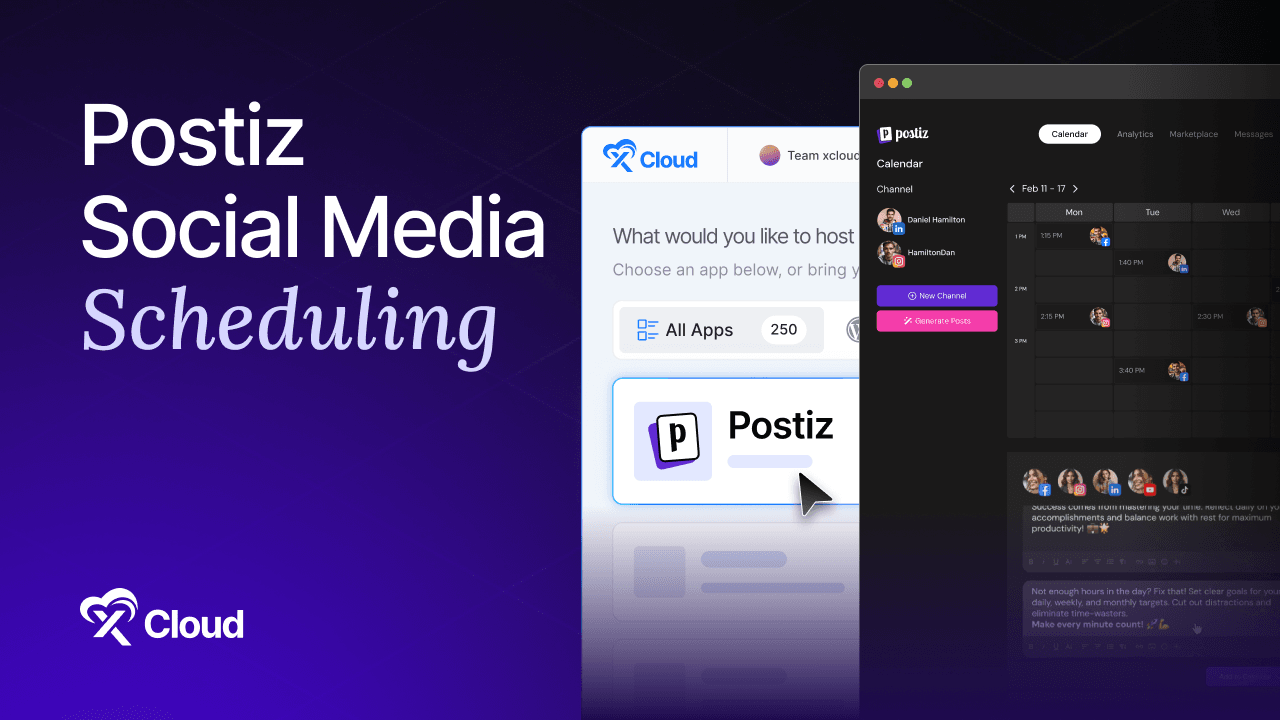
Postiz social media scheduling turns a folder of half-written post ideas into a calendar that publishes itself, and the setup takes about an hour once your server is up.
Most people install a scheduler, connect one account, post twice, and abandon it. The tool was never the problem. The problem was that nobody built the week.
A calendar is a commitment device. When Thursday has an empty slot staring at you on Monday, you fill it. When there is no calendar, Thursday just passes.
This guide covers the whole loop: connecting accounts, building a content calendar, scheduling posts across networks, proving a publish actually landed, and what to do when one silently does not.
Table of Contents
- What You Need for Postiz Social Media Scheduling
- How Postiz Social Media Scheduling Works
- Postiz Social Media Scheduling Setup in 6 Steps
- A Sample Week You Can Copy
- Prove Postiz Social Media Scheduling Works
- When a Scheduled Post Fails
- Postiz Content Calendar Habits That Stick
- Give Your Scheduler a Server That Stays Up
- Frequently Asked Questions
TL;DR {#tldr}
- In postiz social media scheduling, connect channels first and plan content second. OAuth is the slow part, and it blocks everything else.
- Postiz social media scheduling runs on Temporal, so if that service is down the calendar accepts posts that never publish.
- Write once, adapt per network. One parent post, separate copy per destination, adjusted before it queues.
- Build a repeatable week, not a pile of one-off posts. Slots beat inspiration.
- Always verify the first publish per channel. A connected account is not a proven account.
- Content recycling fills gaps so a busy week does not empty your calendar.
- The postiz social media scheduling failure mode is silent, which is why the verification step below is not optional.
What You Need for Postiz Social Media Scheduling {#prerequisites}
- A running Postiz instance on HTTPS, per the self-hosting guide
- Admin access to the social accounts you want to publish to
- A developer app and credentials for each network you plan to connect
- Two or three weeks of content ideas, even rough ones
- About 60 minutes, most of it spent on account connection
One thing to settle before you touch the calendar: decide who approves. If more than one person will publish, set roles now rather than after someone posts a draft to a client account.
How Postiz Social Media Scheduling Works {#how}
The mental model is worth ten minutes, because it explains every failure you will hit later.
Channels are OAuth connections. Postiz calls them integrations in the Public API and channels in the interface. Each one holds an access token that can expire or be revoked by the platform.
Posts are parent records with per-channel children. You write the idea once, then each destination carries its own copy and media.
The queue is a workflow engine. As the Postiz documentation notes, scheduled posts are Temporal workflows rather than cron jobs. That is why the requirement exists and why a healthy app with an unhealthy Temporal produces the worst failure mode in the product: a calendar that looks perfect and publishes nothing.
Analytics come back per channel and per post. Impressions, engagement rate, and reach, which is enough to tell you which slot works.
If you are new to the tool entirely, our Postiz explainer covers what it is before you build with it.
Postiz Social Media Scheduling Setup in 6 Steps {#steps}
Step 1: Connect your Postiz social accounts
Postiz social media scheduling starts here, because nothing else works until a channel is live. Open the channels area and add your first network, and Postiz sends you through that platform’s OAuth flow, so you need the developer app and credentials already in place.
Connect one network, complete the flow, and confirm the account appears with the right avatar and handle before adding the next. Batching five connections at once means debugging five redirect URIs at once.
The most common failure here is a mismatch between the redirect URI registered in the developer app and the one Postiz sends, which is derived from your FRONTEND_URL. Trailing slashes count.
Step 2: Set your posting times
Before you write anything, define the slots. Postiz schedules into times you choose, and picking them up front turns “when should this go out” from a decision into a default.
A workable starting grid for a business audience:
| Day | Slot 1 | Slot 2 |
|---|---|---|
| Monday | 09:00 | 16:00 |
| Tuesday | 09:00 | 16:00 |
| Wednesday | 09:00 | 16:00 |
| Thursday | 09:00 | 16:00 |
| Friday | 09:00 | 13:00 |
Treat this as a starting point rather than a strict rule, and adjust after two weeks of analytics rather than after two posts.
Step 3: Write the parent post
Open the composer and write the idea in its fullest form, usually the longest destination. LinkedIn or a blog-style network is a good default parent.
Attach media here. Upload images through the interface rather than pasting them inline, because uploads go to your storage volume and get reused across the child posts.
Step 4: Customize per network
This is the step that separates a scheduler from a broadcast tool. Tighten the copy for X, adjust the opener for LinkedIn, swap the crop for Instagram, drop the link where a network penalizes links.
Postiz keeps these as variants of the same post, so editing the idea later does not mean rewriting five posts.
Skipping this step is why cross-posted content reads like cross-posted content.
Step 5: Drop it on the calendar
Assign the post to a slot. The week view shows what is filled and what is empty, which is the entire point of a postiz content calendar rather than a queue.
Aim to be two weeks ahead. One week ahead means every sick day becomes a gap.
Step 6: Set recycling for evergreen posts
For content that stays true, turn on repeating so it re-publishes on a schedule. Tips, product explainers, and community links all qualify.
Do not recycle anything time-bound, and review the recycle list monthly so a post about a deprecated feature does not resurface in March.
A Sample Week You Can Copy {#sample}
Concrete beats abstract. Here is a postiz social media scheduling week that works for most B2B accounts and takes about 90 minutes to produce.
| Slot | Format | Primary network | Reused on |
|---|---|---|---|
| Mon 09:00 | Practical tip | X, Bluesky | |
| Mon 16:00 | Link to your latest post | X | Bluesky, Mastodon |
| Tue 09:00 | Short video or image | TikTok, Threads | |
| Wed 09:00 | Opinion or contrarian take | X | |
| Wed 16:00 | Community question | X | Bluesky |
| Thu 09:00 | Customer story or result | ||
| Fri 09:00 | Roundup of the week | Newsletter network | |
| Fri 13:00 | Something human | Threads |
Eight slots, five formats, three primary networks. Build this once as a template and Monday becomes filling a shape rather than facing a blank page.
Prove Postiz Social Media Scheduling Actually Works
This section exists because postiz social media scheduling fails silently. A post can sit in your calendar marked as scheduled, pass its time, and never appear anywhere, with no error in the interface.
Run these four checks the first time you publish to each new channel.
Check 1: Schedule one real post five minutes out. Not a draft, not a test to a private account you never look at. A real post to the actual channel.
Check 2: Watch it change state. The card should move from scheduled to published at the appointed time. If it sits at scheduled past its slot, the queue is not processing.
Check 3: Open the network and look at it. Confirm the post is live, the media rendered, and the link preview is correct. Postiz reporting success and the platform actually showing the post are two different facts.
Check 4: Confirm the services are healthy. On a self-hosted box, run a health check on the stack:
docker compose psEvery service should report healthy, especially Temporal. A published-looking calendar on an unhealthy Temporal is the exact scenario this check catches.
Repeat checks 1 to 3 whenever you add a channel. A connected account is not a proven account.
When a Scheduled Post Fails
Postiz social media scheduling fails in six recognizable ways. Match the symptom, then fix the cause, because guessing wastes an afternoon.
| Symptom | Likely cause | Fix |
|---|---|---|
| Post stuck at scheduled past its time | Temporal or its worker is down | Check service health and restart the stack |
| One channel fails, others publish | Access token expired or revoked | Reconnect that channel through OAuth |
| Post publishes without the image | Uploads volume not mounted, or static URL mismatch | Check the upload directory and its public URL prefix |
| Media rejected by one network | Aspect ratio or file size limit | Re-crop for that platform and reschedule |
| Everything fails after an update | Migration incomplete or a service did not come back | Read the app logs before rolling back |
| Post published twice | Recycling left on a time-bound post | Turn recycling off for that item |
Token expiry is the recurring one. Platforms rotate and revoke tokens on their own timetable, and no self-hosted scheduler avoids this. Put a monthly reminder on the calendar to check every channel is still connected, the same way you would schedule any other recurring maintenance task.
Postiz Content Calendar Habits That Stick
The tool is not the hard part. These four habits separate postiz social media scheduling that survives a quarter from a calendar that dies in week three.
Batch on one day. Produce a full week in one 90-minute block rather than writing a post a day. Context switching is what kills consistency.
Keep an ideas backlog inside the tool. An idea captured in a notes app is an idea you will not find on Monday.
Read analytics fortnightly, not daily. Per-post numbers are noisy. Two weeks of data tells you which slot and format works; two posts tells you nothing.
Never let the calendar go empty past ten days out. The moment you drop below that, the habit is already failing, and it is far easier to fix at ten days than at zero.
When the manual loop is running reliably, automate the top of it. The Postiz n8n workflow guide shows how to feed drafts in from an automation pipeline while keeping a human approval step.
Give Your Scheduler a Server That Stays Up
Postiz social media scheduling depends on services staying healthy at the exact moment a post is due. A queue that misses 09:00 does not retry your audience.
That means the boring infrastructure matters more here than for most self-hosted apps: Postgres and Temporal need to be up, uploads need persistent storage, and the whole stack needs to survive a restart with the calendar intact.
xCloud Postiz Hosting handles that layer. Postiz v2.23.0 deploys with PostgreSQL, Redis, Temporal, and Elasticsearch already wired together, managed HTTPS with a free SSL certificate, and six persistent volumes covering configuration, uploads, and databases, so everything survives a restart.
| Plan | Price | Specs |
|---|---|---|
| Cloud VPS 6 GB | $24.99/month | 6 GB RAM, 4 vCPU, 100 GB SSD, 30 TB bandwidth |
| Cloud VPS 16 GB | $59.99/month | 16 GB RAM, 6 vCPU, 200 GB SSD, 30 TB bandwidth |
| Cloud VPS 24 GB | $84.99/month | 24 GB RAM, 8 vCPU, 300 GB SSD, 30 TB bandwidth |
Scheduled backups cover the database and your uploads together, which matters more than people expect: restoring one without the other leaves a full calendar pointing at missing media. Server monitoring gives you the resource graphs to spot a struggling queue before it misses a slot.
👉 New to the platform? Start with the first server and site setup guide.
It fits the common case well: a growing channel count, more than one person touching the calendar, and no channel limit to buy your way past. If you are still comparing against a subscription, the Postiz vs Buffer breakdown does the arithmetic at three, ten, and thirty channels.
Want a scheduler that is live on your domain today? Deploy Postiz on xCloud in one click.
Fill Next Week Before You Read Anything Else
Postiz social media scheduling works the moment you stop treating it as a tool and start treating it as a calendar. Connect the accounts properly, define the slots before you write, adapt each post per network, and verify the first publish on every channel.
The rest is habit. Batch on one day, stay two weeks ahead, read the numbers fortnightly, and never let the calendar go empty inside ten days.
This week, do two things. Connect one channel end to end and publish one real scheduled post, watching it land on the platform rather than trusting the interface. Then block 90 minutes and build the sample week above with your own content.
Once that loop runs on its own, you can start optimizing what you publish rather than whether you publish, which is where performance thinking pays off across the rest of your stack too.
If you have found this blog helpful, feel free to subscribe to our blogs for valuable tutorials, guides, knowledge, and tips on web hosting and server management. You can also join our Facebook community to share insights and engage in discussions.
Frequently Asked Questions {#faq}
How does Postiz social media scheduling work?
You connect each social account through its OAuth flow, write a parent post in the composer, customize the copy and media per network, then assign it to a time slot on the shared calendar. A Temporal workflow publishes it at the scheduled moment and returns analytics per channel afterwards.
Is Postiz social media scheduling free?
The self-hosted build is free under AGPL-3.0 with no channel limit, so you pay only for the server it runs on. The managed cloud version runs $29 to $99 per month depending on how many channels you connect.
How many Postiz social accounts can I connect?
Self-hosted, there is no channel limit at all, so the practical ceiling is how many developer apps you are willing to create. The managed cloud plans cap channels by tier, from 5 on Standard up to 100 on Ultimate.
Why did my Postiz schedule posts fail to publish?
The most common cause is Temporal being down, since scheduled posts run as workflows rather than cron jobs. The interface will accept schedules that never fire. Second most common is an expired access token on one specific channel, which fails that network while others publish fine.
Can I customize a post per network in Postiz?
Yes, and you should. One parent post holds separate copy and media for each destination, edited before the post queues. This is the difference between a scheduler and a broadcast tool, and skipping it is why cross-posted content reads badly.
How far ahead should I build a Postiz content calendar?
Two weeks. One week ahead means a single sick day creates a gap, and anything past a month tends to go stale before it publishes. Set a rule that the calendar never drops below ten days of scheduled content.
Does Postiz support recurring or evergreen posts?
Yes. Content recycling lets a post repeat on a schedule, which is useful for tips, explainers, and community links. Review the recycle list monthly so nothing time-bound resurfaces after it stops being true.
Do I need to reconnect my social accounts periodically?
Sometimes, yes. Platforms expire and revoke access tokens on their own timetable, and every self-hosted scheduler lives with this. A monthly check that all channels still show connected catches it before a publish silently fails.
Can I automate what goes into the Postiz calendar?
Yes. Postiz exposes a Public API plus webhooks, and there is a dedicated n8n node along with Make.com and Zapier integrations. A common pattern is generating drafts automatically and keeping a human approval step before anything queues.
Last updated September 10, 2026
← All articles