


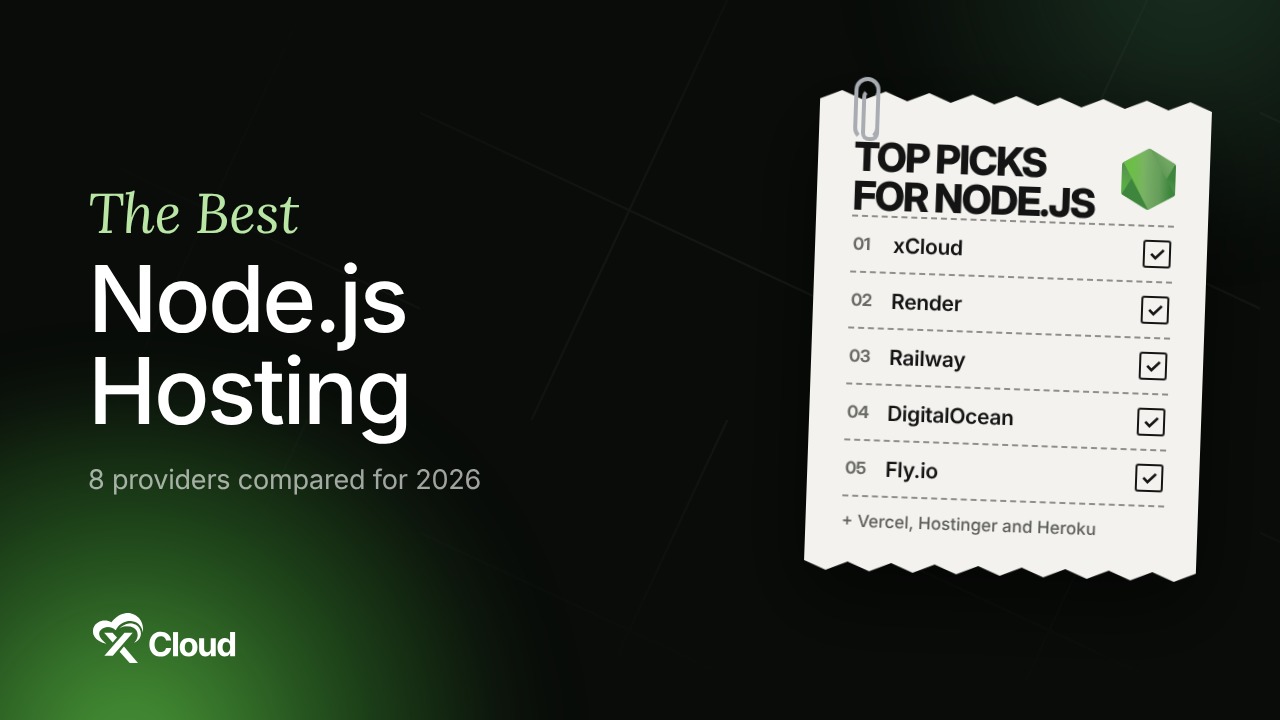
Node.js is the most used web technology on the planet. In the 2025 Stack Overflow Developer Survey, 48.7% of all respondents said they work with it, ahead of React at 44.7%. That popularity has created a crowded hosting market where every platform claims to be “the easiest way to deploy Node”.
The catch nobody prints on the pricing page: a Node.js app is a long-running process, not a folder of files. It needs a process manager, a restart policy, environment variables and a way to redeploy without dropping requests. Some hosts give you all of that. Others put your app to sleep after 15 minutes or bill you for every second of RAM. If Node itself is still new to you, start with our beginner’s guide to Node.js.
This guide ranks the 8 best Node.js hosting providers in 2026. We compare real starting prices, billing models, scaling limits and the trade-offs each platform asks you to accept. Every price was checked against the vendor’s own pricing page or docs on November 2, 2026.
TL;DR: Which Node.js Host Should You Pick?
Short on time? Here is the whole guide in one table:
| If you want to… | Use this | Best for | Billing model |
|---|---|---|---|
| Run many Node.js apps on one flat-priced server with zero ops | xCloud | Agencies, SaaS founders, multi-app teams | Flat monthly per server |
| Push to Git and get a polished PaaS experience | Render | Startups that want predictable per-service pricing | Monthly per service |
| Pay only for the CPU and RAM your app actually uses | Railway | Side projects and spiky workloads | Plan minimum plus per-second usage |
| Stay inside a big cloud with a simple app layer | DigitalOcean App Platform | Teams already on DigitalOcean | Monthly per container |
| Put your app close to users in many regions | Fly.io | Latency-sensitive APIs and global apps | Per-second Machines |
| Ship a Next.js frontend with serverless API routes | Vercel | Frontend-heavy Next.js teams | Per seat plus usage |
| Host a small Express or Next.js app on a budget plan | Hostinger | Beginners and hobby projects | Prepaid hosting term |
| Keep an existing app running where it already lives | Heroku | Current Heroku customers only | Per dyno |
Three quick expert picks:
- Best overall for production Node.js: xCloud, because one $5 server can run unlimited apps with PM2, Git deploys, SSL and backups already wired up.
- Best pure PaaS: Render, for its clean Git workflow and pricing you can predict per service.
- Best for tiny, bursty workloads: Railway, since idle services cost very little under usage billing.
Why Node.js Needs Purpose-Built Hosting
Classic shared hosting was built for PHP. The web server runs your script for each request and then forgets about it. Node.js works differently: your app is the server. It starts once, holds connections open and keeps state in memory until something stops it.
That design is exactly what makes Node fast for APIs, WebSockets and real-time apps. It is also why the wrong host causes strange failures. A production Node.js app needs the following:
| Requirement | Why it matters |
|---|---|
| Process manager (PM2 or a platform equivalent) | Restarts the app after a crash or a deploy so users never hit a dead port |
| Always-on compute | Free tiers that sleep add cold starts that can take close to a minute |
| Supported Node.js version | Production apps should run an LTS line such as Node.js 24 or 26 |
| Environment variables | Keeps API keys and database URLs out of your Git repo |
| Git-based deploys | Lets you ship with a push instead of a manual file upload |
| Free SSL and a reverse proxy | Terminates HTTPS and forwards traffic to your app’s port |
| Backups and logs | You need both the first time a bad deploy wipes data or loops on errors |
A quick note on versions. The Node.js release page now lists Node.js 26 as the latest LTS, with Node.js 24 and 22 still in LTS. Starting with Node.js 27, the project moves to one major release per year and every release becomes LTS. When you compare hosts, check which versions they let you pick and how fast they add new ones.
The 4 Categories of Node.js Hosting You Are Choosing Between
Most “best Node.js hosting” lists mix very different products in one ranking. It helps to sort them into buckets first:
| Category | Examples | You manage | Trade-off |
|---|---|---|---|
| Managed servers with a deployment panel | xCloud | Your code and app settings | Fixed server size; you scale by resizing |
| Container PaaS | Render, Railway, DigitalOcean App Platform, Heroku | Your code only | Each extra service (worker, database, cache) adds a line to the bill |
| Micro-VMs and edge platforms | Fly.io | Your code plus some infrastructure config | More moving parts in exchange for global reach |
| Serverless and frontend clouds | Vercel | Your code only | Not built for long-running processes or persistent connections |
There is also a fifth path: a raw VPS you configure yourself. That gives you the most control and the lowest sticker price. It also hands you Nginx, PM2, firewalls, SSL renewals and security patches. Our VPS security guide shows how much work that last part alone involves.
How We Ranked These Node.js Hosting Providers
We scored each platform on six criteria:
- Production readiness. Always-on compute, process restarts and zero-downtime deploys.
- Price predictability. Can you guess next month’s bill before it arrives?
- Cost at small scale. What does one always-on app with a database cost?
- Developer experience. Git deploys, preview environments, logs and environment variables.
- Scaling path. What happens when one app becomes five or traffic doubles?
- Platform stability. Is the vendor actively developing the product?
All prices are in USD, exclude tax and were verified on November 2, 2026. Treat this as a starting point rather than a strict rule, because hosting prices move quickly (Hetzner and Fly.io both raised rates in 2026).
Master Comparison Table: Best Node.js Hosting in 2026
| Rank | Provider | Category | Cheapest always-on option | Free option | Best for |
|---|---|---|---|---|---|
| 🥇 1 | xCloud | Managed servers + panel | $5/mo managed server (unlimited apps) | Free panel for 1 server you bring | Multi-app teams, agencies |
| 🥈 2 | Render | Container PaaS | $7/mo per service | Free web service (sleeps) | Startups, APIs |
| 🥉 3 | Railway | Usage-based PaaS | $5/mo Hobby (includes $5 usage) | $1/mo credit plan | Side projects, bursty apps |
| 4 | DigitalOcean App Platform | Container PaaS | $5/mo shared container | 3 static sites | DigitalOcean users |
| 5 | Fly.io | Micro-VMs | $2.19/mo (256 MB Machine) | None for new orgs | Global, low-latency APIs |
| 6 | Vercel | Serverless | $20/user/mo Pro | Hobby (non-commercial) | Next.js frontends |
| 7 | Hostinger | Web and cloud hosting | Business web hosting plan | None | Beginners, small apps |
| 8 | Heroku | Classic PaaS | $7/mo Basic dyno | None | Existing Heroku apps |
🥇 1. xCloud: Best Managed Node.js Hosting for Multiple Apps
xCloud takes a different approach from the PaaS crowd. Instead of billing per service, it gives you a real server (yours or one xCloud provides) and a panel that handles the Node.js plumbing on top. You connect a Git repo, pick a rendering mode and a Node version, then deploy. PM2 is set up automatically and restarts your app on every deploy.
The pricing model is the main reason it ranks first. Every managed server includes unlimited sites. Your API, your Next.js frontend and your admin dashboard can all share one $5 to $12 box. If you would rather pay DigitalOcean, Hetzner, Vultr, AWS or another provider directly, Self Managed Hosting connects your server to the same panel for free on one server.
Key Features
- Git deploys with auto-redeploy. Connect GitHub and the app redeploys on every push.
- Three deploy modes. Static build, SSR with a Node process or a hybrid of static files plus an API.
- Framework detection. Recognizes Next.js, Nuxt, Remix, SvelteKit, NestJS, Express, Fastify, Koa, Hapi, Angular, Vite and more.
- Version choice. Node.js 14 through 24, with Node.js 24 as the default.
- Built-in essentials. Environment variables, free Let’s Encrypt SSL with auto-renewal, local and remote backups with one-click restore and Cloudflare CDN integration.
- Free migration help. The team assists with moving existing Node.js apps.
How to Deploy a Node.js App on xCloud
- Create a free xCloud account and add a managed server or connect your own.
- Choose Node.js as the site type and select your Git repository.
- Pick the rendering type (static, SSR or hybrid) and a Node version.
- Add environment variables and, if needed, connect a database.
- Deploy. xCloud reads your
package.json, runs the build script and starts the app withnpm run startunder PM2.
👉 Follow the full walkthrough in our guide on how to deploy a Node.js application with xCloud.
| ✅ Pros | ❌ Cons |
|---|---|
| ✅ Unlimited Node.js apps per server at a flat price | ❌ Each server runs one Node.js version for all its Node sites |
| ✅ PM2, SSL, backups and Git deploys preconfigured | ❌ Node.js 26 is not yet in the version list (24 is the default) |
| ✅ Free panel tier when you bring your own server | ❌ You scale by resizing the server, not by adding instances automatically |
| ✅ Managed plans start at $5/month with 24/7 support | ❌ Not suited to CPU-heavy jobs like video encoding |
Best for: agencies, SaaS founders and developers running several Node.js apps who want PaaS convenience at VPS prices. See the full feature list on our Node.js hosting page.
🥈 2. Render: Best Developer Experience for Single Services
Render is the platform many developers moved to after Heroku removed its free tier. It has earned that reputation. You connect a repo, Render detects Node.js and every push triggers a new build. Preview environments, managed Postgres and cron jobs live in the same dashboard.
Its bill has two parts. A workspace plan (Hobby at $0, Pro at $25/month, Scale at $499/month) sets seats, bandwidth and team features. Then each service pays for its own compute instance, starting at $7/month for 0.5 CPU and 512 MB RAM and $25/month for 1 CPU and 2 GB. Check the current rates on Render’s pricing page.
Key Features
- Git-driven deploys with automatic builds on push and pull request previews.
- Free web services with 750 instance hours per workspace each month.
- Managed Postgres and Key Value alongside your app.
- Background workers and cron jobs as first-class service types.
- Prorated billing by the second, capped at the monthly instance price.
How to Deploy on Render
- Create a new Web Service and connect your GitHub or GitLab repo.
- Set the build command (
npm install && npm run build) and start command (npm start). - Choose an instance type and add environment variables.
- Deploy and attach a custom domain.
| ✅ Pros | ❌ Cons |
|---|---|
| ✅ Very clean Git-to-production workflow | ❌ Free web services spin down after 15 minutes and take about a minute to wake |
| ✅ Predictable monthly price per service | ❌ Every worker, database and cache is a separate charge |
| ✅ Managed databases in the same dashboard | ❌ Hobby workspaces include only 5 GB of bandwidth before overage |
| ✅ Works well for APIs and full-stack apps | ❌ Upgrading the workspace plan does not stop free services from sleeping |
Best for: startups shipping one or two services that value a polished workflow over the lowest possible bill.
🥉 3. Railway: Best Usage-Based Node.js Hosting
Railway bills for what your app consumes. The Hobby plan costs $5/month and includes $5 of usage. Beyond that, you pay per second at about $20 per vCPU per month and $10 per GB of RAM per month, plus $0.05 per GB of egress.
That model rewards apps that sit idle most of the day. A small Express API that uses a fraction of a CPU can stay inside the included credit. The flip side is that a busy app holding a full vCPU and 1 GB around the clock lands near $30/month in resources alone.
Key Features
- Auto-detected builds from
package.json, with optional Dockerfile support. - Database templates you can add to a project in a few clicks.
- PR deploys and monorepo support on Hobby.
- Opt-in hard usage limit (minimum $10) that stops workloads before the bill runs away.
- Pro plan at $20/month per workspace with unlimited seats.
How to Deploy on Railway
- Start a new project and choose Deploy from GitHub repo.
- Railway detects Node.js and builds the app automatically.
- Add a database from the template catalog and reference its URL as a variable.
- Generate a public domain or attach your own.
| ✅ Pros | ❌ Cons |
|---|---|
| ✅ Idle services cost very little | ❌ Bills are hard to predict for always-busy apps |
| ✅ Fast setup with strong auto-detection | ❌ Free plan allows no custom domains |
| ✅ Easy databases from templates | ❌ Hobby users get community support, not direct support |
| ✅ Optional spending cap | ❌ Hitting the hard limit shuts down every workload |
Best for: side projects, prototypes and apps with spiky or low traffic.
4. DigitalOcean App Platform: Best for Teams Already on DigitalOcean
DigitalOcean App Platform wraps DigitalOcean’s infrastructure in a simple PaaS. It builds Node.js apps from GitHub, GitLab or a container image and runs them on managed containers.
The entry point is a $5/month shared container with 512 MiB RAM and 50 GiB of outbound transfer. Dedicated containers start at $29/month and are the only tier that supports autoscaling, according to DigitalOcean’s App Platform pricing docs.
Key Features
- Buildpack and Dockerfile deploys from Git or a container registry.
- Free tier for up to three static site apps.
- Managed databases in the same account (Postgres starts at $15/month for 1 GB).
- Autoscaling on dedicated-CPU plans.
- App spec files to define services as code.
| ✅ Pros | ❌ Cons |
|---|---|
| ✅ Simple entry price for small apps | ❌ The two cheapest shared plans cannot scale at all |
| ✅ Everything lives inside one DigitalOcean account | ❌ Autoscaling requires a $29+ dedicated plan |
| ✅ Free static frontends | ❌ A managed database adds at least $15/month |
| ✅ Mature, well-documented cloud underneath | ❌ Costs climb quickly once you add workers and databases |
Best for: teams already running Droplets or databases on DigitalOcean who want a lighter deploy path.
5. Fly.io: Best for Global, Low-Latency Node.js Apps
Fly.io runs your app as Machines (fast-booting micro-VMs) in regions around the world. You can place copies of your Node.js API close to users in several continents, which is hard to do on most PaaS platforms.
Pricing is per second. The smallest always-on preset, shared-cpu-1x with 256 MB, costs $2.19/month in Ashburn. A dedicated performance-1x with 2 GB costs $33/month. Extra RAM is $6 per GB per month, per Fly.io’s pricing page. New organizations no longer get a free compute allowance.
Key Features
- Multi-region deploys with a single CLI command.
- Per-second billing and the option to stop idle Machines.
- Private WireGuard networking between your app instances.
- Volumes for persistent storage.
- Docker-based builds, so any Node.js setup works.
| ✅ Pros | ❌ Cons |
|---|---|
| ✅ True multi-region hosting | ❌ More infrastructure concepts to learn (Machines, volumes, regions) |
| ✅ Very low entry price for tiny apps | ❌ 256 MB is tight for most real Node.js apps |
| ✅ Fine-grained control over resources | ❌ RAM pricing rose in 2026 |
| ✅ Works with any Docker image | ❌ Several small fees (IPv4, volumes, egress) add up |
Best for: latency-sensitive APIs, real-time apps and teams comfortable with a bit of infrastructure work.
6. Vercel: Best for Next.js Frontends and Serverless APIs
Vercel is the company behind Next.js, which shows in how well the two fit together. Server components, ISR and preview deployments work on day one. For a frontend-heavy app with light API routes, few platforms are faster to ship on.
The model is serverless. Your Node.js code runs as Vercel Functions on fluid compute, billed by active CPU time, provisioned memory and invocations. The Hobby plan is free for personal, non-commercial use; Pro costs $20 per user per month plus usage.
Key Features
- Zero-config Next.js with preview URLs for every pull request.
- Global CDN for static assets.
- Fluid compute, which bills active CPU rather than idle wall-clock time.
- Function durations up to 800 seconds on Pro.
- Built-in firewall and DDoS mitigation.
| ✅ Pros | ❌ Cons |
|---|---|
| ✅ Best-in-class Next.js support | ❌ Not built for long-running Node.js servers or persistent connections |
| ✅ Instant preview deployments | ❌ Per-seat pricing grows with team size |
| ✅ Strong edge network | ❌ Hobby plan forbids commercial use |
| ✅ Little to configure | ❌ Background workers and queues need other services |
Best for: Next.js frontends and marketing sites with serverless API routes. Pair it with a server-based host for any always-on backend.
7. Hostinger: Best Budget Option for Beginners
Hostinger added Node.js web app hosting to its Business web hosting plan and all Cloud plans. You deploy from a GitHub repo or by uploading a zip file. hPanel then detects frameworks such as Express, Next.js, NestJS, React, Vue and Angular, per Hostinger’s Node.js setup guide.
It is the simplest path for someone who already has a Hostinger plan for a WordPress site and wants to try a small Node.js app next to it. For heavier apps, Hostinger itself points you to its VPS line.
Key Features
- GitHub or zip deploys with automatic framework detection.
- Node.js version selection from the dashboard.
- Dependency vulnerability monitoring under the Security tab.
- Restart controls for server-side apps.
- Cloud plan extras such as a global CDN, a web application firewall and free SSL.
| ✅ Pros | ❌ Cons |
|---|---|
| ✅ Low barrier for beginners | ❌ Node.js support starts at the Business plan, not the cheapest tier |
| ✅ Familiar hPanel interface | ❌ One GitHub account per hosting plan |
| ✅ App and website hosting in one plan | ❌ Shared resource limits cap heavier apps |
| ✅ Simple GitHub deploys | ❌ Intro prices usually rise at renewal |
Best for: beginners, hobby projects and small Express or Next.js apps.
8. Heroku: Only If You Already Live There
Heroku invented the git push deploy. It still works. Eco dynos cost $5/month for a shared pool of 1,000 hours and sleep after 30 minutes of inactivity. Basic dynos cost $7/month and stay awake, while Standard-1X dynos start at $25/month.
The bigger issue is direction. On February 6, 2026, Heroku announced it was moving to a “sustaining engineering” model focused on stability and support rather than new features. It also stopped selling new Enterprise contracts to new customers, as The Register reported. That does not mean a shutdown. It does mean you should think twice before starting a new project there.
| ✅ Pros | ❌ Cons |
|---|---|
| ✅ Proven, simple deploy workflow | ❌ No active feature roadmap since February 2026 |
| ✅ Huge add-on marketplace | ❌ Eco dynos sleep after 30 minutes |
| ✅ Strong Salesforce integrations | ❌ Production dynos and add-ons get expensive fast |
| ✅ Mature documentation | ❌ No new Enterprise contracts for new customers |
Best for: teams with existing Heroku apps who are not ready to migrate yet.
Cost Breakdown: What You Will Actually Pay
Real cost has three parts: compute, the database and your time. The third is the line item people forget. Here is one always-on Node.js API with a small database:
| Platform | App compute | Database | Approx. monthly total | Your time |
|---|---|---|---|---|
| xCloud (managed) | $5 server, unlimited apps | Runs on the same server | From $5 | Low: panel handles PM2, SSL and backups |
| xCloud (bring your own server) | Your VPS bill + free panel (1 server) | Same server | Your VPS cost | Low to medium |
| Render | $7 | Postgres from $6 | From $13 | Low |
| Railway | $5 plan minimum | Usage-billed | $5 and up, metered | Low (watch the meter) |
| DigitalOcean App Platform | $5 | Managed Postgres from $15 | From $20 | Low |
| Fly.io | From $2.19 | Billed separately | Varies by size and region | Medium |
| Heroku | $7 Basic dyno | Essential-0 Postgres from $5 | From $12 | Low |
| Raw VPS (DIY) | VPS bill only | Same server | Lowest sticker price | High: patches, SSL, PM2, firewalls, 3 a.m. restarts |
The pattern is clear. PaaS pricing looks cheap for one service and grows with every worker, cache and database you add. Server-based hosting looks pricier at first but stays flat as you add apps. Our comparison of self-managed vs managed hosting goes deeper on where that crossover happens.
5 Common Mistakes When Choosing Node.js Hosting
- Shipping production on a sleeping free tier. A one-minute cold start on the first visit of the day costs you users and signups.
- Running an end-of-life Node.js version. Pin your app to an LTS line and plan upgrades before support ends.
- Ignoring the per-service math. A web service, a worker, a cron job and a database are four line items on most PaaS bills.
- Putting a WebSocket server on serverless. Long-lived connections need a long-lived process. Use a server-based host for that part.
- Skipping background job planning. Queues and scheduled tasks need somewhere to run. Our guide to scheduling tasks with cron jobs covers the basics.
Which Node.js Host Fits You?
| If you are… | Best choice | Why |
|---|---|---|
| An agency hosting client apps | xCloud | Unlimited apps per server at one flat price |
| A solo founder launching a SaaS | xCloud or Render | Zero-ops setup with a clear upgrade path |
| A hobbyist testing an idea | Railway or Render free tier | Cheap to start and easy to delete |
| A team with a Next.js frontend | Vercel plus a server-based backend | Best frontend tooling with a real process for the API |
| Building a global, real-time API | Fly.io | Multi-region Machines close to users |
| Already deep in DigitalOcean | DigitalOcean App Platform | One account, one bill |
| A beginner with a Hostinger site | Hostinger | Uses the plan you already pay for |
| Stuck on Heroku | Plan a migration to xCloud, Render or Railway | Heroku is in maintenance mode |
Run Your Node.js Apps on xCloud Without the Server Work
If you only remember one line: pick a host that runs your app as a real process, keeps it alive and does not charge you again for every service you add. That is the gap xCloud was built to fill.
With xCloud Node.js hosting you get:
- ✅ Git deploys that redeploy on every push
- ✅ PM2 process management configured for you
- ✅ Node.js 14 to 24 with per-server version control
- ✅ Free SSL, environment variables and Cloudflare integration
- ✅ Automated backups with one-click restore
- ✅ Unlimited apps on every managed server, from $5/month
- ✅ A free panel for one server if you bring your own VPS
- ✅ Slack and WhatsApp alerts plus 24/7 support
Prefer to script everything? You can also automate server management with the xCloud API or manage servers by chatting with the xCloud AI Assistant.
Ready to deploy? Compare xCloud plans and pricing and launch your first Node.js app today.
Conclusion: Your 2026 Node.js Hosting Roadmap
There is no single winner for every Node.js app. Vercel is unmatched for Next.js frontends. Fly.io wins on global reach. Railway is great when your app sleeps most of the day. For teams running several always-on Node.js apps, a managed server with a deployment panel gives you the best mix of control, price and peace of mind.
| Goal | Expert pick |
|---|---|
| Lowest total cost for many apps | xCloud |
| Cleanest single-service PaaS | Render |
| Cheapest idle workloads | Railway |
| Multi-region latency | Fly.io |
| Next.js frontend | Vercel |
What to do this week: list every Node.js app and worker you run, then price them on two platforms from this guide. Check which Node.js versions each one supports. Then confirm your production app runs on an LTS line. If the numbers favor a flat-priced server, try the free xCloud panel on one server and move a single app first. Our breakdown of shared hosting, VPS or cloud hosting helps if you are still deciding on the server side.
If you have found this blog helpful, feel free to subscribe to our blogs for valuable tutorials, guides, knowledge and tips on web hosting and server management. You can also join our Facebook community to share insights and engage in discussions.
Frequently Asked Questions About Node.js Hosting
What is the best Node.js hosting provider in 2026?
For most production apps, xCloud offers the best balance of price and convenience because one managed server runs unlimited Node.js apps with PM2, SSL and backups included. Render is a strong pick for single-service apps that want a pure PaaS. Vercel leads for Next.js frontends.
Is there free Node.js hosting?
Yes, with limits. Render offers free web services that sleep after 15 minutes. Railway has a small monthly credit plan. xCloud’s panel is free for one server you bring yourself, though you still pay your VPS provider.
Can I host Node.js on shared hosting?
Sometimes. Hostinger supports Node.js on its Business and Cloud plans. Most classic shared hosts, however, only run PHP and give no shell access. For anything beyond a small app, a VPS or managed server is safer.
Which Node.js version should I use in production?
Use an LTS release. As of November 2026, the official Node.js release page lists Node.js 26 as the latest LTS, with 24 and 22 also in LTS. Node.js 24 remains a safe default on most hosts.
How much RAM does a Node.js app need?
A small Express or Fastify API often runs in 512 MB, while Next.js apps with server rendering are happier with 1 to 2 GB. Builds can need more memory than the running app. Start small, watch memory in your logs and resize when you see restarts.
Is Heroku still good for Node.js?
It still works. However, Heroku moved to a sustaining engineering model in February 2026 with no new feature roadmap. Existing apps can stay for now. For new projects, most teams are better served by xCloud, Render or Railway.
What is the difference between PaaS and a managed server for Node.js?
A PaaS like Render or Railway runs each app as a separate billed service. Costs grow with every service. A managed server like xCloud gives you a fixed-price machine where you can run many apps. Both handle deployment for you; they differ mainly in how you pay and scale.
Do I need Docker to host a Node.js app?
No. Platforms like xCloud, Render and Railway build directly from package.json. Docker helps when you need identical environments everywhere. Our explainer on Docker and its components covers when it is worth the setup.
Can I move my Node.js app from Heroku to xCloud?
Yes. Push your code to GitHub, create a Node.js site on xCloud, copy your environment variables and point your domain to the new server. xCloud also offers free, team-assisted migration for Node.js apps.
Should I pick Node.js or Laravel for my next backend?
It depends on your team and the app. Node.js shines for real-time features and JavaScript-only stacks, while Laravel gives you more built-in structure. Our Node.js vs Laravel comparison walks through the trade-offs.