

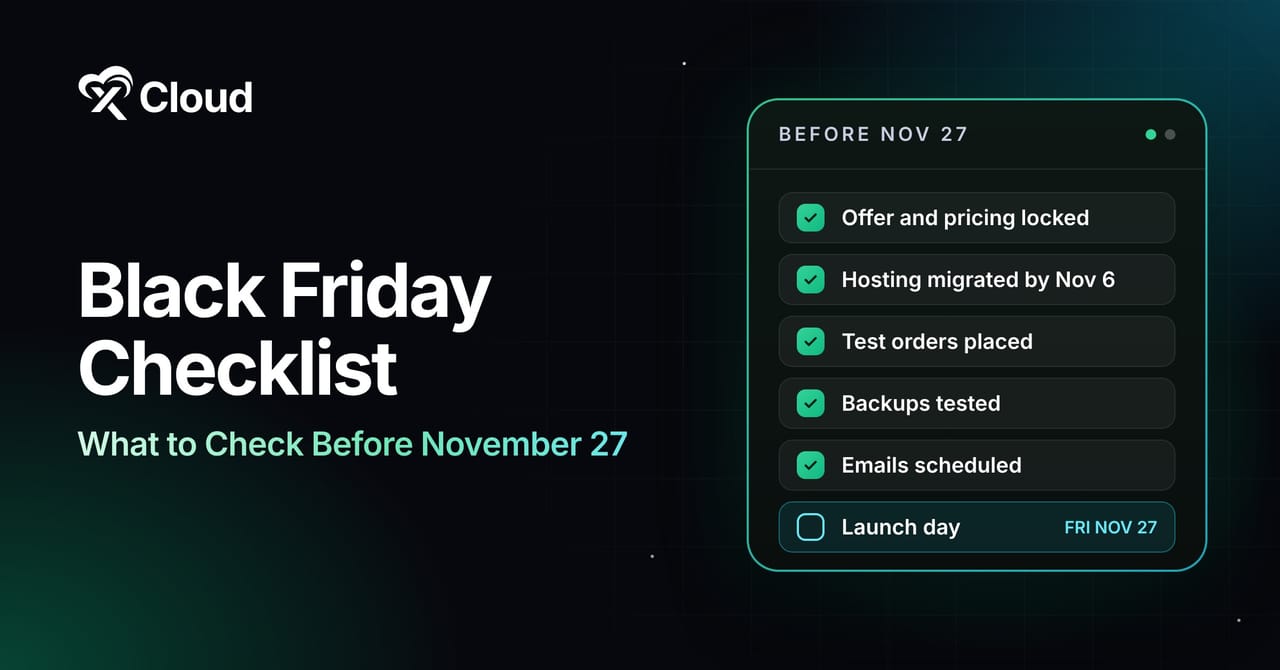
This Black Friday checklist starts with the date: Black Friday 2026 falls on Friday, November 27, and Cyber Monday follows on November 30. Those four days forgive less than any other stretch of the year. A coupon that fails at 8pm or a receipt email stuck in a queue costs more that weekend than in a normal month.
Adobe tracked $11.8 billion in US online spending on Black Friday 2025 and $14.25 billion on Cyber Monday, with shoppers spending about $16 million per minute between 8 and 10pm. If you are new to the event, start with our guide to what Black Friday is.
This post is the checklist itself: 11 groups of tasks you can tick off, each with one line on why it matters. It works for WooCommerce and WordPress stores, agencies running client sales and SaaS founders. A printable one-page version with deadlines sits at the end.
TL;DR
Short on time? Here is the whole checklist in a few lines:
- Lock one clear offer with written terms, renewal pricing and stock limits before you build anything.
- Finish any hosting migration by November 6 and freeze site changes from November 20 to December 2.
- Place real test orders with every payment method and coupon code.
- Take a tested backup before launch and another after the sale.
- Send launch emails around 9 to 10am ET and keep receipts on a separate sending stream.
- Give affiliates their links 3 to 4 weeks early and hand support written answers.
- After the sale, onboard new buyers and run a review within a week.
How to Use This Checklist
Give each group its own owner. The founder can own the offer, a developer owns hosting and checkout, and the support lead owns operations. Items tagged (Store), (Agency) or (SaaS) apply only to that kind of business.
Before you start, collect admin logins for hosting, the CMS, payments, the registrar, email, ads and analytics, plus last year’s Black Friday numbers as a baseline. Name one person with the final say on the offer, the launch time and any decision to pause the sale.
The Black Friday Checklist, Group by Group
1. Offer & Pricing
Every other group depends on the offer, so decide it first.
- Pick one primary offer, because five competing offers make shoppers do math instead of buying.
- Write the terms (start and end time with time zone, eligible plans or products, exclusions) so marketing and support quote the same thing.
- Check the margin on every discounted item after payment fees, shipping and affiliate commission.
- State the renewal price on the offer (SaaS), so buyers know what they will pay after the first term.
- For a lifetime deal, define “lifetime,” the limits and the refund window in plain words, because buyers already doubt LTDs.
- Set stock or seat limits you can honor, and decide what the page shows when they run out.
- Prepare the Cyber Monday or extension offer now, so nobody improvises a deeper discount at midnight.
2. Website & Hosting
This group covers decisions. Caching, load testing and database work need their own plan.
- Reuse a permanent sale URL such as
/black-friday/, since Google has advised a recurring URL so the page keeps its links. - Publish the sale or waitlist page 3 to 4 weeks early so search engines and deal sites find it.
- Finish any host or server migration by November 6, so DNS and caching settle before peak traffic.
- Compare your plan’s CPU, RAM and PHP worker limits with last year’s peak plus a margin.
- Build every sale page on a staging environment, load test it there, then push to live once.
- Test the site on a real phone over mobile data, since mobile made up 57.5% of Cyber Monday 2025 online sales (Adobe).
- Freeze changes from November 20 to December 2, with no updates unless you have a rollback plan.
- Prepare a branded “high demand” page you can switch on in seconds.
3. Checkout & Payments
Test checkout the way a rushed shopper on a phone will use it.
- Place real test orders with every payment method, including wallets and buy now, pay later.
- Apply every coupon in a real cart, including stacking rules and expiry times, because a failed code turns a buyer into a support ticket.
- Tell your payment processor the volume you expect, so a spike does not trigger holds.
- Review fraud rules for card testing on checkout and coupon endpoints.
- Turn on guest checkout and remove optional form fields.
- Confirm tax rules, shipping zones and holiday delivery cutoffs (Store).
- Test trial to paid, upgrades and how the coupon behaves at renewal (SaaS).
- Confirm receipts arrive within a minute of purchase.
4. Security & Backups
Sales attract bots and card testers. Our web hosting security best practices cover the full picture; these are the Black Friday must-dos.
- Update core, plugins and themes before the freeze, then stop.
- Schedule automatic site backups to off-server storage, and restore one to prove it works.
- Take a manual backup right before launch and right after the sale.
- Turn on a firewall and learn how to enable Cloudflare Under Attack mode before you need it.
- Enable two-factor login on hosting, CMS, payment, email and registrar accounts.
- Remove old admin users, former contractors and unused API keys.
- Check SSL and domain renewal dates for the next 60 days.
5. Email & SMS
- Raise sending volume gradually over the next few weeks if you will mail far more people than usual, so inbox providers do not throttle you.
- Authenticate your sending domain with SPF, DKIM and DMARC.
- Give past buyers, engaged subscribers, cart abandoners and lapsed customers different messages.
- Write the full sequence (teaser, early access, launch, last chance, extension) before November.
- Send launch emails at 9 to 10am ET, when Klaviyo saw engagement peak ahead of the noon to 1pm ET purchase peak (Mavlers).
- Collect SMS consent before the sale and cap texts at two or three.
- Route receipts and license keys through a transactional service such as xCloud Email Delivery, so promo volume never delays them.
6. Social & Ads
Social drove 15% of traffic in Salesforce’s Cyber Week 2025 data, so give this group the same care as email.
- Approve ad budgets and creative by mid-November, so platform reviews do not delay launch.
- Build retargeting audiences from site visitors and email lists now.
- Export creative in square, vertical and landscape ratios.
- Add UTM tags to every link so you can see which channel paid off.
- Set daily spend caps and alerts, so a runaway campaign cannot burn the budget overnight.
- Assign someone to answer comments during launch hours.
7. Partners & Affiliates
Affiliates and deal sites build their roundups weeks early. Miss their deadline and you miss the list.
- Send affiliates terms, dates, creative and tracking links 3 to 4 weeks before launch.
- Decide whether commission applies to the discounted or full price, and tell partners before they write about you.
- Test every affiliate link with its coupon from click to completed order.
- Give influencers a list of approved claims.
- Get written client sign-off on offer, creative and launch time (Agency).
- Share one contact for urgent partner problems during the sale.
8. Support & Operations
Support volume climbs with traffic, and slow answers lose sales.
- Write saved replies for failed coupons, order status, refunds, renewal prices and lifetime deal limits.
- Staff shifts that cover your peak hours, including 8 to 10pm.
- Set up a status banner you can update without a developer.
- Confirm inventory, packing and courier capacity (Store).
- Check that account provisioning and license keys handle a burst of signups (SaaS).
- Agree on who can pause the sale, roll back a change or extend the offer.
- Keep emergency contacts for your host, payment gateway and email platform in one doc.
9. Analytics & Tracking
If tracking breaks, you will spend December arguing about what worked.
- Place a test order and confirm analytics records the real order value.
- Check that ad pixels fire once per order, not twice.
- Build one dashboard with revenue, orders, conversion rate, average order value and server load.
- Track AI assistant referrals as their own channel, since Adobe saw AI traffic to US retail sites jump 670% on Cyber Monday 2025.
- Set up uptime checks from outside your server, with alerts to a phone or Slack.
- Write down revenue and order targets for the post-sale review.
10. Launch Day
By launch day, the team should be watching, not building.
- Take a fresh backup, then switch the sale on at the published time.
- Place a real order yourself in the first five minutes.
- Watch live server monitoring, error logs and checkout conversion every hour.
- Compare coupon redemptions with order counts to catch a broken code early.
- Keep a developer on call and the change freeze in place.
- Log every incident with the time and the fix.
11. After the Sale
The customer relationship starts when the sale ends.
- End the offer at the stated time and remove banners and expired codes.
- Send onboarding emails within 48 hours of purchase.
- Take a post-sale backup.
- Scale temporary server capacity back down once traffic returns to normal.
- Hold a review within a week: what sold, what broke and which tickets came up most.
- Reconcile affiliate commissions, refunds and chargebacks.
- Save this year’s templates and numbers for 2027.
Common Checklist Mistakes
Ticking items without testing them comes first. “Coupons set up” and “coupons applied in a real cart on a phone” are different claims, so write each item in a way someone can prove.
Treating the change freeze as optional is the next one. A single plugin update on November 25 can take checkout down for hours, right when traffic peaks.
Stopping at Cyber Monday leaves the after-sale group undone, and that group decides whether new buyers come back in January.
Tick the Hosting Boxes Faster With xCloud
The hosting, security and backup groups take the most technical work. xCloud handles a large share of it from one dashboard, and if your current host leaves you guessing, you still have time to move before the November 6 cutoff.
- ✅ Free migrations: request a site migration and the support team moves the site for you.
- ✅ Staging sites for building and reviewing sale pages before they go live.
- ✅ Automated backups to remote storage every 12 hours, daily, weekly or monthly.
- ✅ Cloudflare Under Attack mode from the dashboard, plus Site Security PRO powered by Patchstack.
- ✅ 24/7 live chat with real engineers on paid and managed servers.
The trade-off worth knowing: on the self-managed panel you bring your own server, and server resizing and full server backups are available only on managed servers. xCloud Managed Hosting covers both.
This Black Friday, xCloud is offering a lifetime deal on the self-managed hosting control panel and a Black Friday-exclusive discount on Managed Server plans. To compare, see last year’s Black Friday web hosting deals roundup. Agencies can also earn on referrals through the xCloud affiliate program.
👉 See xCloud’s Black Friday 2026 deals
Printable 1-Page Black Friday Checklist
Print this table, write an owner next to each group, and pin it where the team can see it.
| Group | Must-do | Deadline (2026) |
|---|---|---|
| Offer & Pricing | Final offer, terms, renewal price and stock limits in writing | Fri, Oct 30 |
| Partners & Affiliates | Links, creative and terms sent to every partner | Fri, Oct 30 |
| Website & Hosting | Migration done, sale page live on its permanent URL | Fri, Nov 6 |
| Checkout & Payments | Test orders with every method and every coupon | Fri, Nov 13 |
| Email & SMS | Domain authenticated, segments built, sequence scheduled | Fri, Nov 13 |
| Analytics & Tracking | Purchase events verified, dashboard and uptime alerts live | Fri, Nov 13 |
| Social & Ads | Budgets, creative and UTM links approved | Mon, Nov 16 |
| Security & Backups | Updates done, 2FA on, backup restore tested | Fri, Nov 20 |
| Support & Operations | Saved replies, shifts and escalation owner set | Fri, Nov 20 |
| Launch Day | Fresh backup, sale live, first real order placed | Fri, Nov 27 |
| After the Sale | Offer ended, onboarding sent, review held | Mon, Dec 7 |
Print the List and Assign an Owner Today
A Black Friday checklist only works when every item has an owner and a date. The offer shapes everything else, the hosting work has the earliest hard deadline, and the change freeze protects what you built.
This week, copy the list into your team’s board, give each group an owner, and book any migration you need before November 6.
If you have found this blog helpful, feel free to subscribe to our blogs for valuable tutorials, guides, knowledge, and tips on web hosting and server management. You can also join our Facebook community to share insights and engage in discussions.
Frequently Asked Questions
When should I start my Black Friday checklist?
Start 8 weeks out if you can, which means early October for a November 27 sale. Starting now? Do the offer, hosting and affiliate groups first, since they have the earliest deadlines.
What is the most important item on a Black Friday checklist?
Real test orders. Place them with every payment method and coupon code, on a phone, before launch. A broken checkout cancels out every other item on the list.
Should I switch hosting before Black Friday?
Yes, if your current host cannot handle your peak, but finish the move by early November so DNS, caching and testing have time to settle. With xCloud, you can request a free migration and the support team moves the site for you.
How do I stop my website from crashing on Black Friday?
Check your plan’s limits against your expected peak, load test a staging copy and freeze changes during sale week.
Do SaaS companies need a different Black Friday checklist?
Mostly the same list, with extra billing checks. Test trial to paid flows, upgrades and how discounts behave at renewal, and show the renewal price on the offer. Those items carry the (SaaS) tag above.
What should I do right after Black Friday ends?
End the offer on time, take a backup and send onboarding emails to new buyers within 48 hours. Then hold a short review within a week, while the details are fresh.