
Copy, paste and an AI helper in the web terminal
Wherever you have the AI Assistant
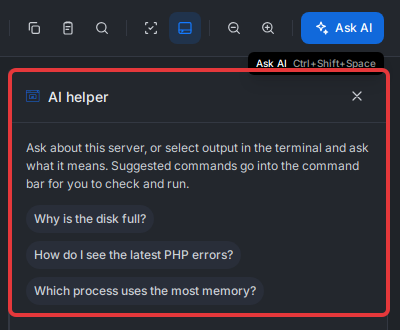
Before, copying and pasting in the web terminal was awkward, and there was no way to search the output or get help with an error. Now the terminal has a toolbar, a right-click menu, a command bar and an Ask AI panel.
Who it’s for: anyone who opens a root, sudo user or site user terminal from the dashboard.
- Copy, paste and find from the toolbar, the right-click menu or the usual shortcuts. Ctrl+C still stops a running command.
- Command bar: type under the terminal and get suggestions from your own history on that server, and useful commands for the site, such as WP-CLI on WordPress sites. Your history stays in your browser.
- Ask AI: select some output and choose Explain with AI or Suggest a fix with AI. Suggested commands come with Insert and Copy, and you always press Enter yourself.
- Safer by default: risky commands such as
rm -rfneed a second Enter, and passwords and tokens are removed before anything reaches the AI.