
PLAIN SERVER
A Managed VPS With No Web Server, Secured by xCloud
Connect or create a secured Ubuntu server with no web server, PHP or database. Run your own software, and add Nginx or OpenLiteSpeed whenever you need to host sites.
- Firewall, Fail2Ban and key-only SSH
- No web server, PHP or database
- Add Nginx or OpenLiteSpeed later
WHAT YOU GET
A Clean Server That Is Still Managed
xCloud sets up the operating system and its security, then stays out of the way. No web server, PHP or database runs until you add one.
UFW firewall
SSH, HTTP and HTTPS open. Add rules for any port your software needs.
Fail2Ban for SSH
Brute-force attempts are banned. Ban and unban IPs from the dashboard.
Key-only SSH
Password login is off. Your SSH keys and sudo users are managed for you.
Security updates
Ubuntu security patches install automatically, with optional auto reboot.
Root and terminal
SSH in or use Open Terminal and Commands right from the dashboard.
Supervisor included
Keep your own long-running processes alive across crashes and reboots.
Any provider
Create one with xCloud or connect a fresh Ubuntu 24.04 or 26.04 VPS.
Web server on demand
Install Nginx or OpenLiteSpeed from the dashboard, without a rebuild.
SERVER STACKS
Every Server Stack xCloud Supports
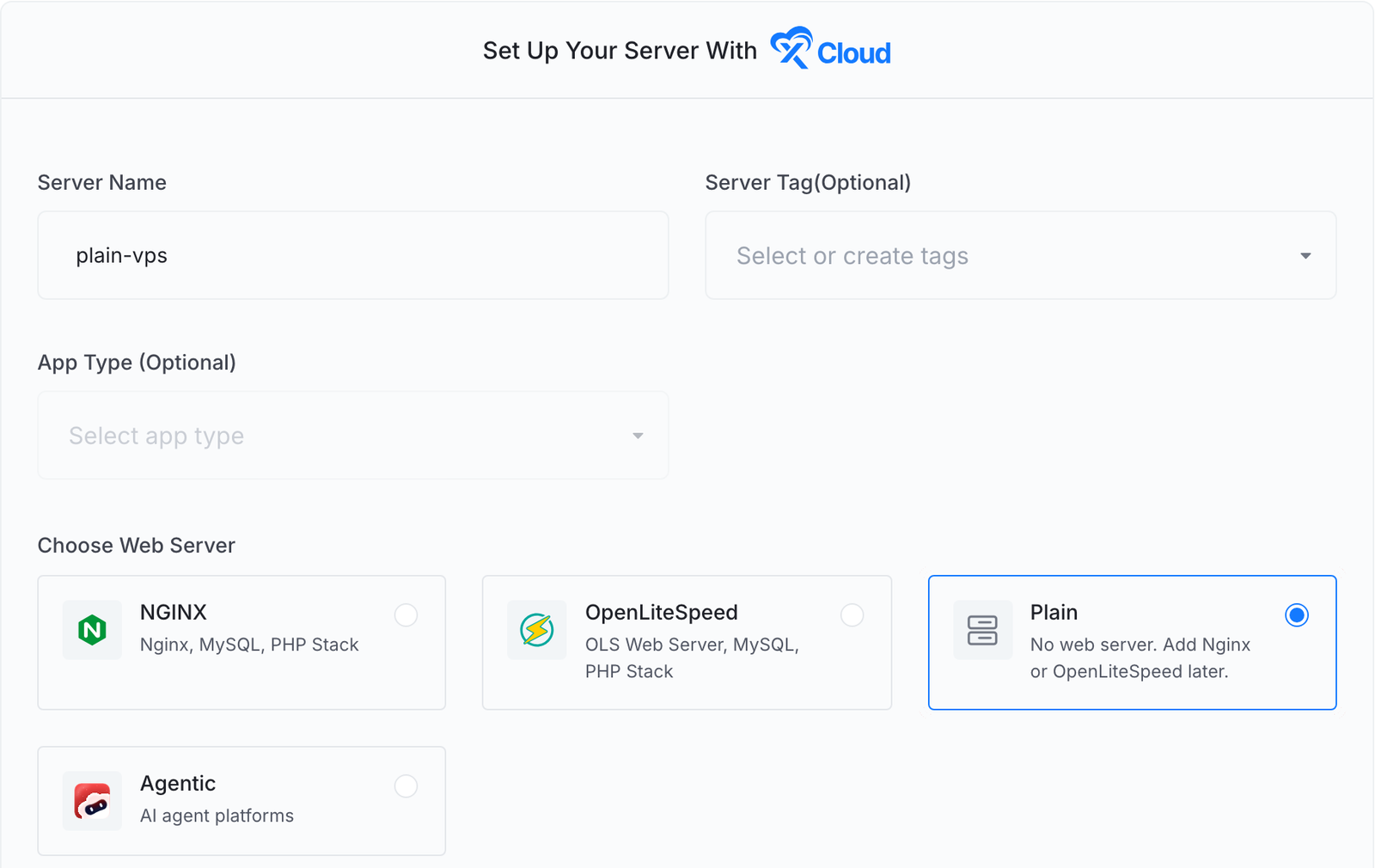
Pick the stack under Choose Web Server when you create or connect a server.

NGINX
Web server stack
Nginx with MySQL or MariaDB and PHP per site. Runs WordPress, Laravel, PHP and Node.js sites and Docker-based one-click apps.
What NGINX installs
OpenLiteSpeed
Web server stack
OpenLiteSpeed with LiteSpeed PHP and MySQL or MariaDB. A good fit for WordPress with LiteSpeed Cache.
What OpenLiteSpeed installs
Plain
No web server
A secured Ubuntu server with nothing else on it. Add Nginx or OpenLiteSpeed later from Management.
Plain server guide
Agentic
AI agent platforms
A dedicated server for OpenClaw, Paperclip, Hermes Agent or DeepSeek Harness, behind an Nginx reverse proxy.
AI agent hosting
HOW IT WORKS
From Fresh VPS to Your Own Software
Three steps, and a fourth only when you want to host sites.
Choose Plain
Create a server with xCloud, or connect your own, and pick Plain under Choose Web Server.
xCloud secures it
xCloud sets up the firewall, Fail2Ban, SSH keys, swap and automatic updates.
Install your software
SSH in as the xcloud user or a sudo user and run whatever you need.
Add a web server later
Open Management, then Install Web Server, and pick Nginx or OpenLiteSpeed.
Frequently Asked Questions
Everything you need to know about Plain servers on xCloud.
What is a Plain server in xCloud?
A Plain server is an Ubuntu server that xCloud sets up and secures without installing a web server, PHP, a database, Redis or Docker. xCloud still manages its firewall, SSH keys, sudo users and security updates.
What can I run on a Plain server?
Anything you install yourself, such as a Go or Rust service, a game server, a VPN, a queue worker or a build runner. Open any extra port your software needs in Firewall Management.
Can I host WordPress on a Plain server?
Yes, after you install a web server. Open Management, then Install Web Server, choose Nginx or OpenLiteSpeed and click Install. A database and Redis are not part of that install; add them from Server Settings once the web server is ready.
Is a Plain server less secure than an Nginx or OpenLiteSpeed server?
No. It gets the same operating system hardening as every xCloud server: the UFW firewall, Fail2Ban, key-only SSH login, kernel security mitigations and automatic security updates.
Can I connect a server from my own provider as Plain?
Yes. Choose Connect your server, then pick the Plain tile. The server must be a fresh Ubuntu 24.04 or 26.04 LTS x64 server with root access.
Can I install a web server through the API?
Yes. Send POST /api/v1/servers/{uuid}/install-web-server with a stack of nginx or openlitespeed. The same action is available through the xCloud MCP server.
Start With a Clean Server
Run your own software on a managed, secured server. Add a web server only when you need one.