


PHP security release November 2026: PHP will ship critical security releases on Thursday, 19 November 2026, between 14:00 and 14:30 UTC. The PHP security team announced it on 18 November: the releases cover every supported PHP version, and the highest severity is critical.
There is one important detail in the announcement: PHP says the critical issues “require either non-default configuration or uncommon setups.” That makes this a different kind of emergency from PHP2Shell in October, which hit every PHP site. But PHP hasn’t named those conditions yet, so nobody can call their server safe until the details are out.
This guide covers what PHP has announced, who should worry, what you can do before 14:00 UTC, and how to install the fixed versions on any host. We’ll update it with the fixed version numbers as soon as PHP publishes them.
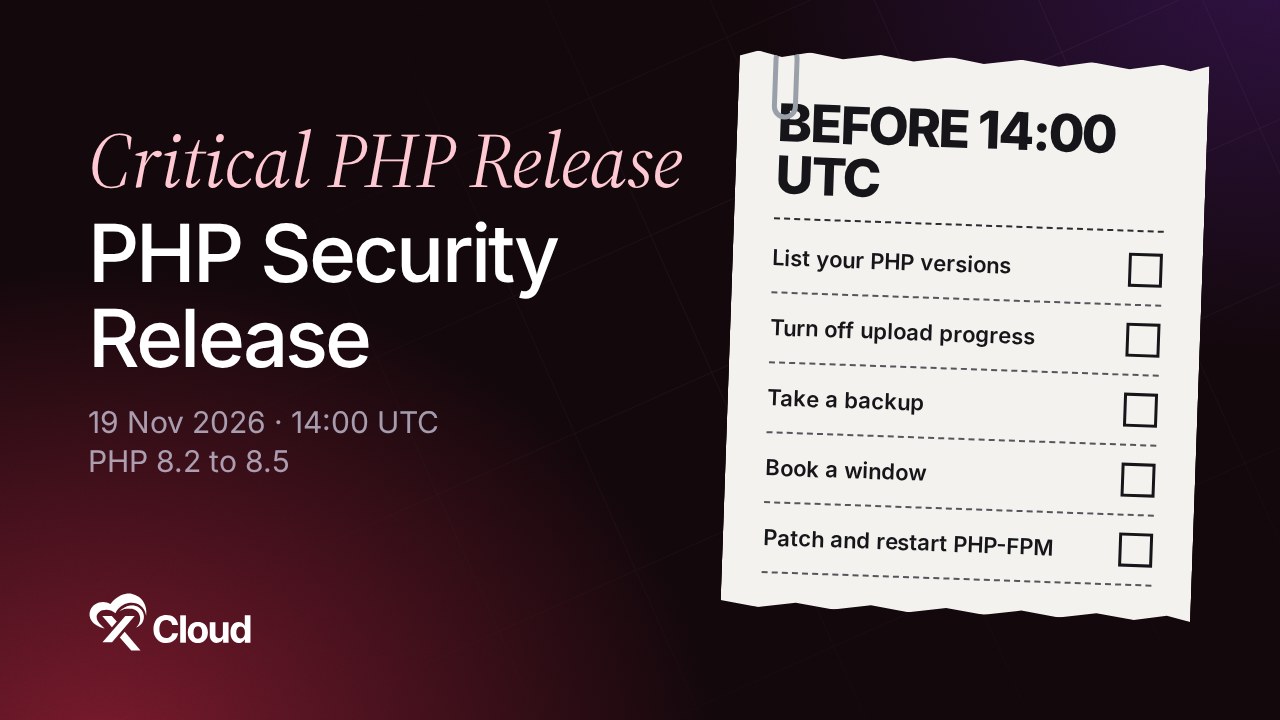
TL;DR
- When: Thursday, 19 November 2026, 14:00 to 14:30 UTC.
- What: security releases for PHP 8.2, 8.3, 8.4 and 8.5, highest severity critical.
- Who is at risk: PHP says the critical issues need a non-default configuration or an uncommon setup. The exact conditions come with the release.
- Already known: the fix for CVE-2026-115560 (session upload progress) is expected in this release.
- Do now: list your PHP versions, set
session.upload_progress.enabled=0, take a backup and book a maintenance window after 14:30 UTC. - Then: install the fixed PHP build and restart PHP-FPM so the new code is actually running.
The November 2026 PHP Security Release at a Glance
| Announced | 18 November 2026, on php.net |
| Release window | Thursday, 19 November 2026, 14:00 to 14:30 UTC |
| Versions | All supported branches: PHP 8.2, 8.3, 8.4 and 8.5 |
| Highest severity | Critical |
| Conditions | Critical issues need a non-default configuration or an uncommon setup (details with the release) |
| Known CVE | CVE-2026-115560 expected; full CVE list with the release |
| Fixed versions | Published with the release (we’ll add them here) |
| Release type | PHP’s regular four-week security release, not an emergency release |
How Is This Different from PHP2Shell?
In October, PHP made an emergency release for PHP2Shell (CVE-2026-109618 and CVE-2026-109619), two critical flaws that let attackers run code on any PHP site, with exploit code public on the day. That release gave us PHP 8.5.12, 8.4.27, 8.3.36 and 8.2.35.
The 19 November release is different in three ways:
| PHP2Shell (21 Oct) | 19 November release | |
|---|---|---|
| Who is exposed | Every PHP site | Non-default configurations or uncommon setups (PHP’s words) |
| Release type | Emergency, out of cycle | Regular four-week security release |
| Details | Public on the day, exploit code circulating | Published with the release |
If you never installed the October fix, stop here and do that first. Any PHP build older than 8.5.12, 8.4.27, 8.3.36 or 8.2.35 is still open to PHP2Shell. Our PHP2Shell guide for any host shows how.
What We Already Know: CVE-2026-115560
One issue in this release is already public. On 23 October, PHP published an informational advisory for CVE-2026-115560, an unlikely remote code execution path in PHP’s session upload progress feature. PHP said the full advisory and the fix would come with its next regular release, and 19 November is that release.
According to PHP, a site is only exposed when the application switches session.serialize_handler to php at runtime with ini_set(), while session upload progress is on. Most applications, WordPress included, never do that. We explain the details in our CVE-2026-115560 guide.
PHP’s recommended step, which also helped against PHP2Shell, is still worth having in place today:
; php.ini or your PHP-FPM pool (not .user.ini, not ini_set())
session.upload_progress.enabled = 0
Then restart PHP-FPM so it takes effect. This setting doesn’t break a normal WordPress site.
What to Do Before 14:00 UTC
You can’t install the fix yet, but you can make sure it takes minutes instead of hours when it lands.
1. List Every PHP Install and Its Version
php -v                                   # the CLI version
ls /etc/php/                             # every installed branch (Ubuntu, Debian)
systemctl list-units 'php*-fpm*'         # which PHP-FPM versions are running
On WordPress, Tools → Site Health → Info → Server shows the PHP version each site runs. Don’t forget containers: docker ps and the PHP version inside each image.
| Your PHP version | What happens on 19 November |
|---|---|
| 8.5, 8.4, 8.3 | Gets a fixed release. Update the same day |
| 8.2 | Gets a fixed release. Security support ends 31 December 2026, so plan a move to 8.3 or newer |
| 8.1 or older | No fix from the PHP project. Ask whether your package source backports it, and move to a supported version |
PHP’s supported versions page lists every branch and its end date.
2. Note Anything Unusual in Your PHP Setup
PHP says the critical issues need a non-default configuration or an uncommon setup, but hasn’t said which. Note what is non-default on your servers now, so you can compare it with the advisory at 14:30 UTC: custom php.ini changes, unusual extensions, runtime ini_set() calls for sessions, or PHP run in a way other than PHP-FPM behind a web server.
Don’t mark any server safe on a guess. Plan to update every install either way.
3. Take a Backup and Book a Window
Patch releases rarely break sites, but a backup makes rolling back easy. Book a short maintenance window after 14:30 UTC on 19 November, and test busy sites on a staging copy first if you can.
4. Ask Your Host When They Will Patch
On shared or managed hosting, your host installs PHP for you. Ask them today when they’ll roll out the 19 November builds, and whether they’ll confirm it in writing.
After the Release: How to Install the Fix
| Hosting type | Who installs the fix | What you do |
|---|---|---|
| Shared hosting / cPanel | Your host | Confirm the patched build is live, then check the version |
| Managed WordPress hosting | Your host | Ask for the patch date in writing |
| Your own VPS (Ubuntu, Debian) | You | Update the PHP packages and restart PHP-FPM |
| Docker | You | Pull the rebuilt PHP image and recreate every container |
| xCloud | xCloud rolls it out | Check with Manage PHP → Scan Patch |
On Your Own VPS
Many Ubuntu servers get PHP from Ondřej Surý’s packages, which often ship new PHP releases the same day:
sudo apt update
sudo apt install --only-upgrade 'php8.*'
php -v
sudo systemctl restart 'php*-fpm'
Restart PHP-FPM. Until you do, the old PHP keeps serving requests. If your PHP comes from your distribution, watch its security notices for a backported build, because the version number may not change.
On Docker
Restarting a container keeps the old image. Pull the new php image tag once it’s rebuilt, recreate the containers, and check php -v inside each one.
Running WordPress? Here’s What Matters
The November issues are in PHP itself, so updating WordPress, plugins or themes won’t fix them, and a security plugin can’t block them. The fix has to come from your server or your host, just like PHP2Shell.
The good news: PHP says the critical issues need a non-default setup, and a typical WordPress site runs PHP in its normal configuration. Still, update as soon as the fix is out, and take the chance to move any site still on PHP 8.1 or older to a supported version.
How xCloud Handles the November PHP Release
- We roll out the patched PHP builds. As we did for PHP2Shell, the xCloud team will install the 19 November releases on xCloud servers once PHP publishes them. We’ll add the versions and dates to this post and to our zero-day security record.
- Session upload progress is already off. The mitigation PHP recommends for CVE-2026-115560 has been in place on xCloud servers since 21 October. See our CVE-2026-115560 post.
- Check any time. Manage PHP → Scan Patch shows whether a server’s PHP builds are up to date. See how to install PHP security patches in xCloud.
- Automatic security updates. With Managed Service Updates on, future patches install on schedule. See how automated security updates work.
- Safe PHP upgrades. Moving a site off PHP 8.1? Test it on a one-click staging site first.
Want a host that patches PHP for you? Start free on xCloud and bring your own server, or let us host it.
Be Ready at 14:00 UTC, Patch by End of Day
This release is scheduled, and PHP says the critical issues need an unusual setup. That gives you time to prepare, but not a reason to skip it. List your PHP versions today, turn off session upload progress, take a backup, and install the fixed builds as soon as they’re out on 19 November.
We’ll update this post with the fixed version numbers and the full advisory once PHP publishes them.
If you have found this blog helpful, feel free to subscribe to our blogs for valuable tutorials, guides, knowledge, and tips on web hosting and server management. You can also join our Facebook community to share insights and engage in discussions.
Frequently Asked Questions
When is the November 2026 PHP security release?
Thursday, 19 November 2026, between 14:00 and 14:30 UTC. PHP announced it on 18 November and will publish the technical details and the fixed version numbers with the releases.
Which PHP versions are affected?
PHP says the releases cover all supported versions: PHP 8.2, 8.3, 8.4 and 8.5. PHP 8.1 and older are end of life and get no fix from the PHP project.
Is my site at risk from the critical issues?
PHP says the issues rated critical require either a non-default configuration or an uncommon setup. It has not named those conditions yet, so don’t assume a default install is safe. Plan to update every PHP install after the release, whatever its configuration.
Is this PHP2Shell again?
No. PHP2Shell (CVE-2026-109618 and CVE-2026-109619) was fixed on 21 October 2026 in PHP 8.5.12, 8.4.27, 8.3.36 and 8.2.35. The 19 November releases are a separate, scheduled release. If you are still on an older build, update now rather than waiting.
Does this release fix CVE-2026-115560?
It is expected to. PHP said in October that the full advisory and fix for CVE-2026-115560, the session upload progress issue, would come with the next regular release, and 19 November is that release. PHP will confirm the CVE list when it publishes.
What can I do before the release?
List every server and container that runs PHP and note the version, book a maintenance window after 14:30 UTC, and make sure session.upload_progress.enabled is set to 0 in php.ini or the PHP-FPM pool. Take a backup so you can roll back if an update breaks something.
What is xCloud doing about the November PHP release?
As with PHP2Shell, the xCloud team will roll out the patched PHP builds to xCloud servers once PHP publishes them, and this post will be updated with the versions and dates. Customers can also check with Scan Patch under Manage PHP in the dashboard.