


In the Contabo security incident, Contabo detected unauthorized access to its systems on 14 November 2026. It has stopped the access, reset all VNC passwords and says there is no sign of a personal data leak so far. xCloud is not affected. If you connect a Contabo server to xCloud, your sites keep running and nothing changes in xCloud. The six checks below are a simple precaution for your Contabo account and server.
This post is for xCloud users who host on Contabo. It covers what Contabo has said, why xCloud is not part of the incident, and what to check, with a link to the matching xCloud guide for each step.
TL;DR
- What happened: Contabo found unauthorized access to its systems on Saturday, 14 November 2026, and published a notice on 16 November.
- What Contabo did: stopped the access, reset all VNC passwords, blocked the known access paths, rotated internal credentials and brought in outside specialists.
- Data: Contabo has no indication of a personal data leak so far. The investigation is still going on.
- xCloud: not affected. xCloud reaches your Contabo server over SSH and does not use Contabo’s VNC console or keep your Contabo login.
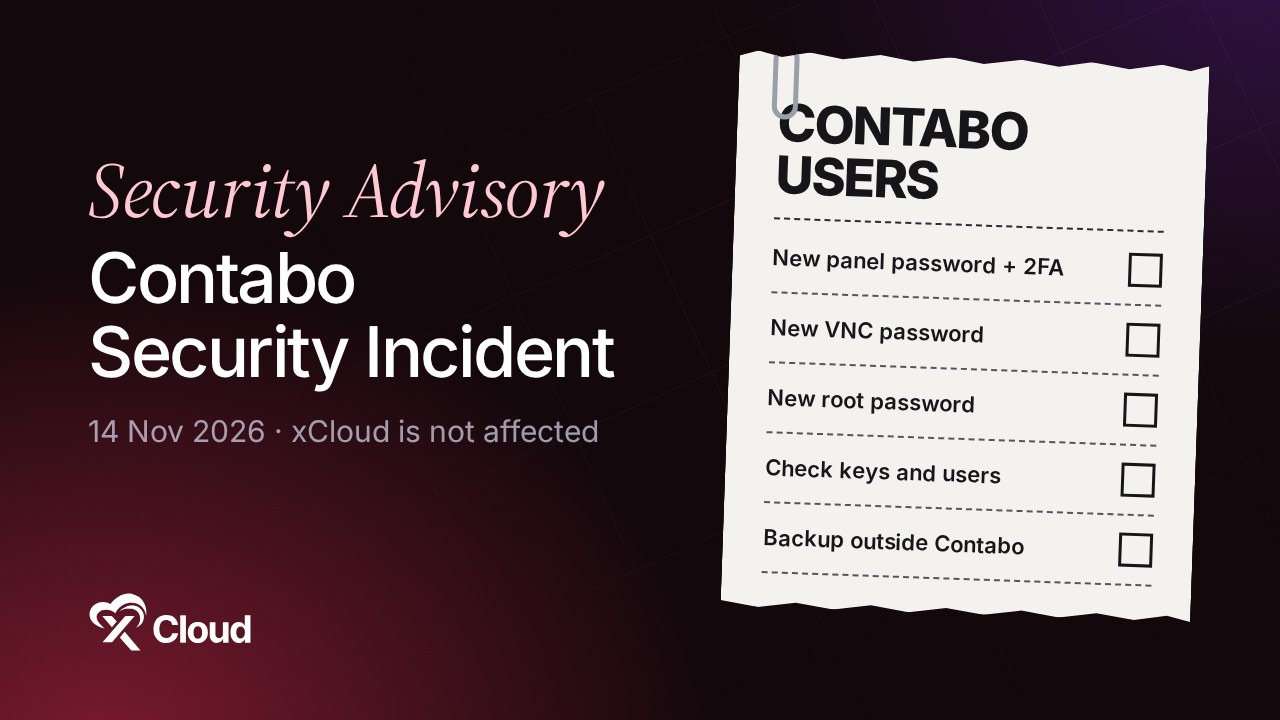
- Your checks: new Contabo panel password with two-factor authentication, new VNC password, new root password, look for SSH keys or users you did not add, a backup outside Contabo, and two-factor authentication in xCloud.
What Contabo Has Said So Far
Contabo published a notice titled Potential security incident of 14 November 2026 on 16 November 2026 at 21:00 CET. Its status is “Investigation ongoing”. According to Contabo:
- The unauthorized access was detected on 14 November and has been stopped.
- All VNC passwords were reset and the known access paths were blocked.
- Internal access credentials were rotated, and extra monitoring and forensic measures were switched on.
- Outside incident response specialists are running a forensic investigation.
- There is no indication of a personal data leak so far.
- Operations continue as usual, and Contabo will post confirmed findings on the same page daily by 14:00 CET.
Contabo has not said how the access happened, which systems were touched or how many customers are involved. Until it does, treat its page as the source of truth and avoid guesses you may read elsewhere.
Contabo also asks customers to watch for suspicious activity, review credentials and access, replace default passwords, turn on multi-factor authentication and be careful with links in unexpected messages.
Is xCloud Affected?
No. xCloud’s own systems are not part of Contabo’s incident and keep running normally.
Contabo is not a built-in provider in xCloud. You connect a Contabo server through Other Providers, and xCloud reaches it over SSH, as the Contabo setup guide shows. That means:
- xCloud does not use Contabo’s VNC console, which is what Contabo reset.
- xCloud does not ask for or keep your Contabo account login or a Contabo API key. The supported providers page lists Contabo under the option that needs no saved provider credential.
So there is nothing to change in xCloud. The checks below protect the two things that sit with Contabo: your Contabo account and the server itself.
What Is VNC, and Why It Matters Here
VNC is the remote console Contabo gives every VPS and VDS. It works like a screen and keyboard plugged into your server, outside SSH. Anyone with the VNC password can reach the server’s login screen, or an open session someone forgot to close.
This is why one check below matters even if you only use SSH keys: the VNC console logs in with the server’s system password, not your SSH key. A strong new root password closes that door.
6 Checks for xCloud Users on Contabo
1. Change your Contabo panel password and turn on two-factor authentication
Open the Contabo Customer Panel by typing the address yourself, then set a new password and turn on two-factor authentication. Don’t sign in from links in unexpected “Contabo” emails; incidents like this often bring phishing.
2. Set a new VNC password
Contabo reset every VNC password, so set a new, long one in the Contabo panel. If you never use the console, you can leave VNC unused.
3. Change the server’s root password and keep SSH key-only
Connect to the server and change the root password (and the password of any sudo user):
sudo passwd rootThen keep SSH logins key-only in xCloud with SSH Lockdown and SSH keys.
4. Look for anything you did not add
These read-only commands show recent logins, the SSH keys allowed for root, user accounts that can log in, and root’s scheduled jobs:
last -n 20
sudo cat /root/.ssh/authorized_keys
grep -E "/bin/(ba)?sh$" /etc/passwd
sudo crontab -l
Remove any key, user or job you don’t recognise. For your WordPress sites, run a scan in the xCloud Security Center. If something looks wrong, follow our security incident checklist.
5. Keep a recent backup outside Contabo
A backup stored with a different provider is your safety net whatever happens at one company. xCloud can send site backups to Amazon S3, Cloudflare R2 or Google Drive. See backups in xCloud for schedules.
6. Turn on two-factor authentication in xCloud too
It takes a minute and protects the panel that controls all your servers: set up two-factor authentication.
Quick Checklist
| Check | Where | Done when |
|---|---|---|
| New panel password + 2FA | Contabo Customer Panel | 2FA shows as on |
| New VNC password | Contabo Customer Panel | A new long password is set |
| New root password, SSH key-only | Server + xCloud SSH Lockdown | Password changed, password SSH off |
| Unknown keys, users, cron jobs | Server | Nothing you don’t recognise |
| Backup outside Contabo | xCloud backups | Latest backup in S3, R2 or Drive |
| 2FA in xCloud | xCloud account | 2FA shows as on |
Need a Hand?
If something looks wrong, or you’d like help checking your server, open a ticket at support.xcloud.host or email [email protected]. We’re happy to help. For news about the incident itself, follow Contabo’s incident page, which Contabo updates daily.
Frequently Asked Questions
What happened in the Contabo security incident?
Contabo detected unauthorized access to its systems on Saturday, 14 November 2026. Contabo says the access has been stopped, all VNC passwords were reset, internal access credentials were rotated and outside incident response specialists were brought in. The investigation is still going on.
Was customer data leaked in the Contabo incident?
Contabo says it has no indication so far that personal data leaked. The forensic investigation is still going on, so this is Contabo’s early assessment, not a final result. Contabo posts updates on its incident page daily by 14:00 CET.
Is xCloud affected by the Contabo security incident?
No. xCloud keeps running normally. xCloud connects to a Contabo server over SSH through the Other Providers option. It does not use Contabo’s VNC console and does not keep your Contabo login or a Contabo API key.
Do I need to do anything in xCloud?
Nothing changes in xCloud and your sites keep running. As a precaution, change your Contabo panel password and VNC password, change the server’s root password, check for SSH keys or users you did not add, keep a backup outside Contabo and turn on two-factor authentication in xCloud.