


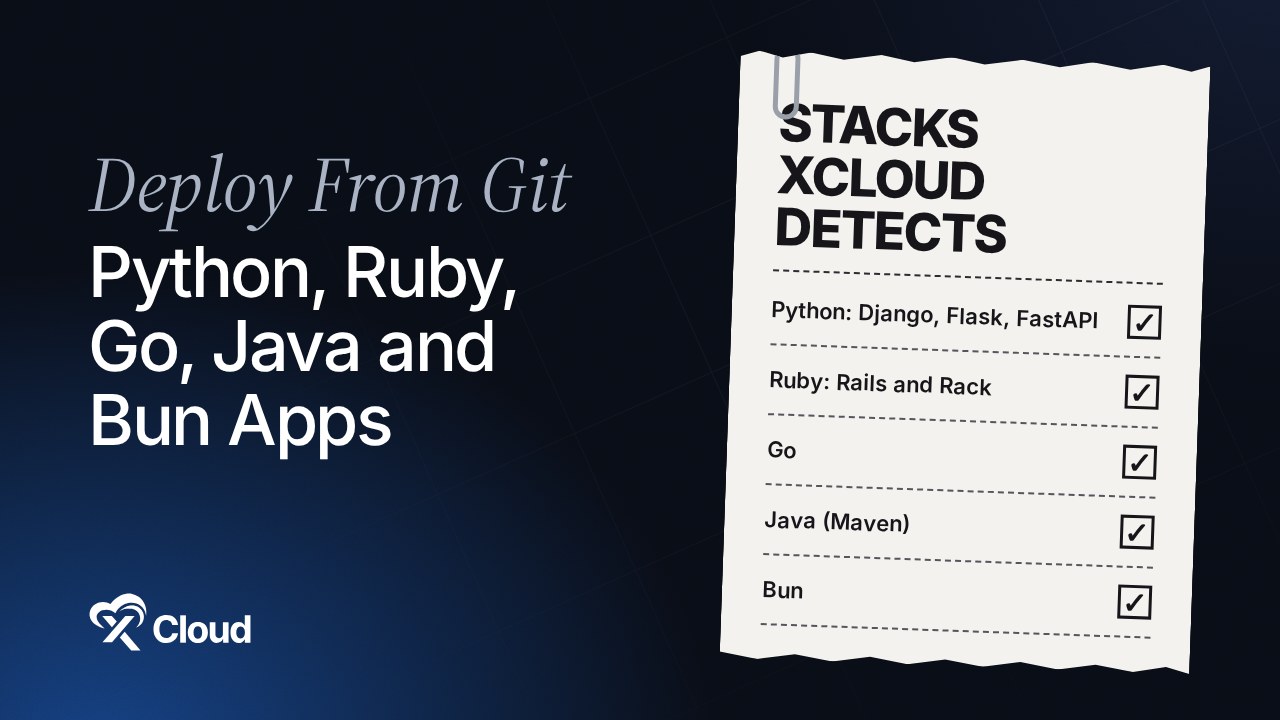
Want to deploy Python app from GitHub to your own server without writing Docker files? Since xCloud v2.9.11, every team can deploy Python, Ruby, Go, Java and Bun apps from Git. xCloud reads your repository, picks the stack, writes the container setup, keeps your data folders across redeploys and checks the server first.
Until now, a Django API, a Rails app or a small Go service needed a different host or a hand-written Docker setup. If you already run WordPress, Laravel or Node.js on xCloud, that meant a second platform and a second bill. Our Heroku alternatives guide covers why many teams want those apps back on a server they control.
This post shows exactly what xCloud detects, which folders survive a redeploy, what stays native, and where the feature stops. It ends with the other v2.9.11 changes for teams and API users.
TL;DR
- New in v2.9.11: Deploy via Git now detects Python (Django, Flask, FastAPI, WSGI), Ruby (Rails, Rack), Go, Java (Maven) and Bun repositories for every team.
- No Dockerfile needed: xCloud writes
.xcloud-recipe.Dockerfileand runs your app as a container on your NGINX server. - Data survives redeploys:
/app/datais kept for every stack, plus/app/media(Django) and/app/storage(Rails). - Checks come first: a server that cannot run containers is flagged before you pick a repo, and required
.envvalues are checked before the site is created. - Laravel, Node.js and PHP stay native, even when the repo ships a Dockerfile.
- Also new: API tokens that Refuse destructive actions, team-wide 2FA, a Pending invites section and Disconnect Git.
What xCloud Runs for Each Stack (the Full Table)
Most “deploy from GitHub” guides tell you to write a Dockerfile and hope. This table is the exact setup xCloud uses for each stack, read from the released v2.9.11 code. It tells you which file triggers detection, the base image, the port and the folders that survive a redeploy.
| Stack | Detected by | Base image | Port | Runs before start | Kept folders |
|---|---|---|---|---|---|
| Django | manage.py or django in your Python dependencies |
python:3.12-slim |
8000 | collectstatic, then migrate |
/app/data, /app/media |
| Flask | flask in your Python dependencies |
python:3.12-slim |
8000 | none | /app/data |
| FastAPI / Starlette | fastapi, starlette, uvicorn or hypercorn |
python:3.12-slim |
8000 | none | /app/data |
| Python WSGI | wsgi.py, or gunicorn / waitress |
python:3.12-slim |
8000 | none | /app/data |
| Rails | rails in your Gemfile |
ruby:3.3-slim |
3000 | rails db:migrate |
/app/data, /app/storage |
| Ruby (Rack) | Gemfile plus config.ru |
ruby:3.3-slim |
9292 | none | /app/data |
| Go | go.mod |
built on golang:1, runs on debian:bookworm-slim |
8080 | none | /app/data |
| Java | pom.xml (Maven) |
built on Maven with Java 21, runs on eclipse-temurin:21-jre |
8080 | none | /app/data |
| Bun | bun.lock, bun.lockb or bunfig.toml |
oven/bun:1 |
3000 | bun run build if you have a build script |
/app/data |
Python dependencies are read from requirements.txt, pyproject.toml or Pipfile. Django runs under Gunicorn, FastAPI under Uvicorn. For Rails, xCloud adds a random SECRET_KEY_BASE to your .env if you did not set one.
The container port is filled in for you and shown on the form as Container port. If your app listens somewhere else, change it there.
Run Apps Beyond PHP and Node on Your Own Server
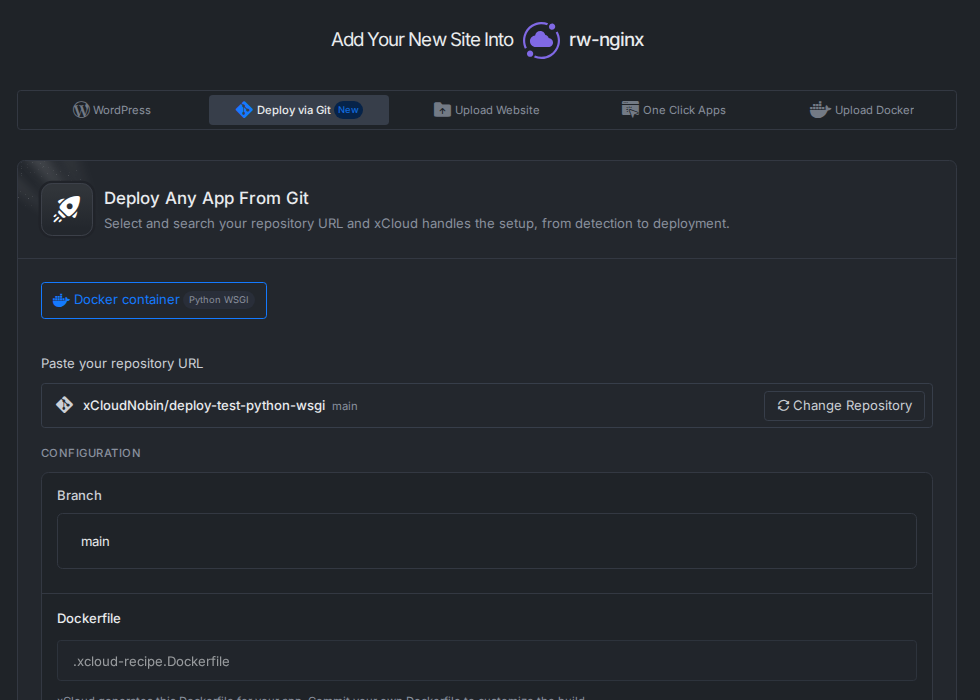
The flow is the same one you already use for Git sites. Open a server, click New Site, choose Deploy via Git, then pick your repository. If you have not linked GitHub yet, start with how to integrate a Git provider with xCloud.
When the repo matches a stack in the table, the form shows Docker container with the stack name beside it. The Dockerfile field reads .xcloud-recipe.Dockerfile, and the form explains: “xCloud generates this Dockerfile for your app. Commit your own Dockerfile to customize the build.”
Then set the branch, the domain and your environment values, and click Deploy. For how .env values work on Git sites, see environment variables and Git deployments.
Two checks run before anything is created:
- Can this server run containers? An OpenLiteSpeed server cannot. xCloud says so before you pick a repository, instead of failing halfway.
- Are the required
.envvalues set? If your repo ships an example env file, xCloud reads its keys and checks the required ones before it creates the site.
If a build runs out of memory on a small server, the deploy log now says that plainly. When a deploy still fails, our post on why your Git deploy failed on xCloud walks through the usual causes.
Data Folders That Survive Every Redeploy
Here is the part that trips people up with containers. A redeploy builds a fresh container, and anything written inside the old one goes with it. The Docker docs put it plainly: “When a container is destroyed, the writable layer is destroyed with it.”
xCloud handles this with kept folders. For each stack it keeps /app/data, plus /app/media for Django and /app/storage for Rails. The form tells you which folders are kept before you deploy.
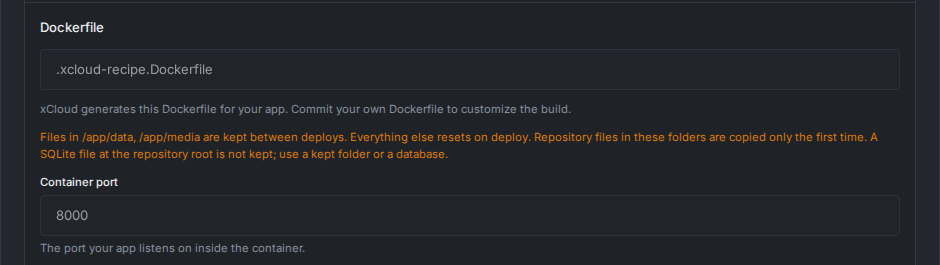
The rules on that note are worth reading twice:
- Files in the kept folders stay between deploys. Everything else resets on deploy.
- Repository files inside those folders are copied only the first time.
- A SQLite file at the repository root is not kept. Move it into a kept folder, or use a real database.
Bring your own Dockerfile instead? Data in its VOLUME folders also stays in place across redeploys.
For Django, two lines from the official Django deployment checklist still apply: set STATIC_ROOT so collectstatic has somewhere to write, and set ALLOWED_HOSTS to your domain when DEBUG is off. If collectstatic fails, xCloud skips it and keeps going, so check your static files after the first deploy.
Laravel, Node.js and PHP Stay Native
Many Laravel and Node.js repos carry a Dockerfile that exists only for local development or another host. In v2.9.11, a repo xCloud can run natively (Laravel, Node.js, PHP) gets the native setup by default, even when it ships a Dockerfile.
The container route is still one click away: choose Docker container on the form. A repo with a Docker Compose file, or a stack xCloud cannot run natively, deploys as a container as before. For Compose apps, follow how to deploy a custom Docker application from Git.
| Your repository | What xCloud does by default |
|---|---|
| Laravel, Node.js or PHP (with or without a Dockerfile) | Native setup, same as before |
| Python, Ruby, Go, Java (Maven) or Bun, with no Dockerfile | Generates .xcloud-recipe.Dockerfile and runs a container |
| Any other repo with your own Dockerfile, or any repo with a Compose file | Uses your file and runs a container |
| WordPress | Native WordPress site |
What It Does Not Do (Honest Limits)
The trade-off is that detection is deliberately narrow. When xCloud is not sure, it does not guess. Here is where it stops:
- NGINX servers only. OpenLiteSpeed servers cannot run containers. See enable Docker on an NGINX server.
- Java means Maven. A Gradle-only project is not detected. Commit your own Dockerfile instead.
- Go needs one entry point: a
mainpackage at the root, or exactly one folder undercmd/. - Flask and FastAPI apps must be created at module level (
app = Flask(...),app = FastAPI(...)orapp = create_app()). Otherwise the start step stops with a message that says so. - Mixed repos fall back. A Python repo with a Node
package.jsonat its root, or a RustCargo.toml, is not picked up by these stacks. - Fixed runtime versions. Python 3.12, Ruby 3.3 and Java 21 are the defaults. Need something else? Commit your own Dockerfile.
To undo, you have two options. Commit your own Dockerfile to take over the build, or delete the site; your repository is untouched either way.
Also in v2.9.11: Safer API Tokens, Team 2FA, Pending Invites, Disconnect Git
Tokens that refuse destructive actions
If you hand an API token to an AI agent, you may want it to look and fix, never delete. Tick Refuse destructive actions when you create a token, or use the shield button on the token row later. A destructive request with that token is refused, even with Full Access. Tokens live under Settings → Developers → API Tokens; see multi-team API tokens and MCP access.
Two-factor authentication for the whole team
Team admins now see a 2FA column (Enabled / Not enabled) for every member. On Edit Team, tick Require two-factor authentication for all members, and the team page shows a 2FA required badge. Members without 2FA can only open their Authentication settings until they set it up. You can switch this on only if your own account already has 2FA, so you cannot lock yourself out. Set up yours with the 2FA guide.
Pending invites with a link you can copy
Invitations now sit in their own Pending invites section on the team page, with Copy Link, Change Role, Resend Email and Delete. The link is the same one the invitation email carries: it lasts 7 days and only works for the invited email address. Roles are explained in team roles and permissions.
Disconnect Git
Need to delete a Git provider that a site still uses, or move a site to another repository? Use Disconnect Git on the site’s Git settings. It stops deploying the site from its repository; the site and its files stay exactly as they are. It is refused while a deployment is running, and it removes the deploy key and webhook from GitHub when it can.
For Developers: Public API and MCP
- Force a container for a supported native repo with
deploy_mode=dockerfile. - A token with Refuse destructive actions gets a
403witherrors.code: forbidden_destructiveon the Public API, and MCP hides destructive tools for it. - Disconnect Git is available as
POST /sites/{uuid}/git/disconnect.
Deploying from an agent or a script? See deploy Git projects with the xCloud Public API and MCP.
Deploy Your First Python App from GitHub This Week
Pick one small service you host somewhere else today: a Flask API, a Rails admin, a Go webhook receiver. Still choosing a backend? Our Django vs Node.js guide compares the two. Check the table above for its stack and port, move any SQLite file into /app/data, and deploy it from Git on an NGINX server you already pay for.
If it works, you have one less platform to manage. If it does not fit the limits, commit a Dockerfile and use the same form. Server sizes for container workloads are on the Docker hosting page, and plans are on pricing.
If you have found this blog helpful, feel free to subscribe to our blogs for valuable tutorials, guides, knowledge, and tips on web hosting and server management. You can also join our Facebook community to share insights and engage in discussions.
Frequently Asked Questions
Can I deploy a Python app from GitHub without writing a Dockerfile?
Yes. If your repository has a requirements.txt, pyproject.toml or Pipfile with Django, Flask, FastAPI or a WSGI server, xCloud writes a Dockerfile for you and runs the app as a container. Commit your own Dockerfile when you want to change the build.
Which server do I need?
An NGINX server. OpenLiteSpeed servers cannot run containers, and xCloud tells you so before you pick a repository. If Docker is not installed yet, xCloud installs it during your first container deploy.
Will a redeploy delete my uploaded files?
Not if they are in a kept folder. /app/data is kept for every stack, plus /app/media for Django and /app/storage for Rails. Everything else in the container resets on each deploy, so keep uploads and SQLite files in a kept folder or use a database.
Does this change how my Laravel or Node.js sites deploy?
No. A Laravel, Node.js or PHP repository still gets the native setup by default, even when it ships a Dockerfile. You can still choose Docker container on the form if you want it.
My Java project uses Gradle. Will xCloud detect it?
Not today. Java detection looks for a Maven pom.xml. For a Gradle project, commit your own Dockerfile and deploy it as a custom Docker app from Git.