

Deploy Python, Ruby, Go, Java and Bun Apps from Git in xCloud
Updated November 14, 2026 · 6 min read
You can deploy a Python, Ruby, Go, Java or Bun app straight from its Git repository, even if the repository has no Dockerfile. xCloud detects the stack, generates a Dockerfile, builds the container on your NGINX server and puts your domain in front of it. The create form also shows which folders keep their files between deploys, so uploads and databases stored in the app survive every redeploy.
This guide walks you through the deployment from the Deploy via Git tab. For an overview of what changed and why, read the announcement post.
What xCloud detects
xCloud reads the files at the root of your repository and picks a setup for the stack it finds:
| Stack | What xCloud looks for | Port inside the container |
|---|---|---|
| Python: Django, Flask, FastAPI, Starlette or a WSGI app | requirements.txt, Pipfile or pyproject.toml that lists Django, Flask, FastAPI, Starlette, Gunicorn or Waitress; Django also by manage.py |
8000 |
| Ruby on Rails | A Gemfile with Rails |
3000 |
| Ruby (Rack) | A Gemfile and config.ru |
9292 |
| Go | go.mod |
8080 |
| Java (Maven) | pom.xml |
8080 |
| Bun | bun.lock, bun.lockb or bunfig.toml |
3000 |
xCloud also runs the usual release steps for you. A Django app gets collectstatic and migrate, and a Rails app gets db:migrate, on every deploy. A Rails app gets a SECRET_KEY_BASE when you don’t set one.
Two cases deploy differently:
- Your repository has its own Dockerfile or compose file. xCloud builds from your file instead. Follow How to Deploy a Custom Docker Application from a Git Repository.
- Your app is Laravel, Node.js or PHP. It deploys the usual way, without a container, even when the repository has a Dockerfile. To run it in a container instead, click Docker container above the repository.
Before you start
- An NGINX server. OpenLiteSpeed servers cannot run containers. If you pick one, xCloud shows This app type needs an nginx server to deploy as a container. Docker does not need to be installed yet: xCloud installs it during the first deployment. See Enable Docker on an NGINX server to install it ahead of time.
- Enough memory for Go and Java. Building a Go or Java app needs about 2 GB of memory. On a smaller server, xCloud warns you that the build may fail. Resize the server to a plan with more memory before you build.
- For a private repository: a connected Git account. See How to integrate a Git provider with xCloud.
Step 1: Open Deploy via Git and paste your repository
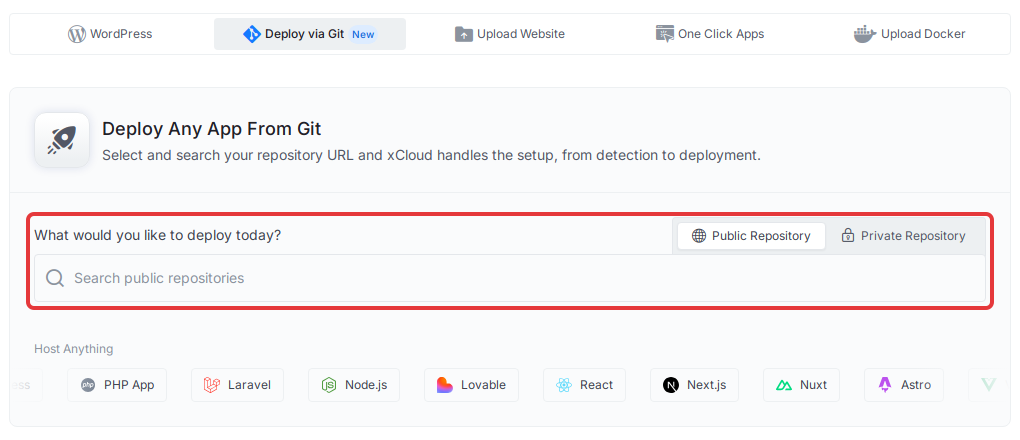
Open your server from Servers and click New Site. Click the Deploy via Git tab. Under What would you like to deploy today?, choose Public Repository and paste the repository URL, for example https://github.com/your-account/your-app, then press Enter. For a private repository, choose Private Repository and search your connected account.
Step 2: Check the detected stack
xCloud checks the repository and shows it under Paste your repository URL. Above it, Docker container is selected with the framework it detected, such as Django. If Docker is not on the server yet, a note says it will be installed automatically during the first deployment.
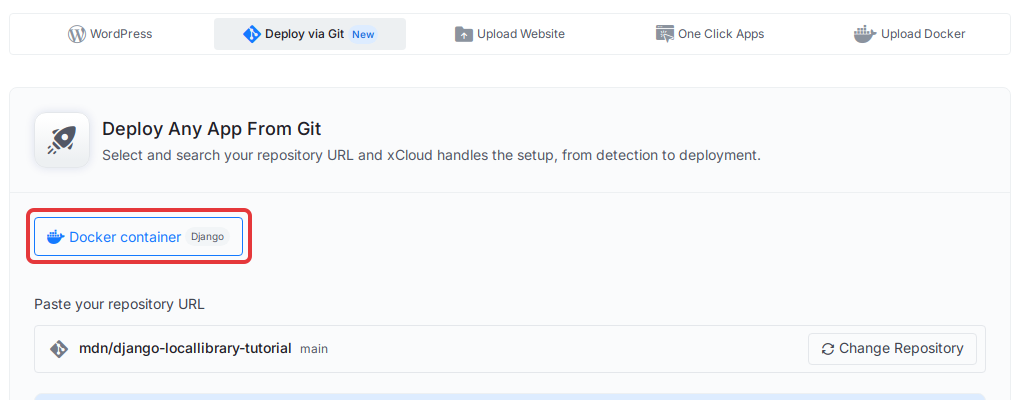
Under Configuration, check the Branch field. It holds the branch xCloud deploys. Type another branch name to deploy that one instead.
The Dockerfile field shows the file xCloud generates for your app, with the note xCloud generates this Dockerfile for your app. Commit your own Dockerfile to customize the build. The Container port is set for your stack, so you don’t need to change it.
Step 3: Check the folders kept between deploys
Scroll to Kept between deploys. Files in these folders survive redeploys, rebuilds and restarts. Anything else in the container can be lost when it is rebuilt.
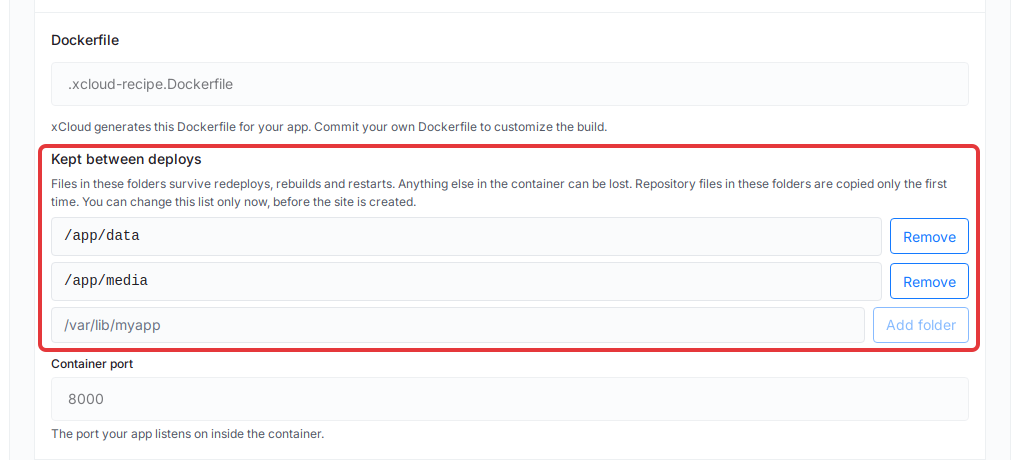
Every app keeps /app/data. Rails apps also keep /app/storage, and Django apps also keep /app/media. xCloud also reads your app’s example env file: when a setting there points at a folder outside these, xCloud adds that folder and says where it came from, for example (from SQLITE_PATH).
Change the list now if you need to. You can edit it only on this form, before the site is created:
- To keep another folder, type its full path, such as
/var/lib/myapp, and click Add folder. The path must start with/, and system folders can’t be kept. - To stop keeping a folder, click Remove next to it.
- You can keep up to 5 folders.
Each folder gets its own storage on the server, and your site’s backups include it. Repository files inside a kept folder are copied there only on the first deploy. If you remove every folder, xCloud warns you that everything in the container can be lost when it is rebuilt.
If an env setting points at a folder that is not kept, xCloud warns you, for example DATABASE_URL points at /app/db/app.sqlite3, which is not kept between deploys, so its data can be lost. Add that folder, or change the setting to a path inside a kept folder.
Step 4: Set your domain
By default the site gets a Staging domain (no DNS), so you can test it first. To go live on your own domain now, click Use a live domain instead, enter the domain and follow the DNS steps on screen.
Step 5: Add your .env values
Open Environment & deploy script and tick Provide a .env file. Add your variables as KEY=value, one per line, or click Suggest from repo to get suggestions from your repository. Check each suggestion before you use it.
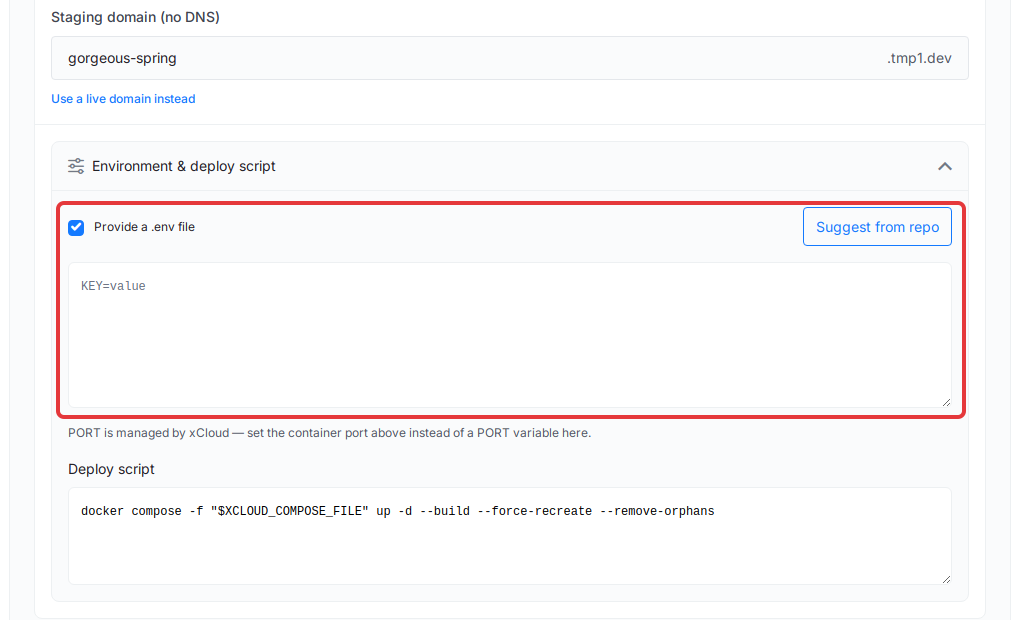
Don’t add a PORT variable. xCloud sets the port for you, and the note under the box says so. If your app needs a value that has none yet, xCloud tells you before it creates the site, so fill it in first. For more on variables, see Environment variables and Git deployments.
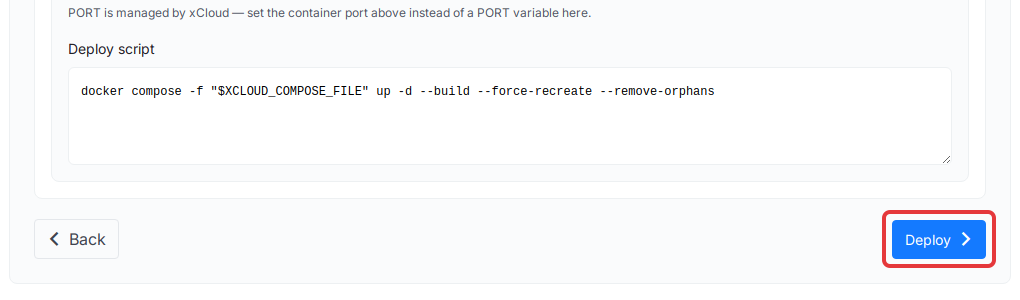
The Deploy script below holds the command that builds and starts your container. You don’t need to change it.
Step 6: Deploy
Click Deploy. xCloud clones the branch, builds the container on your server and starts it. The first build takes longer than later ones.
When the deployment finishes, open the staging domain or your live domain to check the app. To follow each deployment, see View Git deployments in xCloud. To deploy without downtime later, see Zero-downtime deploys for Docker container sites.
Troubleshooting
- “This app type needs an nginx server to deploy as a container.” The server runs OpenLiteSpeed. Pick or create an NGINX server.
- A Go or Java build fails on a small server. The build ran out of memory. Resize the server to a plan with about 2 GB of memory or more, then deploy again.
- A Python app is not detected. List your framework in
requirements.txt, or commit your own Dockerfile and follow the custom Docker guide. - A Go build fails with “Cannot find a Go main package (root or a single cmd/
)”. xCloud builds themainpackage at the repository root, or the one folder undercmd/. Movemainto the root or keep a singlecmd/<name>folder, or commit your own Dockerfile. - A Java project is not detected. xCloud detects Maven projects by
pom.xml. For another build tool, commit your own Dockerfile and follow the custom Docker guide. - Uploaded files or a database file disappear after a redeploy. They are stored outside the kept folders. Point the app’s setting at a kept folder such as
/app/data. - The deployment gets stuck, fails to clone or won’t trigger on push. See Troubleshooting Git deployments.
To protect your app’s data, see Backup and restore Docker apps.
For developers: Public API and MCP
The same deployment works from the Public API and MCP. Send persist with a list of absolute folder paths when you deploy in git or auto mode to set the kept folders. Send deploy_mode=dockerfile to run a Laravel, Node.js or PHP repository as a container. See Deploy Git projects with the xCloud Public API and MCP.
Frequently asked questions
Do I need to write a Dockerfile?
No. When your repository has no Dockerfile or compose file, xCloud detects the stack and generates the Dockerfile for you. To customize the build, commit your own Dockerfile to the repository.
Which server do I need?
An NGINX server. OpenLiteSpeed servers cannot run containers, and xCloud tells you so before you deploy. If Docker is not on the NGINX server yet, xCloud installs it during the first deployment.
Can I change the folders kept between deploys later?
No. You set the list on the create form, before the site is created. Add or remove folders there, up to 5 in total.
Why did my Laravel or Node.js repository not deploy as a container?
Laravel, Node.js and PHP apps deploy the usual way, without a container, even when the repository has a Dockerfile. To run one in a container instead, click Docker container above the repository.
If you run into any issues while deploying your app, feel free to reach out to our support team.