


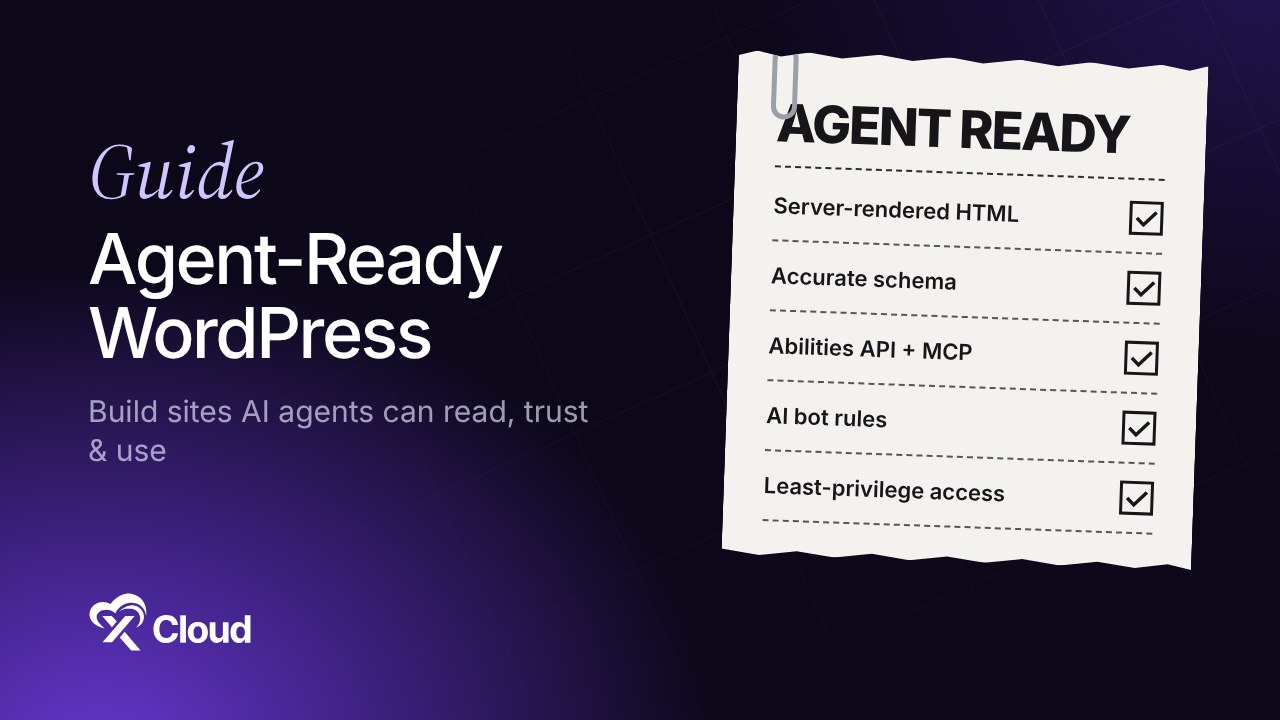
For twenty years, every WordPress decision assumed a person on the other end. Agent-ready WordPress is what comes after that assumption. Someone scrolls the page, reads the hero text, clicks the button, fills in the form.
That assumption is starting to crack. A growing share of requests now come from AI agents: ChatGPT reading your pricing page to answer a question, Claude summarizing your docs, Gemini in Chrome trying to book a slot on your calendar for a user who never sees your homepage. Some of those agents only read. Others are built to act. Our crawler list and bot management guide shows how many of them already visit a typical WordPress site.
You don’t need to rebuild your site for robots. You do need to make sure that when an agent shows up, it can read your content correctly, do the few things you want it to do, and stay out of everything else. This guide walks through all three layers, what WordPress already gives you in 2026, and what to set up at the server.
TL;DR
Short on time? Here is the whole guide in a few lines:
- An agent-ready site has three layers: readable (agents can parse it), usable (agents can take approved actions), and governed (you decide which agents get in and what they may touch).
- Readable starts with the basics you probably already have: semantic HTML, fast server-rendered pages, schema markup, and clear headings.
llms.txtis cheap to add, but no major AI provider has confirmed using it for ranking or citations, and Google says it doesn’t support it. Treat it as optional.- For actions, WordPress now has real plumbing: the Abilities API (core since 6.9) and the MCP Adapter, which exposes abilities as tools for clients like Claude Desktop, Cursor and VS Code.
- WebMCP lets a page register tools for agents running inside the browser. It’s in a Chrome origin trial, so it’s worth watching but not shipping everywhere yet.
- Governance happens at two levels: robots.txt for polite crawlers, and firewall and bot rules for everything else.
- Agent traffic is still traffic. Caching and bot controls at the server keep it from slowing your site down for humans.
What “agent-ready” means
An agent-ready WordPress site is one an AI agent can understand without guessing and use without breaking anything.
A person can work out a messy page. They can ignore a pop-up, spot the real price behind a strikethrough, and work out which of three “Get started” buttons they need. An agent has to infer all of that from markup, and every inference is a chance to get it wrong.
Think of it like the difference between giving a new hire a building tour and handing them a labeled floor plan with keys to the rooms they’re allowed in. Both work in the end. The second one is faster, and nobody wanders into the server room.
The three kinds of agent traffic
| Type | What it does | Examples | What it needs from you |
|---|---|---|---|
| Training crawlers | Collects content to train models | GPTBot, ClaudeBot, CCBot | A clear allow or block decision |
| Search and answer agents | Fetches pages to answer a user’s question or cite a source | OAI-SearchBot, Claude-SearchBot, PerplexityBot | Clean, accurate, fast pages |
| Action agents | Completes tasks for a user: fill forms, book, buy, update content | Browser agents, MCP clients connected to your site | Defined actions, permissions and limits |
Most sites only need to care about the first two today. If you run a store, a booking site, a membership site or client sites for an agency, the third one is arriving quickly.
Layer 1: Make your content readable by agents
Most of this is good SEO you may already be doing. The difference is that agents are less forgiving than Google.
Serve real HTML, not just JavaScript
Many AI crawlers don’t execute JavaScript the way Googlebot does. If your product details, prices or FAQ answers only appear after a script runs, some agents will never see them.
WordPress has an advantage here. Classic and block themes render content on the server by default. Check page builder sections, tabs, sliders and “load more” widgets, since those are the usual places where content hides behind JavaScript.
Use structure that means something
Agents lean on structure to work out what a page is about:
- One
h1, thenh2andh3headings in a logical order - Real lists and tables instead of styled
divblocks - Descriptive link text (“compare plans”, not “click here”)
- Alt text that describes the image, not keywords stuffed in for SEO
Add schema markup
Structured data tells an agent “this is a product, this is its price, this is the return policy” without it having to guess from layout. Prioritize Organization, Article, Product, FAQPage, HowTo and LocalBusiness, depending on your site. Most SEO plugins generate these, so check that the values are correct and current. A schema price that disagrees with the visible price is worse than no schema at all.
Keep important facts on the page, in plain text
Pricing, shipping zones, support hours, refund terms and plan limits should exist as plain text on a crawlable page. If they only live in a PDF, an image or a chat widget, agents will either miss them or quote an old version from somewhere else.
What about llms.txt?
llms.txt is a Markdown file at your domain root that lists your most important pages for language models. It’s quick to create, and several WordPress plugins generate one automatically.
The catch worth knowing: as of 2026, no major AI provider has publicly confirmed using it in production, and Google’s Gary Illyes has said Google doesn’t support it. Studies of AI-cited pages haven’t found a clear link between having the file and getting cited. If it takes you ten minutes, add it. Don’t expect it to fix content that agents can’t already read.
👉 Run your domain through xCloud’s free AEO Audit to see how answer engines are likely to read your pages.
Layer 2: Make your site usable by agents
This is the part that changed the most in the last year. WordPress now has a standard way to describe what a site can do, in a format agents understand.
The Abilities API
The Abilities API shipped in WordPress core in version 6.9. It lets core, plugins and themes register “abilities”: named actions with a description, input parameters, permission checks and a callback that runs the action. WordPress 7.0, released on May 20, 2026, added a JavaScript version of the API. Our WordPress 7.0 overview covers the rest of the AI features in that release, including Connectors and the AI Client.
Here’s why this matters for agents. Before abilities, an agent that wanted to “create a draft post” or “check order status” had to work out a REST route, or worse, click through wp-admin. With abilities, the site describes the action in plain language, and the agent calls it.
A simplified ability looks like this:
wp_register_ability( 'mysite/check-order-status', array(
    'label'               => 'Check order status',
    'description'         => 'Returns the status of an order for the logged-in customer.',
    'input_schema'        => array(
        'type'       => 'object',
        'properties' => array( 'order_id' => array( 'type' => 'integer' ) ),
        'required'   => array( 'order_id' ),
    ),
    'permission_callback' => 'is_user_logged_in',
    'execute_callback'    => 'mysite_get_order_status',
) );
The permission_callback matters most in that snippet. An ability is only as safe as the check that runs before it.
The MCP Adapter
The Model Context Protocol (MCP) is an open standard for connecting AI clients to tools and data. The official WordPress MCP Adapter turns registered abilities into MCP tools, so a user can connect Claude Desktop, Cursor or VS Code to your site and ask for things in plain language. WooCommerce added MCP support in version 10.3. We explain the full setup in what WordPress MCP is and how it works.
On xCloud, the step-by-step for connecting an AI client to a WordPress site is in 👉 How to connect AI clients to WordPress with Novamira. If you’re on OpenLiteSpeed and the OAuth step fails, see 👉 Fix MCP OAuth connections on OpenLiteSpeed sites.
WebMCP: tools for agents inside the browser
MCP connects agents to your site from the outside. WebMCP does it from inside the browser tab. It’s a proposed web standard, developed by Google and Microsoft in the W3C Web Machine Learning Community Group, that adds navigator.modelContext to the browser. A page can register tools such as “search products” or “add to cart” with a name, a description, a JSON input schema and a function to run.
The browser agent calls the tool instead of guessing which button to click, and it works inside the user’s existing logged-in session.
The honest status: Chrome opened an origin trial for WebMCP in Chrome 149 in May 2026, and only Gemini in Chrome uses the tools so far. The API can still change. If you build plugins or run a high-traffic store, it’s worth prototyping. For most sites, it’s a “watch this space” item for 2027.
MCP vs WebMCP vs REST API
| WordPress REST API | MCP (via Abilities + MCP Adapter) | WebMCP | |
|---|---|---|---|
| Runs where | Server | Server | User’s browser tab |
| Who calls it | Apps and scripts | AI clients (Claude, Cursor, VS Code) | Browser agents |
| Describes itself to agents | Partly | Yes, with names, descriptions and schemas | Yes |
| Auth | App passwords, OAuth, cookies | OAuth or keys per client | The user’s existing session |
| Maturity in 2026 | Stable | Official, still evolving | Origin trial |
Rule of thumb: the REST API is for developers, MCP is for AI assistants your team or customers connect on purpose, and WebMCP is for agents browsing on a visitor’s behalf.
Decide what agents should never do
Before you expose anything, write down what’s off limits. For most sites that list includes changing prices, issuing refunds, deleting content, changing user roles and anything involving payment details. Keep those actions out of your abilities entirely, or require a human to confirm them.
Layer 3: Govern which agents get in
Readable and usable sites attract agents. Governance decides which ones are welcome.
Start with robots.txt, but don’t stop there
robots.txt lets you allow search and answer agents while blocking training crawlers, if that’s what you want. Most major AI companies publish separate user agents for each job. Our WordPress robots.txt guide covers the exact rules.
robots.txt is a request, though, not a lock. Well-behaved crawlers follow it. Scrapers don’t, and some user-initiated fetchers say robots.txt rules may not apply to them.
Enforce limits at the server
For agents that ignore the rules, or that simply hit your site too often, you need server-side controls:
- Bot blocking for known AI scrapers. xCloud’s AI Bot Blocker handles this at the server. Here’s how to enable it.
- Rate limiting on search, login, cart and form endpoints, which are the most expensive pages for a crawler to hammer.
- A web application firewall in front of wp-admin and XML-RPC.
- Security headers that limit what scripts can do in the browser. See our WordPress security headers guide.
Check what your site allows right now with the free AI Crawler Checker.
Give every agent the least access it needs
If you connect an MCP client to your site, use a dedicated WordPress user with the lowest role that can do the job. Start with read-only access. Add write abilities one at a time, and keep a log of what each one does. When an agent makes a mistake, and eventually one will, you want it to be a mistake in a draft, not on your live checkout.
Watch your logs
Agent traffic shows up in your access logs long before it shows up in analytics, because many agents don’t run your analytics script. Look for user agents you don’t recognize, unusual request rates on search and feed URLs, and spikes at odd hours.
Agent traffic is a hosting problem too
This is where it gets less glamorous. A single AI crawler can request thousands of pages in a short window. On a server without full-page caching, every one of those requests runs PHP and queries the database, and your human visitors wait in the same queue.
The practical fixes are the same ones that keep any site fast:
- Full-page caching so agents get a cached HTML page instead of a fresh PHP render. Our page caching explainer compares Redis, full-page and FastCGI caching.
- Object caching for logged-in and dynamic requests that can’t be page-cached.
- Enough PHP workers for traffic spikes, so a crawler burst doesn’t queue checkout requests.
- Bot rules at the edge or server, before requests reach WordPress at all.
Build agent-ready WordPress on xCloud
The readable and usable layers live in WordPress. The governed layer and the performance work live on the server, and that’s the part most site owners don’t want to configure by hand at 3 a.m.
With xCloud’s WordPress hosting, you get:
- ✅ AI Bot Blocker to stop known AI scrapers at the server, including ones that ignore robots.txt
- ✅ Full-page, Redis object and edge caching, so crawler bursts don’t slow down real visitors
- ✅ A 7G/8G firewall, security headers and login protection in front of WordPress
- ✅ Server and site logs in the dashboard, so you can spot unusual agent traffic
- ✅ Staging sites to test new abilities and MCP connections before they touch production
- ✅ xCloud MCP, a built-in MCP server that lets assistants like Claude, Cursor and Codex manage your hosting in conversation. It covers 188 of xCloud’s 199 public API operations, with read-only or read-and-write access and confirmation before actions like deploying or deleting. See what you can ask xCloud MCP to do.
One trade-off to know: xCloud MCP manages your hosting (servers, sites, backups, SSL, deployments). It doesn’t decide what agents can do inside your WordPress site. That part still comes from the abilities and plugins you enable.
Host your agent-ready WordPress site on xCloud and handle the server side from one dashboard.
Start making your site agent-ready this week
You don’t need WebMCP or a custom MCP server to begin. Most of the value comes from boring work: content agents can read without running JavaScript, accurate schema, plain-text facts, and a clear decision about which bots get in.
This week, pick your three most important pages and view them with JavaScript turned off. Check that the key facts are still there. Then decide your AI crawler policy, turn on server-level bot protection, and write down the first two or three actions you’d be comfortable letting an agent take on your site. That list becomes your first set of abilities.
If you have found this blog helpful, feel free to subscribe to our blogs for valuable tutorials, guides, knowledge, and tips on web hosting and server management. You can also join our Facebook community to share insights and engage in discussions.
Frequently asked questions
What is an agent-ready WordPress site?
It’s a site that AI agents can read accurately and, where you allow it, act on safely. In practice that means clean server-rendered content and schema, defined actions through the Abilities API or MCP, and server rules that control which agents get in.
Do I need to rebuild my site for AI agents?
No. Most WordPress sites are already close on the readable layer. Start by fixing content hidden behind JavaScript, correcting your schema, and setting an AI crawler policy. Add abilities and MCP only when you have a clear use case.
Does WordPress support MCP?
Yes. The Abilities API is in core since WordPress 6.9, and the official MCP Adapter exposes those abilities as MCP tools for clients like Claude Desktop, Cursor and VS Code. Read how WordPress MCP works for setup details.
Is llms.txt worth adding to WordPress?
It’s low cost, so adding one won’t hurt. Just keep expectations low: no major AI provider has confirmed using it in production, and Google says it doesn’t support it. Clean, crawlable content matters far more.
What is WebMCP, and should I use it now?
WebMCP is a proposed browser standard that lets a page register tools for AI agents running inside the browser. It’s in a Chrome origin trial, and only Gemini in Chrome uses it so far. Plugin developers and large stores can experiment. Most sites can wait.
Will AI agents slow down my WordPress site?
They can, if your server renders every request fresh. Full-page caching, object caching, enough PHP workers and server-level bot rules keep agent traffic from affecting human visitors.
I connected an AI assistant to my site. How do I stop it from changing the wrong things?
Use a dedicated WordPress user with the lowest role that works, start with read-only access, and only enable the specific abilities you need. Test new connections on a staging site first, and keep destructive actions like deleting content or changing prices out of reach.