

What is Tailscale? It is the tool that answers a question every growing team hits: how do I reach my servers, databases and internal dashboards from anywhere, without opening them to the whole internet? The old answer was a VPN server you had to run, patch and babysit. Tailscale turns your laptop, servers and teammates’ devices into one private network in a few minutes.
It is also in the news. On October 25, 2026, a researcher published a report called “Tailworm” describing unpatched flaws in Tailscale SSH. If you run Tailscale, that headline deserves a calm, practical read rather than panic. If you also publish apps through Cloudflare, our guide to Cloudflare Tunnel covers the other half of private access.
This guide explains what Tailscale is, how it works, what it costs, how to set it up on Ubuntu, how xCloud users can use it safely, and exactly what the Tailscale SSH report means for you.
TL;DR (Too Long, Didn’t Read?)
Short on time? Here is the whole guide in a few lines:
- Tailscale builds a private network (a tailnet) between your devices, using WireGuard encryption.
- Every device gets a stable private address in the
100.x.y.zrange and a name through MagicDNS. - You do not run a VPN server or open inbound ports. Devices connect directly when they can and through relays when they cannot.
- Free for personal use (up to 6 users). Business plans start at $8 per user per month.
- Tailworm report: the serious findings concern the Tailscale SSH feature, not the network itself. Narrow your SSH rules, turn off port forwarding where you can, and keep updates on.
- Update now: Tailscale bulletin TS-2026-013 recommends 1.104.2 or later for the eMudhra certificate issue.
What Is Tailscale?
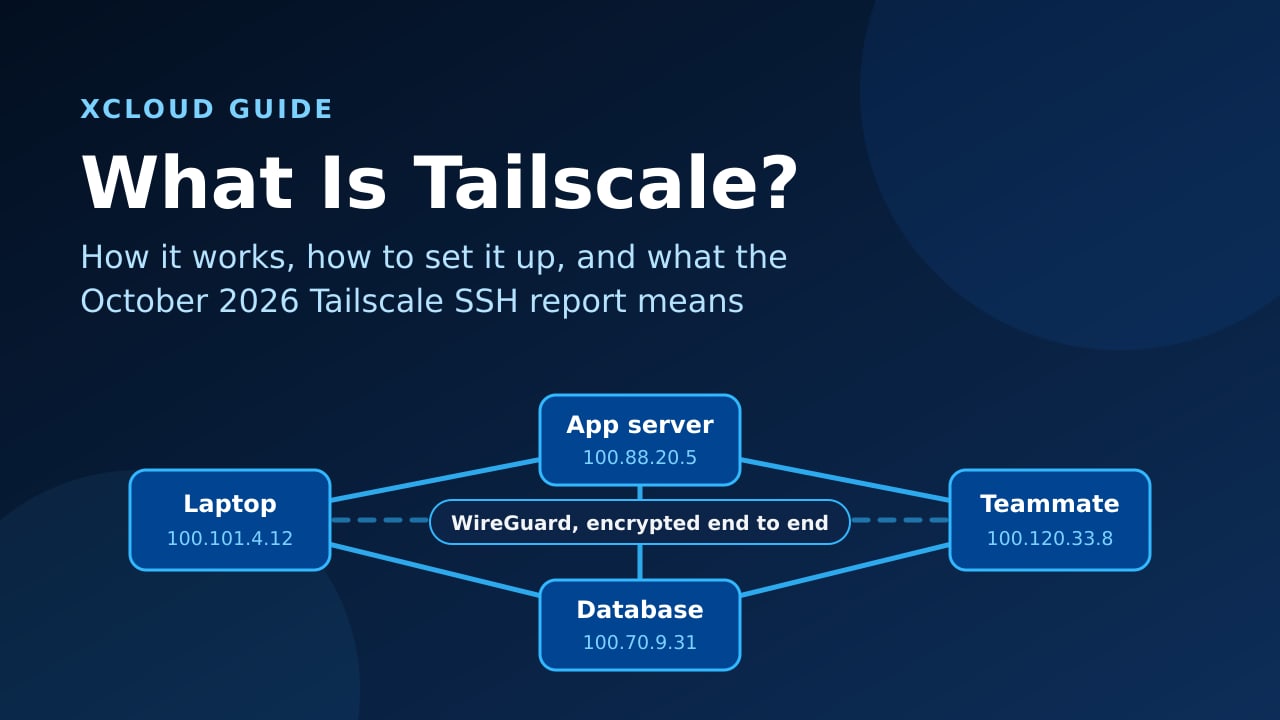
Tailscale is a mesh VPN that connects your devices into one private, encrypted network, without a central VPN server in the middle of your traffic. You install a small client on each device, sign in, and the devices can reach each other by private IP or by name, wherever they are.
Think of it like an office building with a private internal phone system. Every desk gets an extension number that works from anywhere: home, a café, another country. Outsiders cannot dial those extensions at all, and you decide which desks are allowed to call which.
A Few Things Worth Knowing
- It is built on WireGuard, the modern VPN protocol. Tailscale manages the keys and configuration you would otherwise write by hand.
- Traffic goes device to device. Tailscale’s servers coordinate keys and access rules, but your data travels directly between your devices whenever possible.
- Access is deny-by-default if you want it to be. A policy file (ACLs or grants) decides which users and devices can reach which ports.
- It is not just for laptops. Servers, containers, routers, phones and CI runners can all join.
| Term | What it means |
|---|---|
| Tailnet | Your private Tailscale network: all the devices and users that belong to it |
| Tailscale IP | A stable private address for each device, in the 100.64.0.0/10 range |
| MagicDNS | Automatic names for devices, so you type db-1 instead of an IP |
| ACLs / grants | The access policy that says who can reach what |
| DERP relay | Tailscale’s encrypted relay used when two devices cannot connect directly |
| Exit node | A device that routes all your internet traffic, like a classic VPN |
| Subnet router | A device that gives the tailnet access to a whole private network behind it |
| Tailscale SSH | Optional built-in SSH that uses tailnet identity instead of SSH keys |
| Funnel | Optional feature that publishes a service from your tailnet to the public internet |
How Does Tailscale Work?
Here is the part that makes Tailscale feel like magic: there is no VPN server sitting in the path of your traffic.
- You sign in. Each device authenticates with your identity provider (Google, Microsoft, GitHub and others) and generates its own WireGuard key pair.
- The coordination server shares public keys. Tailscale’s control plane tells each device the public keys and addresses of the peers it is allowed to reach, based on your access policy.
- Devices punch through NAT. Using NAT traversal, two devices behind home routers or cloud firewalls find a direct path to each other.
- Relays fill the gaps. If no direct path exists, traffic goes through a DERP relay. It is still end-to-end encrypted, so the relay cannot read it.
- Policies decide everything. Even inside the tailnet, a device can only reach the ports your ACLs allow.
The trade-off is that you trust Tailscale’s coordination service to hand out keys correctly. For teams that cannot accept that, Headscale is an open-source, self-hosted control server, at the cost of running it yourself.
Is Tailscale Free?
Yes, for personal use. According to Tailscale’s pricing page, the Personal plan is free indefinitely for up to 6 users with unlimited user devices, basic Tailscale SSH on up to five hosts, and nearly all features. It is meant for non-commercial use.
For business, Standard costs $8 per user per month and Premium $18 per user per month, with custom Enterprise pricing above that.
Tailscale vs WireGuard vs Cloudflare Tunnel
These three come up together all the time. They solve related but different problems.
| Tailscale | Plain WireGuard | Cloudflare Tunnel | |
|---|---|---|---|
| Main job | Private network between your devices | Encrypted link you configure yourself | Publish an app through Cloudflare without open ports |
| Who connects | Your devices and teammates | Peers you configure by hand | Anyone you allow, in a normal browser |
| Setup | Install and sign in | Key exchange and config files per peer | Install cloudflared and add a hostname |
| NAT traversal | ✅ Automatic | ❌ You handle it | ✅ Outbound connection only |
| Access control | ACLs and grants | Firewall rules | Cloudflare Access |
| Best for | SSH, databases, admin tools, server-to-server | Fixed site-to-site links | Websites and tools for people outside your team |
Rule of thumb: Tailscale for people and machines you trust, Cloudflare Tunnel for things the outside world should reach. Many teams run both: dashboards and SSH on the tailnet, public webhooks through a tunnel.
How to Set Up Tailscale on Ubuntu
You need an Ubuntu server with a sudo user and a free Tailscale account. On xCloud, see sudo users and site users and connect with SSH keys.
Step 1: Install Tailscale
Tailscale’s install script detects your distribution and adds its official package repository:
curl -fsSL https://tailscale.com/install.sh | sh
tailscale version
The version should be 1.104.2 or newer.
Step 2: Join the Server to Your Tailnet
sudo tailscale upThe command prints a login link. Open it, sign in, and approve the device. For servers you add often, create an auth key in the admin console instead, and prefer tagged, one-time keys, so a leaked key cannot add more devices.
Step 3: Turn On Automatic Updates
Security fixes only help if they arrive. Turn on Tailscale’s own updater:
sudo tailscale set --auto-updateStep 4: Find Your Tailscale IP and Test
tailscale ip -4
tailscale status
From your laptop (also on the tailnet), ping the server’s 100.x address or its MagicDNS name.
Step 5: Lock Down Access With ACLs
In the admin console, open Access controls and replace any “everyone can reach everything” default with specific rules: your team can reach SSH on servers, the app server can reach the database port, and nothing else. This is the step most people skip, and the one that matters most after this week’s news.
👉 Tailscale’s own guide: Tailscale quickstart.
October 2026: The “Tailworm” Report on Tailscale SSH
This is where things get serious, so let us be precise. On October 25, 2026, Erica Windisch of Cyberdione Labs published “Tailworm”, a lab assessment of Tailscale 1.104.2 and Headscale 0.29.5 with 11 findings. The Hacker News covered the most serious ones, which concern Tailscale SSH.
What the Report Says
- Root through socket forwarding. With Tailscale SSH port forwarding allowed, the report says a user could make the root-level Tailscale process connect to root-only sockets and gain root on the target.
- Enrollment key theft. A race condition could expose a device enrollment key, letting an attacker join their own machine to the tailnet. The report says this only worked end to end on tailnets without Tailnet Lock.
- “Wormable” spread. The report argues that one compromised device could reach every device the access rules allow. Some researchers dispute that label.
What It Does Not Say
- The attacker needs a foothold first. Every scenario starts with one device already compromised (a vulnerable web app, a poisoned package, stolen logins) that your ACLs allow to SSH into others.
- It is about the Tailscale SSH feature, not the WireGuard network. Normal OpenSSH over a tailnet is a different code path.
- There is no patch or CVE yet. At the time of writing, there is no Tailscale security bulletin for these findings. The proof-of-concept is not public, and no one else has publicly reproduced the claims.
- The disclosure is disputed. The researcher says she sent the report and proof-of-concept before publishing. Critics say there was no coordinated disclosure window.
According to The Hacker News, Tailscale said it is working on fixes, is still determining which setups are affected, and is not recommending that everyone disable Tailscale SSH.
Are You Affected?
| Your setup | Risk from this report | What to do |
|---|---|---|
| You do not use Tailscale SSH | Low: the SSH findings do not apply | Keep updates on, review ACLs |
| Tailscale SSH on, narrow rules, no port forwarding | Lower | Keep it narrow, enable check mode, watch for a bulletin |
| Tailscale SSH on, broad tag rules, port forwarding allowed | Highest | Narrow rules today, disable forwarding, consider OpenSSH instead |
| Self-hosted Headscale 0.29.5 | High: per the report, forwarding cannot be turned off there | Treat every SSH grant as root access |
What to Do This Week
- Narrow your SSH rules. Write one source-to-destination rule per real need. Remove broad rules such as “all members can SSH to all tagged servers”.
- Turn off SSH port forwarding wherever nobody needs it.
- Consider plain OpenSSH over the tailnet for servers where Tailscale SSH is a convenience, not a requirement.
- Enable Tailnet Lock and key expiry, so a stolen enrollment key cannot quietly add a device.
- Turn on SSH check mode for sensitive hosts. It adds a login step. It does not fix the escalation, but it raises the bar.
- Remove a compromised device in the admin console, not just by reinstalling it, because copied keys stay valid until revoked.
- Keep automatic updates on so the fix lands the day it ships.
Separately: Update for the eMudhra Certificates
Unrelated to Tailworm, Tailscale bulletin TS-2026-013 (October 21, 2026) recommends Tailscale 1.104.2 or later. That release is built with Go 1.27.3, which distrusts the eight compromised eMudhra intermediate certificates, the same issue that required a cloudflared update this month. Check the current list on Tailscale’s security bulletins.
How xCloud Users Can Use Tailscale
The honest take first: xCloud does not have a built-in Tailscale integration today, and your websites do not need one. Visitors still reach your sites on ports 80 and 443 as usual. Tailscale earns its place for everything behind your sites: databases, SSH and internal tools.
Since Tailscale only makes outbound connections, installing it does not require opening a new inbound port in Firewall Management.
1. Private Database Access Without a Public Port
Need to connect a desktop SQL client or another server to MySQL? Instead of opening port 3306 to the internet, add a firewall rule that allows 3306 only from 100.64.0.0/10, the Tailscale address range. If MySQL only listens on 127.0.0.1, set its bind address to the server’s Tailscale IP first. Your database then answers only on the tailnet. See configuring MySQL and MariaDB with xCloud for the database side, and use an external database setup when your app and database live on different servers.
2. Team SSH Without Chasing IP Addresses
xCloud’s SSH Lockdown limits port 22 to xCloud’s infrastructure and IPs you approve. Add a firewall rule that allows SSH from the Tailscale range 100.64.0.0/10, and every teammate on the tailnet can SSH in from anywhere, while the public internet still cannot.
Given this week’s report, use normal OpenSSH over the tailnet here rather than Tailscale SSH. Your existing SSH keys keep working, and never remove xCloud’s own IPs from the lockdown, or the dashboard loses access to your server.
3. Private Dashboards and AI Agents
Running an admin UI, an uptime monitor or an AI agent dashboard on a plain server? Bind it to the server’s Tailscale IP, or allow its port only from 100.64.0.0/10, and it never appears on the public internet. Our OpenClaw security best practices apply the same idea to agents.
4. Server-to-Server Across Providers
An app server on one cloud and a database or worker on another can talk over the tailnet as if they shared a private network, encrypted the whole way. No public database port, no provider-specific VPC.
5. Keep the Rest of the Server Patched
xCloud’s automated security updates keep Ubuntu’s own packages current. Tailscale comes from its own repository, so turn on tailscale set --auto-update as in Step 3, and it updates itself.
Common Tailscale Problems and Fixes
| Symptom | Likely cause | Fix |
|---|---|---|
| Device shows offline | tailscaled stopped or key expired |
sudo systemctl status tailscaled, then sudo tailscale up |
| Connection works but is slow | Traffic going through a DERP relay | Run tailscale status and tailscale netcheck; allow outbound UDP |
| Can ping but not reach a port | ACL or server firewall blocks it | Check the ACL rule and allow the port from 100.64.0.0/10 |
| SSH works for one person, not another | ACL grants differ | Compare users in the access policy |
| Version below 1.104.2 | Auto-update off | sudo tailscale set --auto-update or upgrade with apt |
Quick Checklist
- Every device on 1.104.2 or later, with auto-update on
- ACLs replace any allow-all default
- Tailscale SSH rules narrowed, port forwarding off where unused
- Tailnet Lock and key expiry enabled
- Database and admin ports allowed only from
100.64.0.0/10 - xCloud’s SSH IPs still allowed on every server
Make Your Private Network Boring Again
Tailscale is one of the simplest ways to give your team private access to servers, databases and tools without running a VPN server. The Tailworm report is a reminder that convenience features deserve the same care as anything else with root access, not a reason to tear it out.
This week, check every device is on 1.104.2 or newer, narrow your Tailscale SSH rules, and move database and admin ports onto the tailnet. Then watch Tailscale’s security bulletins for the fix.
For the servers themselves, let the platform carry the load. xCloud Managed Hosting handles firewall rules, SSL and security updates for your sites, so your time goes into the work, not into the occasional 3 a.m. patch. Prefer your own VPS? Self-managed hosting gives you the same dashboard on any provider.
If you have found this blog helpful, feel free to subscribe to our blogs for valuable tutorials, guides, knowledge, and tips on web hosting and server management. You can also join our Facebook community to share insights and engage in discussions.
Frequently Asked Questions
Is Tailscale free?
Yes, for personal use. The free Personal plan covers up to 6 users with unlimited user devices and is meant for non-commercial use. Business use starts on the paid Standard plan at $8 per user per month.
Is Tailscale safe after the Tailworm report?
Tailscale’s core network is not what the report attacks. The serious findings concern the built-in Tailscale SSH feature with port forwarding allowed, and they need an attacker who already controls one device on your tailnet. Until Tailscale ships fixes, keep SSH rules narrow, turn off port forwarding where you can, and keep automatic updates on.
Should I turn off Tailscale SSH?
Tailscale is not recommending that everyone disable it. If you do not need it, the simplest choice is to run normal OpenSSH over the tailnet instead, which the report’s SSH findings do not cover. If you keep it, write one source-to-destination rule per need and remove broad tag grants.
What is the difference between Tailscale and WireGuard?
WireGuard is the encryption protocol. Tailscale is a product built on top of it that handles keys, NAT traversal, access rules and DNS for you, so you never edit WireGuard config files by hand.
Can I use Tailscale on my xCloud server?
Yes. Install it over SSH like on any Ubuntu server, keep the xCloud SSH rules in place, and use the tailnet for private database access, team SSH and internal tools. Your sites keep serving visitors on ports 80 and 443 as usual.
Do I need to update Tailscale for the eMudhra certificate issue?
Yes. Tailscale bulletin TS-2026-013 recommends version 1.104.2 or later, because that release is built with Go 1.27.3, which distrusts the compromised eMudhra certificates. Run tailscale version to check.