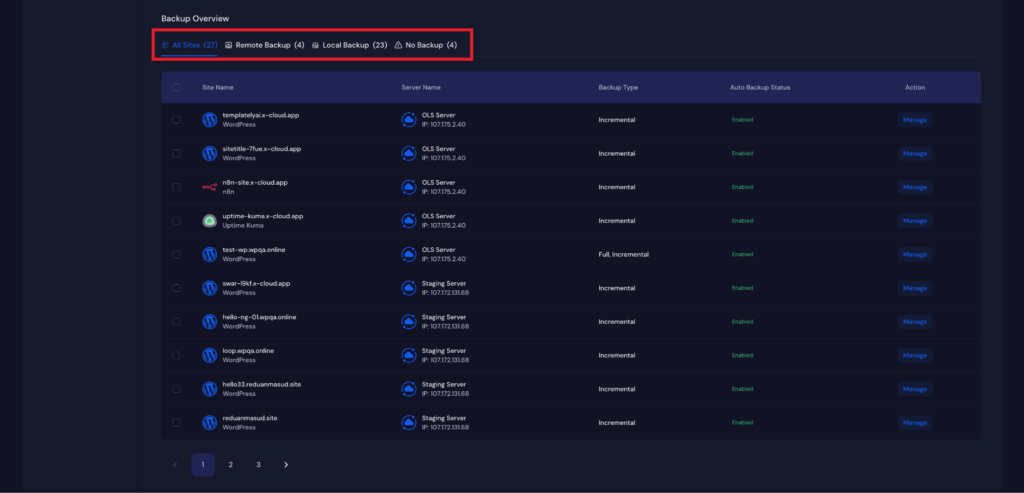
Managing reliable backups is essential for ensuring the safety and continuity of your websites. The xCloud platform provides a centralized system that makes it easy to configure, monitor, and maintain both remote and local backups across all your sites.
Follow the steps to access your global backup settings, configurations, and manage backups efficiently through the xCloud dashboard.
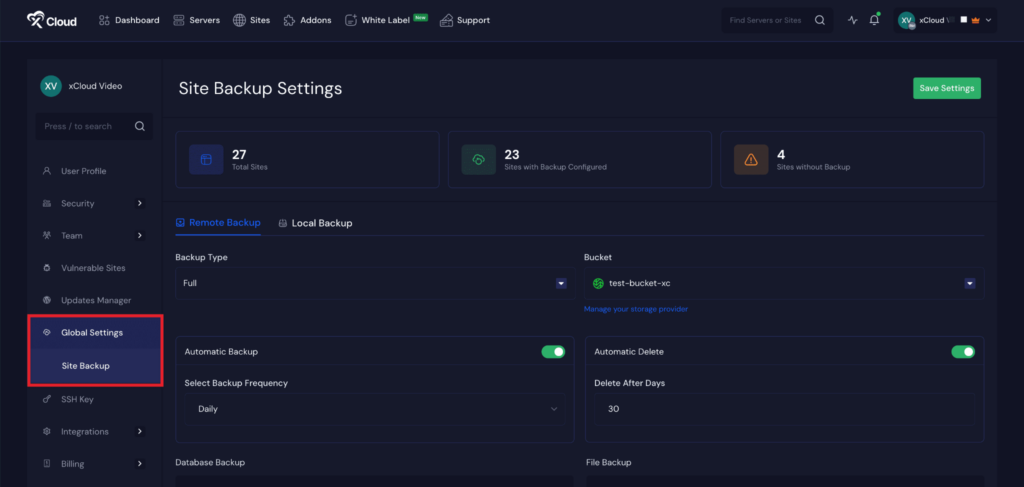
Step 1: Go to Global Settings Option #
First, from your xCloud dashboard, go to your ‘Team Settings’ from the top menu. Then head over to your ‘Global Settings’ → ‘Site Backup’ option from the menu.
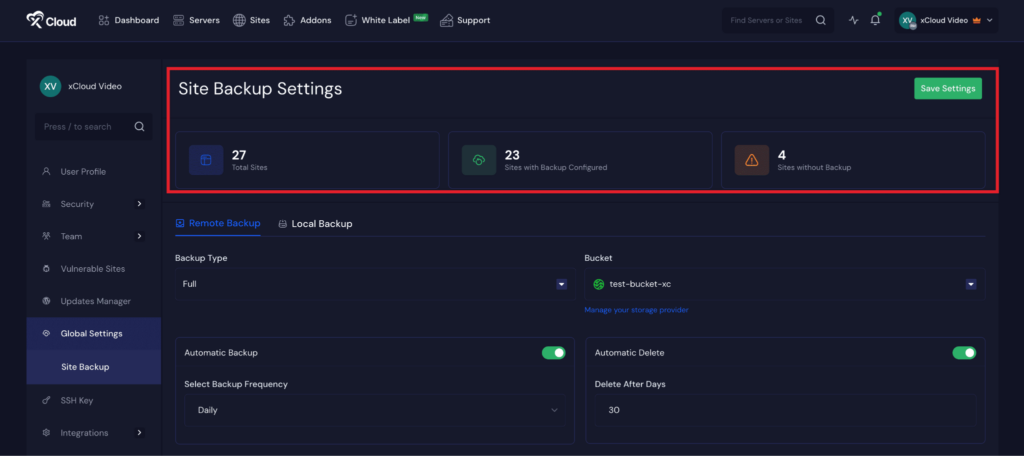
Step 2: Get Backup Overview #
Here you will get an overview of your site backups like ‘Total Sites’, ‘Sites With Backup Configured’, ‘Sites Without Backup’.
Step 3: Check Backup Settings #
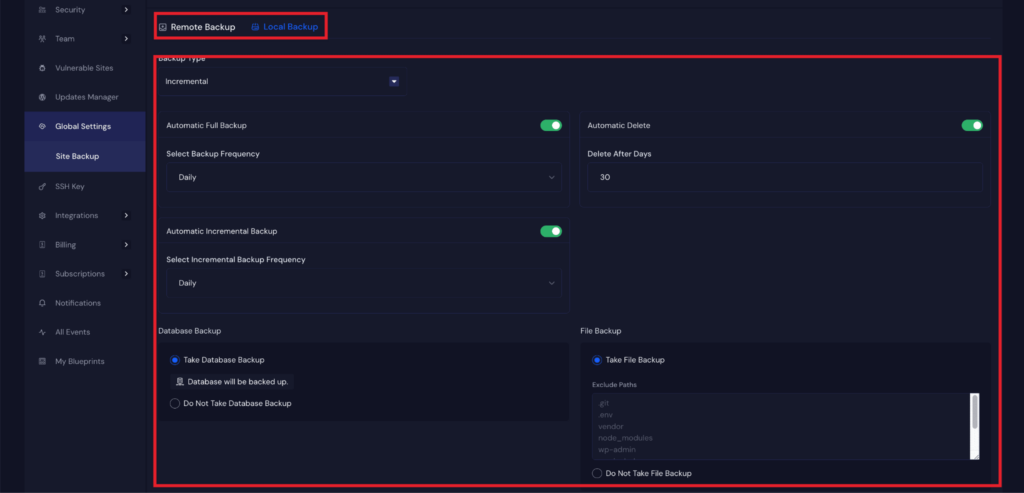
Here, you will get your both ‘Remote Backup’ and ‘Local Backup settings’ . Just go to the ‘Remote Backup’ tab to access adjust the settings as your preferences ‘Backup Type’ , ‘Bucket’, ‘Automatic Backup’, ‘Automatic Delete’, ‘Database Backup’, ‘File Backup .
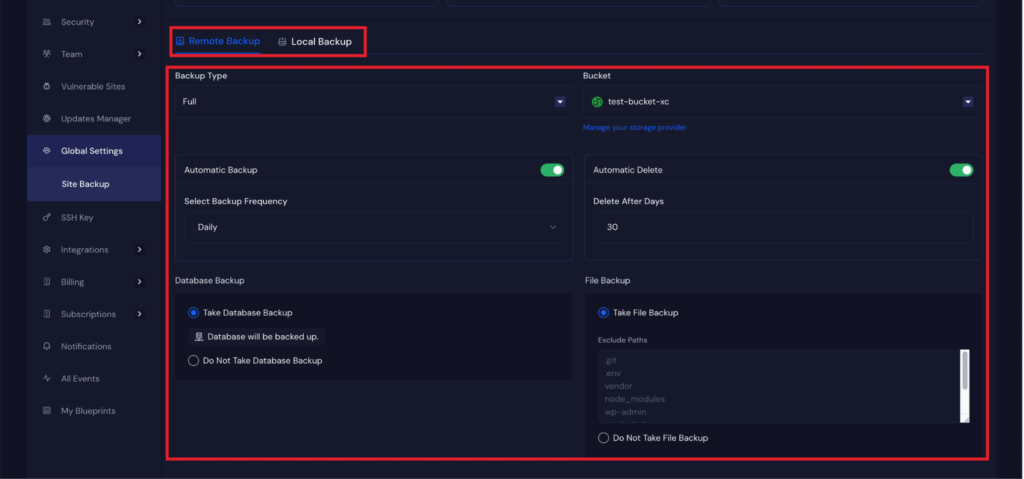
Next, you can go to your ‘Local Backup’ tab. Just go to the ‘Remote Backup’ tab to adjust the settings according to your preferences: ‘Backup Type’, ‘Bucket’, ‘Automatic Backup’, ‘Automatic Delete’, ‘Database Backup’, ‘File Backup’.
Step 4: Backup Overview Settings #
Next, go to the ‘Backup Overview’ section, and head over to the ‘All Sites’ ‘Remote Backup’, ‘Local Backup’, ‘No Backup’ options. Here you can manage all your site backups in bulk easily.