

How To Install MariaDB With xCloud?
Updated October 29, 2026 · 4 min read
xCloud installs MariaDB 11.8 when you choose MariaDB as the database for a new server. You pick it once, in the ‘Select Database Server’ section of the server creation form. Since xCloud v2.9.7 (27 October 2026), MariaDB 11.8 is the only MariaDB version offered for new servers and rebuilds. Existing MariaDB 10 servers keep working and are still managed from your dashboard.
What changed in v2.9.7
- New servers get MariaDB 11.8. MariaDB 10.6 can no longer be chosen for a new server or a rebuild. This applies to the dashboard, white label server creation and the xCloud Public API.
- Existing MariaDB 10 servers stay as they are. xCloud still recognises and manages them. To patch them, follow Apply the MariaDB Security Patch (AL-2026-144) in xCloud.
- Installs stop instead of finishing half-done. If the MariaDB repository or package download fails, or the installed version is older than the release that fixes AL-2026-144 (11.8.9 for MariaDB 11.8), the installation stops with an error. It never finishes on an older or unpatched MariaDB.
- You can see the exact version. The server’s ‘Metadata’ page shows the exact MariaDB version number on the server.
Before you start
- The database is fixed when the server is created. You cannot switch an existing MySQL server to MariaDB, or MariaDB to MySQL, later.
- To move sites from a MySQL server to MariaDB, create a new MariaDB server and then clone your sites to it or migrate the full server.
Step 1: Start a new server
Click ‘Servers’ in the left menu, then click ‘New Server’ and choose where the server will run (for example, xCloud Managed hosting or your own server).
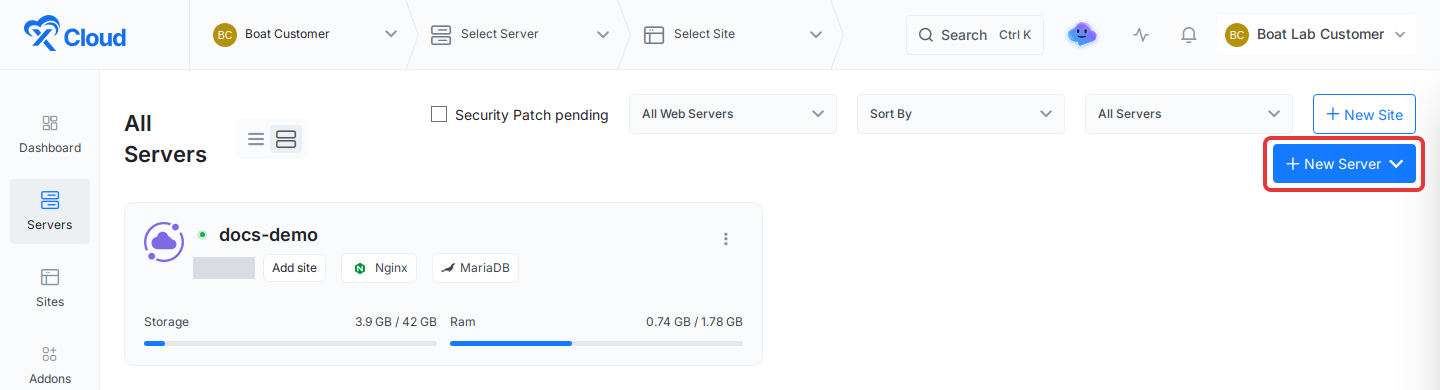
The server creation form opens.
Step 2: Fill in the server details
Enter the ‘Server Name’ and the other details the form asks for, such as the server size or, for your own server, its IP address and SSH user. For a full walkthrough of the form, see Setup your first server and site with xCloud.
Step 3: Choose MariaDB 11.8
In ‘Select Database Server’, open the first list and choose ‘MariaDB’. The version list next to it shows ‘11.8’, the only MariaDB version for new servers.
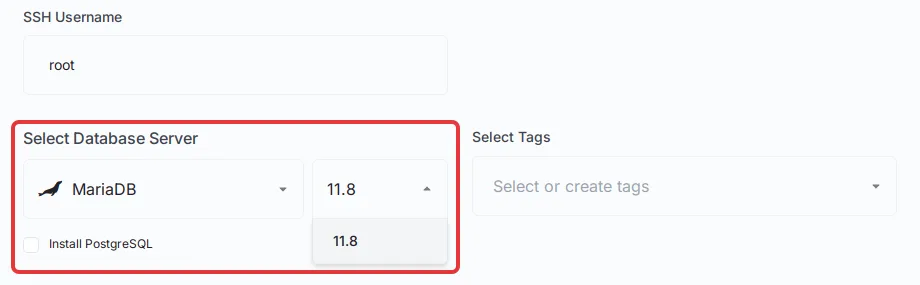
Finish the rest of the form and create the server. xCloud sets up the server and installs MariaDB 11.8 on it.
If setup stops with a MariaDB error, either the MariaDB download failed, or the version that was downloaded is older than the one with the security fix. xCloud stops the install on purpose, so your server never ends up with an older, unpatched MariaDB. Try again later, and if it keeps failing, contact support with the server name.
Step 4: Check the installed MariaDB version
Open the server and click ‘Metadata’ in the server menu. The ‘MariaDB Installed version’ field shows the exact version number on the server, such as 11.8.9.
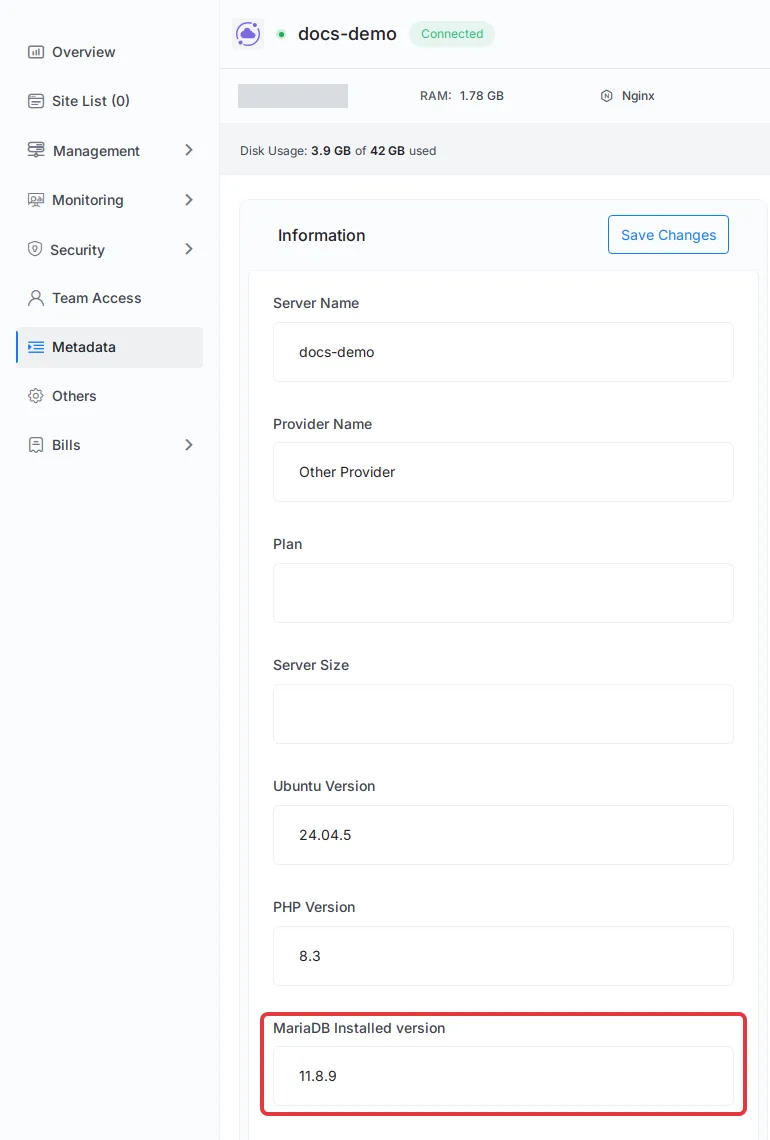
If the field shows ‘Unknown’, xCloud could not read the version from the server yet. From the server’s page you can also stop or restart MariaDB, and tune it in Configure MySQL and MariaDB with xCloud.
For developers: Public API
When you create a server through the xCloud Public API, set database_type to mariadb11 (or mariadb). mariadb10 is rejected with a 422 error that tells you to use mariadb11.
Frequently asked questions
Which MariaDB version does xCloud install on a new server?
MariaDB 11.8. It is the only MariaDB version you can choose for a new server or a rebuild. MariaDB 10.6 is no longer offered for new installs.
What happens to my existing MariaDB 10 server?
It keeps working, and xCloud still manages it. If you rebuild the server, it gets MariaDB 11.8. To keep a MariaDB 10 server safe, follow the MariaDB security patch guide.
Can I switch an existing MySQL server to MariaDB?
No. The database is chosen when the server is created and cannot be changed later. Create a new server with MariaDB, then clone or migrate your sites to it.
Where do I see the exact MariaDB version on my server?
Open the server and click ‘Metadata’. The ‘MariaDB Installed version’ field shows the exact version number on the server, such as 11.8.9. It shows Unknown when xCloud could not read the version.
If you run into any issues, feel free to reach out to our support team.