

Additional Domains in xCloud: www Redirect and SSL for Both Names
Updated October 28, 2026 · 4 min read
An additional domain is a second name for your site, such as www.example.com next to example.com. xCloud serves it with the same site, can redirect it to the primary domain, and includes it in the site’s free SSL certificate. When you save a new additional domain, xCloud issues the certificate again so it covers both names. If that issue fails, https://www shows a certificate error even though the redirect is set up.
This guide uses example.com as the primary domain and www.example.com as the additional domain.
Before you start
- The site uses the free SSL certificate issued and managed by xCloud (‘Domain’ → ‘SSL/HTTPS’). For your own certificate, it must already cover both names. For Cloudflare-managed SSL, see Troubleshooting Cloudflare issues.
- Both names have an
Arecord that points to your server’s IP address. xCloud can’t get a certificate for a name whose DNS points somewhere else. - Neither name has an
AAAA(IPv6) record at your DNS provider unless your server answers on that IPv6 address. A staleAAAArecord makes the certificate request fail.
You can also add an additional domain while creating a site: the site creation form has the same Additional Domain (Optional) field.
Step 1: Open the Domain page
In your site, go to ‘Domain’ → ‘Domain’ and click ‘Change’. If you already have additional domains, you can also click the edit icon next to the list.
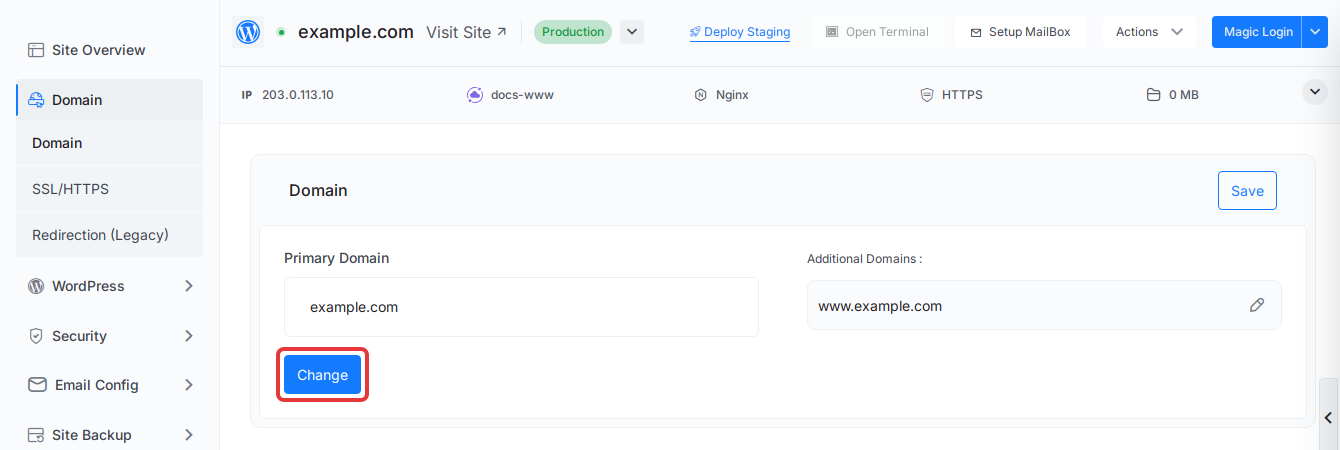
The form opens with the Primary Domain field and the Additional Domain (Optional) field.
Step 2: Add www and turn on the redirect
Type www.example.com in Additional Domain (Optional). Click the redirect icon at the right of the field (its tooltip reads “Redirect this domain to the primary domain”). The icon turns green when the redirect is on.
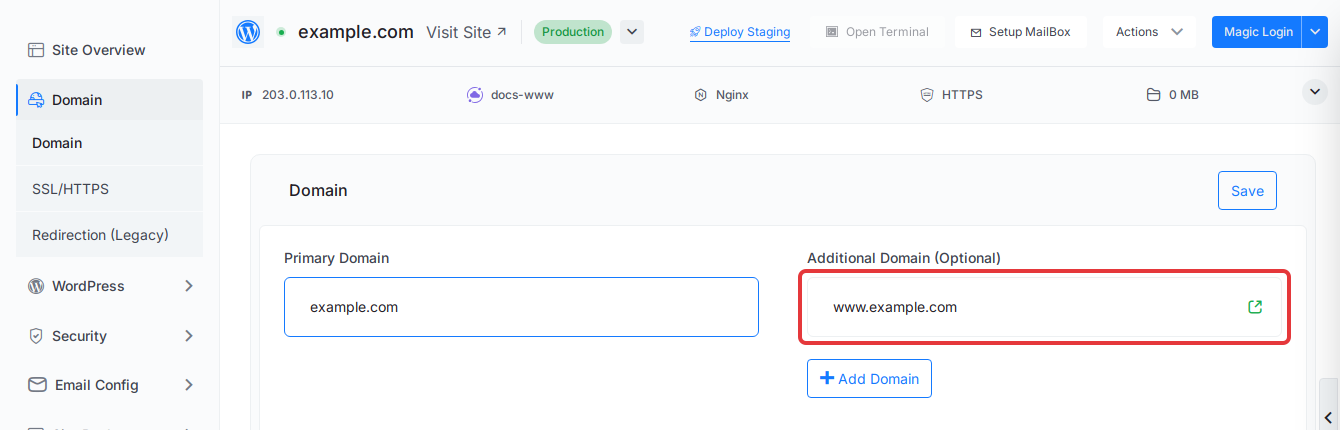
To add more names, click ‘Add Domain’ and repeat. The DNS Setup box below lists the A record each name needs. Add any that are missing at your DNS provider before you save.
Step 3: Save the domain settings
Click ‘Save’ at the top right of the Domain card.
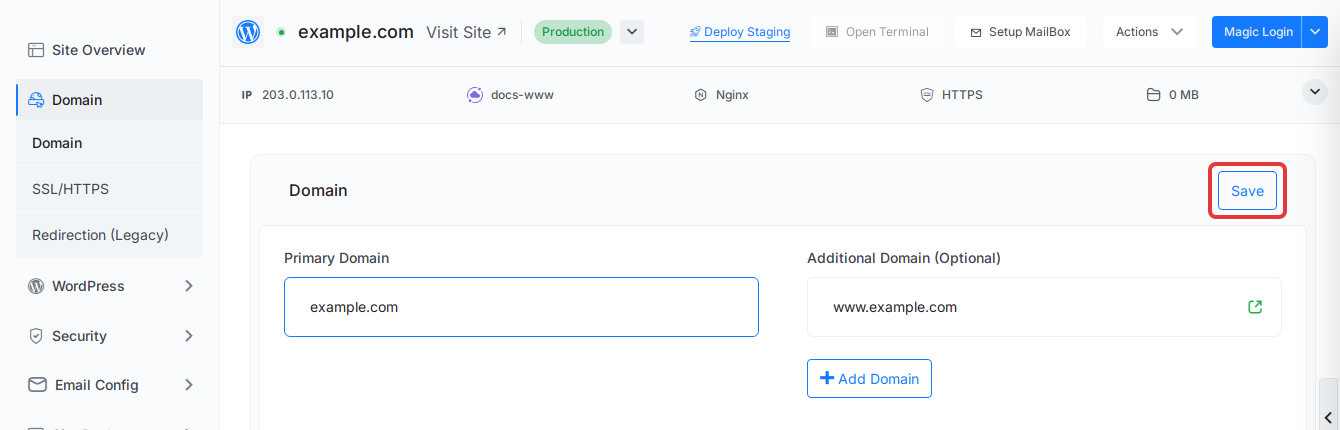
xCloud updates the web server configuration and requests a new free SSL certificate for the primary domain and every additional domain.
Step 4: Check that the certificate covers both names
Go to ‘Domain’ → ‘SSL/HTTPS’. Under Hostnames, the certificate card lists every name it covers.
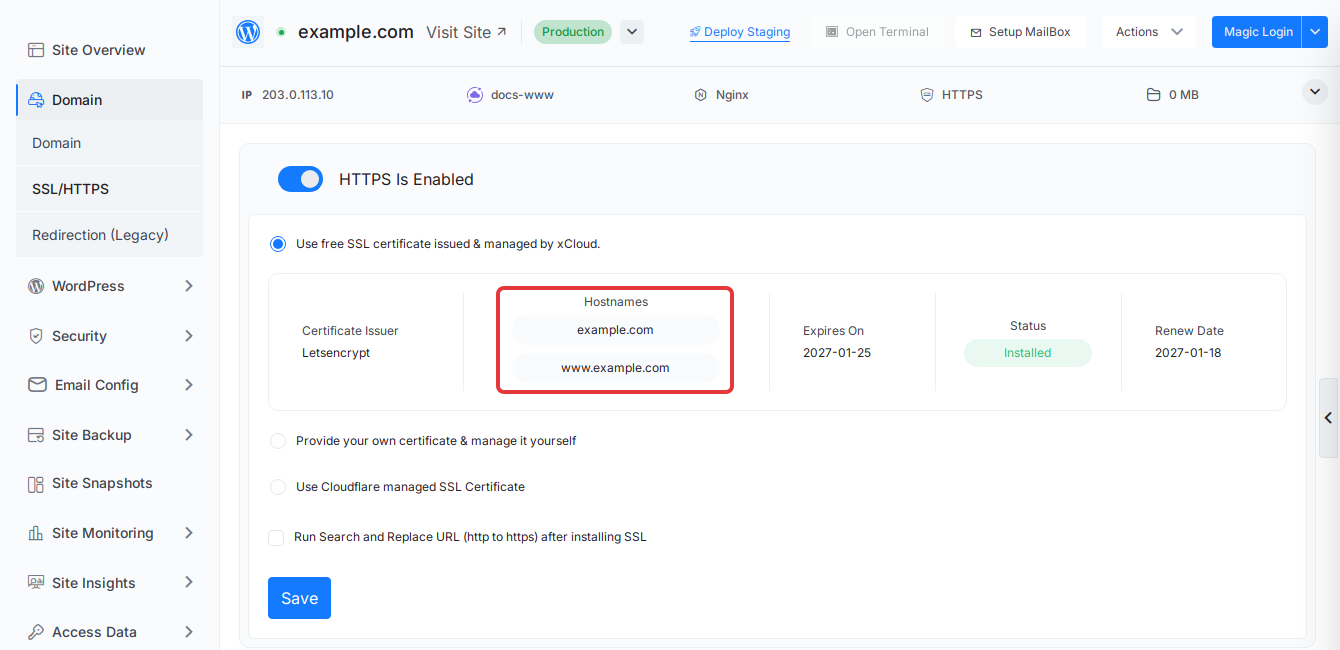
When both example.com and www.example.com appear and Status reads Installed, open https://www.example.com in a private browser window. It should redirect to https://example.com with no certificate warning.
If https://www still shows a certificate error
If Hostnames lists only the primary domain, or Status reads Failed (or Expired), the new certificate was not issued and the site kept its previous one. The usual cause is DNS: the www record was missing, pointed elsewhere, or had an AAAA record when xCloud made the request.
- Fix the
wwwrecord at your DNS provider so it points to your server’s IP, and remove any staleAAAArecord. - Wait for the change to propagate.
- On ‘Domain’ → ‘SSL/HTTPS’, click ‘Retry SSL’. If that button is not shown, open ‘Domain’ → ‘Domain’, click ‘Change’ and ‘Save’ again to request the certificate once more.
xCloud also retries a failed renewal automatically after 12 hours. For other causes, see How to fix a failed free SSL issue and How to troubleshoot SSL issues.
If the site uses Cloudflare Enterprise and www shows error 525, 526 or 1014, follow Cloudflare Enterprise errors 525, 526, 1014 and the www hostname instead.
To make www.example.com the main address instead, change the primary domain and add example.com as the additional domain.
Frequently asked questions
Why does https://www show a certificate error when the root domain works?
The certificate covers only the names it was issued for. If www is not listed under Additional Domains, or the certificate was issued before www pointed to your server, the www address gets a certificate made for the root domain only. Add www as an additional domain, point its DNS to the server, and save so xCloud issues the certificate again.
Do I need to reissue the SSL certificate myself after adding www?
No. When you save the Domain page with a new additional domain, xCloud requests a new free SSL certificate that covers the primary domain and every additional domain. You only act when that request fails: fix the DNS record, then click ‘Retry SSL’ on the site’s SSL/HTTPS page.
Does the redirect work before the certificate covers www?
Only over HTTP. A browser checks the certificate before it follows any redirect, so https://www fails until the certificate lists the www name.
I use Cloudflare Enterprise and www shows error 525, 526 or 1014. Is this the same problem?
It is a related one with its own fix. Follow the Cloudflare Enterprise guide for the www hostname instead of this page.
If you run into any issues with additional domains or SSL, feel free to reach out to our support team.