
















By default, pages that include query string parameters (anything after “?” in a URL) were excluded from caching. This behavior ensured safety but caused performance issues, especially for marketing traffic.
URLs containing tracking parameters such as utm_campaign, gclid, or fbclid were always treated as unique pages. As a result:
- Cache was bypassed every time
- Page load times increased
- Server resources were used unnecessarily
To address this, you can now define which query parameters should be ignored, allowing those URLs to be cached and served efficiently.
Previously, any URL with query string parameters automatically bypassed the page cache. As a result, traffic from marketing campaigns using tracking parameters such as utm_source, gclid, or fbclid consistently caused cache misses, leading to slower response times and increased server load.
You can now configure which query string parameters should be ignored when serving cached pages directly from the dashboard. While HTTP rules and cookie rule exclusions were already manageable through the dashboard, fine-grained control over which cookies triggered cache bypasses previously required manual configuration.
Step 1: Go to Your Site #
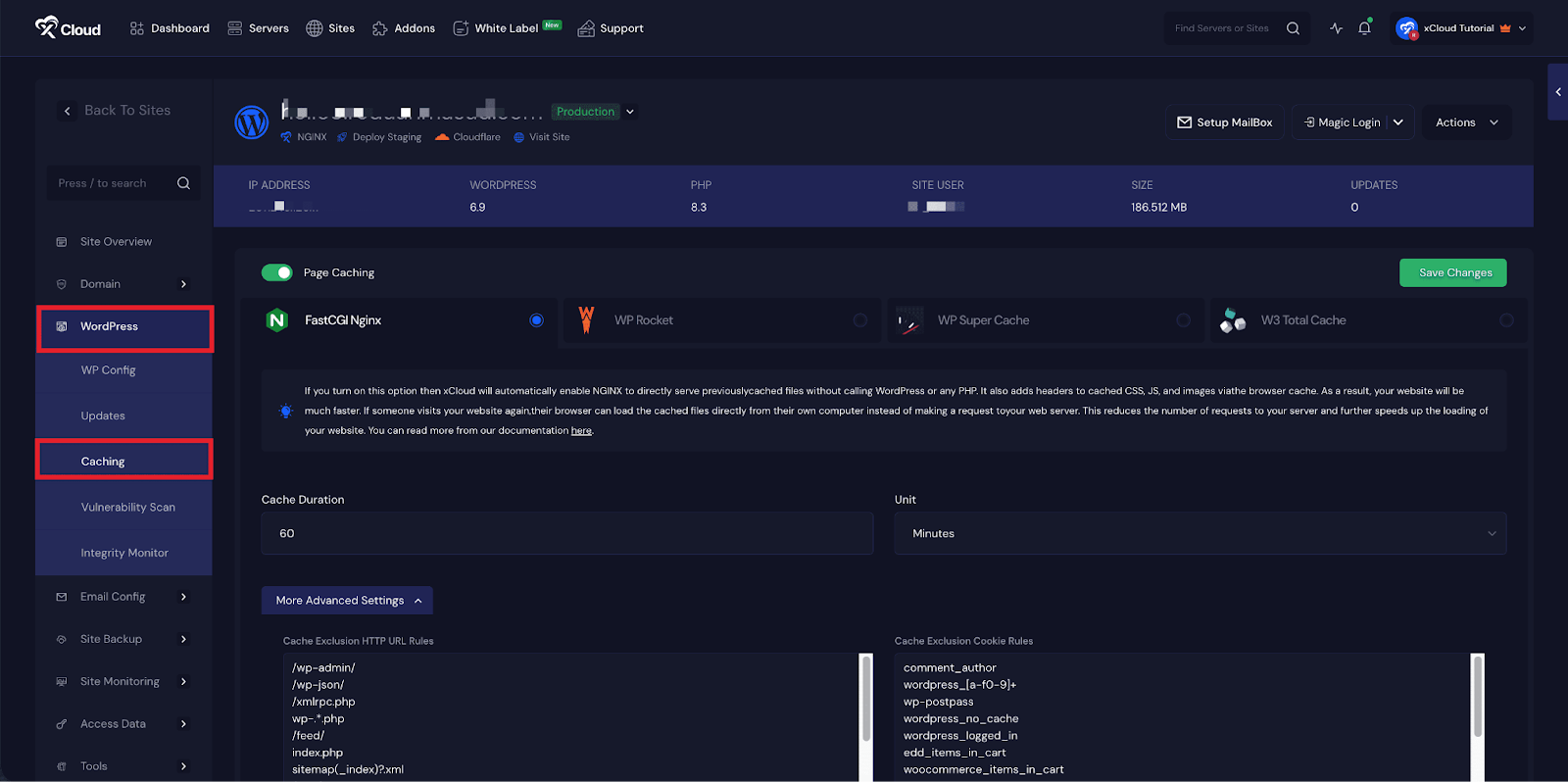
To begin, log in to your dashboard and select the site you want to configure. From the site menu, navigate to WordPress → Caching. This will take you to the caching settings for the selected WordPress installation.
Step 2: Allow Caching of URLs With a Query String #
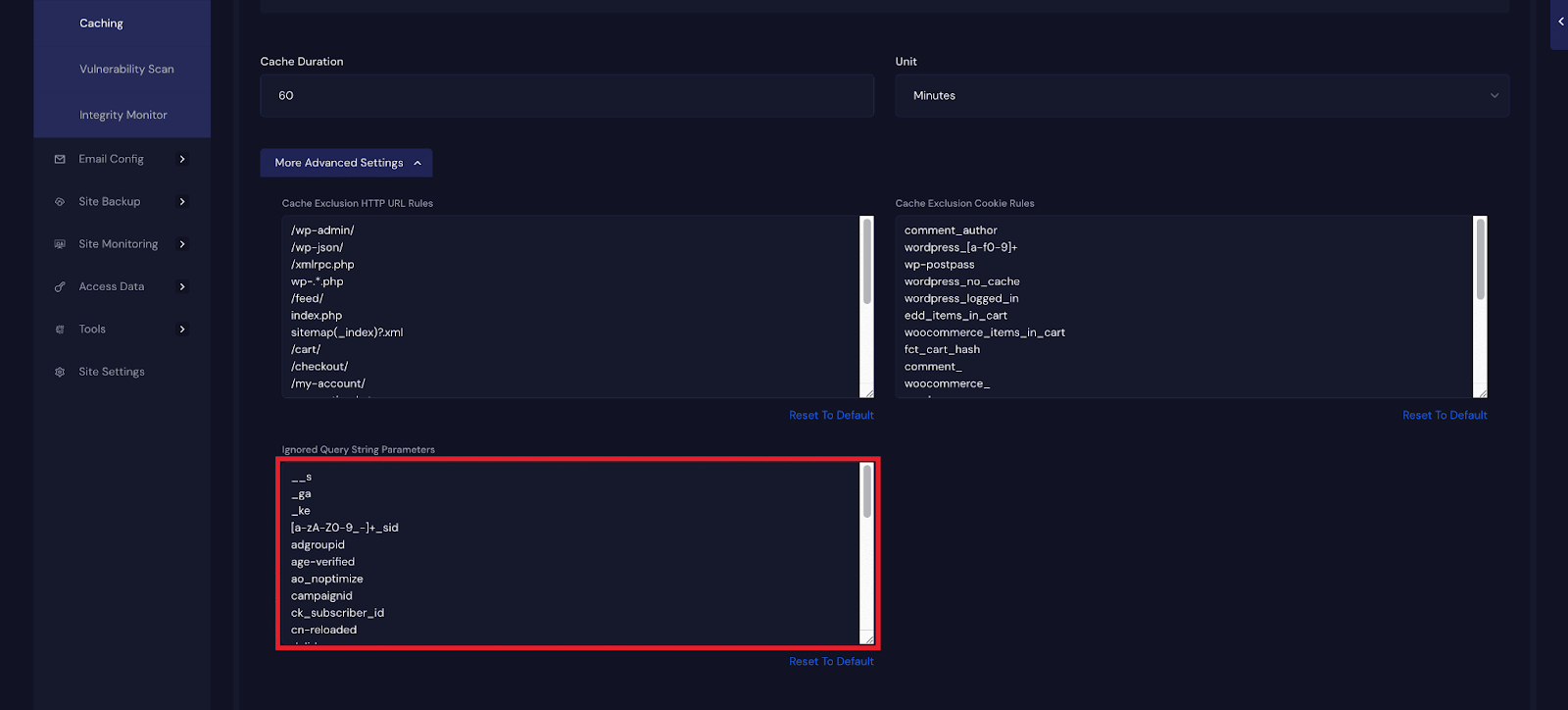
Within the Caching section, click on More Advanced Settings to access additional configuration options. Here, locate the Ignore Query String Parameter setting. This section contains a list of query string parameters that xCloud already ignores by default when serving cached pages.
You can customize this list based on your needs. Remove any parameters that you no longer want to ignore, or add new ones, such as marketing or analytics tracking parameters, that do not affect page content. After saving your changes, URLs containing only these specified query string parameters will be cached normally, helping improve page load times and reduce server load.
And that’s it, this is how easily you can enable caching for URLs with query string parameters. By configuring which parameters should be ignored, you allow your site to serve cached pages more efficiently, improving performance and reducing unnecessary server load.
With just a few simple adjustments and mindful parameter selection, you can ensure faster page delivery while maintaining a stable and reliable site.


