
















PHP settings control how your site runs and handles requests. The right configuration helps improve performance, stability, and compatibility with themes, plugins, or custom code. With xCloud, you can manage PHP and PHP-FPM settings for each site separately, without touching the server or editing config files.
Follow the guide to find these settings and how to update them safely:
Step 1: Go to Your Site #
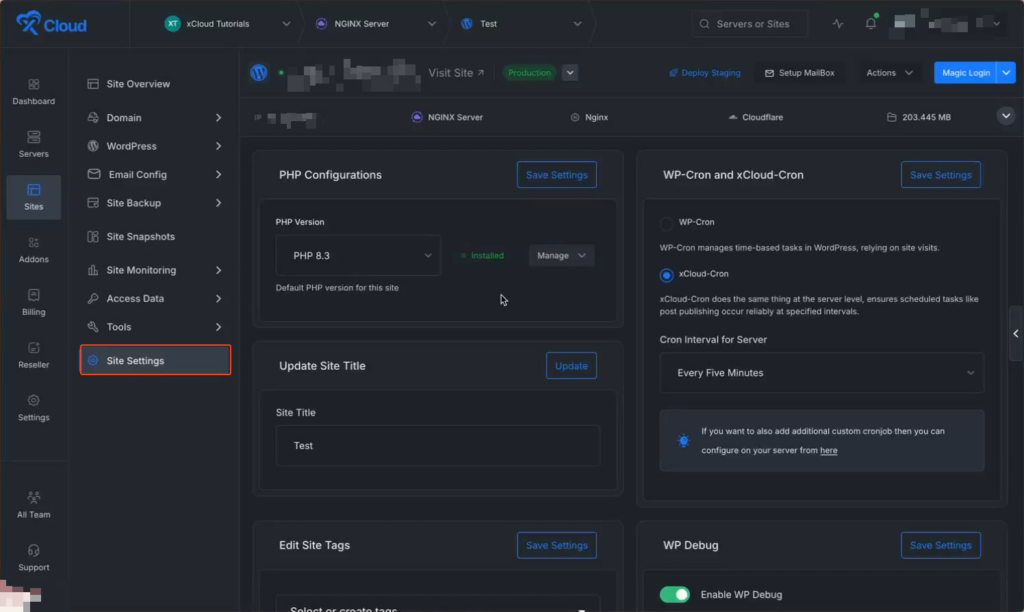
With xCloud, you can also manage your site’s PHP settings separately. Just go to your site, navigate to the ‘Site Settings’ option from the sidebar.
Step 2: Go To PHP Configuration #
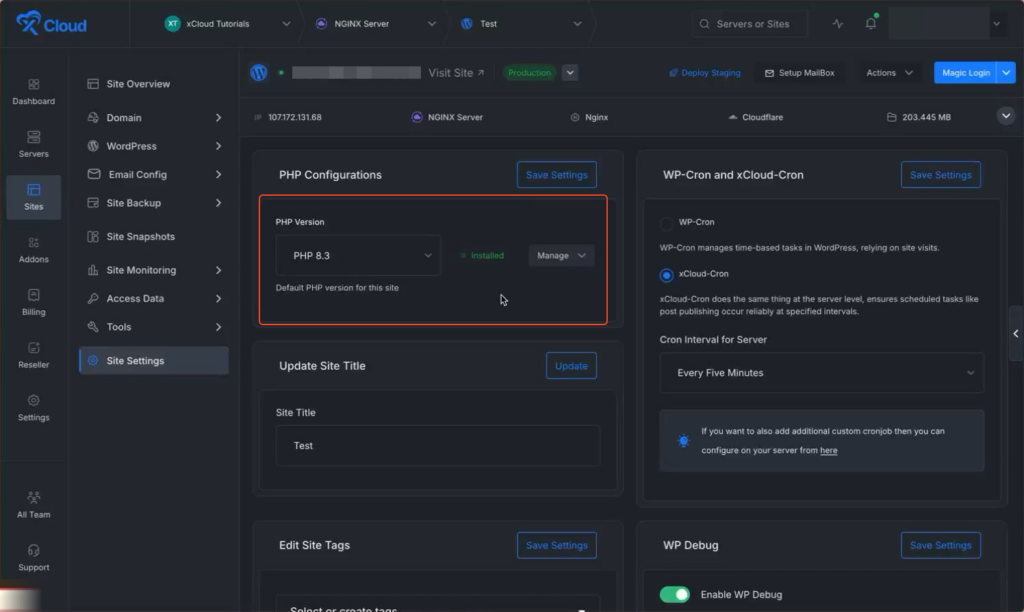
You can manage your PHP settings for these sites easily. Next, go to the ‘PHP Configurations’ option and set the ‘PHP Version’ from the dropdown menu according to your preferences.
Note: If you change the PHP version for a site, xCloud automatically resets the PHP and PHP-FPM configuration values to their default settings for that PHP version.
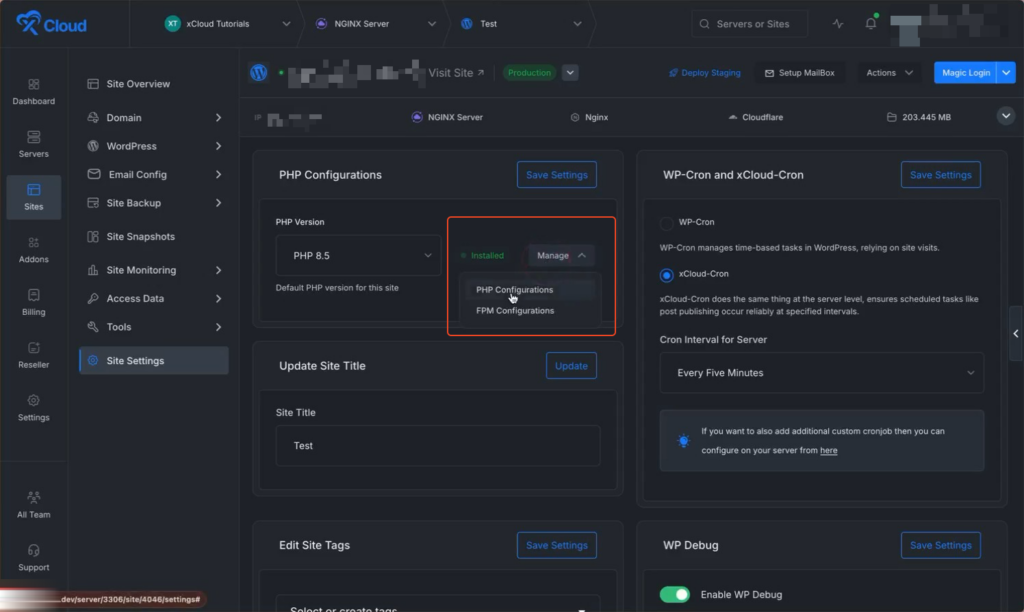
Here you will get an option ‘Manage’, click on it to access ‘PHP Configuration’ and ‘FPM Configuration’ options.
Step 3: Manage PHP Configurations #
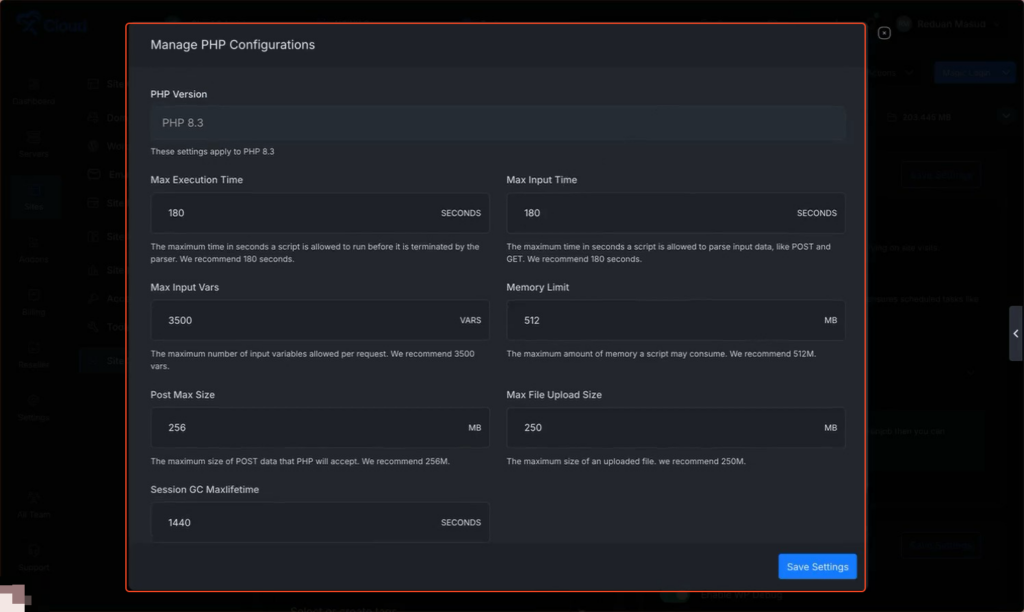
First, choose ‘PHP Configuration’, in the pop-up menu, you will get a few options to get the following options that can be modified:
- Max Execution Time: The maximum time a PHP script can run before it stops.
- Max Input Time: Maximum time PHP waits to receive input data.
- Memory Limit: Maximum amount of memory a PHP script can use.
- Max File Upload Size: Maximum size allowed for uploaded files.
- Max Input Vars: Maximum number of input variables PHP can accept in one request.
- Post Max Size: Maximum size of data allowed in POST requests.
- Session GC Maxlifetime: Time PHP keeps session data before deleting inactive sessions.
Customise the options according to your preferences and click on the ‘Save Changes’ button.
Step 3: Manage FPM Configurations #
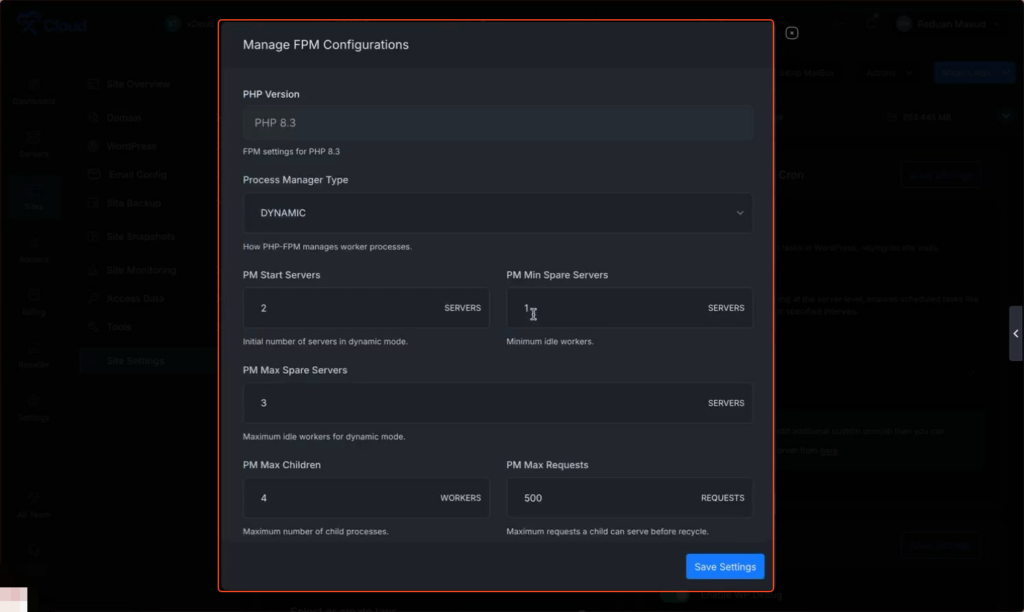
First, choose ‘Manage FPM Configurations’, and on the pop-up menu, you will get a few options.to get the following options that can be modified:
- PHP Version: PHP version used to run the site.
- Process Manager Type: Process manager mode used by PHP-FPM to handle requests.
- PM Start Servers: Number of PHP worker processes started when PHP-FPM launches.
- PM Min Spare Servers: Minimum number of idle PHP worker processes kept ready.
- PM Max Spare Servers: Maximum number of idle PHP worker processes allowed.
- PM Max Children: Maximum number of PHP worker processes that can run at the same time.
- PM Max Requests: Number of requests a PHP worker handles before restarting.
Customise the options according to your preferences and click on the ‘Save Changes’ button.
Note: PHP-FPM is only available in NGINX right now.
And that’s it this is how easily you can configure PHP settings to help your site run faster and more reliably. xCloud makes these changes simple by offering site-level controls without server access or manual configuration. Always apply changes gradually and test your site after updates to avoid performance or stability issues.
Still stuck? Feel free to reach out to our support team.


