
















Supabase is an open-source backend platform that provides everything you need to build modern applications, including a PostgreSQL database, user authentication, real-time subscriptions, file storage, and built-in security features. It removes the complexity of managing your own backend infrastructure while still giving you full control over your data and APIs.
When paired with Lovable, Supabase becomes a powerful foundation for building scalable, secure, and interactive apps quickly. Lovable handles the frontend and app logic, while Supabase manages your backend services seamlessly behind the scenes.
Follow the steps to connect Supabase to the Lovable project easily in just a few clicks:
Step 1: Go to Your Supabase Project #
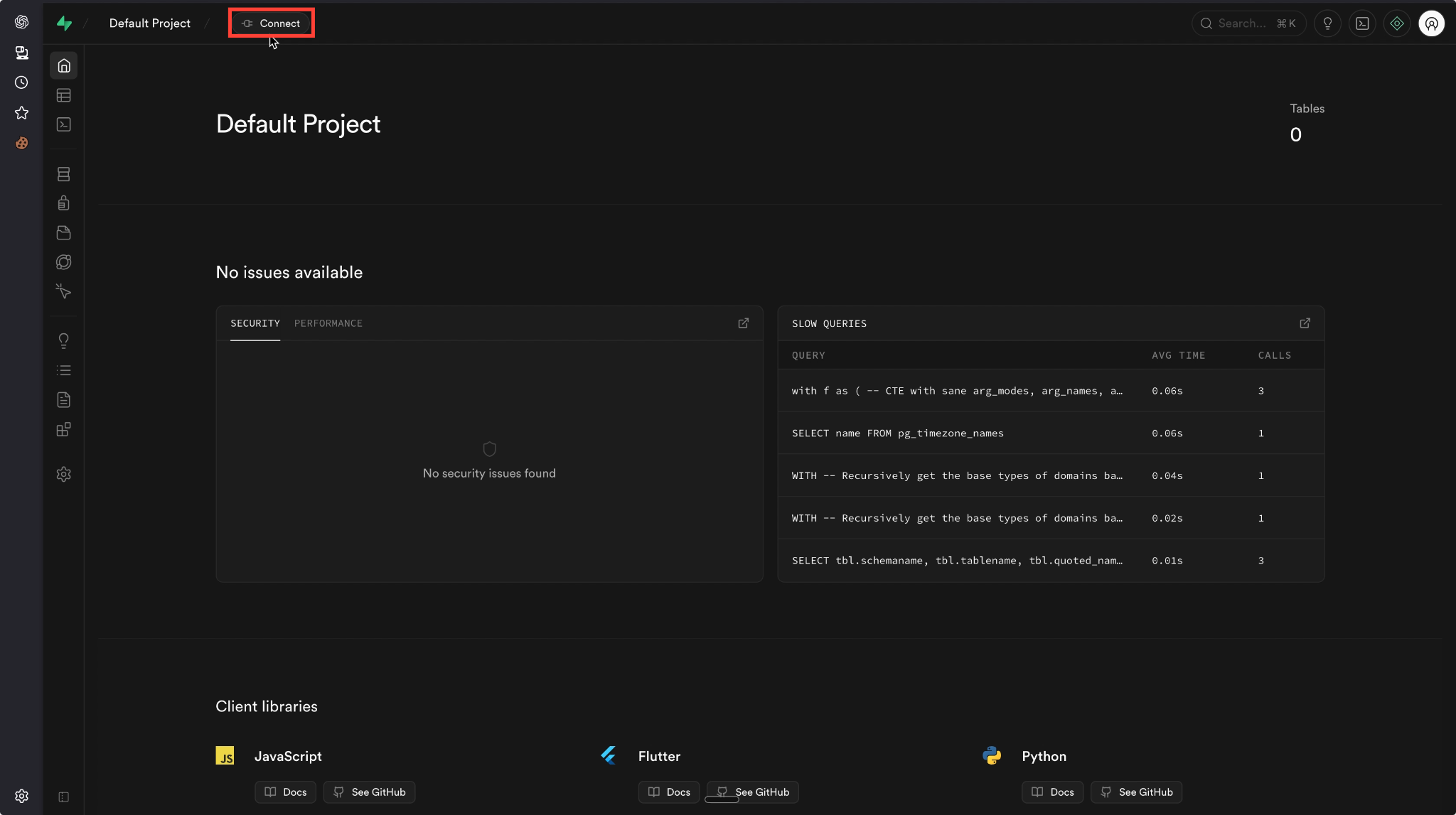
Begin by navigating to your Supabase dashboard and opening the project you want to connect. From the top menu, click the ‘Connect’ button.
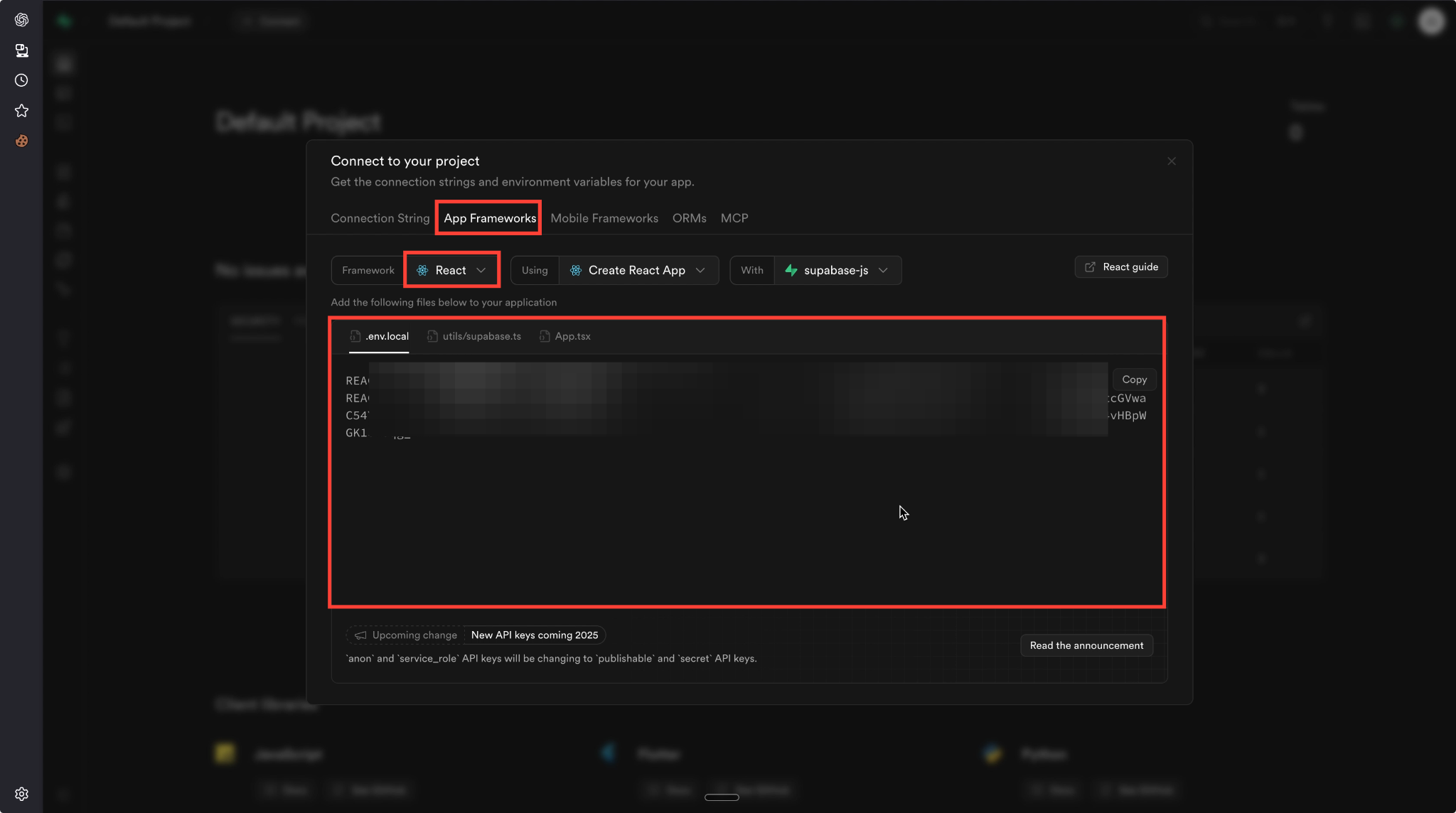
A pop-up window will appear, select the ‘App Frameworks’ tab and choose your app language. From this section, copy the credentials provided in the .env configuration. These credentials are required to link your Supabase backend to your Lovable project.
Step 2: Configure Supabase Credentials in Lovable #
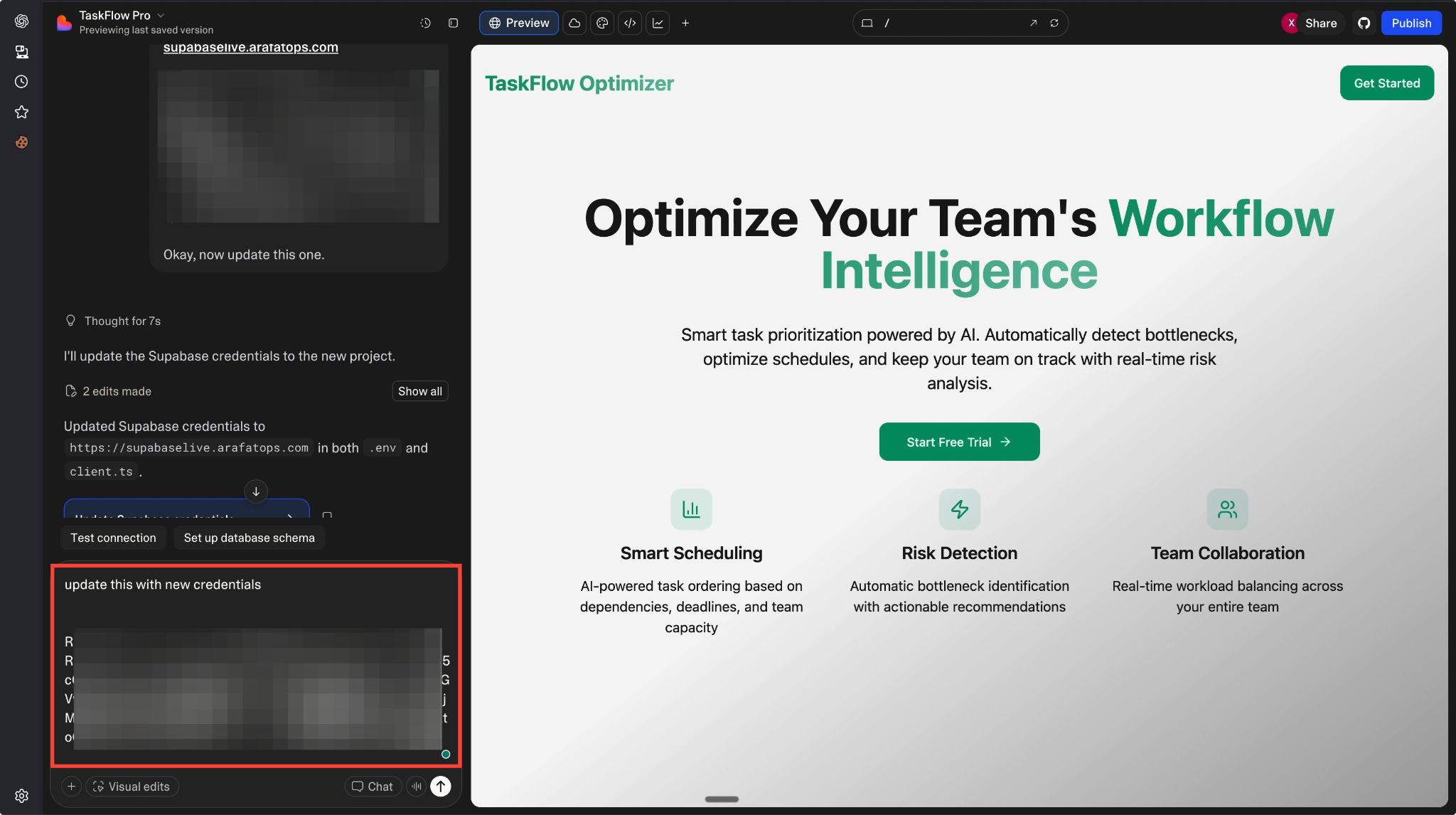
Next, open your Lovable project and paste the Supabase credentials you copied earlier by entering them directly through chat to update the .env file with your Supabase credentials.
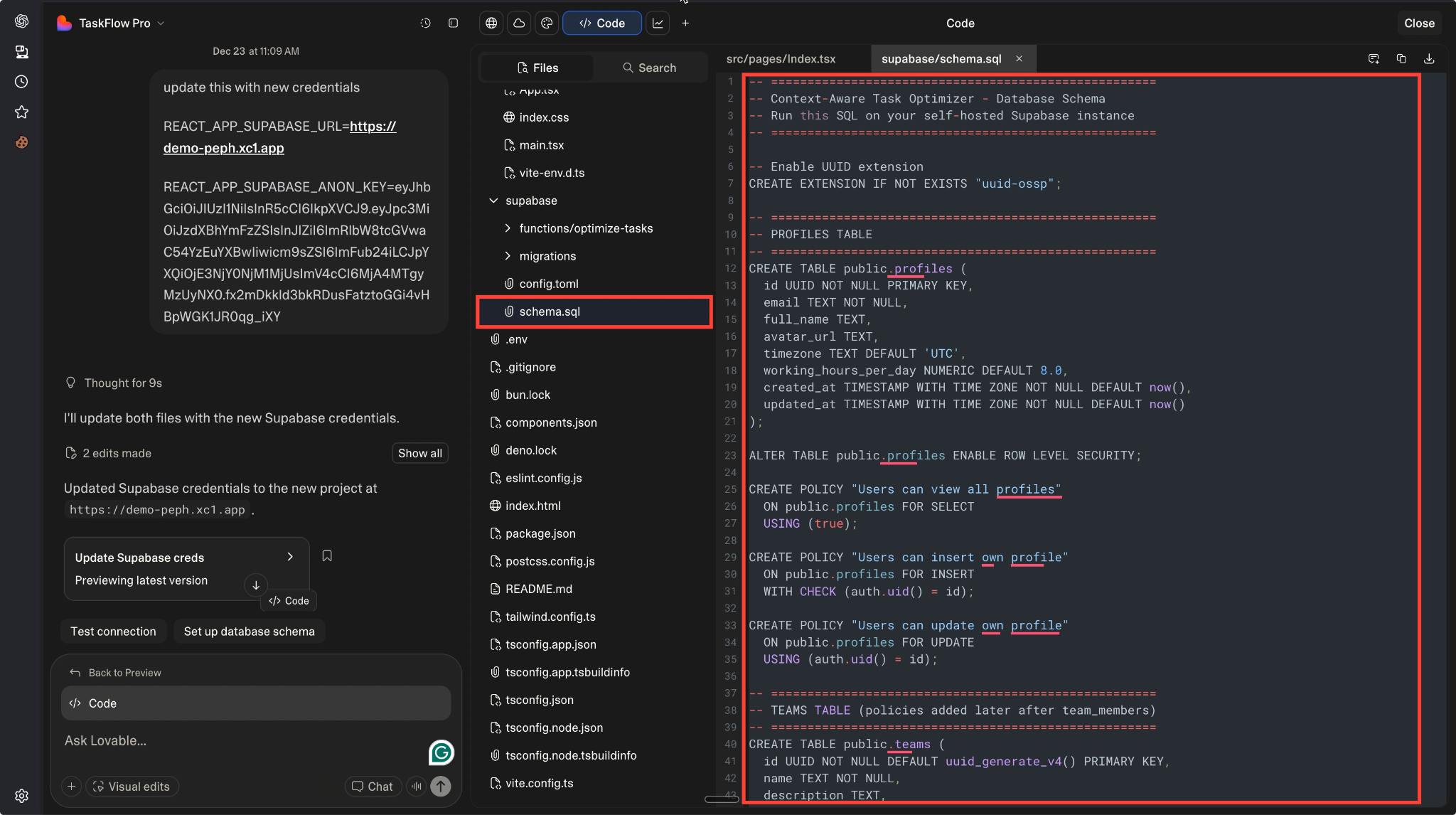
Once the credentials are added, go to the Code Editor within Lovable. From the dashboard, copy the complete SQL code we’ve prepared for database setup. This SQL script defines the database structure that Supabase will use.
Step 3: Execute SQL in Supabase #
Return to your Supabase dashboard and open the SQL Editor from the sidebar menu. Paste the SQL code you copied from the Lovable dashboard into the editor, then click the “Run” button.
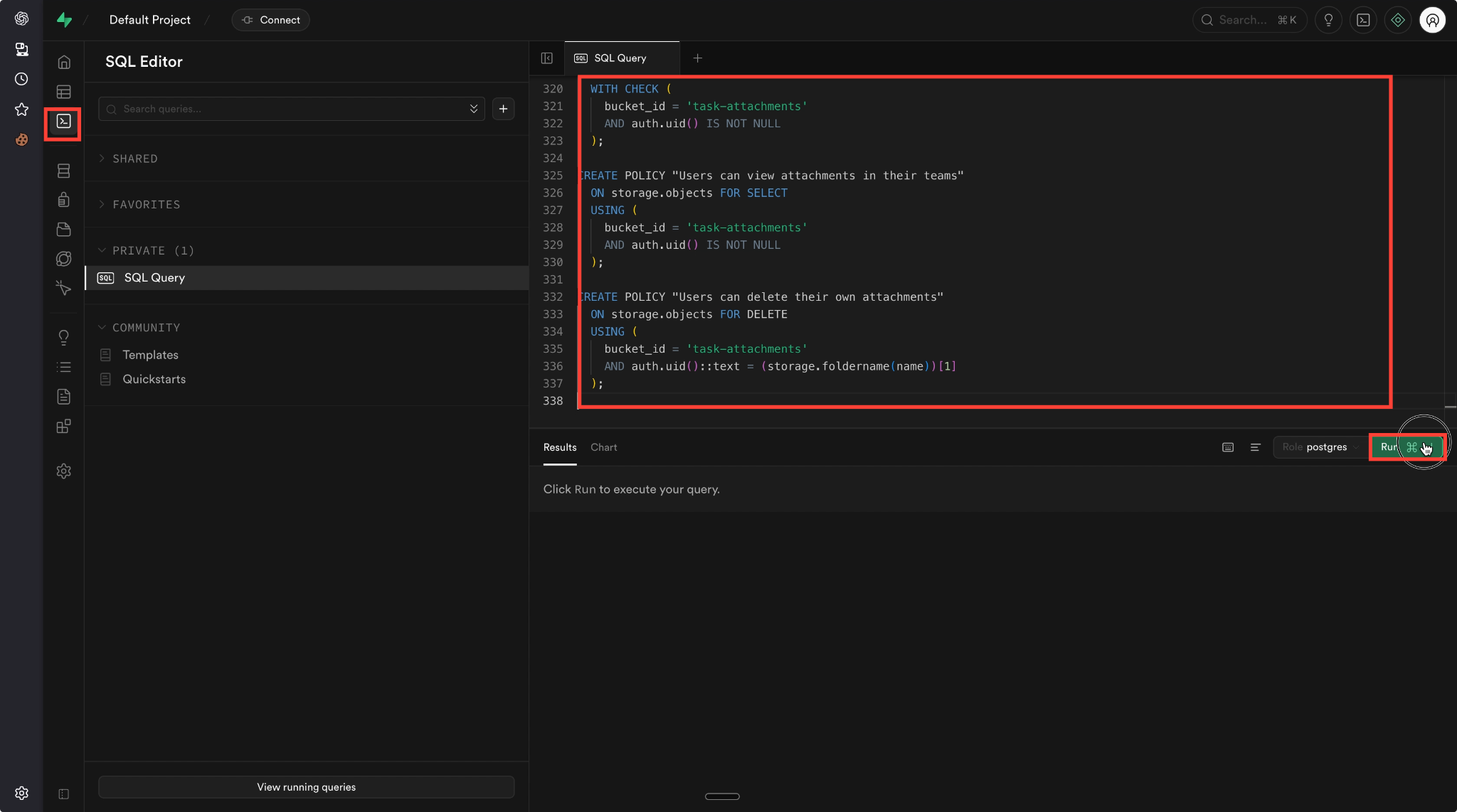
After the query executes successfully, the required tables will be created in your Supabase database, completing the connection between Supabase and Lovable.
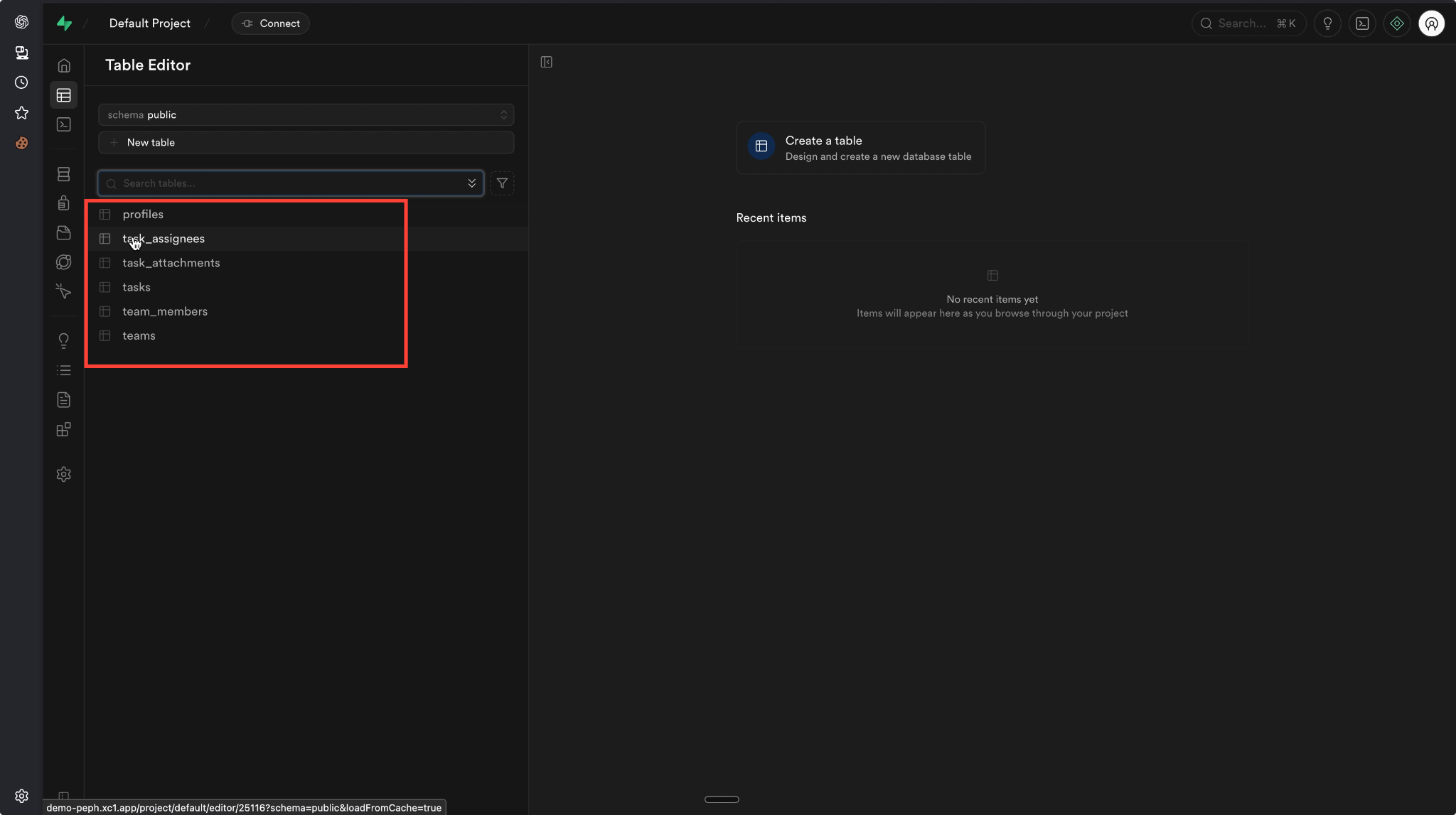
And that’s it, this is how easily you can connect Supabase to Lovable. It is a simple process that allows you to build full-stack applications with minimal effort.
By combining Supabase’s powerful backend capabilities with Lovable’s intuitive frontend and logic handling, you can launch scalable and secure applications faster without managing complex infrastructure.
Still stuck? Contact our support team for any of your queries.


