
















Optimizing MySQL or MariaDB is essential for maintaining high performance, stability, and efficient resource usage on your server. Manual tuning can be complex, especially if you’re unfamiliar with various database parameters.
To simplify this process, the system includes an Auto-Tune feature that automatically adjusts key MySQL/MariaDB settings based on your server’s resources and workload.
Follow the guide to auto-tune MySQL/MariaDB configurations on your server in one click.
Step 1: Go to Your Server #
To begin, go to your server dashboard and navigate to the settings area. From the sidebar menu, open ‘Management’ and then choose ‘MariaDB Configuration’.
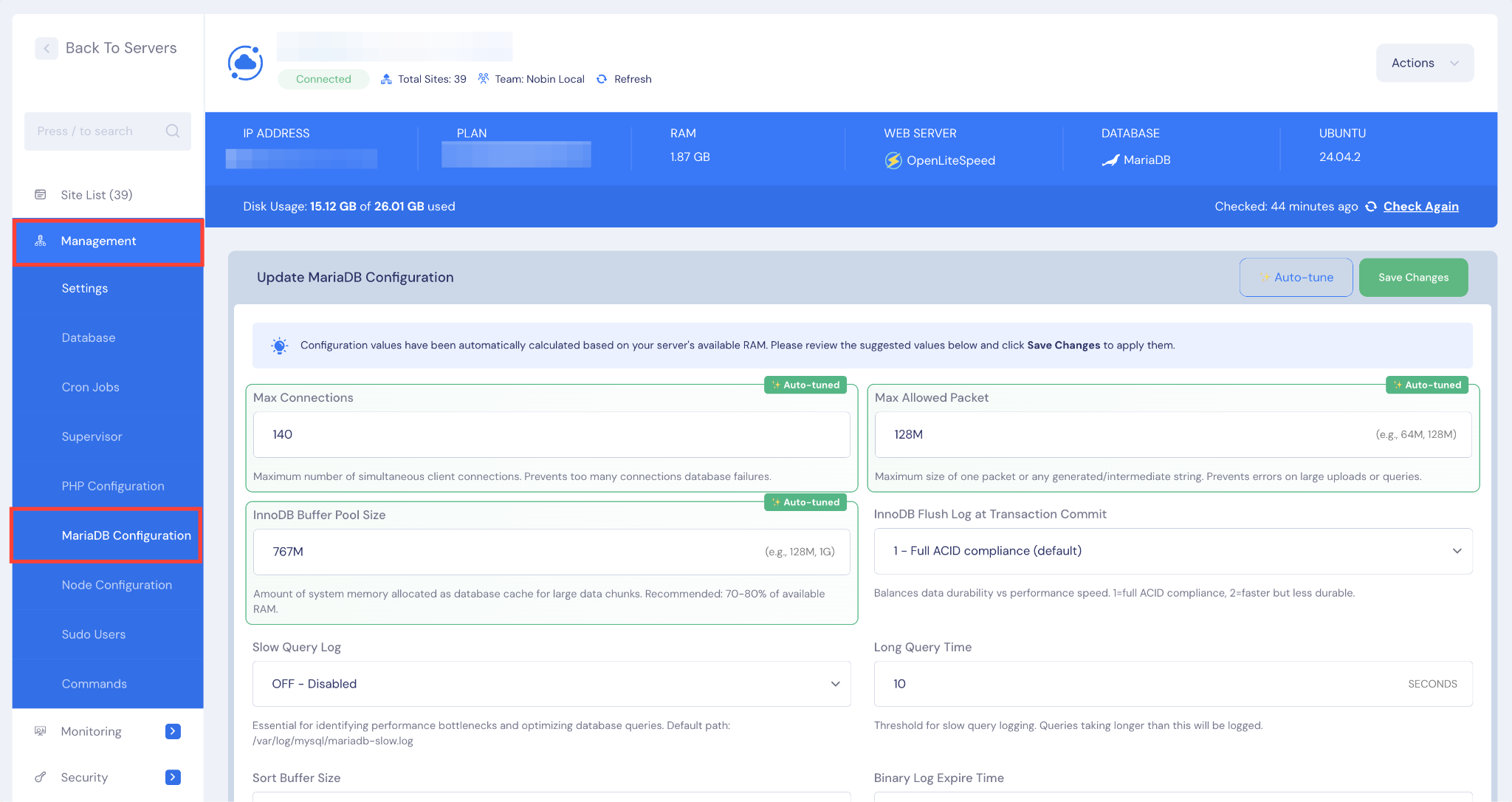
After accessing the MariaDB Configuration section, locate the ‘Auto-Tune’ button on the dashboard. Clicking this button will trigger the system to automatically analyze your server’s resources and adjust several important MySQL/MariaDB settings.
The Auto-Tune tool focuses on optimizing key parameters, including ‘Max Connections’, ‘Max Allowed Packet’, and the ‘InnoDB Buffer Pool Size’.
These adjustments help ensure your database operates efficiently by improving connection handling, supporting larger data packets, and optimizing memory usage for InnoDB tables. The updated configuration is applied automatically after the tuning is complete.
Note: We will bring more MySQL and MariaDB configurations very soon.
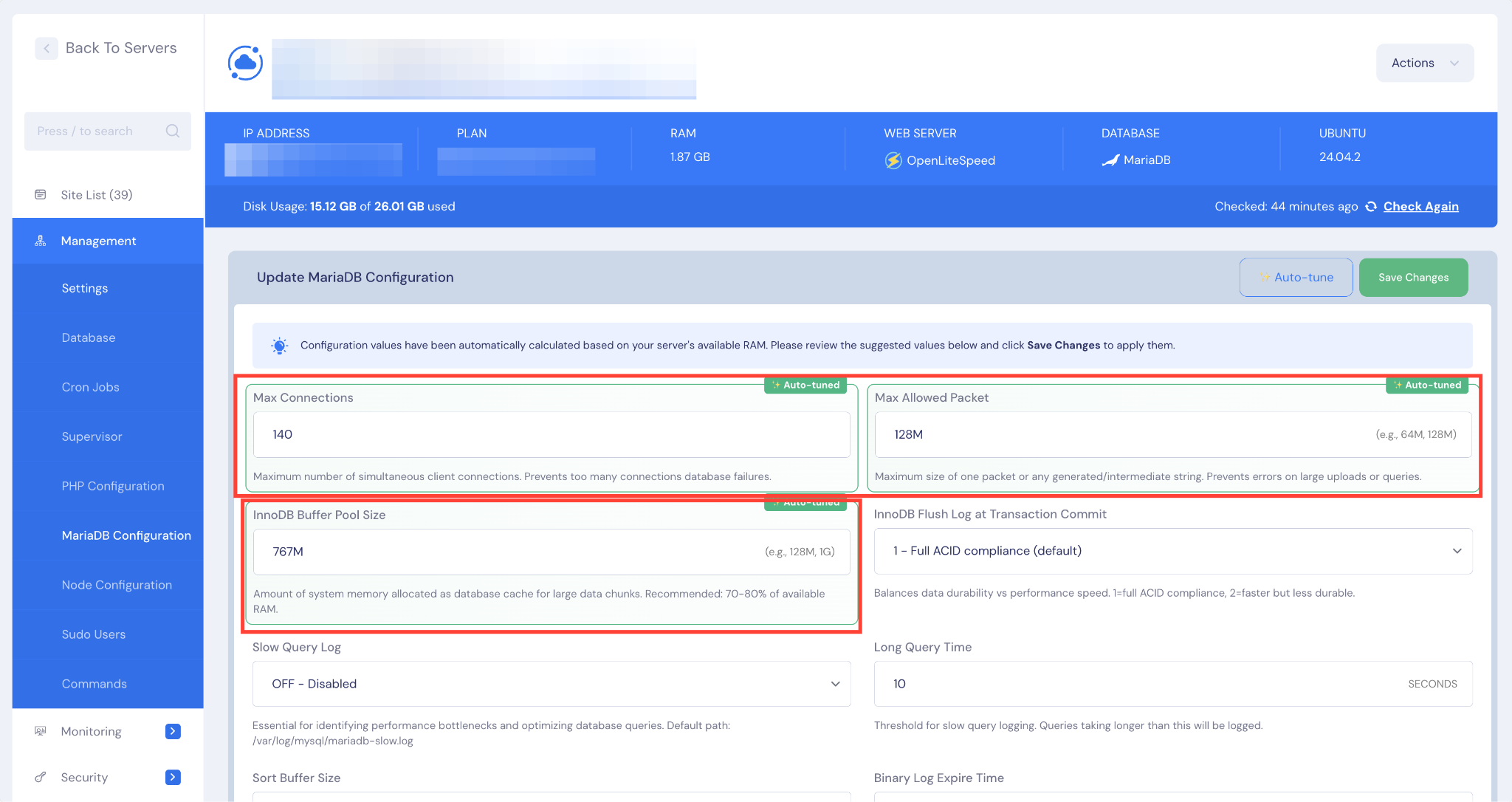
And that’s it this is how easily you can Auto Tune MySQL and MariaDB in one click. By automatically configuring essential settings, the tool helps your server run more smoothly and handle greater workloads with ease.
Still stuck? Feel free to contact to our support team.


