















OpenClaw, also known as Clawdbot, is an AI agent built to perform real actions instead of only replying to messages. It can sometimes run into issues that disrupt your workflow from unexpected crashes and dependency conflicts to configuration errors that are tricky to resolve.
With xCloud’s AI Powered OpenClaw Repair Agent, you can automatically detect common OpenClaw errors, analyze system conflicts and apply guided fixes in seconds instead of hours.
Need to repair OpenClaw? Fix 502 errors, crashed gateways, and config issues automatically with xCloud’s AI Repair Agent.
Follow the steps below to repair OpenClaw quickly and keep your setup running smoothly:
What It Fixes #
If you are on this page, something likely stopped working. The OpenClaw Repair Agent is designed to automatically detect and fix the most common OpenClaw issues without requiring manual server troubleshooting.
It helps resolve:
- OpenClaw showing a 502 Bad Gateway error
- Gateway service crashed or stuck after a server restart
- “Pairing required” error on the Control UI dashboard
- OpenClaw binary missing or corrupted after an OS or package update
- Configuration errors after manual edits or OpenClaw version upgrades
- Stale process (PID/lock) files causing “already running” startup failures
Instead of manually checking logs, reinstalling services or editing config files, xCloud handles the repair OpenClaw process safely and automatically.
How the Repair Agent Works #
The OpenClaw Repair Agent runs in two structured phases. Understanding these phases helps you know exactly what happens behind the scenes.
Phase 1: Automatic System Repair (No AI Required) #
This phase handles system-level issues automatically. It will:
- Check whether the OpenClaw binary is installed and reinstall it if missing or broken
- Clear stale PID or lock files that prevent OpenClaw from starting
- Detect if the Gateway service is not responding and reinstall/restart it
- Run a built-in health check (openclaw doctor) to detect hidden system problems
Most OpenClaw failures are resolved during this phase without needing AI intervention.
Phase 2: AI Configuration Repair #
If the issue is related to configuration errors, the AI-powered repair phase begins. This phase will:
- Read your openclaw.json configuration file
- Detect syntax errors, invalid parameters, or version mismatches
- Send the broken configuration and error output to AI for analysis
- Apply the minimal required fix
Your API keys, connected channels, integrations and custom settings are never modified unless absolutely necessary to restore functionality. After applying the fix, the system verifies whether OpenClaw starts correctly. If needed, it retries up to 5 times to ensure a stable repair.
Automatic Backup Protection #
Before making any changes, the Repair Agent creates a timestamped backup of the original configuration.
This means:
- The original openclaw.json file is safely stored before modification
- If all repair attempts fail, the system automatically rolls back to the original configuration
- Setup is never left in a worse state than before
This backup mechanism ensures safe AI repair and addresses the most common concern:
“What if the AI breaks something?”
With automatic rollback protection, your configuration is always secure.
Step 1: Open the OpenClaw Dashboard in xCloud #
Log in to your xCloud account and open your OpenClaw instance dashboard.
From the left sidebar, navigate to OpenClaw → Overview. Here you will get the ‘Repair’ button.
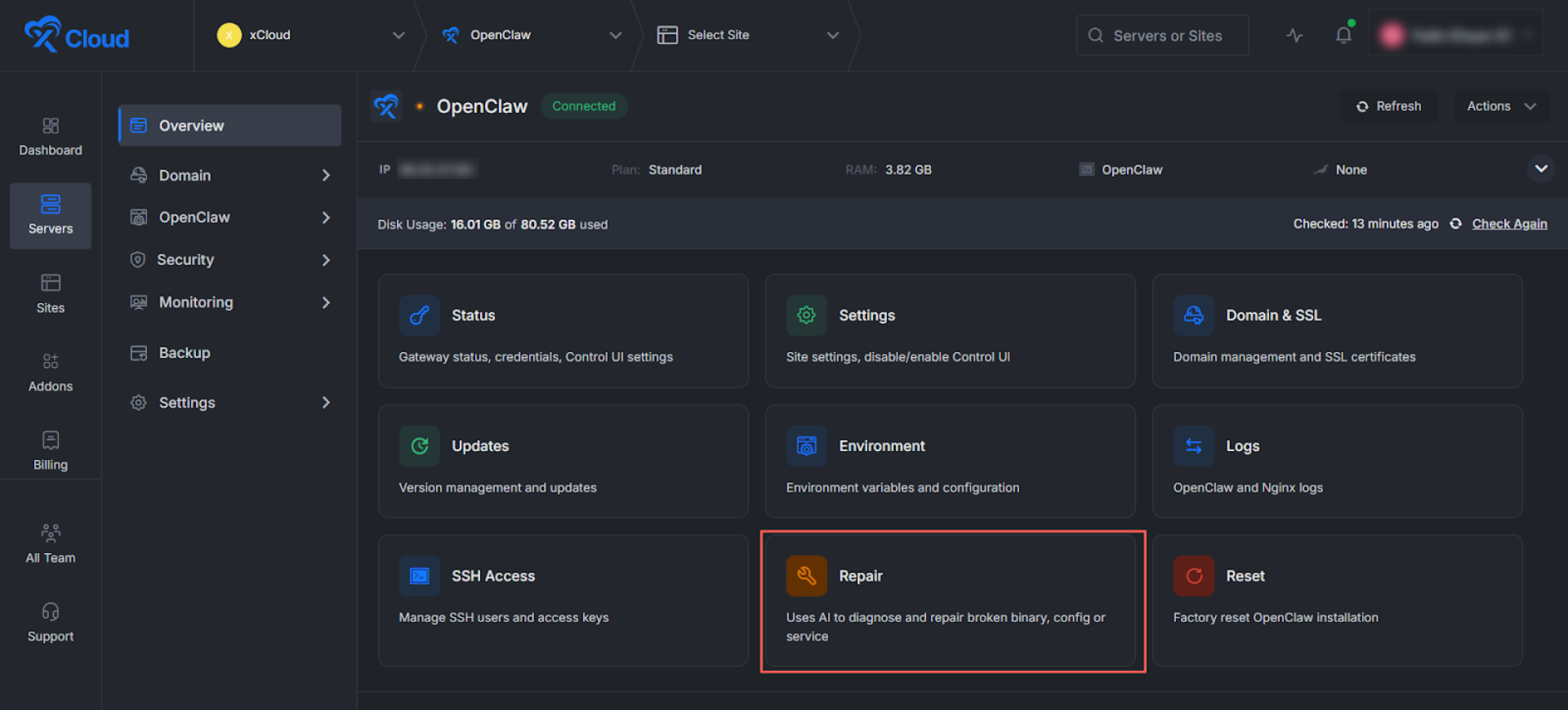
Step 2: Repair Your OpenClaw Issues #
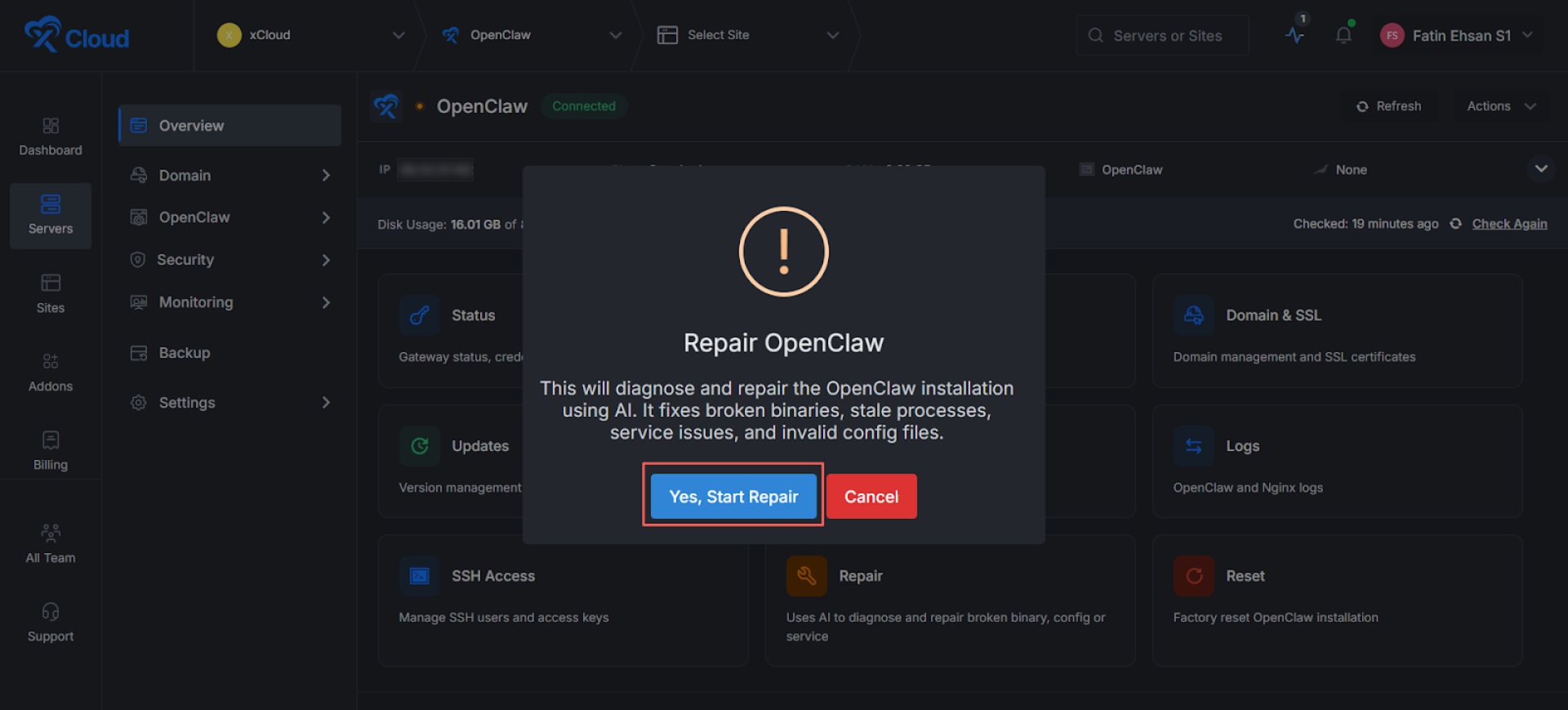
Click on the ‘Repair Button’. A pop-up will appear showing Repair OpenClaw. Tap ‘Yes, Start Repair’.
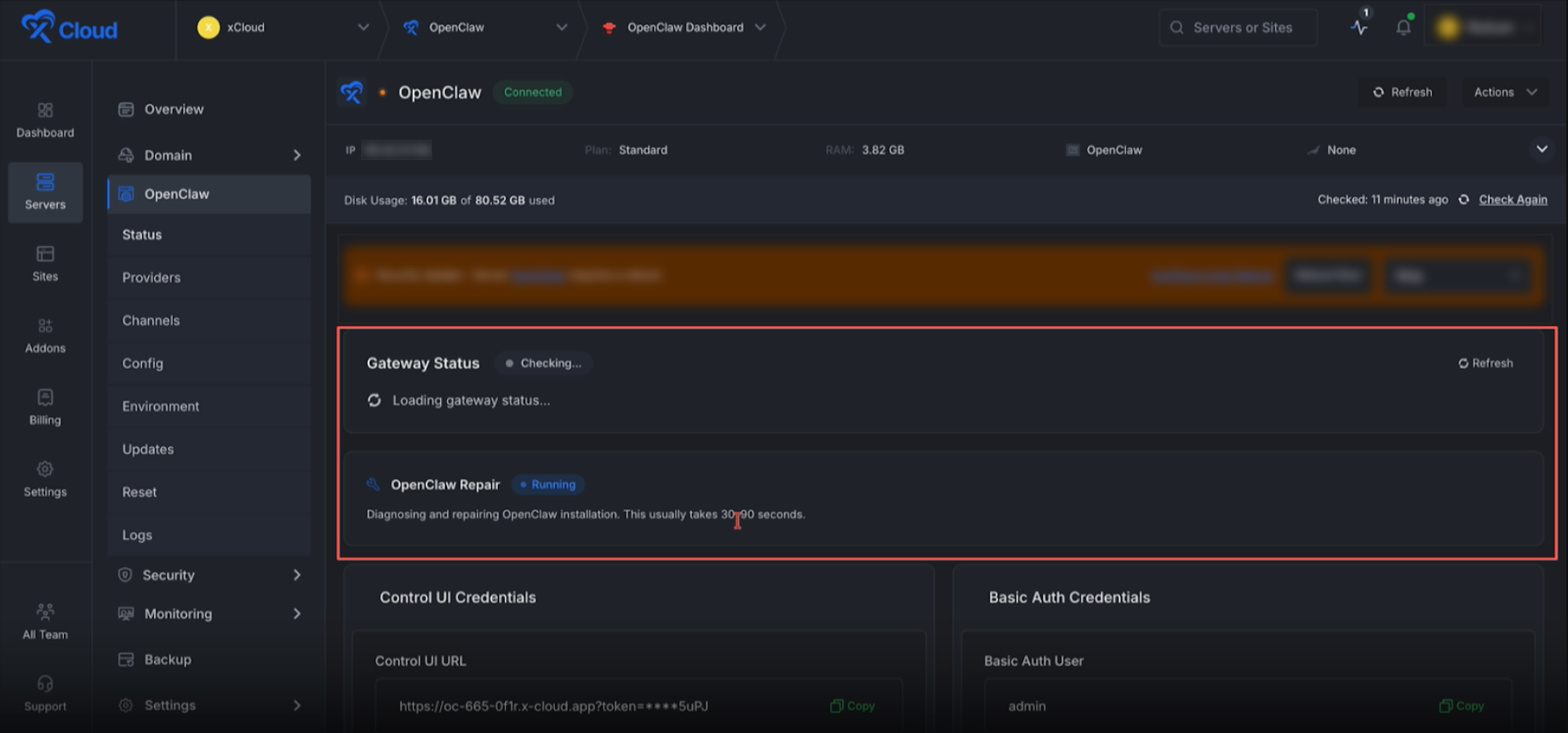
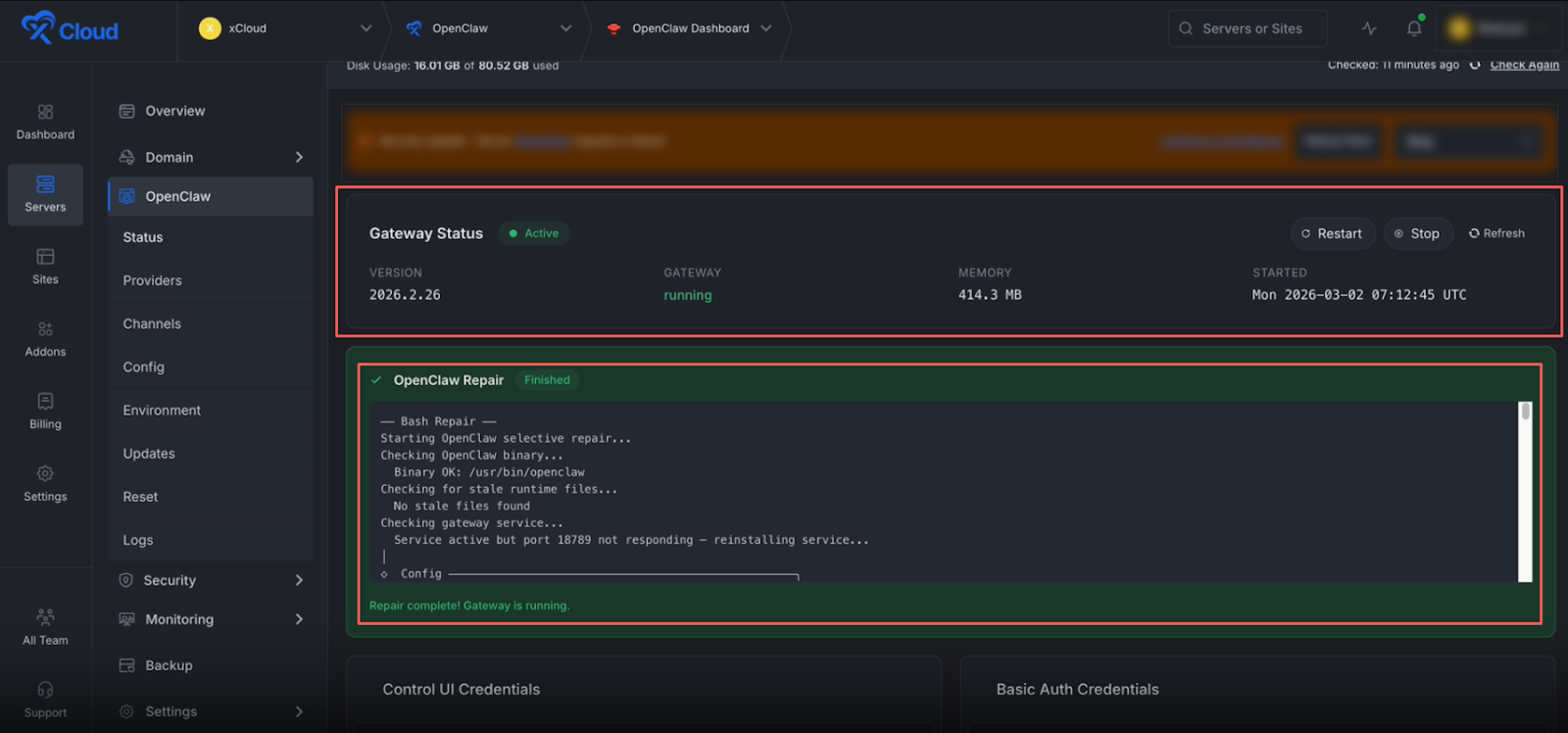
Then you will be redirected to the ‘OpenClaw Gateway Status’, where you’ll see your Gateway status as Checking and the ‘OpenClaw Repair Agent’ actively running to fix any OpenClaw issues.
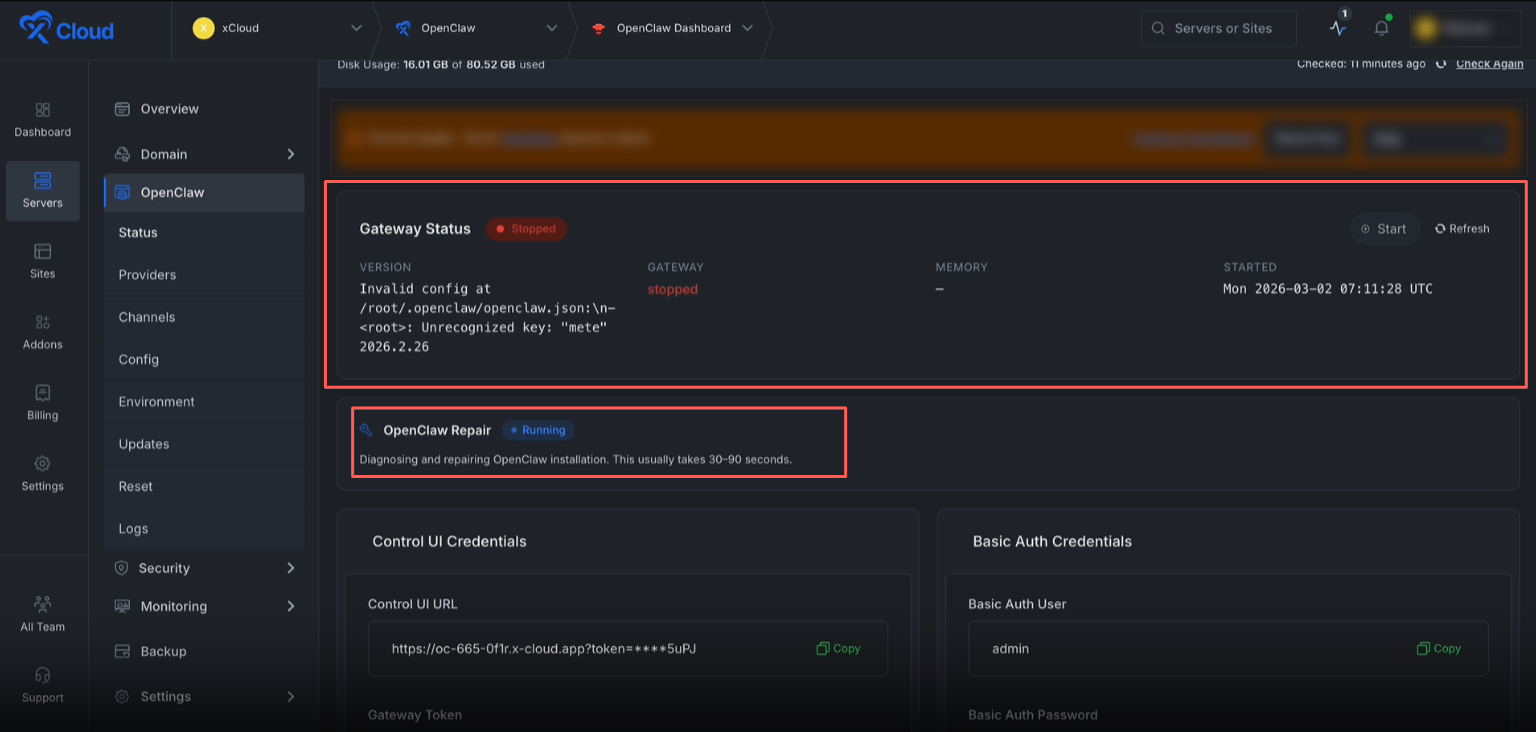
Within 90 seconds, you will see the Gateway Final Status of your OpenClaw, including any detected issues. Based on these issues, the xCloud OpenClaw Repair Agent will be running to fix them using the power of AI.
After a few seconds (within 90 seconds), you will see that your OpenClaw issues have been resolved, with an Active Gateway Status and the repaired issues displayed in the repair log.
Here, you will see a message indicating OpenClaw Repair Finished and ‘Repair complete! Gateway is running. From here, you can review all the fixed configuration issues.
Additional Option: #
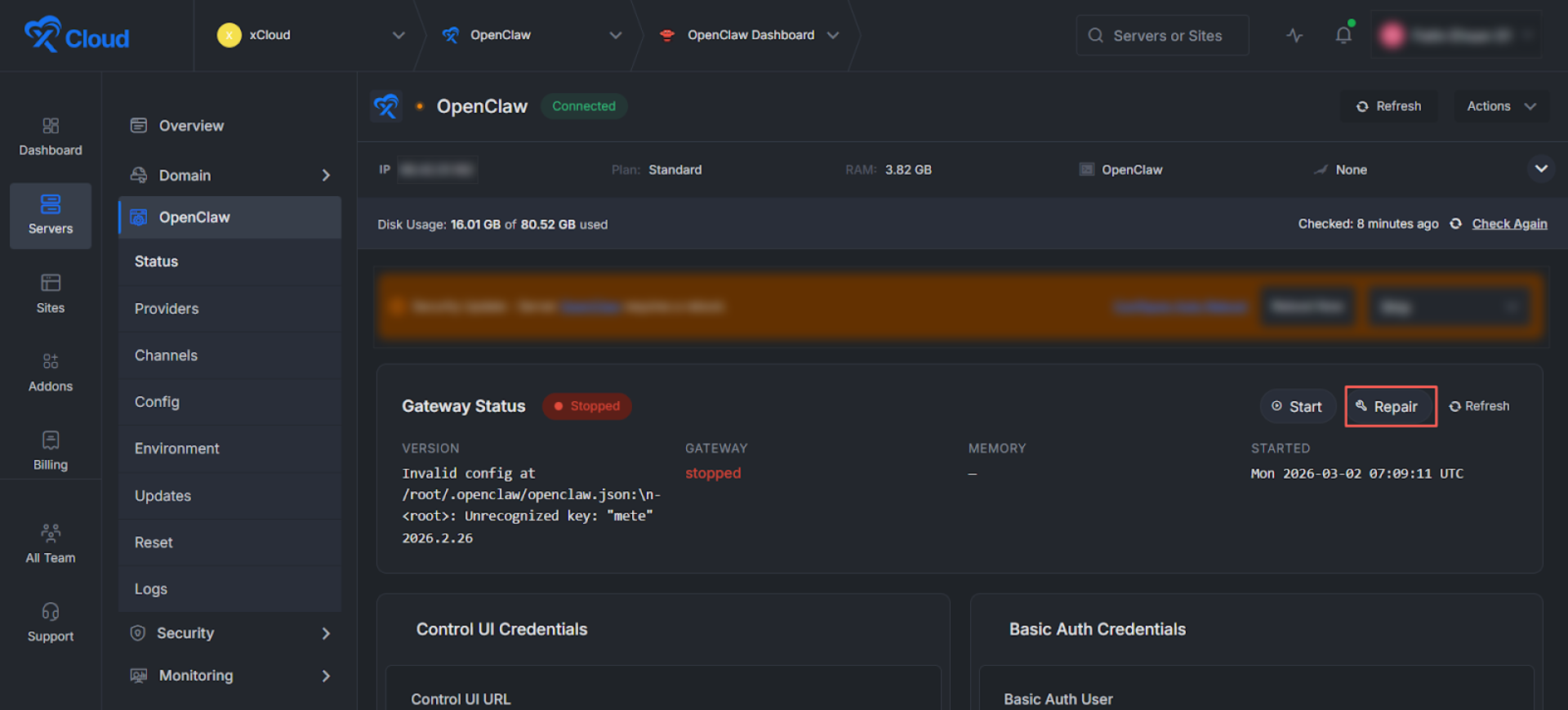
You can also access the repair option directly from the OpenClaw Status. In the left sidebar, navigate to OpenClaw ‘Status’, where you’ll see the ‘Repair’ button. Clicking this button will start the repair process, just as described above.
Final Outcome #
After the repair process completes successfully:
- The Gateway status becomes active
- The 502 Bad Gateway error disappears
- Configuration issues are resolved
- OpenClaw starts running normally again
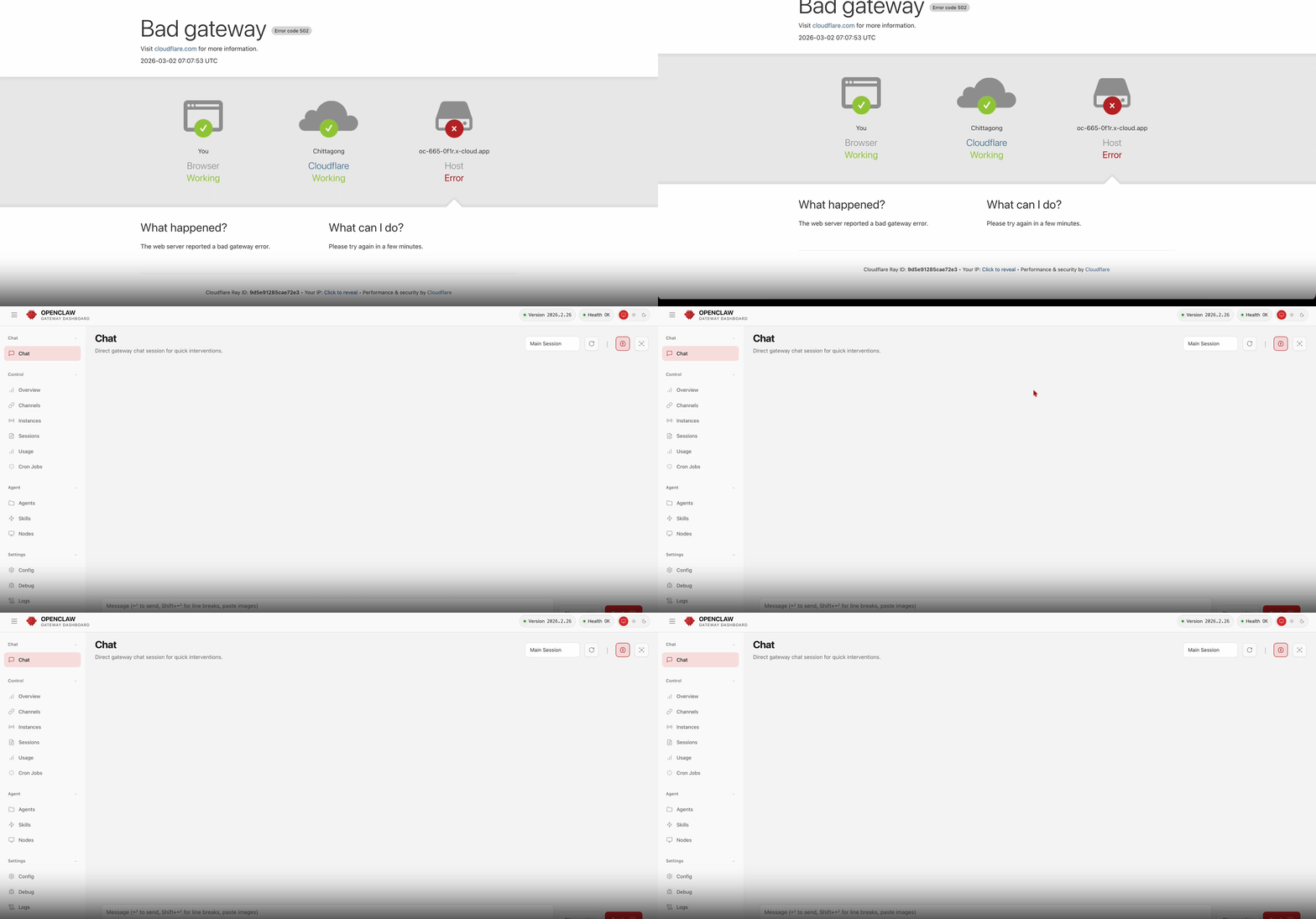
If the Repair Agent cannot resolve the issue after its automated attempts, it automatically rolls back to your original configuration, your setup is never left in a worse state than when you started. This ensures a safe, controlled and reversible repair process every time.
And that’s it. This is how easily you can repair OpenClaw issues on xCloud using its AI-powered Repair Agent. OpenClaw deployment on xCloud removes the complexity of self managed hosting and lets you focus on what matters most.
What the Repair Agent Does NOT Fix #
To set proper expectations, there are certain issues the Repair Agent cannot resolve. It does not fix:
- Billing or subscription-related issues
- Telegram bot token errors caused by revoked or invalid API keys
- Problems caused by unsupported server specifications (for example, servers with less than 4GB RAM)
- Network-level firewall or hosting provider restrictions
If your issue falls into one of these categories, you may need to manually update credentials, upgrade server resources, or contact support. Setting this expectation helps ensure the Repair Agent is used for technical repair scenarios it is designed to handle.
Still stuck? Feel free to reach out to our support team for any issues.


