

How to Create and Sell Reseller MailBox Plans in xCloud
Updated September 29, 2026 · 8 min read
This guide shows xCloud white-label resellers how to turn an eligible wholesale MailBox plan into a branded, client-facing add-on. It covers source-plan selection, custom naming and pricing, publication, activation, client purchase visibility, verification, and common failure states. Use it if you manage products for a white-label reseller account or need to confirm what clients can buy through the branded portal.
Prerequisites
Before you start, confirm that you have:
- An active xCloud white-label reseller account.
- Permission to manage White Label → Addons.
- At least one active OXMAIL MailBox source plan that xCloud has marked as available for white-label resale.
- A client account in the reseller portal for checking the customer-facing result.
- A selling price that is at least the source price plus 10%.
- A unique SKU for the reseller plan.
How reseller MailBox plans work
A reseller MailBox plan is a client-facing copy of an eligible xCloud wholesale source plan. The source defines the provider, storage, billing period, and wholesale cost. The reseller controls the public plan name, SKU, selling price, and active status.
Only supported OXMAIL MailBox products marked for white-label resale can be published. Retail MailBox products and legacy QBOXMAIL plans are not eligible, even if they exist elsewhere in the product catalog.
Create and publish a MailBox plan
1. Open the reseller Addons page
From the xCloud dashboard, go to White Label → Addons, then select Add Addon.
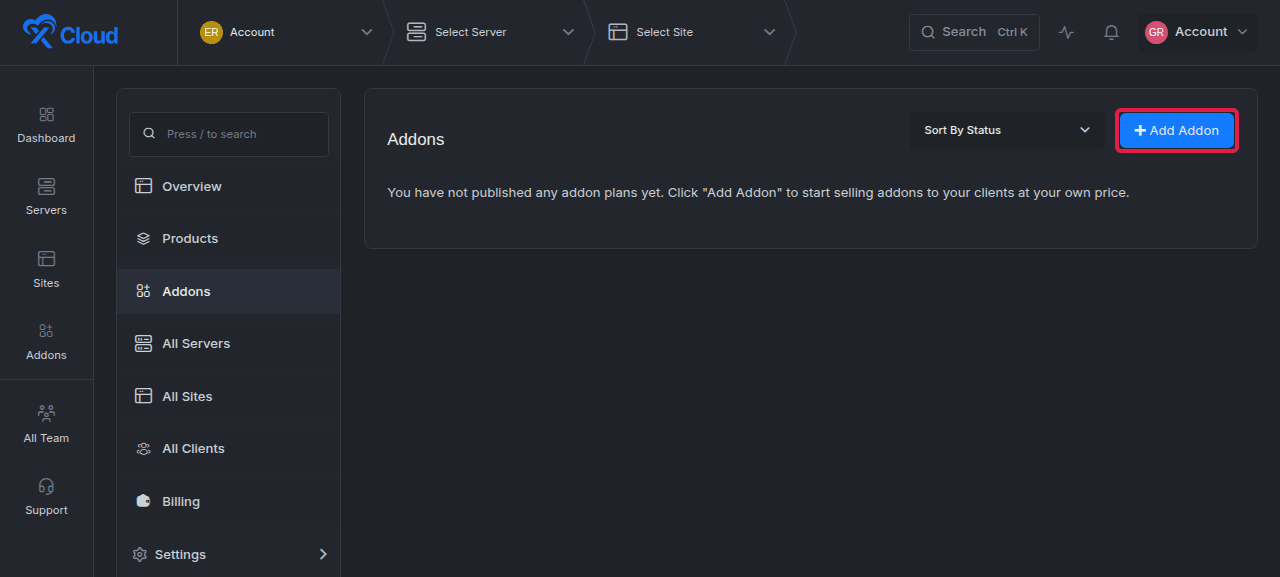
Expected result: The Publish New Addon dialog opens.
2. Choose an eligible source plan
Under Select Plan, choose the MailBox source plan you want to resell, then select Next.
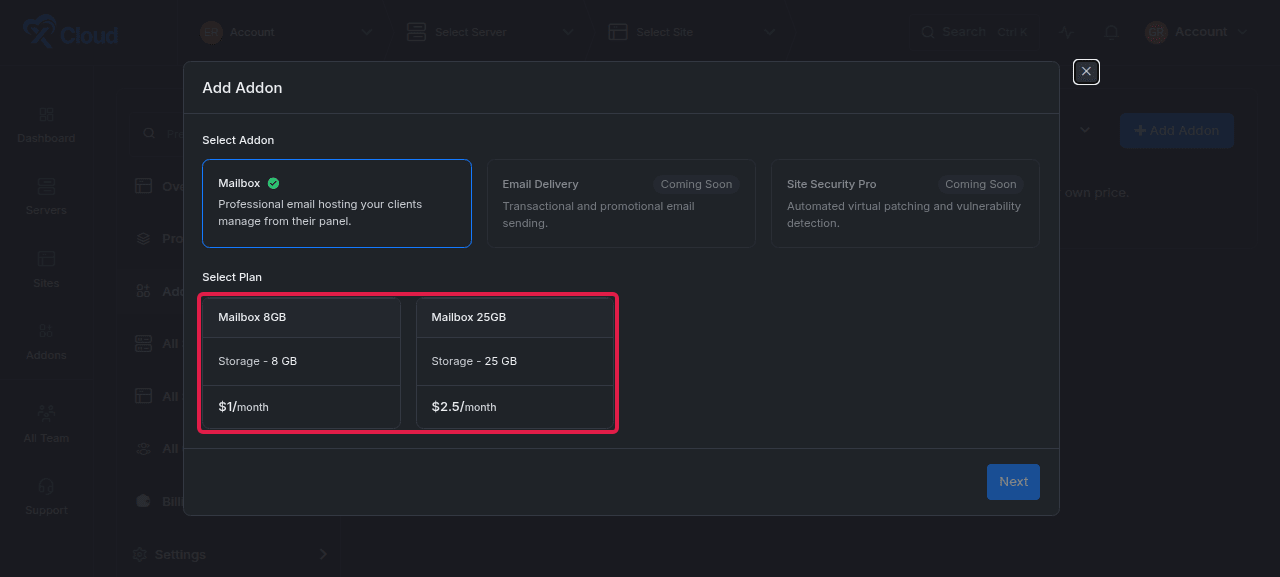
The picker shows the source plan’s storage, wholesale price, and monthly billing period. A source plan that has already been published remains identifiable in the catalog, but xCloud prevents a second publication of the same source plan for the same white-label account.
Expected result: xCloud opens the customization step for the selected plan.
3. Set the plan name, monthly price, and SKU
Complete the customization fields:
- Plan Name: The name clients will see.
- Price / Month: The monthly selling price charged through the reseller portal.
- SKU: A unique internal identifier for the reseller product.
- Active Package: Leave this enabled to make the plan available to clients as soon as it is published.
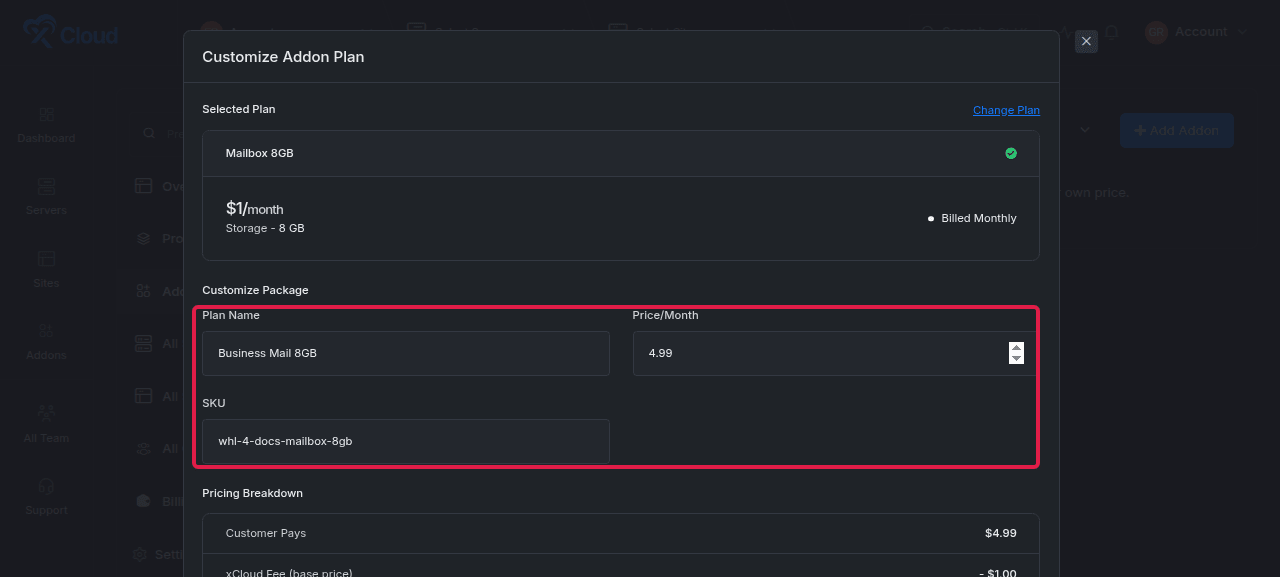
The minimum selling price is:
minimum selling price = source price × 1.10
For example, a source plan priced at $2.50 requires a selling price of at least $2.75.
Expected result: The pricing breakdown updates and the Publish Addon button becomes available when every required value is valid.
4. Publish the plan
Review the plan, then select Publish Addon.
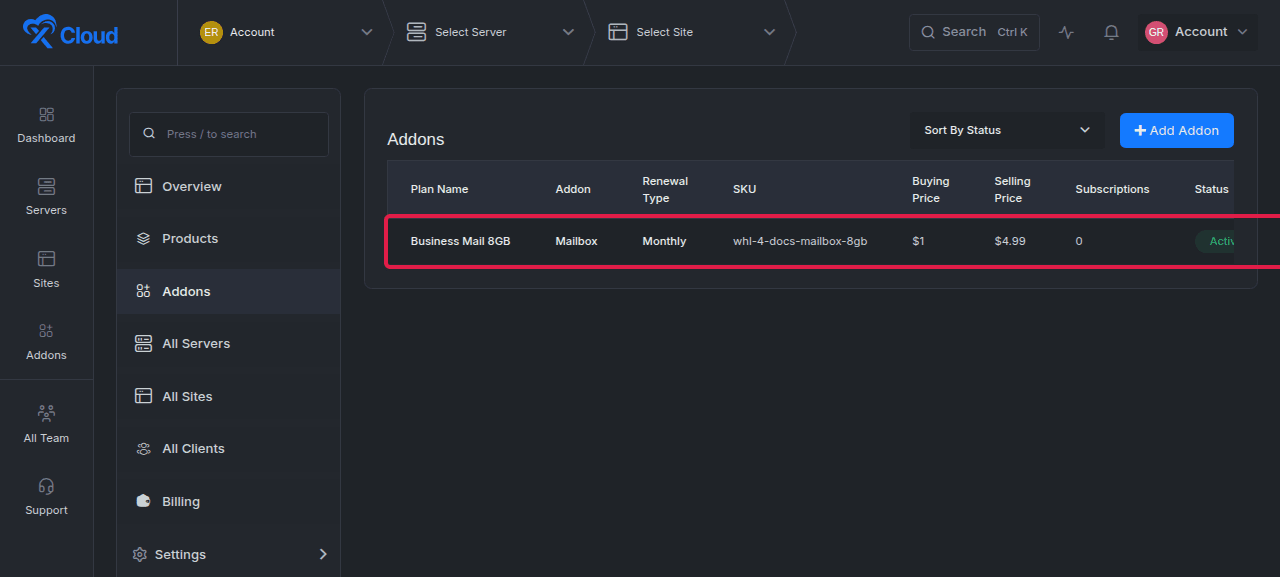
Expected result: The plan appears in the Addons table with its billing period, wholesale buying price, selling price, subscription count, and current status.
Review and manage a published plan
5. Open the plan details
Select the published plan name from the Addons table. The details page shows the source-linked storage, wholesale price, selling price, subscription count, and status.
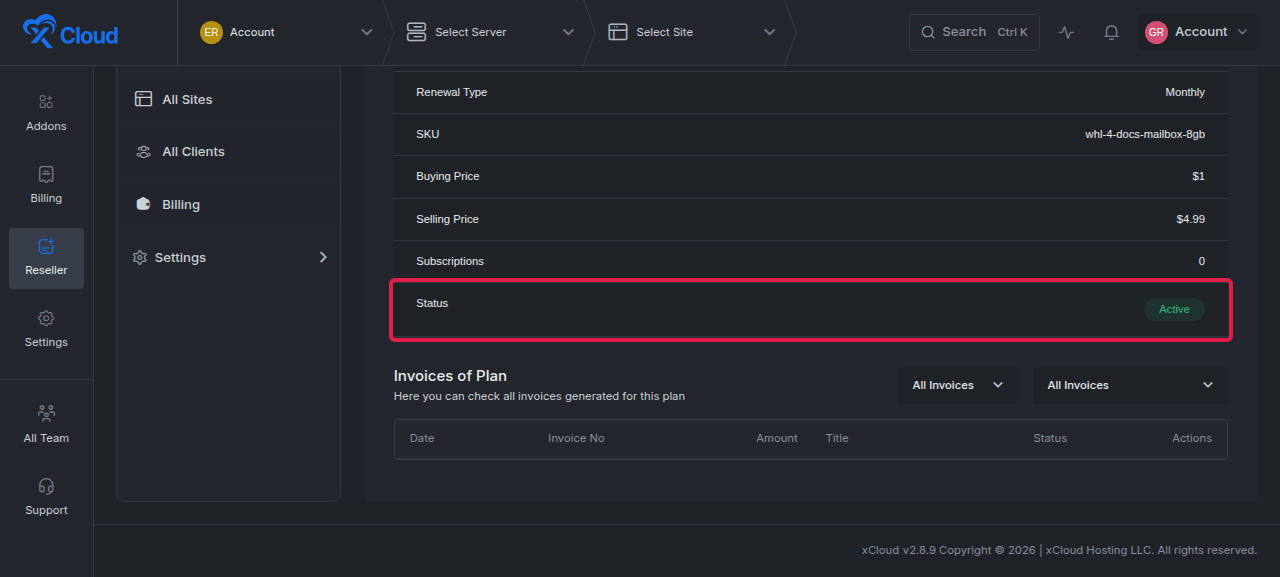
The Invoices of Plan section records billing activity associated with the reseller plan. A newly published plan can show an empty invoice list until a client purchase creates billing activity.
Expected result: The plan information matches the values entered during publication and the status is Active.
6. Edit the name, price, SKU, or active status
Select Edit Plan, change the required value, and select Update Plan.
xCloud applies the same minimum-price rule during editing. A price below the source price plus 10% is rejected.
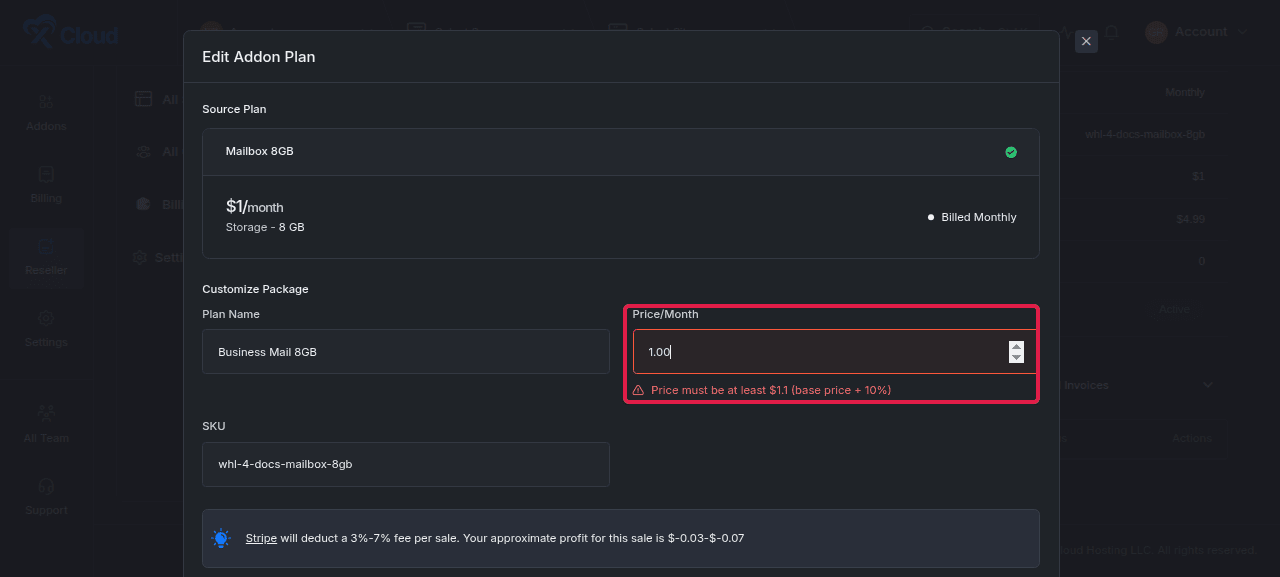
Expected result: A valid update closes the dialog and displays Addon plan updated successfully. An invalid price remains unsaved and displays the minimum required price.
7. Deactivate a plan when clients should no longer buy it
In Edit Plan, turn off Active Package, then select Update Plan.
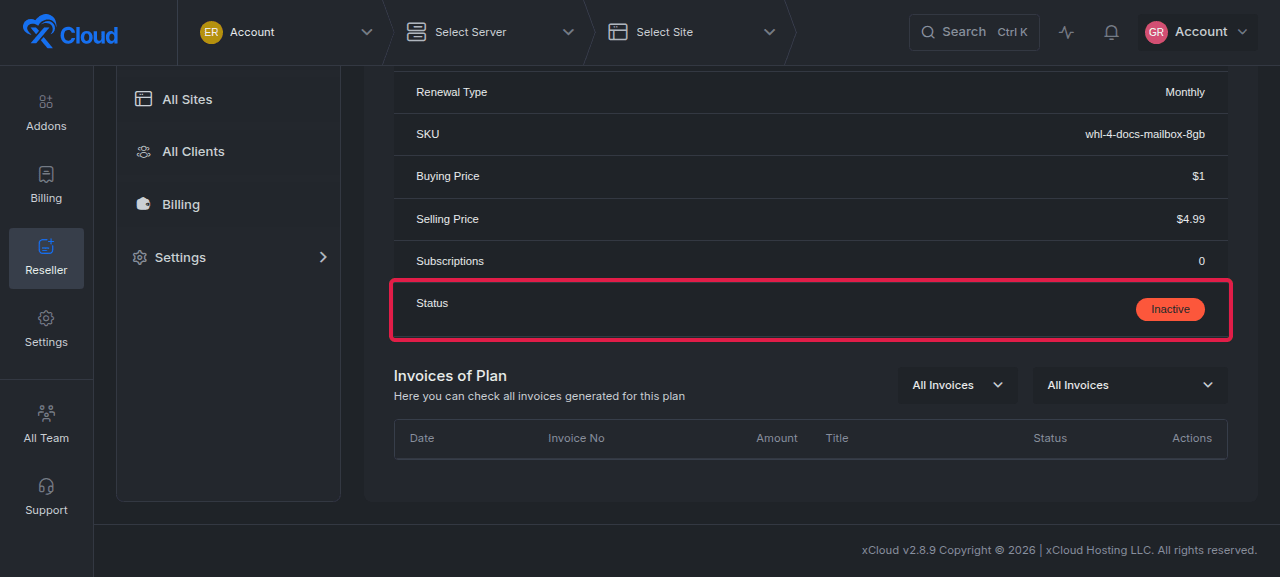
Expected result: The plan status changes to Inactive. If no other active MailBox plan is published, the client MailBox add-on entry is no longer available in the reseller portal.
To restore availability, edit the plan again, enable Active Package, and save the update.
What clients see and purchase
8. Confirm the MailBox add-on appears in the client portal
Sign in to the branded client portal and open Settings → Addons. The MailBox card displays the reseller’s lowest active selling price, not the wholesale source price.
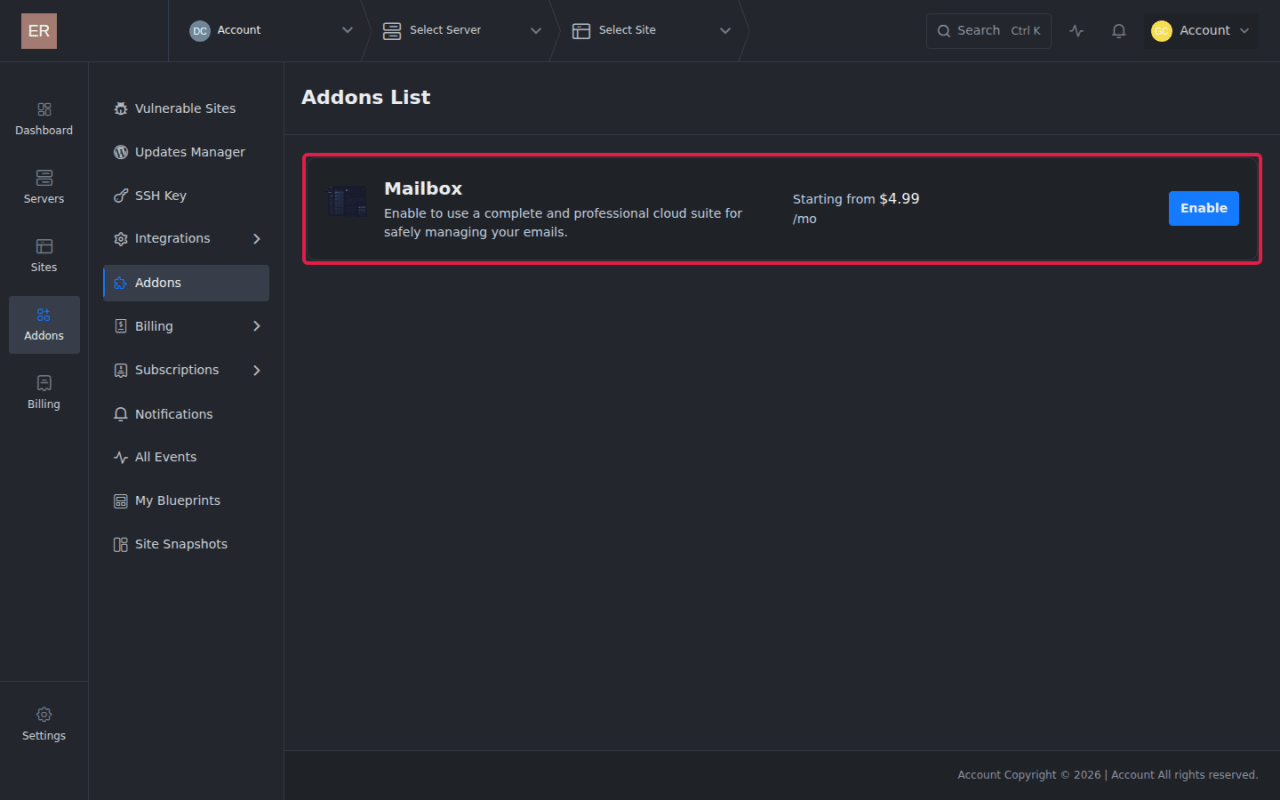
Expected result: The MailBox card shows Starting from followed by the lowest active reseller price and an Enable button.
9. Open the client MailBox offer
Select Enable. Review the MailBox benefits and displayed starting price, then select Get Mailbox Addon.
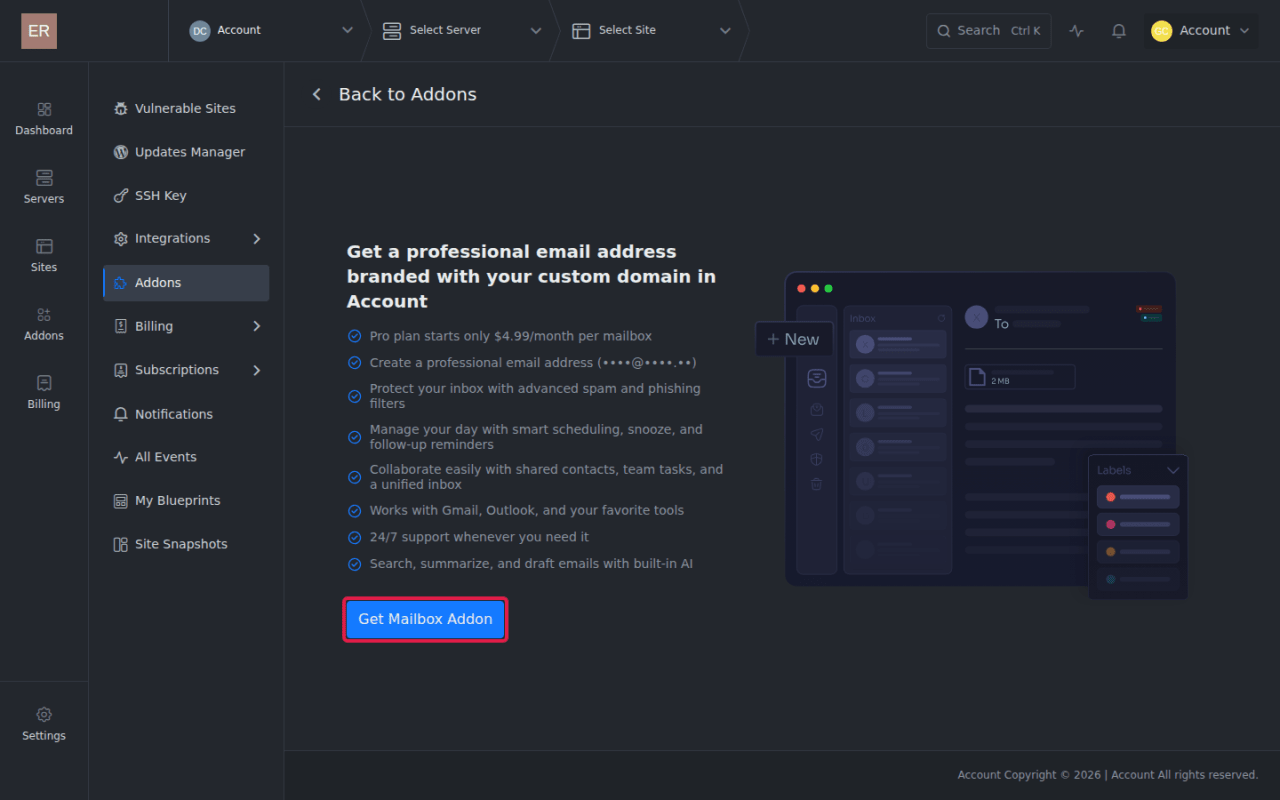
Expected result: The MailBox purchase form opens.
10. Select the reseller plan
Enter the new mailbox address and password, choose a published plan, and review the charge shown on the purchase button.
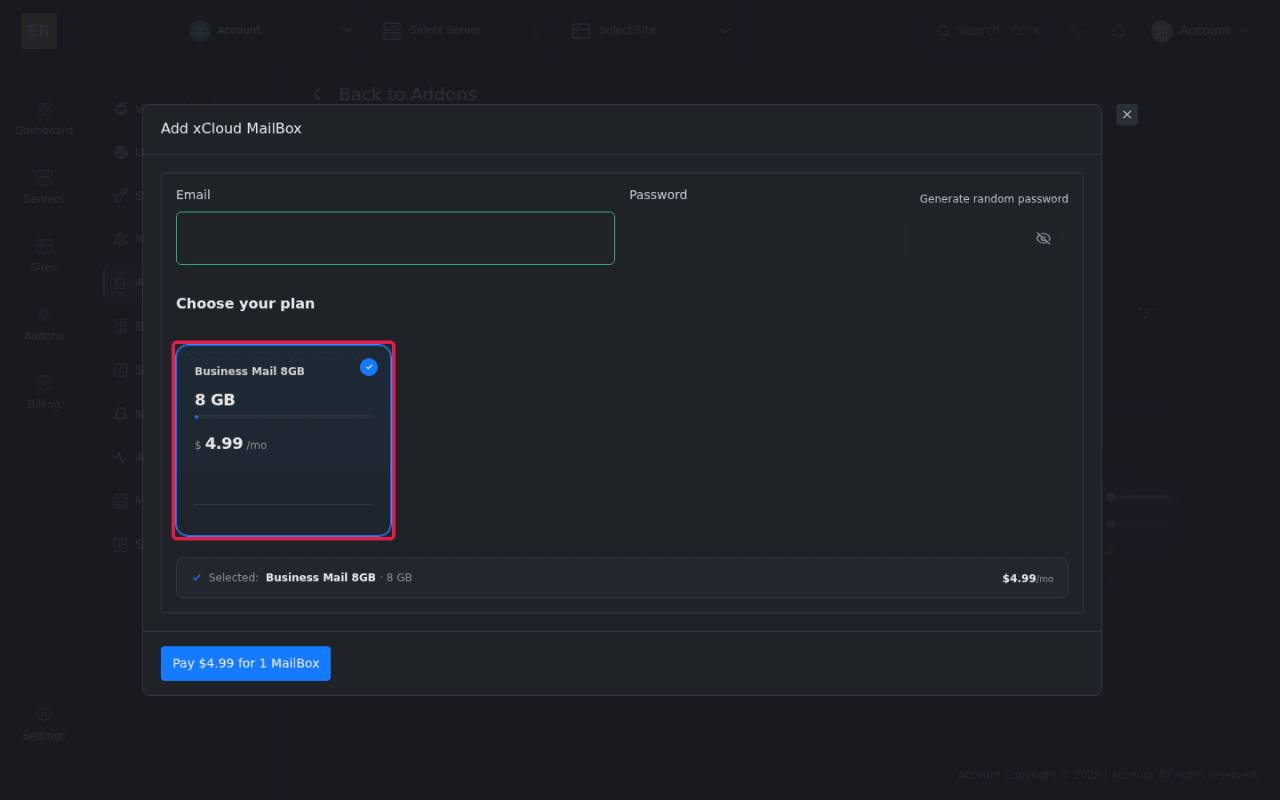
Expected result: The selected plan summary shows the reseller plan name, storage, monthly selling price, and mailbox count. The purchase button states the exact amount due for the selected quantity.
White-label client teams cannot claim the free MailBox or free mail-delivery tiers. Only active reseller-published plans are offered in this flow.
Options and settings
| Setting | What it controls | Important rule |
|---|---|---|
| Source plan | Provider, storage, wholesale cost, and billing period | Must be an eligible OXMAIL MailBox product marked for white-label resale |
| Plan Name | Client-facing product name | Can be changed after publication |
| Price / Month | Monthly selling price | Must be at least the source price plus 10% |
| SKU | Internal product identifier | Must be unique |
| Active Package | Client visibility and purchase availability | At least one active published MailBox plan is required for the client add-on entry to remain available |
| Subscriptions | Number of subscriptions tied to the plan | Read-only on the product list and details page |
Limits and edge cases
- A source plan can be published only once for each white-label account.
- Eligible source plans are monthly OXMAIL MailBox products marked for white-label resale.
- Retail MailBox products are not valid reseller sources.
- Legacy QBOXMAIL products are not valid reseller sources.
- A price below the 10% minimum markup is rejected during creation and editing.
- Deactivating the only active published MailBox plan removes the client-facing MailBox add-on entry.
- White-label client teams cannot claim free MailBox or free mail-delivery tiers.
- Publishing a MailBox add-on does not add it to, remove it from, or otherwise alter the reseller’s managed-hosting server plan catalog.
Verification
Confirm the complete reseller-to-client flow:
- The plan appears under White Label → Addons.
- The published row shows the intended name, monthly selling price, and Active status.
- The details page shows the expected storage, wholesale price, selling price, and subscription count.
- A client can open Settings → Addons and see the MailBox card.
- The card’s starting price matches the lowest active reseller selling price.
- The purchase form lists the reseller plan name, storage, price, and mailbox count.
- Deactivating the only active plan removes client access, and reactivating it restores access.
Troubleshooting
| Symptom | Likely cause | Fix |
|---|---|---|
| A source plan does not appear in the picker | The product is retail, uses legacy QBOXMAIL, is inactive, or is not marked for white-label resale | Use an active OXMAIL source that xCloud has made available for white-label resale |
| Publication is rejected as a duplicate | The source plan was already published for this white-label account | Edit the existing reseller plan instead of publishing the same source again |
| The price field reports a minimum-price error | The selling price is below the source price plus 10% | Raise the monthly price to the exact displayed minimum or higher |
| Clients cannot see the MailBox add-on | No reseller MailBox plan is both published and active | Open the plan, enable Active Package, save, and check the client portal again |
| The Addons page is unavailable to a white-label client | The reseller has not published an active MailBox plan | Publish or reactivate at least one eligible MailBox plan |
| A free MailBox option is missing | Free MailBox and free mail-delivery tiers are not available to white-label client teams | Offer an active paid reseller plan |
| The plan was updated but old values remain on screen | The page has not reloaded after the update | Return to the Addons list or refresh the plan details page, then confirm the saved values |
Common mistakes
- Using a retail plan as the source: Retail products may look similar to wholesale sources, but they are not publishable through this reseller workflow.
- Treating a legacy product as eligible: QBOXMAIL products remain excluded from reseller publication.
- Pricing from memory: Use the source price shown in the dialog and the displayed minimum, because the floor is validated at save time.
- Publishing with the plan inactive: The record exists, but clients cannot buy it until Active Package is enabled.
- Expecting free tiers in the branded portal: White-label clients receive the reseller’s paid offer, not xCloud’s free MailBox or mail-delivery offers.
- Confusing add-on plans with server plans: MailBox publication does not change the reseller server catalog.
FAQ
Can I publish the same MailBox source plan twice?
No. xCloud allows one published reseller variant of each eligible source plan per white-label account. Edit the existing plan to rename, reprice, or reactivate it.
Why must the selling price be higher than the source price?
xCloud enforces a minimum selling price equal to the source price plus 10%. The create and edit dialogs display the minimum when the entered price is too low.
What happens when I deactivate my only MailBox plan?
The plan remains in the reseller product list as Inactive, but clients can no longer access the MailBox add-on flow. Reactivate the plan to restore it.
Can white-label clients use a free MailBox plan?
No. Free MailBox and free mail-delivery tiers are not offered to white-label client teams.
Does publishing a MailBox plan change my reseller server plans?
No. MailBox add-ons and managed-hosting server products remain separate catalogs.