

Zero-Downtime Deployments for Laravel and PHP Sites in xCloud
Updated November 10, 2026 · 6 min read
Release mode gives Laravel and custom PHP sites in xCloud zero-downtime deployments. Each deploy checks out your commit into a new release folder, runs your deploy script there, checks that the release answers without a server error, and then switches the site to it in one step. This guide covers what is specific to Laravel and PHP. For the basics, read How to use zero-downtime deployments first.
Requirements
- A Laravel or custom PHP site deployed from Git, on an nginx or OpenLiteSpeed server.
- The default Git Pull Script (leave the box empty or keep the default text).
- The Manage deploy scripts permission to turn Release mode on.
Step 1: Turn Release mode on
Open the site, click Git, scroll to the Release mode card and click the switch. Confirm with Turn on. When the card shows Release mode is on., a Laravel site shares .env and storage between releases.
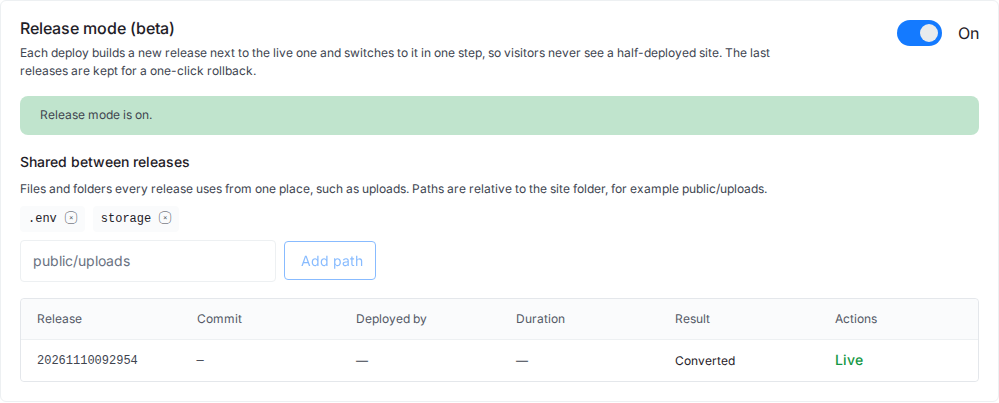
A custom PHP site shares .env by default. If the site has no .env file, nothing is listed under Shared between releases until you add a path. To share an uploads folder too, see Shared files and folders in Release mode.
What happens on each deploy
- xCloud fetches your branch and checks out the commit into a new release folder.
- It links the shared files, such as
.envandstorage, into the release. - Your deploy script runs inside the new release.
$PROJECT_DIRpoints to that release. - For Laravel,
php artisan --versionmust work in the new release. - A request to
/on the new release must answer with a status below 500 within 10 seconds. - The site switches to the new release in one step. The deploy log shows “Smoke check passed: GET / answered 200.”
- Queue workers, Horizon and the site’s running Supervisor programs restart on the new code.
If any step before the switch fails, the deploy log ends with “The live release is unchanged.” and visitors keep the old release.
The server needs free disk space of at least twice the size of the current release to build a new one.
Your deploy script
The deploy script runs in the new release before it goes live, so it must not touch the live site:
- Use
$PROJECT_DIRfor paths, not/var/www/your-domain. - Remove
git pull. xCloud fetches the commit itself.
A script that breaks either rule is refused, and the message names the line numbers. A typical Laravel script still works as is:
composer install --no-dev --optimize-autoloader
php artisan migrate --force
php artisan optimize
See Deploy Laravel applications for the standard script.
Migrations and rollbacks
The migration runs in step 3, while the previous release still serves visitors. For a short time, the old code runs against the new schema. And a rollback switches the code back but does not undo migrations.
So keep migrations backward compatible:
- Add new columns and tables first; remove old ones in a later deploy, once no release uses them.
- Make new columns nullable or give them a default.
- Avoid renaming a column in one step; add the new one, copy the data, then drop the old one later.
Queue workers and Horizon
After each deploy and rollback, xCloud asks Laravel queue workers to restart after their current job (queue:restart) and asks Horizon to restart (horizon:terminate). Other Supervisor programs of the site that are running are restarted; paused ones stay paused. The deploy log lists each restart, for example “Asked the queue workers to restart (queue:restart).”
To set up workers, see Set up a queue worker for Laravel and Set up Laravel Horizon.
PHP sites on OpenLiteSpeed
Release mode works for Laravel and custom PHP sites on OpenLiteSpeed too. Two things differ:
- xCloud must manage the site’s vhost. If automatic vhost regeneration is turned off for the site, the card shows: “Release mode on OpenLiteSpeed needs xCloud to manage this site’s vhost; turn automatic vhost regeneration back on first.”
- After each switch or rollback, OpenLiteSpeed reloads gracefully so PHP picks up the new release. PHP restarts gently for the sites on that server: requests in progress finish first.

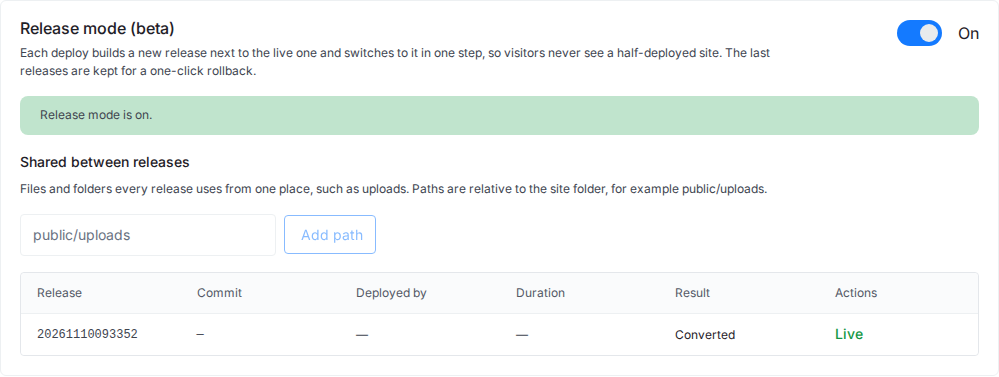
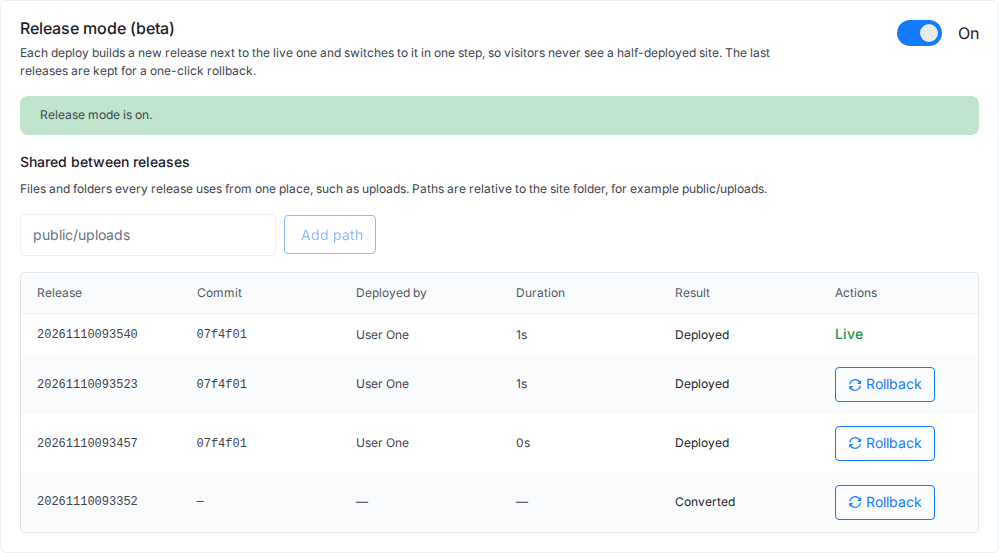
After a few deploys, the card lists the releases, with the newest one Live:
For setting up a PHP site from Git, see Deploy custom PHP applications.
Frequently asked questions
Do my database migrations run before or after the switch?
Before. Your deploy script runs inside the new release, before it goes live, so the old release keeps serving visitors while the migration runs. Keep migrations backward compatible so the old code still works with the new schema.
Does a rollback undo a migration?
No. A rollback switches only the code. The database is not changed, so write migrations that the previous release can still run with.
Does Release mode work on OpenLiteSpeed?
Yes, for Laravel and custom PHP sites, as long as automatic vhost regeneration is on for the site. After each switch, OpenLiteSpeed reloads gracefully.
Do I need to change my deploy script?
Only if it uses the live site path (/var/www/your-domain) or runs git pull. Use $PROJECT_DIR for paths and remove git pull; xCloud fetches the commit into the new release itself.
Related guides
- How to use zero-downtime deployments (Release mode)
- How to roll back a deployment
- Release mode messages and fixes
- Environment variables and Git deployments
If you run into any issues with zero-downtime deployments for your Laravel or PHP site, feel free to reach out to our support team.